Onlinefotka Schema Markup Wordpress Plugin - Rating, Reviews, Demo & Download
Plugin Description
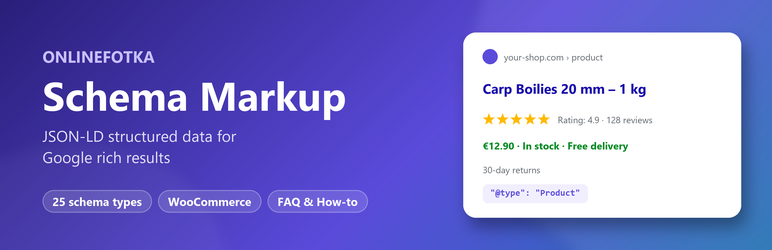
Onlinefotka Schema Markup adds structured data in JSON-LD format to your pages, so Google and other search engines understand your content and can show rich results – stars, prices, availability, FAQ, breadcrumbs, events, recipes and more.
Everything is included for free – no “Pro” version, no license key.
25 schema types
Article (BlogPosting, NewsArticle…), WebPage, Product (offers, shipping, return policy, variants), Local Business (60+ business types, opening hours, geo), Review (of a product, book, course, event, business, recipe, software, movie, game, music, organization, vehicle or podcast), FAQ, How-to, Recipe, Event, Course, Job Posting, Service, Software Application, Video, Person, Book, Dataset, Profile Page, Discussion Forum, Q&A Page, Image License, Vehicle Listing, Podcast Episode, Movie Carousel and Custom JSON-LD markup.
Field mapping – set once, used everywhere
For every field choose where the value comes from:
- title, content, excerpt, permalink, dates, author, featured image, site name, logo…
- WooCommerce: price, sale price, currency, SKU, GTIN / EAN, stock status, average rating, review count, brand, weight, categories
- any custom field (post meta) or ACF field
- a fixed value
- a new field that you fill in on each post
- ratings from visitors – a star widget below the content collects votes (one per visitor, IP addresses stored only as hashes)
Any value can be changed on a single post in the “Schema Markup” box of the editor, which also shows the generated JSON-LD and missing required fields.
Display rules
Use a schema on all singular pages, the front page, all posts of a type (posts, pages, products…) or on specific posts, pages and categories – and exclude others.
Site-wide schemas
- Organization (including Online Store, Local Business and 25 other types) or Person with logo, contact point and social profiles (knowledge graph)
- WebSite with the search box
- Breadcrumbs (BreadcrumbList) with a configurable middle level (category, product category…) and the
[ofsch_breadcrumbs]shortcode for visible breadcrumbs - SiteNavigationElement from a menu
- AboutPage and ContactPage
Gutenberg blocks
- FAQ – questions and answers, optional accordion, one FAQPage schema for all FAQ blocks of the page
- How-to – steps with images, materials, tools, time and cost
More
- Setup wizard
- Import from Schema Pro – settings, schemas, values entered on posts and visitor ratings
- Export / import of schemas and settings between websites
- Works together with Yoast SEO, Rank Math, All in One SEO, SEOPress, The SEO Framework and Slim SEO (no duplicate Organization, WebSite and breadcrumbs)
- Removes the duplicate Product markup of WooCommerce and the Article markup of the Astra theme where a schema is used
- Optional skipping of schemas with missing required fields
- Cached output – no extra database work on page views
- “Schema” toolbar menu with the Google Rich Results Test and the Schema.org Validator for the current page
- AMP support
- Translations: Slovak, Czech, Hungarian, Polish, German
External services
The plugin does not send any data anywhere. The toolbar menu and the test buttons only open the public testing tools of Google (Rich Results Test, terms, privacy) and Schema.org (Schema Markup Validator) in a new tab with the address of the page you want to test – only when you click them.
Screenshots

Choose a schema type – every type has a short description, the most useful ones are recommended first.

Field mapping – for every field choose where the value comes from (post fields, WooCommerce, custom fields, fixed value…).

The Schema Markup box in the post editor – change any value on a single post and see where it comes from.

Settings – website, social profiles, site-wide schemas, breadcrumbs, shipping & returns and advanced options.