Headless Deploy Panel For Vercel Wordpress Plugin - Rating, Reviews, Demo & Download
Plugin Description
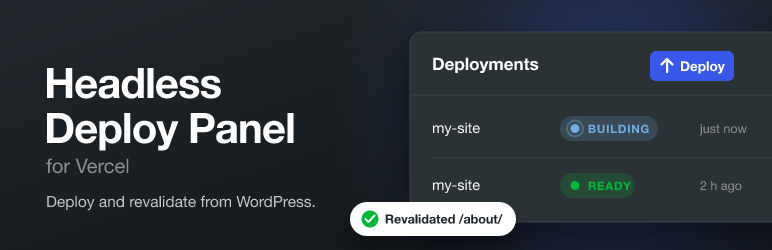
Headless Deploy Panel for Vercel is for sites that use WordPress as a headless CMS with a front end hosted on Vercel.
- Deploy: start a new deployment with one click, using a Vercel deploy hook.
- Monitor: see your latest deployments and their state, updated while a deployment is running.
- Revalidate: a “Revalidate page” button on posts and pages asks your Next.js site to refresh that page (on-demand revalidation), without a full deployment.
Your Vercel API token, deploy hook and revalidation secret are stored on your server and are only used by WordPress itself. They are never sent to the browser.
This plugin is not affiliated with or endorsed by Vercel Inc.
Inspired by Vercel Deploy for Strapi.
External services
This plugin connects to the following services. Nothing is sent until an administrator saves the settings, and then only when the actions below happen.
Vercel REST API
Used to list the latest deployments of your Vercel account or team.
- What is sent: your API token (as an
Authorizationheader) and, if set, the project name and team ID. - When: when an administrator opens the Deploy Panel page, and every few seconds while a deployment started from that page is running.
- Endpoint:
https://api.vercel.com/v6/deployments
Vercel deploy hook
Used to start a new deployment of your project.
- What is sent: an empty
POSTrequest to the deploy hook URL you entered (https://api.vercel.com/v1/integrations/deploy/...). - When: only when an administrator clicks Deploy.
Both services are provided by Vercel Inc.: Terms of Service, Privacy Policy.
Your site’s revalidation URL
Used for on-demand revalidation of your own front end, at the URL you entered in the settings. This is usually your own Next.js site; if it is hosted on Vercel, the Vercel terms and privacy policy above apply.
- What is sent: the path and post type of the post, and the revalidation secret (as an
x-revalidate-secretheader) if you set one. - When: only when a user clicks Revalidate page on a published post.
Screenshots

The Deploy Panel lists your latest Vercel deployments and their state.

After you click Deploy, the panel follows the new deployment until it is ready.

The Revalidate box on posts and pages refreshes that page on your Next.js site.

Settings. The deploy hook, API token and revalidation secret are never shown again after saving.