BackHAUS Email Campaigns For WooCommerce Wordpress Plugin - Rating, Reviews, Demo & Download
Plugin Description
Why I made it
I run a WooCommerce store, and all I wanted was to email my customers easily: every one of them, quickly, without the tool falling over halfway through. Nothing I tried did that well, so I built this. It sends from your own WordPress, through the mail setup your store already uses, and it never charges you by the contact.
How it works
Write an email, choose who gets it, and send it or schedule it. BackHAUS Email Campaigns uses your store’s customers and orders to decide who gets what, wraps each email in your WooCommerce email design, and hands it to WordPress’s own mail function, so it works with whatever sends your store’s email today (WP Mail SMTP, FluentSMTP, Mailgun, Amazon SES, Microsoft 365, Gmail and others).
What you can do
- Start from a layout (store news, a sale, new arrivals, a thank-you) or a blank page, and write in the WordPress editor.
- Add product cards with a photo, name, price and link, and personal details such as the customer’s first name.
- Preview on desktop and phone, and send yourself a test.
- Choose who gets it: when they ordered, how many orders, how much they spent, what they bought, where they live, and people who signed up without ordering. You see how many people it reaches as you choose.
- Send now or schedule it. The confirmation tells you how many people it reaches, how many were emailed recently, and whether a campaign with the same subject went out lately.
- Watch it go out: progress, pause and stop, and what happened to each person.
- See opens, clicks and the orders that followed, on each campaign and on the Reports screen.
Safe by design
- People who unsubscribe are never emailed again unless they sign up again themselves. One-click unsubscribe works in Gmail, Yahoo and other mail apps.
- An over-mailing guard holds back emails to anyone emailed too often, so a mistake can’t flood your customers. You decide whether held emails go out.
- When your mail provider asks you to slow down, sending pauses and resumes by itself. Speed limits keep you inside your provider’s limits.
- An address whose mailbox doesn’t exist is marked as bounced and gets no more email, which protects your standing with inboxes.
- The Status tab tells you whether email is working, and checks your sender domain’s SPF, DKIM and DMARC records.
Consent and sign-ups
- A sign-up checkbox at checkout, or automatic opt-in for customers.
- A sign-up form for any page (
[bhec_signup]), with optional confirmation by email (double opt-in) and optional bot protection (Google reCAPTCHA or Cloudflare Turnstile). - An Email Preferences page in My Account, and GDPR export and erasure.
Pro
BackHAUS Email Campaigns Pro for WooCommerce adds automatic emails (abandoned carts, unpaid orders, follow-ups after an order, welcome and win-back emails) that can run as a series, back-in-stock and new-arrival emails, subject tests, a unique coupon for each person and saved guest carts. See https://backhaus.sg/email-campaigns.
External Services
The free plugin connects to other services only when you turn them on:
- Google reCAPTCHA, if you choose it under Settings > Sign-Ups > Bot Protection. The sign-up form loads Google’s script, and the visitor’s answer and IP address are sent to Google to check it. Terms, Privacy Policy.
- Cloudflare Turnstile, if you choose it there instead. The sign-up form loads Cloudflare’s script, and the visitor’s answer and IP address are sent to Cloudflare to check it. Terms, Privacy Policy.
The Status tab looks up your sender domain’s public DNS records through your server’s usual DNS resolver.
Pro only: BackHAUS Email Campaigns Pro checks its license and looks for updates at backhaus.sg, sending the license key and the site’s address. Terms, Privacy Policy.
Screenshots
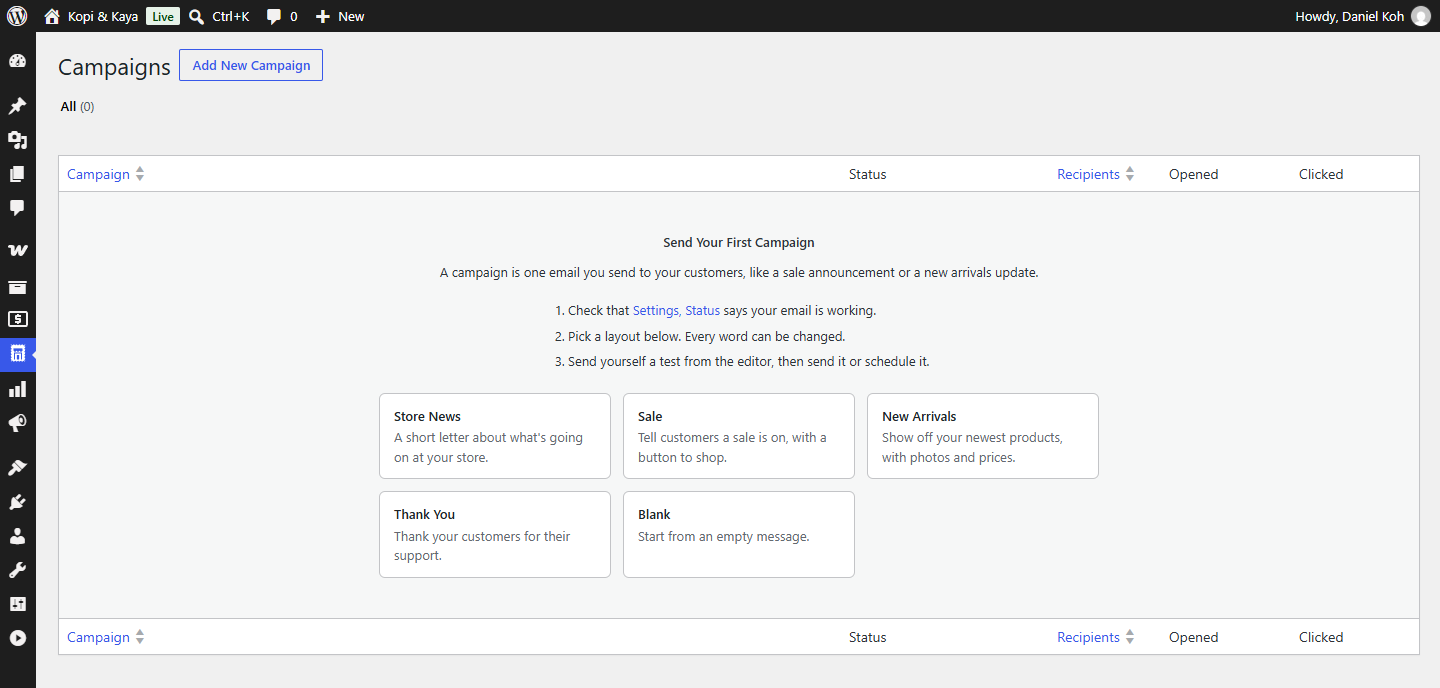
Your first campaign: check that email works, pick a layout, send yourself a test.
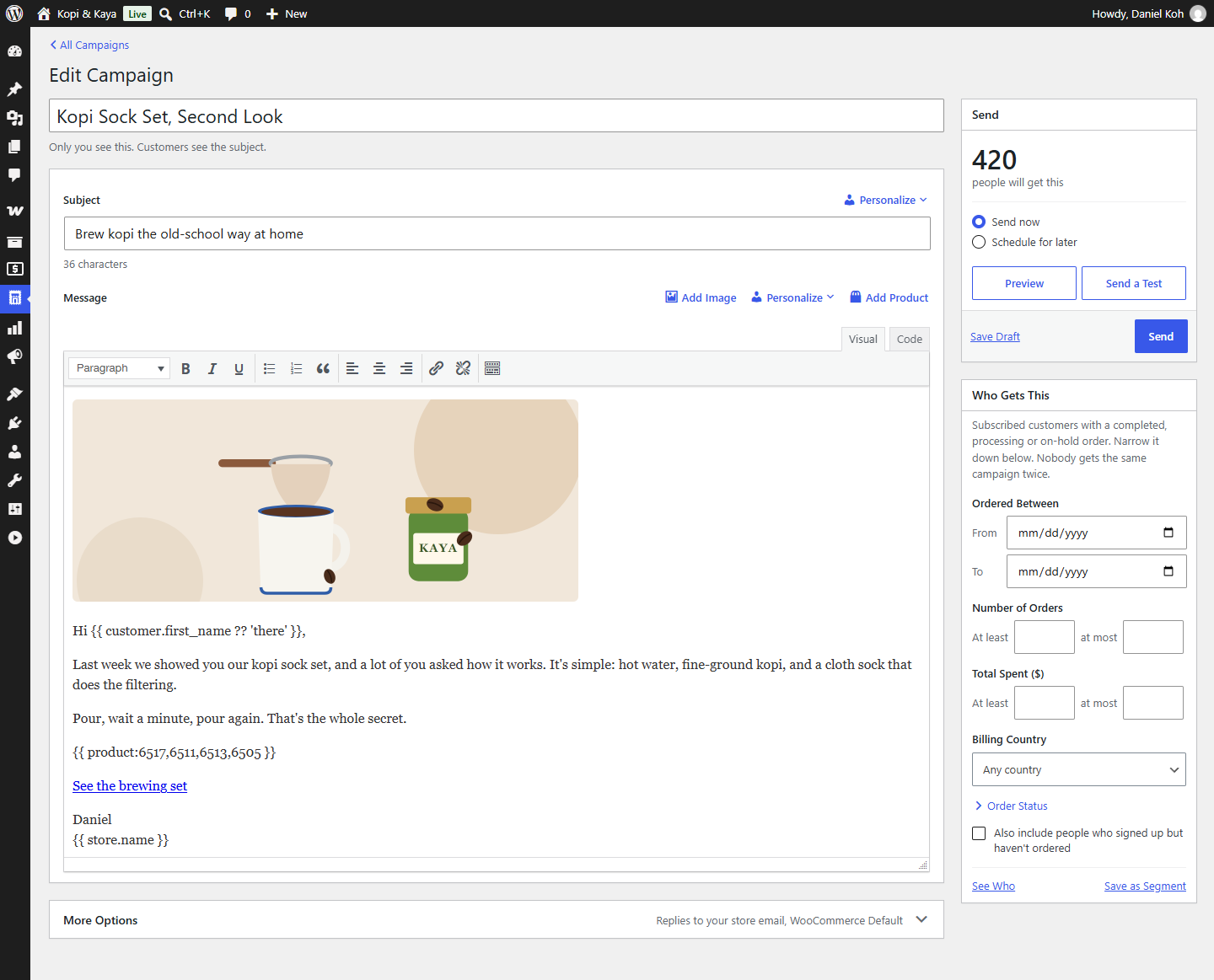
The campaign editor: subject, message with product cards, and who gets it.
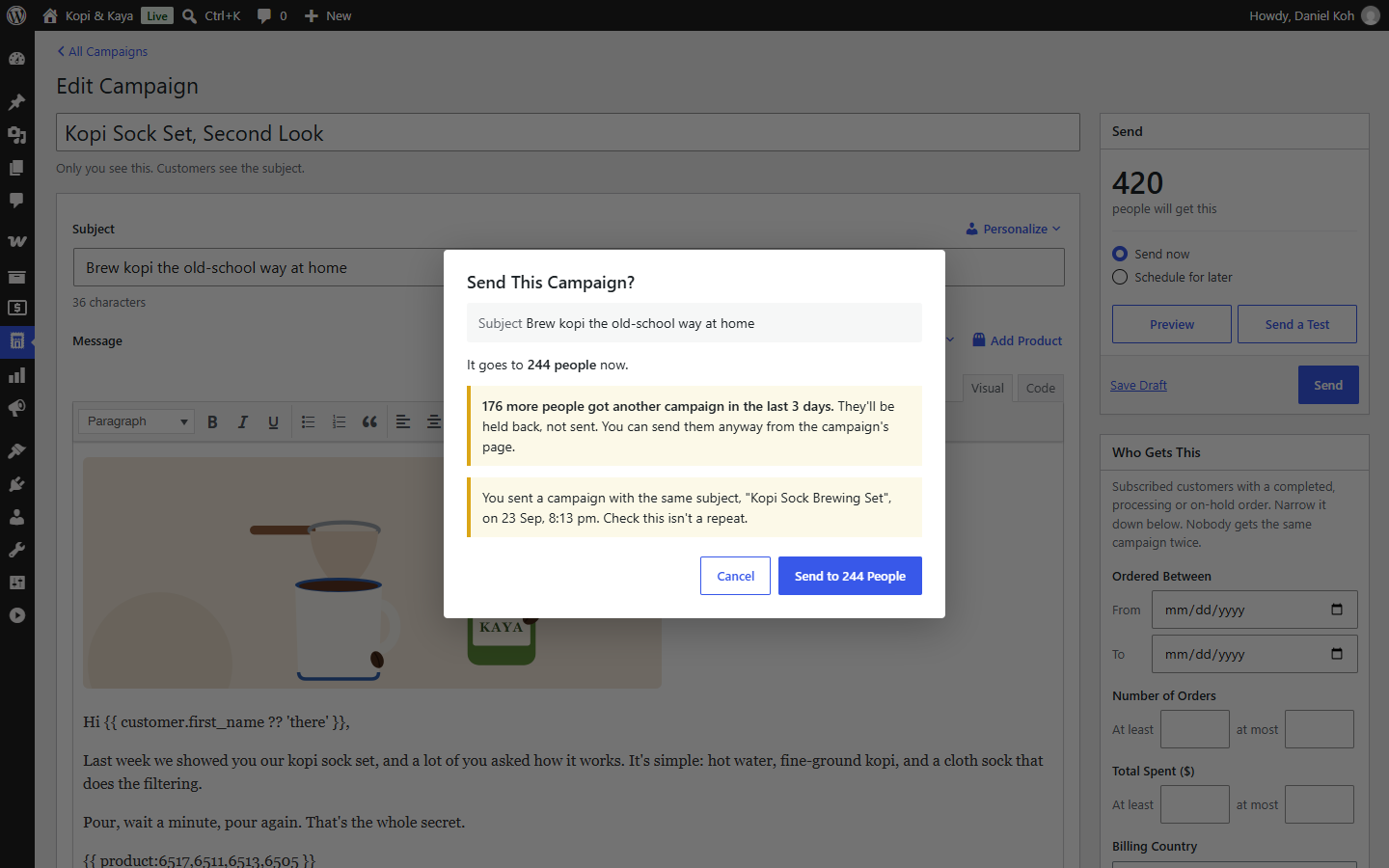
Before it goes out: how many people it reaches, and who was emailed recently.
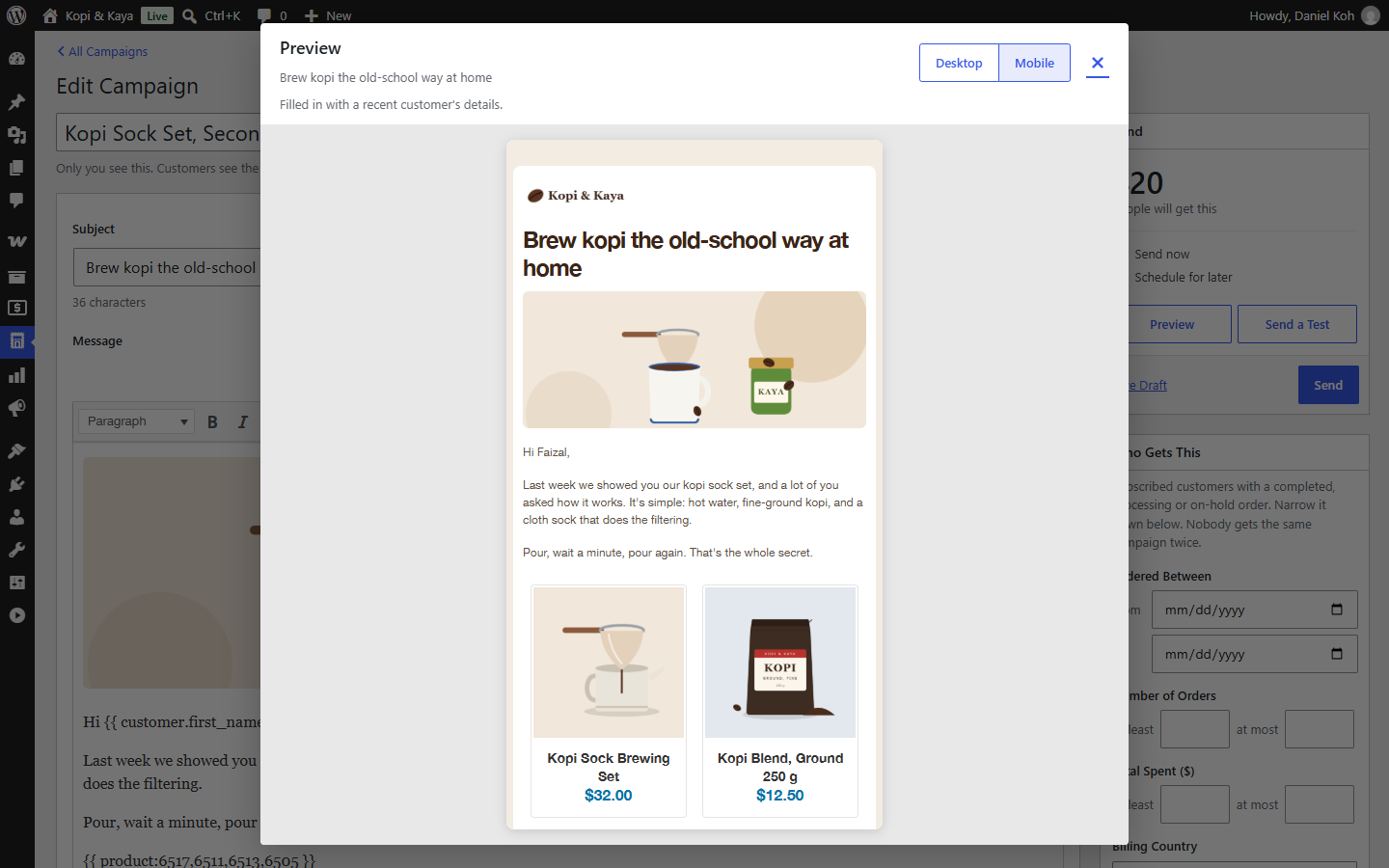
Preview on a phone before you send.
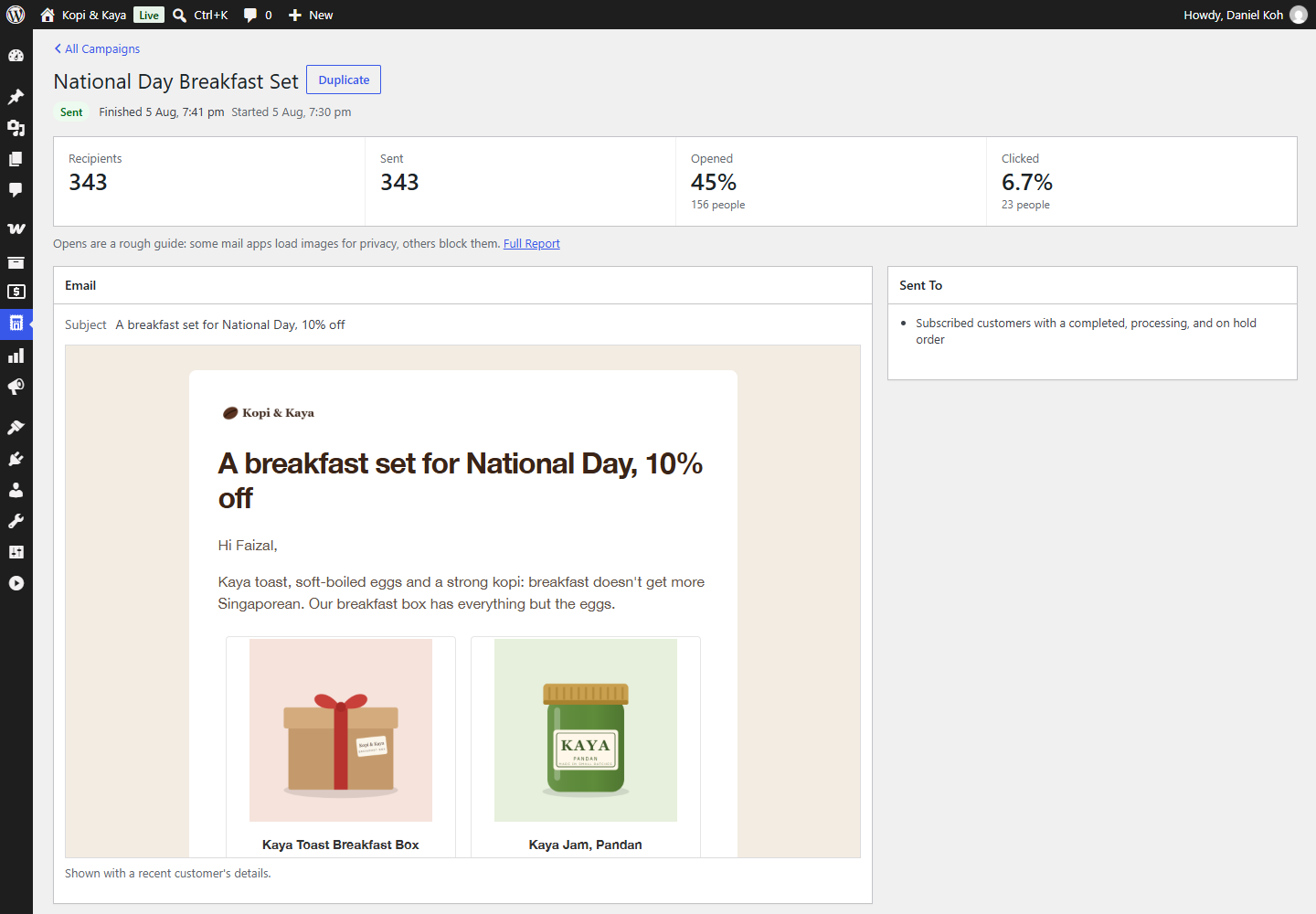
A sent campaign: opens, clicks, orders, and what happened to each person.
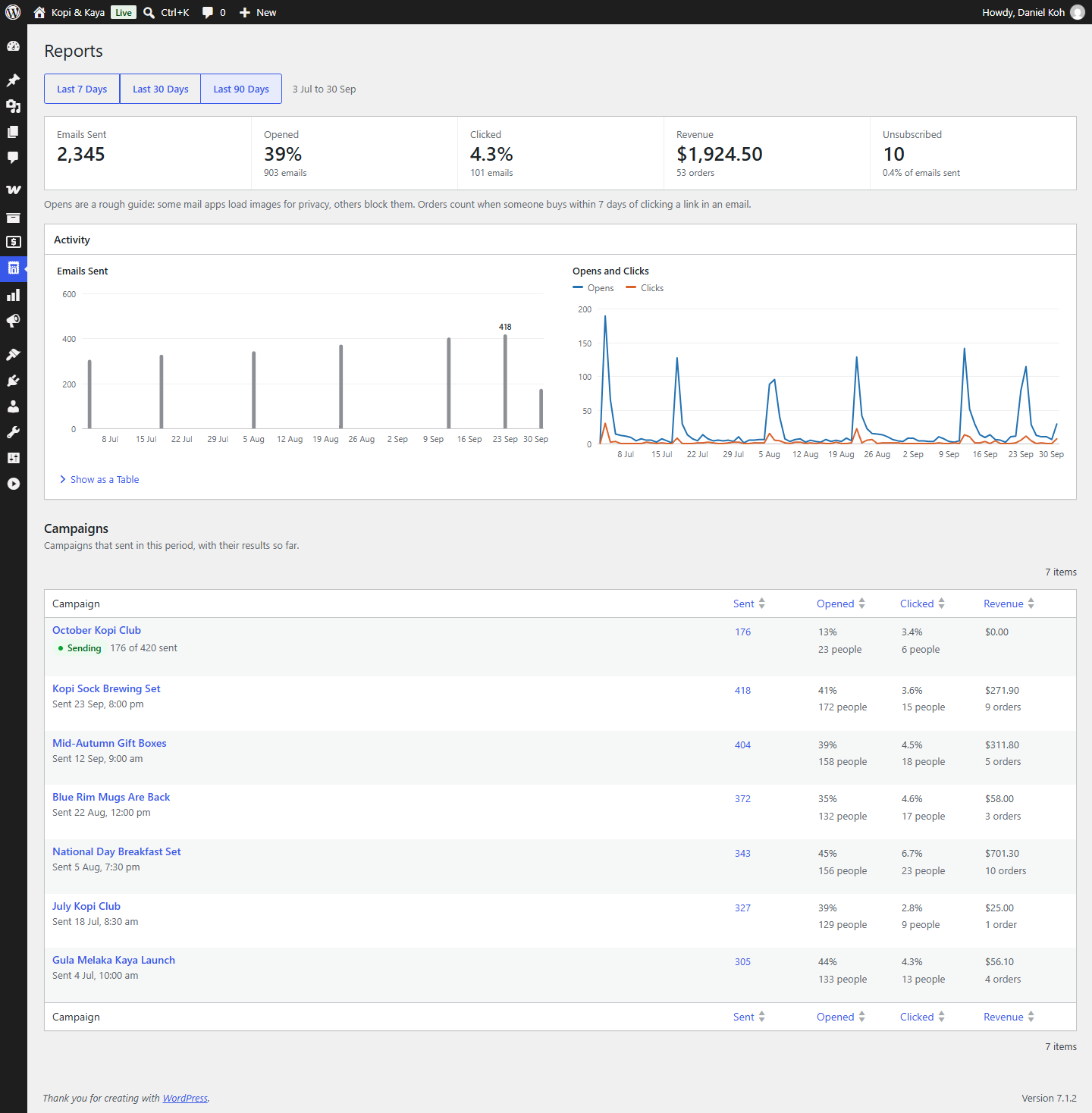
Reports: how your emails did over the last 90 days.
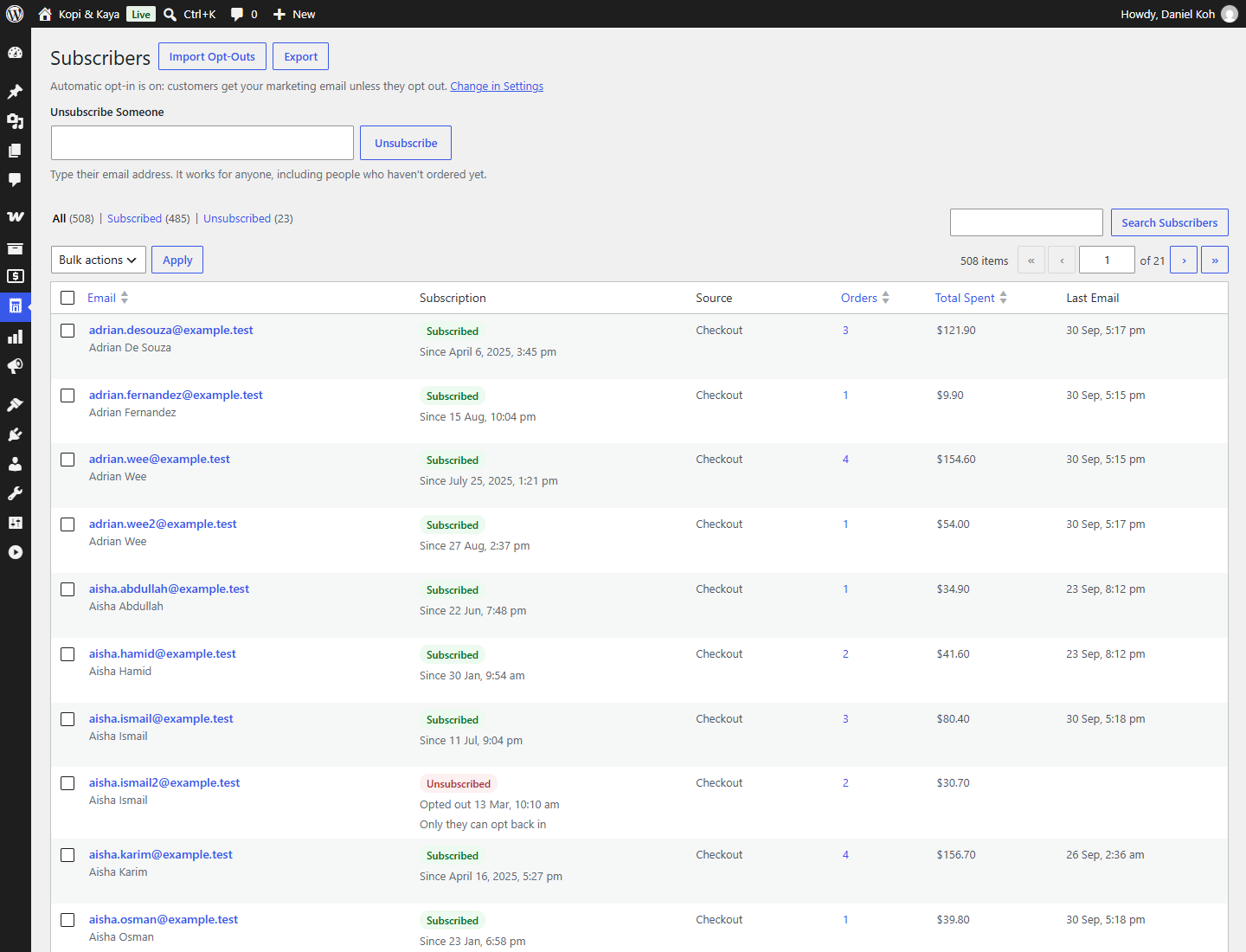
Subscribers: everyone, their choice, and the emails they got.
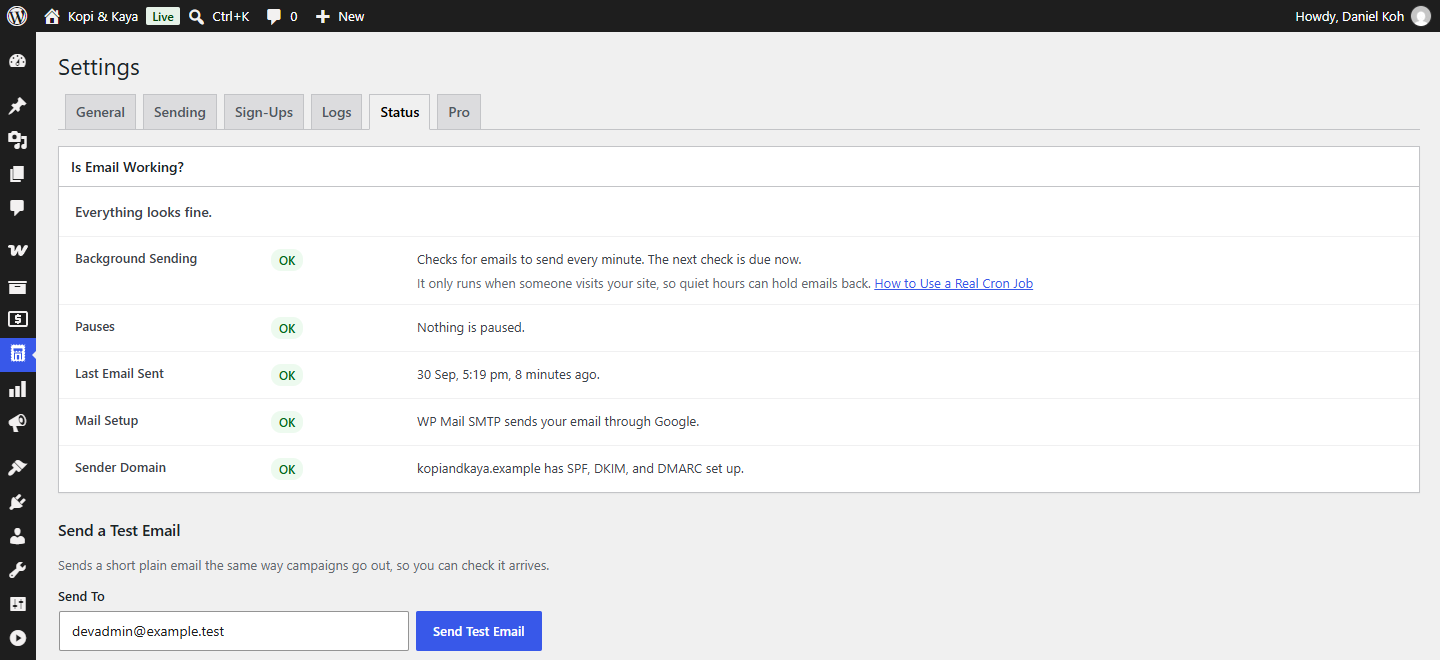
Status: is email working, including your sender domain’s records.