MUQ SEO Site Checker Wordpress Plugin - Rating, Reviews, Demo & Download

Plugin Description
MUQ SEO Site Checker is a technical site health inspection and audit tool for WordPress. It analyzes your website’s on-page structure, metadata, and server configurations to identify technical issues and assist with search engine discovery.
The plugin provides actionable diagnostics across your pages, helping webmasters inspect structured data, configure instant indexing pings, monitor 404 errors, and maintain clean URL redirections.
Key Capabilities
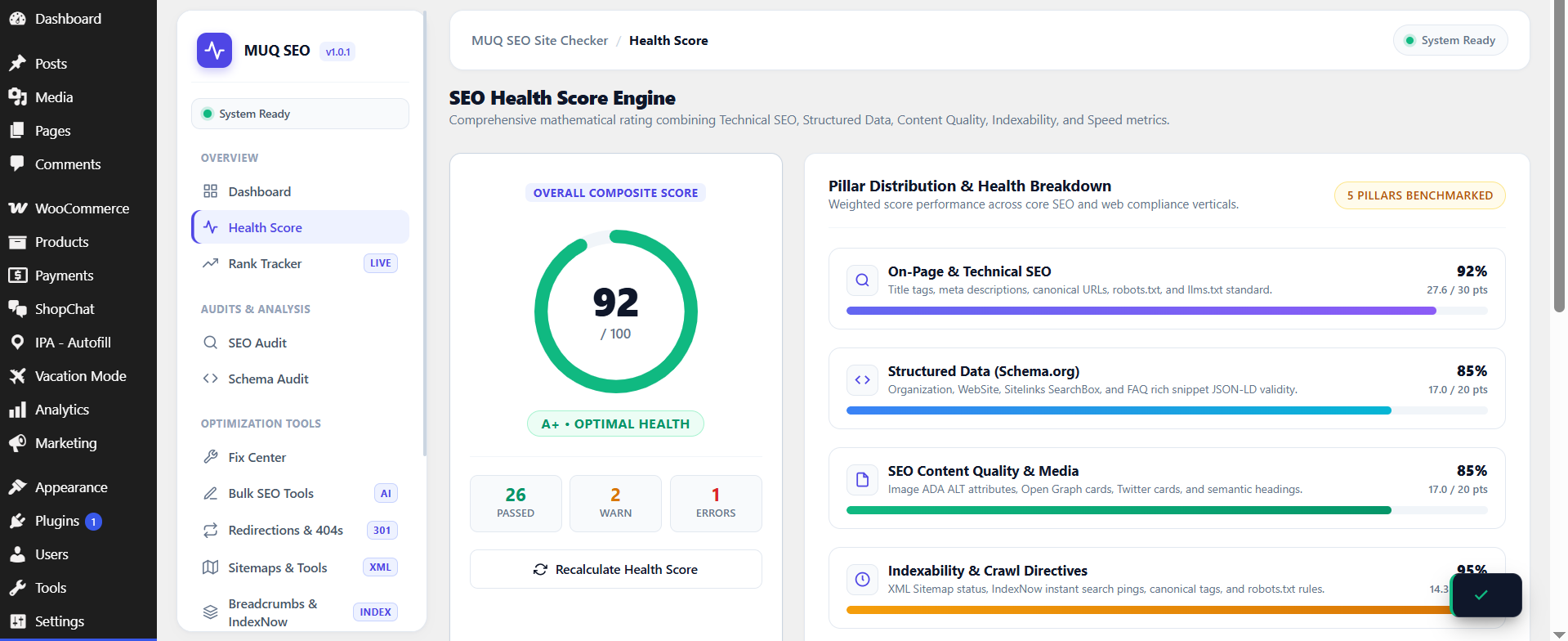
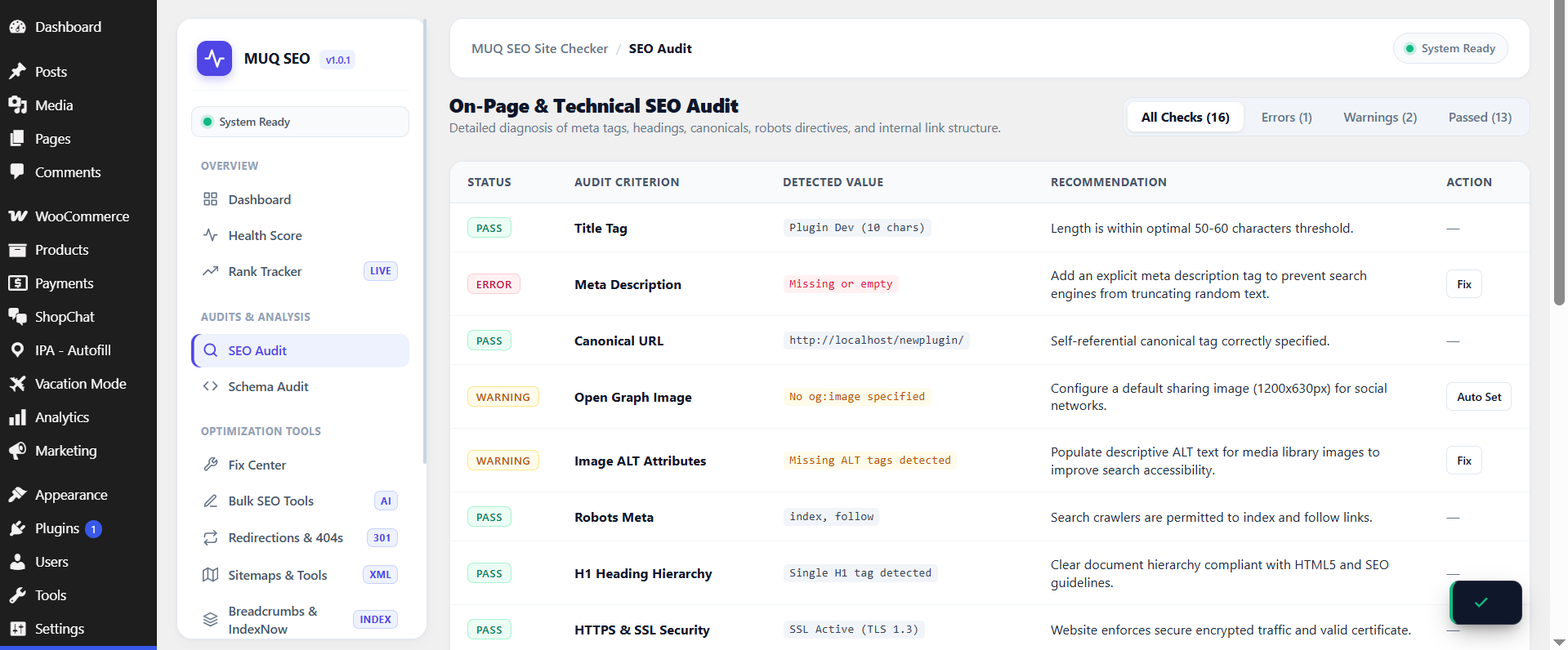
- Site Health Diagnostics: Inspect over 50 technical checkpoints covering meta tags, headings, content length, and page metadata with an organized diagnostic score.
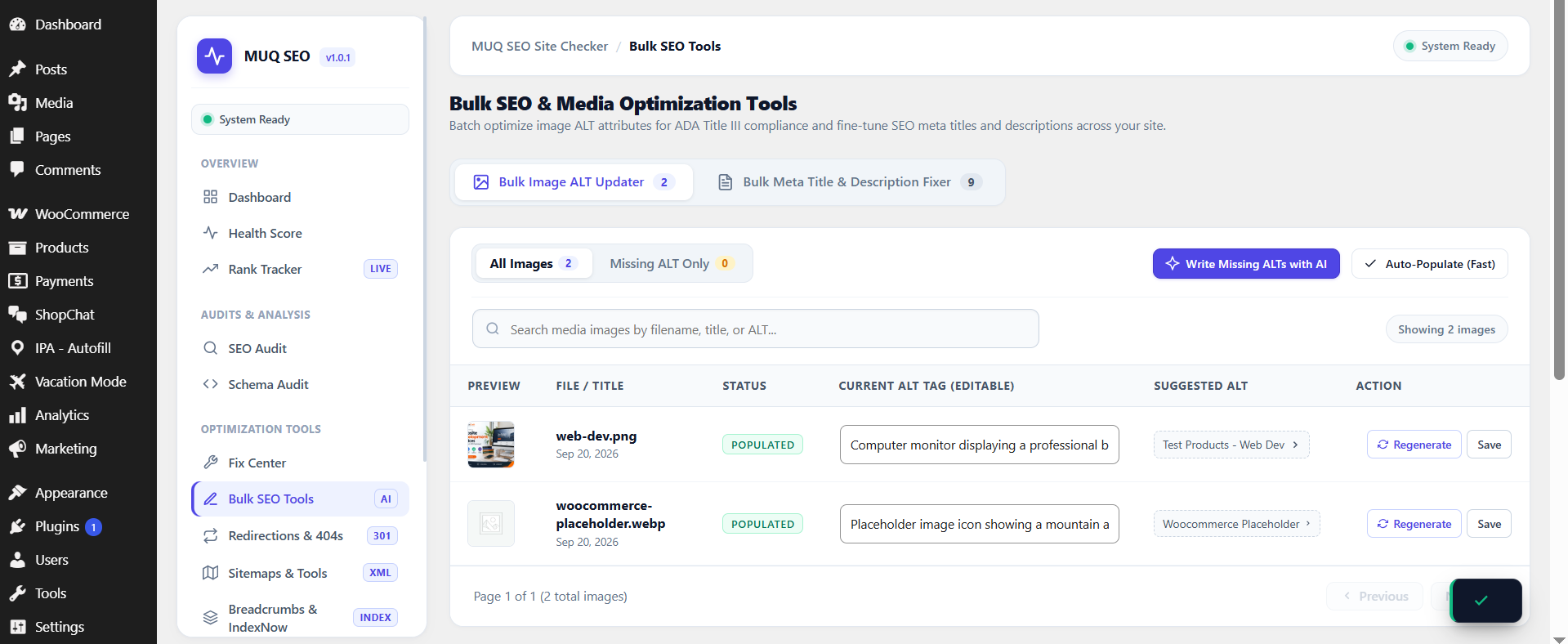
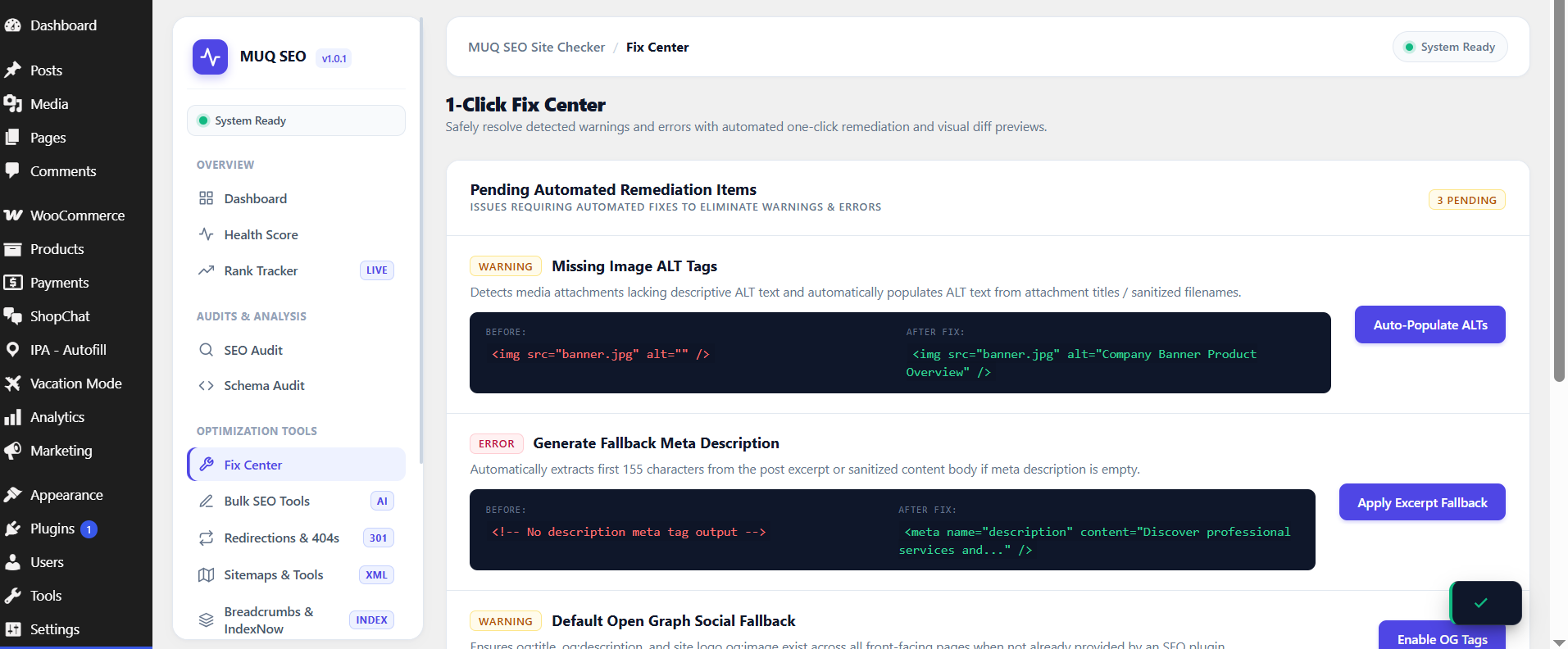
- Metadata & Image Tagging: Identify and resolve missing image alternative (ALT) attributes, page descriptions, and Open Graph tags.
- Structured Data (Schema JSON-LD): Generate standard Schema.org microdata (
Organization,WebSite,LocalBusiness,Article,Product) and build interactive FAQs withFAQPagemarkup. - Search Engine Notification (IndexNow): Send automated publish pings to participating search engines (such as Bing and Yandex) via the IndexNow protocol.
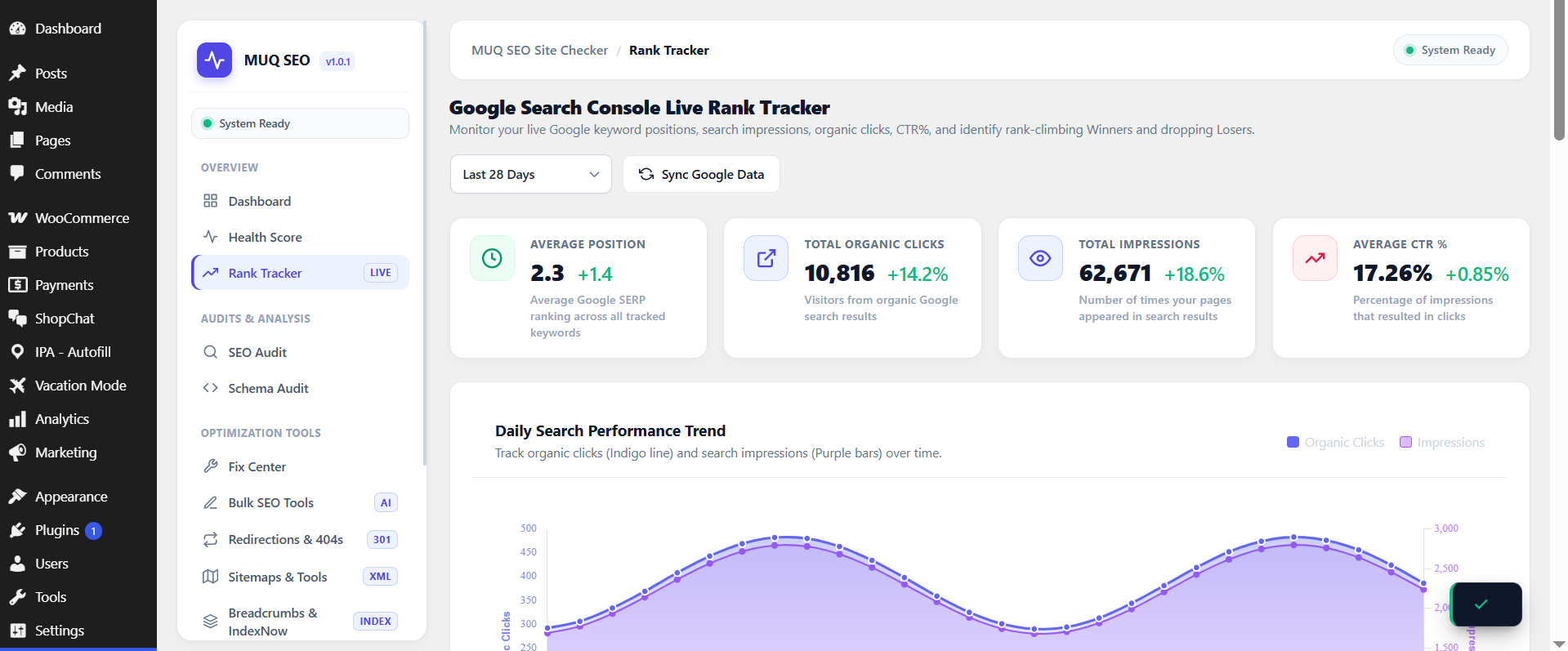
- URL Redirects & 404 Logging: Track incoming 404 requests and configure 301, 302, and 410 URL redirects with regex pattern support.
- AI Search Standard (
/llms.txt): Generate markdown-formatted/llms.txtand/llms-full.txtfiles to guide AI web crawlers. - Bulk Content Utilities: Review and update missing image attributes and meta descriptions across existing posts from a centralized screen.
- XML Sitemaps & Directives: Generate native XML sitemaps and configure virtual
robots.txtcrawler directives. - Privacy Focused: No third-party scripts loaded by default, minimal resource usage, and built strictly with native WordPress APIs.
External Services
This plugin optionally connects to the following external services. All connections are user-initiated and require explicit configuration by the site administrator.
Google PageSpeed Insights API
When you add a Google PageSpeed API key in Settings, the plugin queries the PageSpeed Insights API to retrieve performance scores for your pages.
- Data sent: The public URL of the page being analyzed.
- Google Privacy Policy: https://policies.google.com/privacy
IndexNow API (Bing / Yandex)
When IndexNow is enabled by the administrator, the plugin sends a URL ping to https://api.indexnow.org/indexnow whenever a post is published or updated, to notify search engines of new content. IndexNow is disabled by default and must be explicitly enabled in Settings.
- Data sent: The public URL of the updated post and your site’s IndexNow API key.
- IndexNow FAQ / Terms: https://www.indexnow.org/faq
- Bing Privacy Policy: https://privacy.microsoft.com/en-us/privacystatement
Google & Bing Sitemap Ping
When “Search Engine Auto-Ping” is explicitly enabled in Settings > Sitemaps, the plugin sends a GET ping request to Google (https://www.google.com/ping) and Bing (https://www.bing.com/ping) whenever a post or page is published, providing the public URL of your sitemap index. This feature is disabled by default and requires explicit user activation.
- Data sent: The public XML sitemap index URL of your website.
- Google Privacy Policy: https://policies.google.com/privacy
- Bing / Microsoft Privacy Policy: https://privacy.microsoft.com/en-us/privacystatement
Google Gemini AI
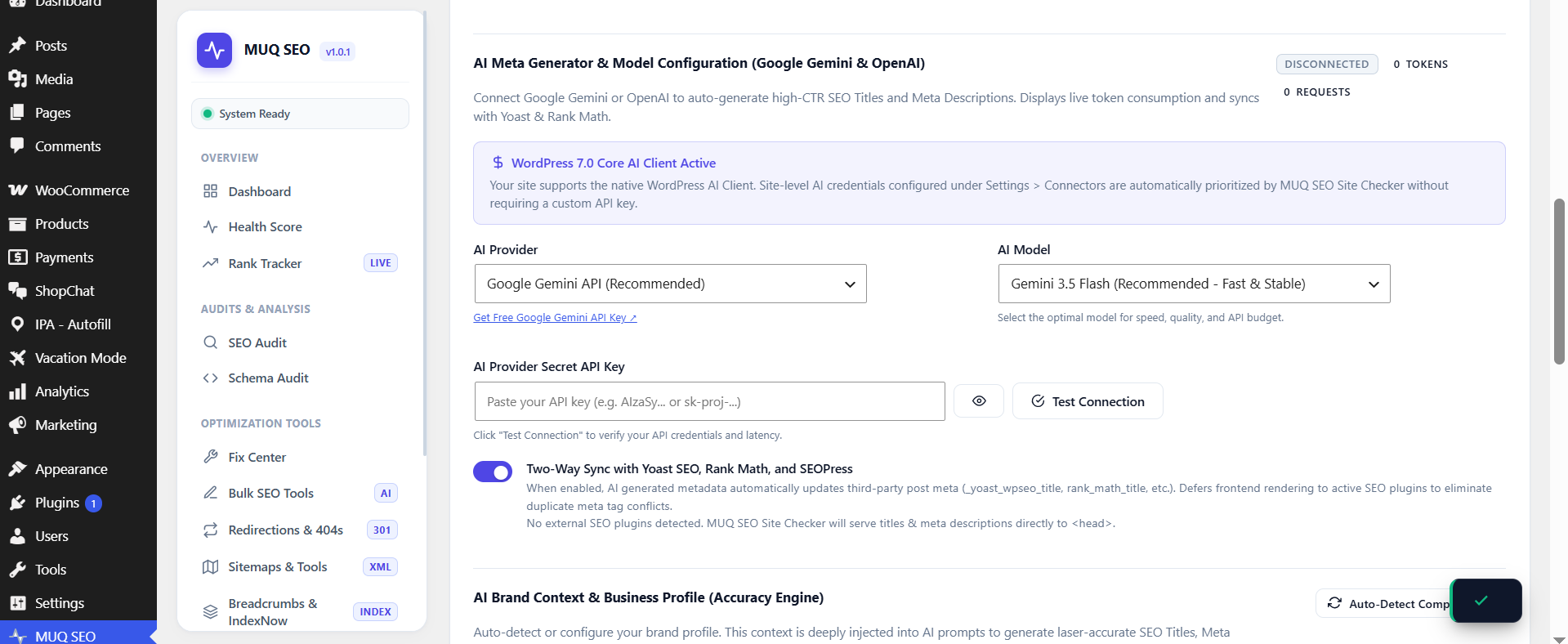
When you enter a Google Gemini API key in Settings > AI and enable AI features, the plugin sends post content to the Gemini API to generate SEO suggestions. When the AI-generated ALT text feature is enabled, image files may also be sent to Gemini Vision for analysis.
- Data sent: Post title, content, focus keyword, and optionally image data (thumbnail) for ALT text generation.
- Google AI Privacy Policy: https://ai.google.dev/gemini-api/terms
- Google Terms of Service: https://policies.google.com/terms
OpenAI
When you enter an OpenAI API key in Settings > AI and select OpenAI as the provider, the plugin sends post content to the OpenAI API. When the AI-generated ALT text feature is enabled, image files may also be sent to OpenAI Vision for analysis.
- Data sent: Post title, content, focus keyword, and optionally image data (thumbnail) for ALT text generation.
- OpenAI Privacy Policy: https://openai.com/policies/privacy-policy
- OpenAI Terms of Use: https://openai.com/policies/terms-of-use
Screenshots
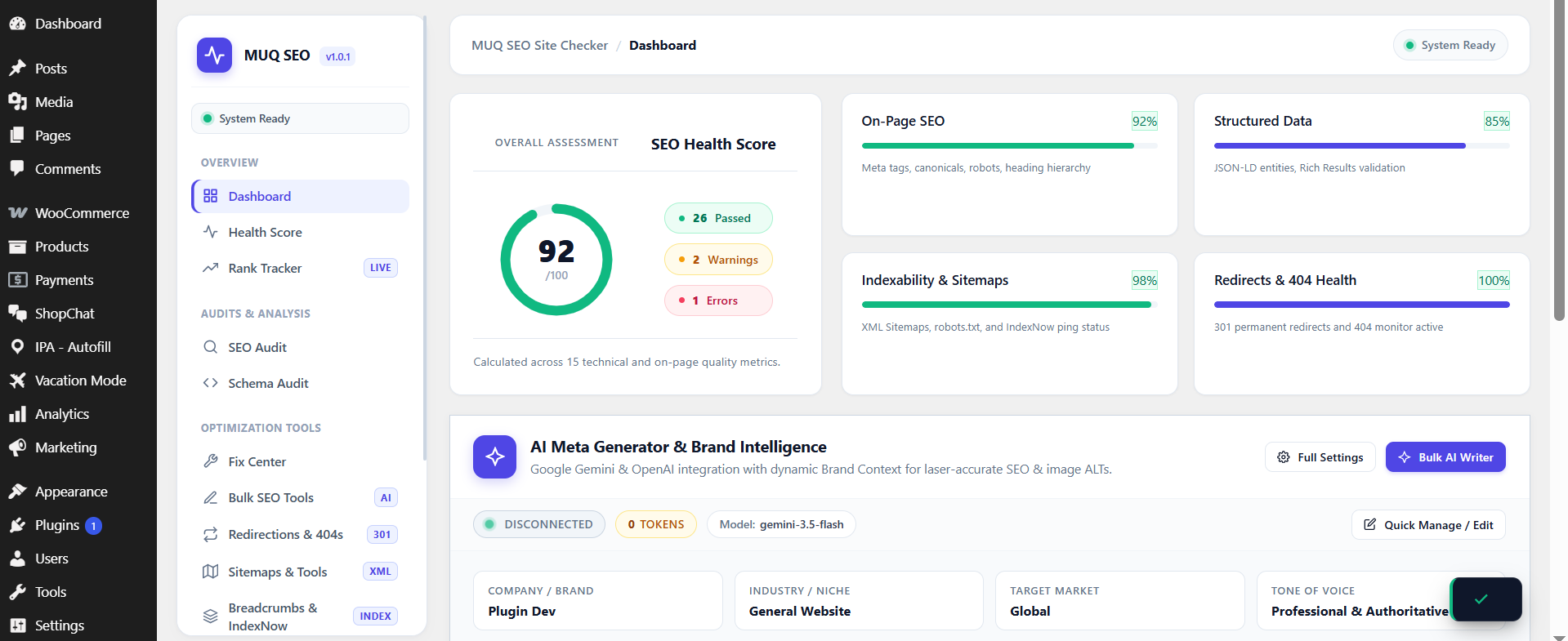
Executive SaaS Dashboard with radial health score gauge and module breakdown.
1-Click Fix Center with visual before/after diff previews.
Schema Generator with interactive syntax editor and JSON validation.
AI Search & LLMs.txt management screen.