Submex Subscription Billing For WooCommerce Wordpress Plugin - Rating, Reviews, Demo & Download
Plugin Description
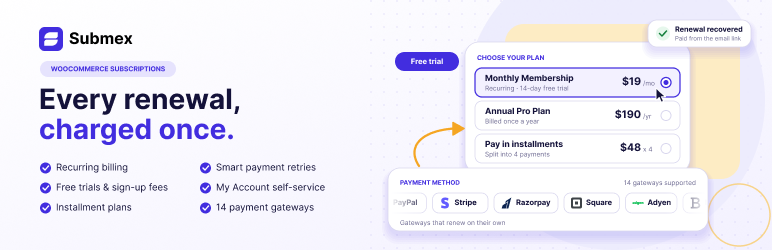
Submex turns WooCommerce products into subscriptions and runs the renewal billing for you — scheduling each charge, taking it, retrying it and recording every attempt — with a place in My Account where customers can see and cancel what they pay for.
Selling subscriptions
- A Subscription product type in the Product data panel, billed every day, week, month or year, or any multiple of them.
- Free trials in days, weeks, months or years, and sign-up fees.
- The price says how often it recurs wherever WooCommerce shows it, and the terms — the trial, the first payment, what follows, cancel anytime — are spelled out on the product page, in the cart and at checkout.
- Works with both the classic checkout and the block checkout.
- A guest can buy a subscription and have an account made at checkout, or you can require a login first.
- A checkout that costs nothing today — a free trial, or a coupon worth the whole first payment — still asks for a payment method whenever a later renewal will charge something, so the first renewal has a card to charge. Plans that renew for nothing are not asked.
Taking payment
- PayPal runs the schedule itself, and Submex keeps in step through PayPal’s webhooks.
- With no gateway at all, renewals become invoices the customer pays by hand.
- Payments that are confirmed days later — Direct Debit and bank payments — wait as pending: the customer keeps access, the renewal order waits on hold so it cannot be paid twice, and Submex never retries or re-charges it. The gateway settles it once the money is confirmed or refused.
- A failed or waiting renewal can be paid from its payment link. Paying it restarts the subscription exactly once, keeps the card it was paid with for later renewals, and is never charged again.
- A safeguard in the database means a renewal can never be charged twice, even when two processes try at the same moment.
- A charge whose result never arrived is checked with the gateway, not simply tried again.
- The next renewal is queued as soon as one is charged. Renewals missed while the site’s scheduler was not running are picked up by an hourly check, which by default charges once for the gap rather than once per missed period.
- In stores that enter prices including tax, renewals charge exactly what the checkout charged. VAT-exempt customers stay exempt on every renewal.
- A copy of the site on staging refuses to bill anyone.
For your customers
- My Account lists their subscriptions, what they pay and when the next payment is.
- They can cancel at the end of the period they paid for, or straight away. You cannot switch cancelling off. A subscription cancelled at the end of the period ends when that period runs out: access stops and nothing more is charged.
- They can turn off automatic renewal and keep what they paid for until the period ends.
- They can pay a renewal that failed, or one waiting on them, from its payment link.
- If you allow it, they can pay the next period early without moving their renewal date.
Running your store
- Home walks you through setting up — connect a payment method, create a product, run a test renewal that charges nobody — then shows recurring revenue (net of tax), what needs your attention and your latest subscriptions.
- All subscriptions lets you search, filter, sort and change subscriptions in bulk, and open any one to see its history, charge it now or move its dates.
- Health checks, under Settings: whether the renewal queue is running, charges whose outcome is still unknown, renewals waiting more than 10 days for their payment provider to confirm them, whether the double-charge safeguard is in place, and subscriptions whose renewals add tax twice, listed with a Repair action so nothing is ever changed silently.
- Ten emails for the moments that matter — seven to the customer (including a reminder before each renewal) and three to you — each with a preview under Email Notifications on WooCommerce 9.6 and later.
- Customer roles and downloadable files that follow the subscription.
- FluentCRM: choose tags and lists on each subscription product. The contact has them while the subscription is active or in a free trial and loses them when it stops, and only tags and lists Submex added are ever removed.
- Integrations and Help screens, with a system report that never contains your keys.
- A REST API for subscriptions, open to logged-in store managers.
Submex Pro
A separate, optional plugin extends Submex with additional payment gateways, advanced plans and pricing, customer retention tools, more integrations and reporting. Submex itself is complete and fully functional on its own.
Source code
The JavaScript for Submex’s admin screens is bundled. Its unbundled source is in the plugin’s src/ directory, alongside the build configuration (package.json, webpack.config.js, tailwind.config.js).
To rebuild it, run these commands in the plugin folder:
npm install

npm run build
The build uses @wordpress/scripts with Tailwind CSS and PostCSS, and needs Node.js.
External services
Submex talks to a payment provider only when you have switched that provider on and entered its credentials. Nothing is sent anywhere by default, and Submex sends nothing to its own author or to any analytics service.
PayPal
Used to create and run the billing plan, when PayPal is enabled under WooCommerce Settings Subscriptions PayPal.
Requests go to https://api-m.paypal.com, or to https://api-m.sandbox.paypal.com when the environment is set to Sandbox. They are made when a subscription product is bought, and whenever PayPal notifies the site of a payment so Submex can verify that the notification is genuine. What is sent: the product name, the price, currency and billing cycle of the plan including any free trial or sign-up fee, the order number, the customer’s first name, last name and billing email, this site’s name and the addresses PayPal returns the customer to, and — for verification — the notification PayPal sent back together with the signature headers that came with it.
PayPal’s terms: https://www.paypal.com/legalhub/useragreement-full — PayPal’s privacy statement: https://www.paypal.com/legalhub/privacy-full
WordPress.org plugin directory
Used only when an administrator clicks Install on the Integrations screen to add the FluentCRM plugin (fluent-crm). Nothing is requested or installed automatically.
When the button is clicked, the site asks the WordPress.org plugin API (https://api.wordpress.org) for that plugin’s details and download, exactly as Plugins Add New does. The only data sent is the plugin slug, plus the WordPress version and site address that WordPress includes with every plugin request.
WordPress.org privacy policy: https://wordpress.org/about/privacy/
Screenshots
No screenshots provided