
Beziworld – Payment Rules Wordpress Plugin - Rating, Reviews, Demo & Download

Plugin Description
Beziworld – Payment Rules decides which payment methods a customer sees at checkout and what they cost. It works the same in the classic checkout, the checkout block, the order-pay page and the Store API.
Quick matrix
Tick which payment methods are not available for each shipping method. Cash on delivery for parcel lockers, bank transfer for local pickup: a common setup takes a minute.
Rules
Every rule has conditions and actions. Conditions in a group must all match, and a rule applies when any of its groups matches.
Conditions:
- Shipping: shipping method or rate, shipping zone, shipping country, whether the order needs shipping.
- Cart: cart total (with or without discounts, tax and shipping), number of items, weight, coupons.
- Products: product, category, tag, shipping class, product type (including virtual and downloadable), stock status.
- Customer: billing country, logged in, role, number of previous orders, total spent, business customer with a VAT number.
- Store: currency, language (WPML, Polylang), day of the week, time of day, date range.
Actions:
- Hide payment methods, or show only some of them.
- Show a payment method as unavailable, with a reason the customer can read.
- Allow a payment method only between a minimum and a maximum order amount.
- Add a fee or a discount: fixed, percentage, per item or in tiers by order amount, with a minimum, a maximum, a tax class and amounts per currency.
- Highlight a payment method with a badge, change its position, preselect it, or change its title and description.
Built for real checkouts
- Fees are added only after the customer actually chooses a payment method, and express payment buttons never get a fee.
- When the fee changed between the moment the customer saw the total and the moment they placed the order, the order is stopped with a message instead of being charged a different amount.
- On the order-pay page only payment methods with the same fee as the order are offered, so a placed order is never repriced.
- A fallback payment method keeps customers able to pay when the rules leave nothing.
- Every decision can be written to the WooCommerce log.
Surcharge restriction for the EU
EU and Polish law do not allow a consumer surcharge for using a payment card, a bank transfer, BLIK or other common payment instruments. Assign a type to every payment method and the plugin will not charge consumers a fee for restricted types. Business customers, recognised by a VAT number, can still be charged, and discounts are always allowed. Payment methods without a type count as restricted until you classify them.
Tools
- Simulator: describe an order and see which payment methods remain, which fees apply and which rule decided.
- Diagnostics: finds rules that point to removed payment or shipping methods, fees that will not be charged and settings that leave customers without a way to pay.
- Report: orders, revenue and fees per payment method.
- Templates for common Polish store setups.
- Import and export as JSON, from the screen, from WP-CLI or through GraphQL.
Display anywhere
- Shortcode
[bwpr_payment_methods], a “Payment methods” block and an Elementor widget show which payment methods the current cart can use. - All front-end output comes from templates a theme can override, and the small stylesheet can be switched off, so classic themes and page builders can restyle everything.
For developers
Every part can be extended or replaced with WordPress filters and actions: condition types, action types, the evaluator, the context, the result, the surcharge policy, the templates, the REST routes and the admin screen (through wp.hooks). See the hooks reference in README.md.
Integrations
- WooCommerce checkout block and Store API, classic checkout, order-pay page, HPOS.
- WPML, Polylang, WPML Multi-Currency, CURCY, Aelia Currency Switcher and WOOCS for language and currency.
- WP-CLI:
wp bwpr list,export,import,diagnose,simulate,report. - WPGraphQL: the decision for the current cart and the configuration for shop managers.
Documentation and support: https://beziworld.eu/projekty/payment-rules
Screenshots
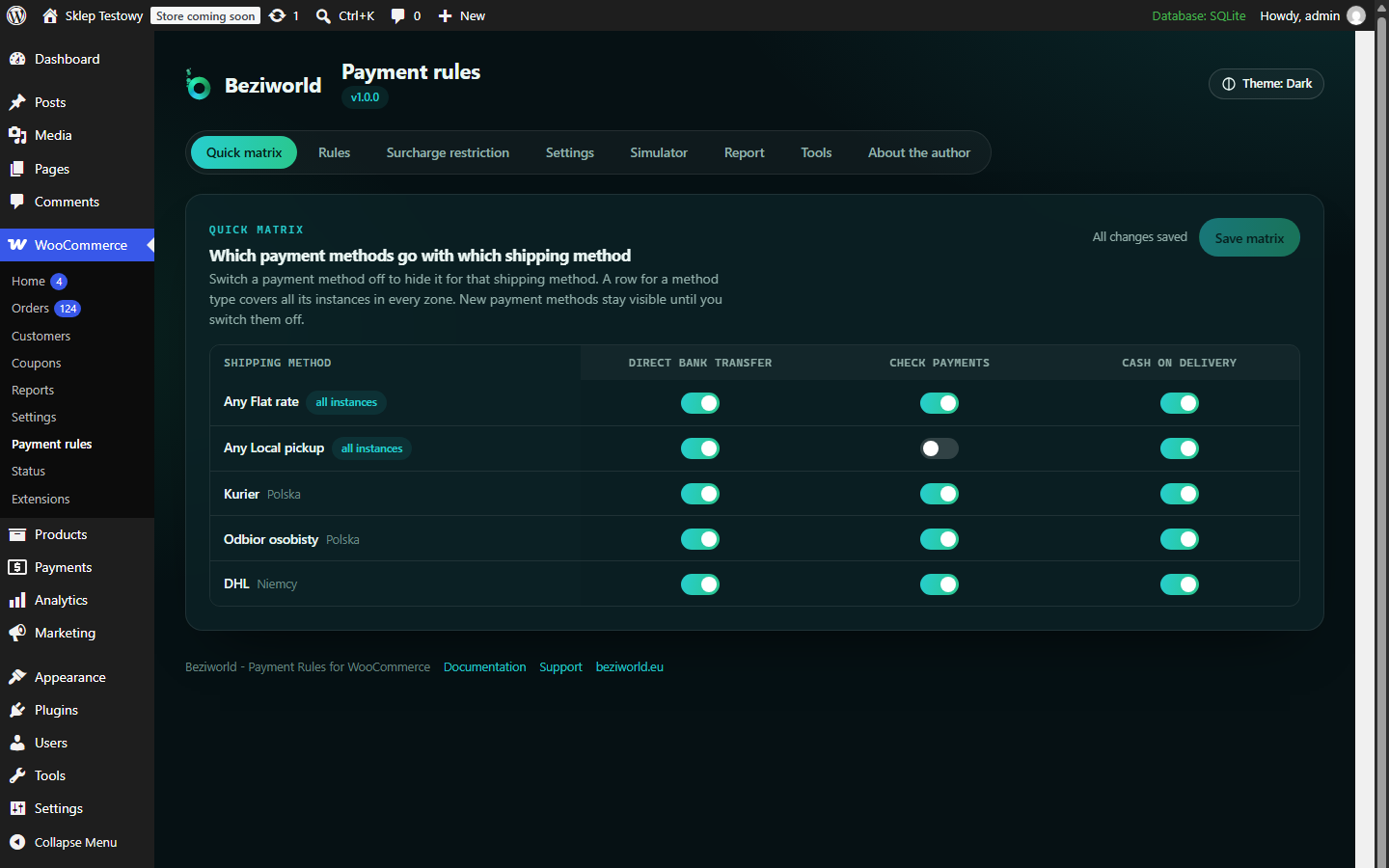
Quick matrix: choose which payment methods go with each shipping method.
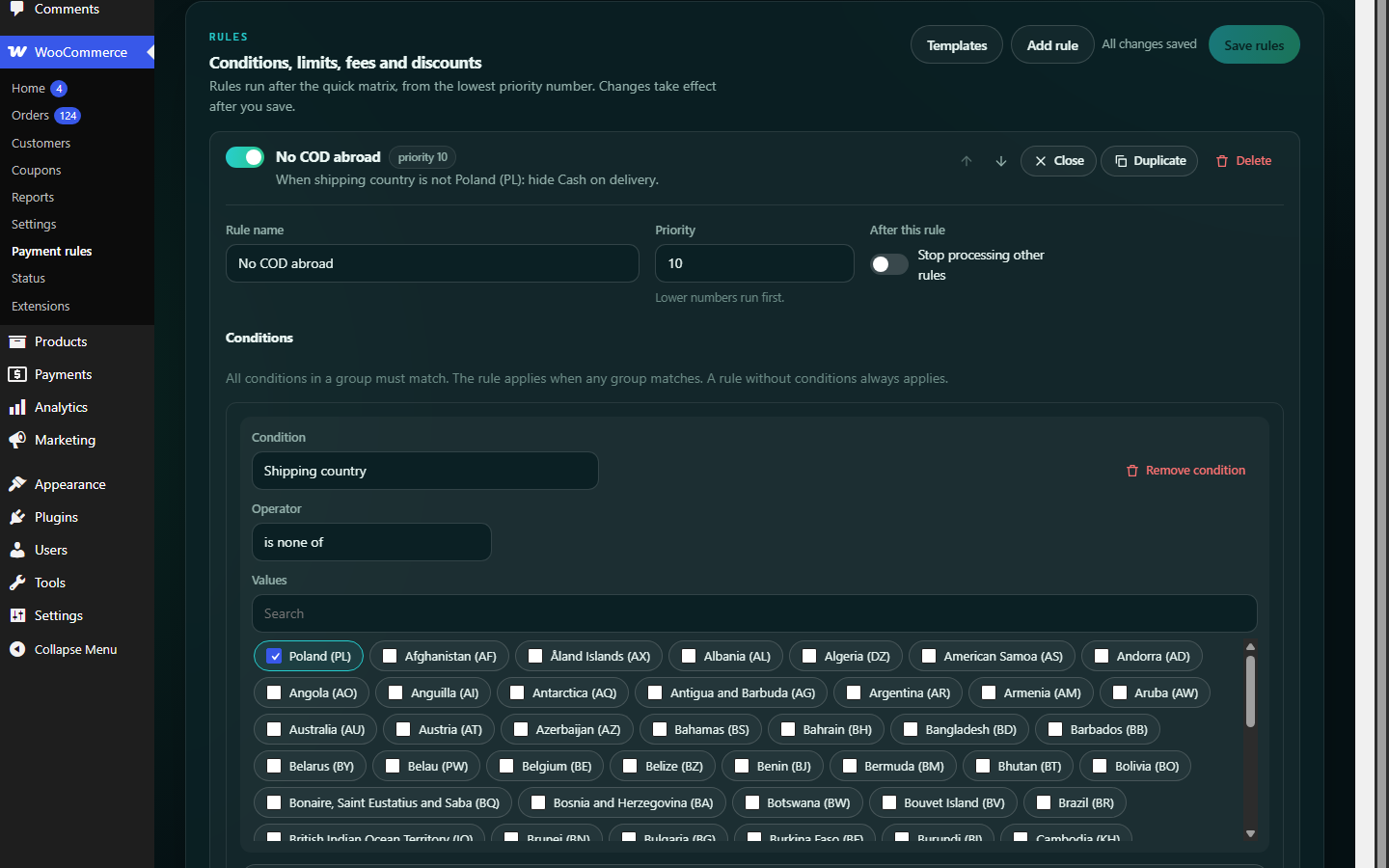
Rule editor with conditions, actions, fees and a readable summary of every rule.
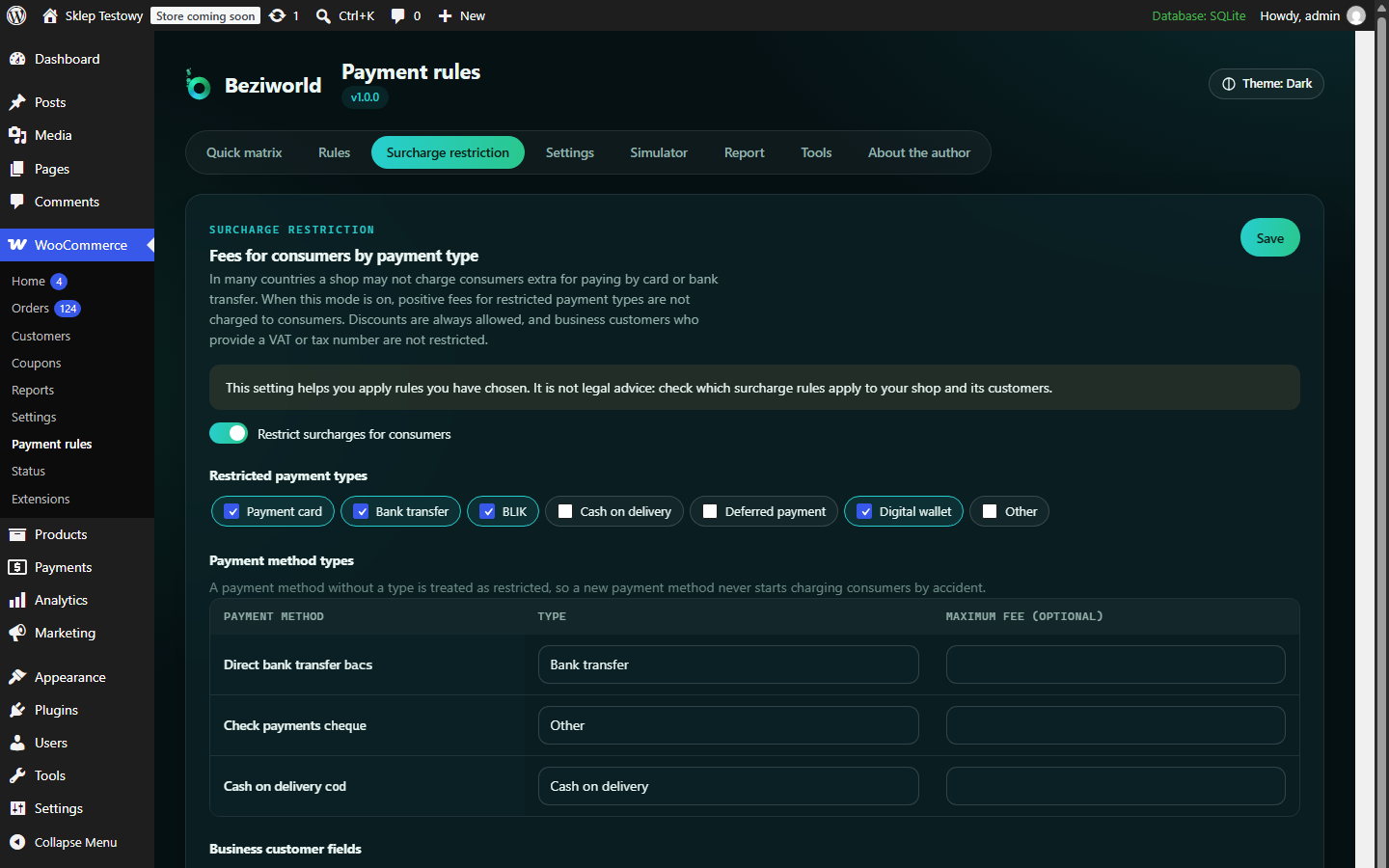
Surcharge restriction: payment types that consumers are never charged a fee for.
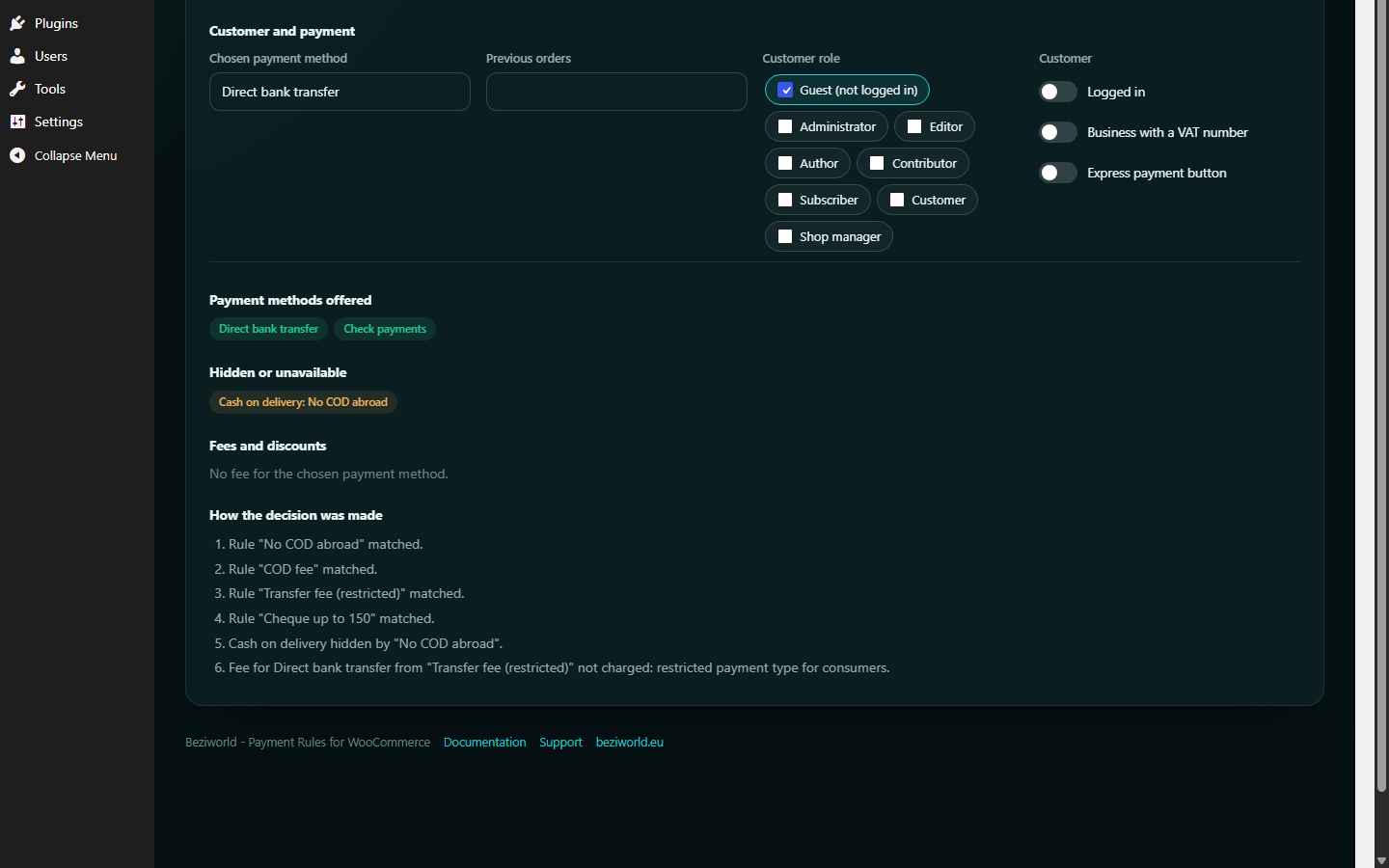
Simulator: describe an order and see which payment methods remain and why.
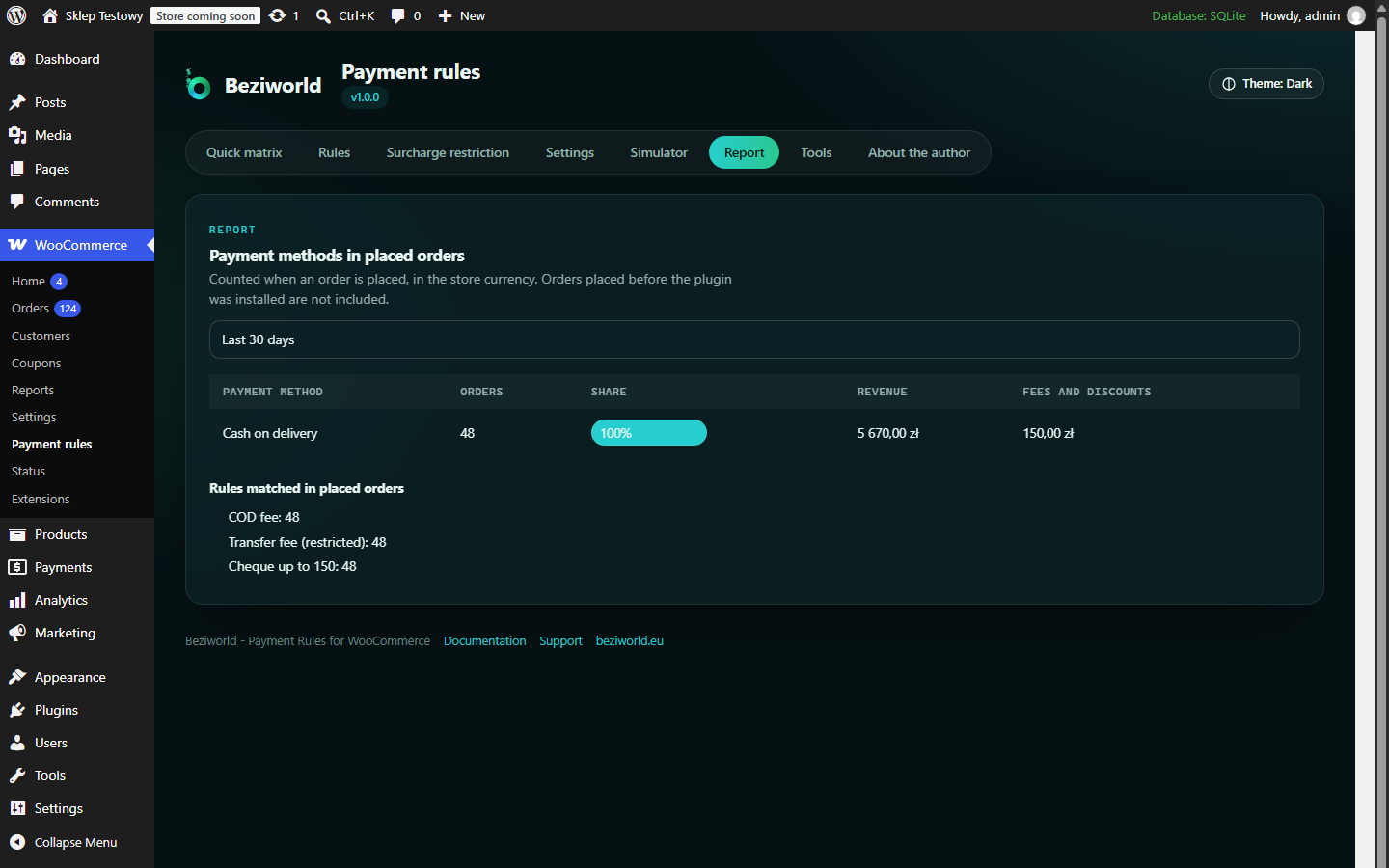
Report: orders, revenue and fees per payment method.
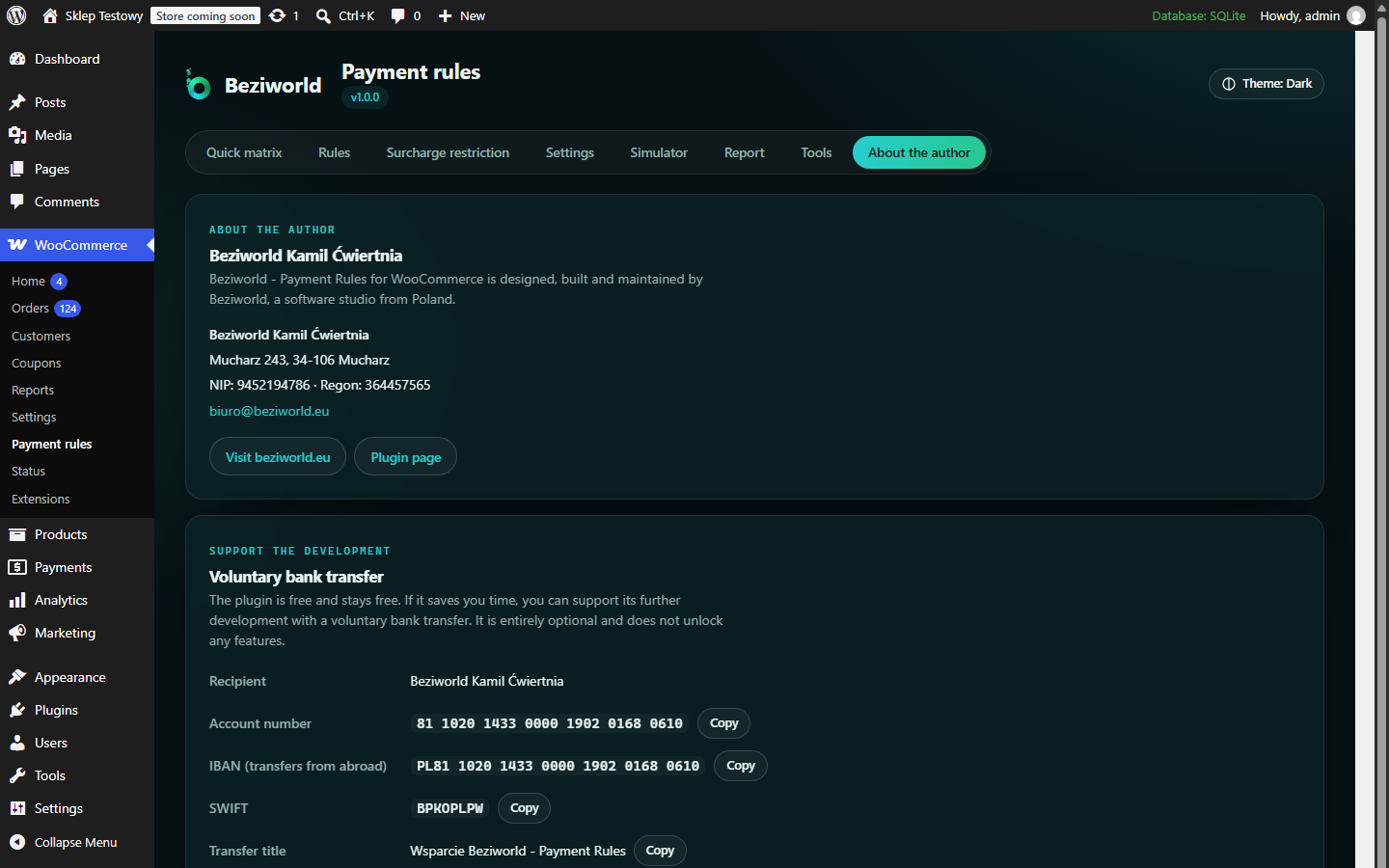
About the author, with an optional way to support the development.

