
Usedkit Wordpress Plugin - Rating, Reviews, Demo & Download
Plugin Description
A used camera, lens or guitar is sold once. The customer who came for it a day late leaves and never comes back. Back-in-stock plugins can’t help: a used item is never restocked. The next one is a new product with a different title, condition and price.
Usedkit matches by model, not by product. On a sold item, the customer leaves their email. When you list the next one of the same model, however you title it, they get one email with its photo, price and link, minutes after you publish it. “Sony Alpha 7 III body (ILCE-7M3)” reaches the customer who signed up on “Sony A7 III runko”.
Notify me, for used goods
- A short form on sold-out products: “Sold. Want to hear when the next one comes in?”
- The same offer on empty search results, and anywhere with
[usedkit_watch]or[usedkit_watch query="Leica M6"]. - Cameras and lenses matched by model across titles, maker codes and languages; camera bodies by exact model, so an A7 III watcher is never sent an A7 IV. Other goods by the words of the listing.
- An optional maximum price per customer.
- Double opt-in, one-click unsubscribe (RFC 8058), abuse limits. Works with page caches.
- A Waiting column in your product list and a weekly email: the demand behind each model, while you buy stock.
- Sold items can leave your listings while their pages stay live with the form. They keep their search ranking and catch the next buyer.
Margin-scheme VAT
For second-hand goods bought from private people (EU VAT Directive, Articles 311–325):
- A purchase price, purchase date and margin-scheme mark on each product.
- No separately charged VAT on those items at checkout.
- The margin VAT stored on each order line.
- The invoice wording the law requires on order pages and emails.
- A monthly or quarterly report, per item or by the global margin of the period with losses carried forward, with a CSV for your accountant.
Lowest price before a discount (EU Omnibus rule)
WooCommerce keeps no price history. Usedkit records every price change and shows “Lowest price in the 30 days before the discount” next to each sale price.
Selling one-of-a-kind items
- Condition grades for any kind of goods: words (New to For parts), letters (A+ to D) or ten-point (10/10), or your own names and descriptions, with only the grades you use. On product pages as a card with a scale, one line or a badge on the photo; in listings as a pill, text, a small scale or a badge on the photo. A note and what is included, a condition filter for the shop, and
itemConditionin the structured data Google Shopping requires for used goods. Already grading in an attribute (“Kunto”, “Condition”)? It is read from there. - Make an offer: accepted at once above a share of the price, turned down at once below a share or below your purchase price plus a margin, the rest waiting for you. An accepted offer is a link that puts the item in the customer’s cart at that price.
- Reserve for pickup: a customer holds an item for a day to see it in the shop; meanwhile it can’t be bought online. The hold ends by itself.
- Automatic markdowns: every so many days unsold, a step off the price, never below your purchase price plus a margin. Customers waiting with a maximum price hear when it is met.
- Similar items in stock on a sold item’s page: the same model first, then the same category nearest in price.
- Spec templates for cameras, lenses, bikes, e-bikes, phones, computers, watches, audio, instruments, clothing and furniture: shutter count, frame size, battery health, box and papers. Saved as ordinary product attributes.
Search engines, for used goods
A used shop’s item pages come and go: each sells, and the next one of the model gets a page of its own. A search for “used Sony A7 III” finds a sold page, or several pages competing.
- Model pages: one lasting page for each model you sell again and again (/used/sony-a7-iii/, in your language), with what is for sale, what sold and for how much, and the notify form, and a page listing them all. Search engines rank one page that stays.
- Sold pages that age out: after the days you choose, a sold item’s page redirects to its model page (or its category), or leaves search results.
- Condition in titles and descriptions where a product has none of its own; with Yoast SEO or Rank Math, a variable for their templates.
- Sitemaps: model pages in, aged-out sold items out, in WordPress’s own, Yoast’s and Rank Math’s.
Buying stock
- Your own sales as a price reference: “4 sold: median 410 €, typically 12 days to sell”, beside the price while you edit an item and in the pricing view. For anything you sell, not only cameras.
- Instant trade-in offers with
[usedkit_tradein], from the used market price (Kamarvo, cameras and lenses) or your own sales of the model, and your buying percentages. Requests are listed under Trade-ins; one click makes a bought one a draft product with its purchase price, grade and seller. - Purchase register: seller, ID checked, serial number, date and price of every item bought, by date, with CSV. Kept in WordPress only.
- Add used item: one screen that works on a phone. Photos, title, grade, prices, seller, and the description, categories and specs copied from the last one of the same model.
- Used market price on product pages, from Kamarvo, for cameras and lenses.
- Sold items: what sold, when, for how much, how long it took and at what margin.
- Pricing vs market: every item for sale against its market price and your own sales, furthest off first, with the next markdown.
In ten languages: English, German, French, Spanish, Italian, Polish, Dutch, Portuguese, Swedish and Finnish. Customers get their emails in the language of the shop’s site.
External services
This plugin connects to the Usedkit service (https://usedkit.app), which stores the shop’s products, matches them to waiting customers and sends the emails. Nothing is sent before an API key is saved in the plugin’s settings.
- What is sent, and when: product ID, title, link, image URL, price, currency, stock status, brand and first category when a product is saved or its stock changes, and nightly. A customer’s email address, the model or search words, an optional maximum price and the site language when the customer submits the notify-me form. Product IDs when the product list or the pricing page is opened, for the waiting counts and market prices; a product’s ID and the site language when its page is viewed, if the market price is shown there. A trade-in model name when a customer asks for an offer. Product IDs, or a trade-in model name, to look up which model they are, for the price reference from your own sales. The API key alone when the settings page is opened, for the figures shown there. A customer’s email address when you run WordPress’s “Erase Personal Data” tool for it, so the service deletes their sign-ups too. Seller details from the purchase register, offers and reservations stay in WordPress and are never sent.
- Terms of use: https://usedkit.app/terms
- Privacy policy: https://usedkit.app/privacy
Market prices come from Kamarvo (https://kamarvo.com) through the Usedkit service. Your site does not contact Kamarvo directly. Kamarvo receives only model names. Kamarvo’s privacy policy: https://kamarvo.com/privacy
Screenshots
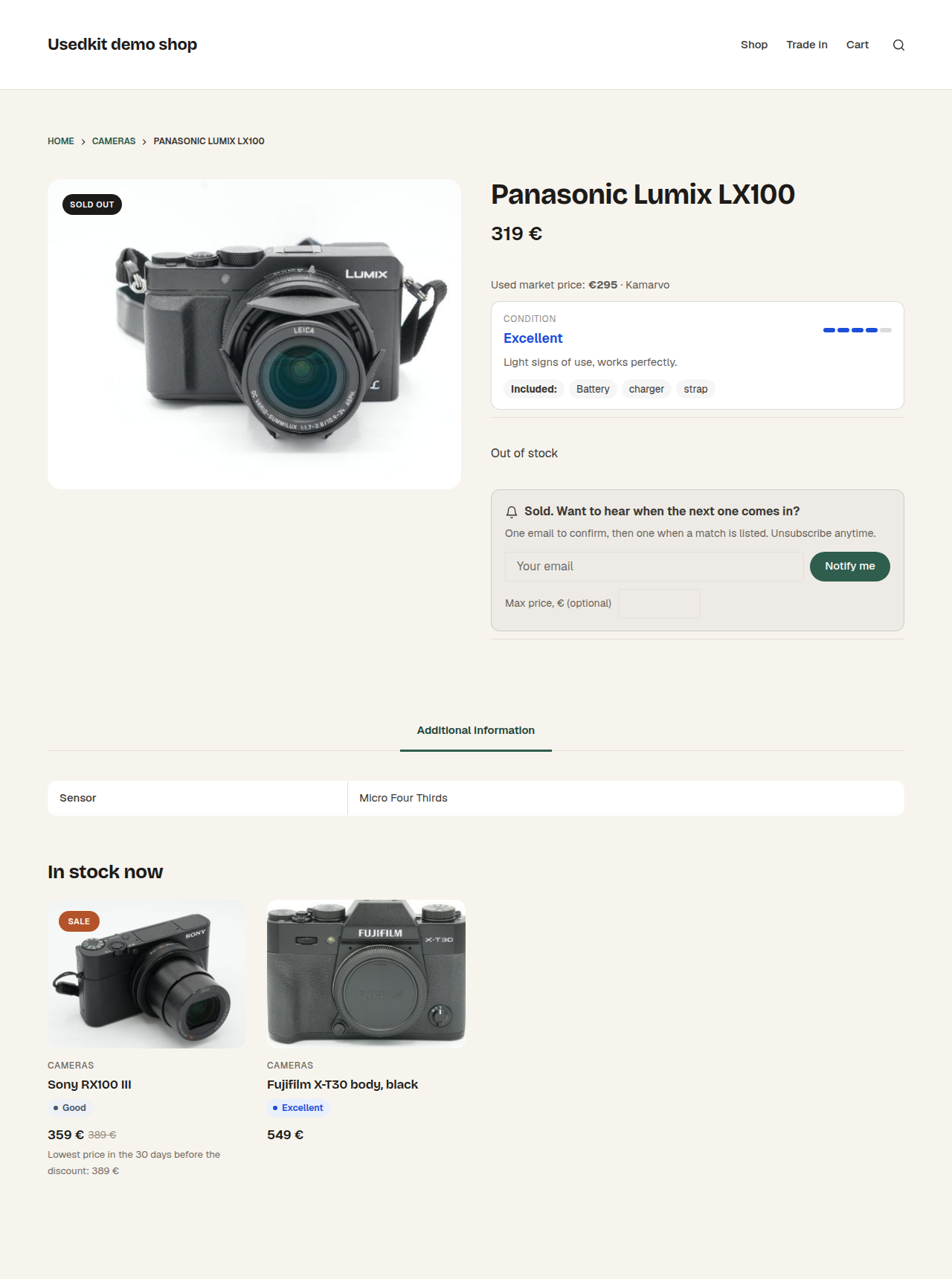
A sold item: “Notify me” and what is in stock now of the same kind.
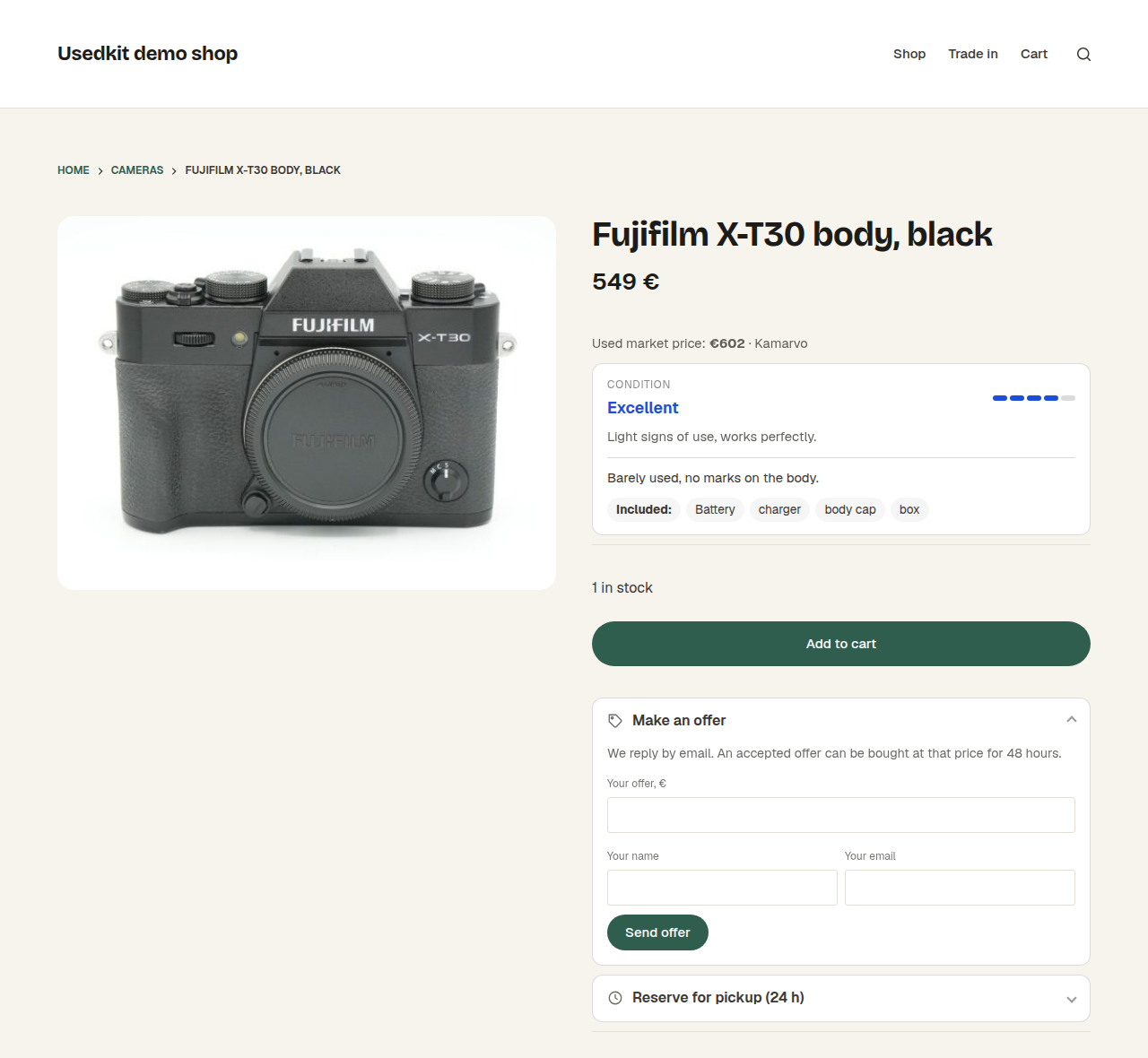
An item for sale: its condition, the used market price, make an offer and reserve for pickup.
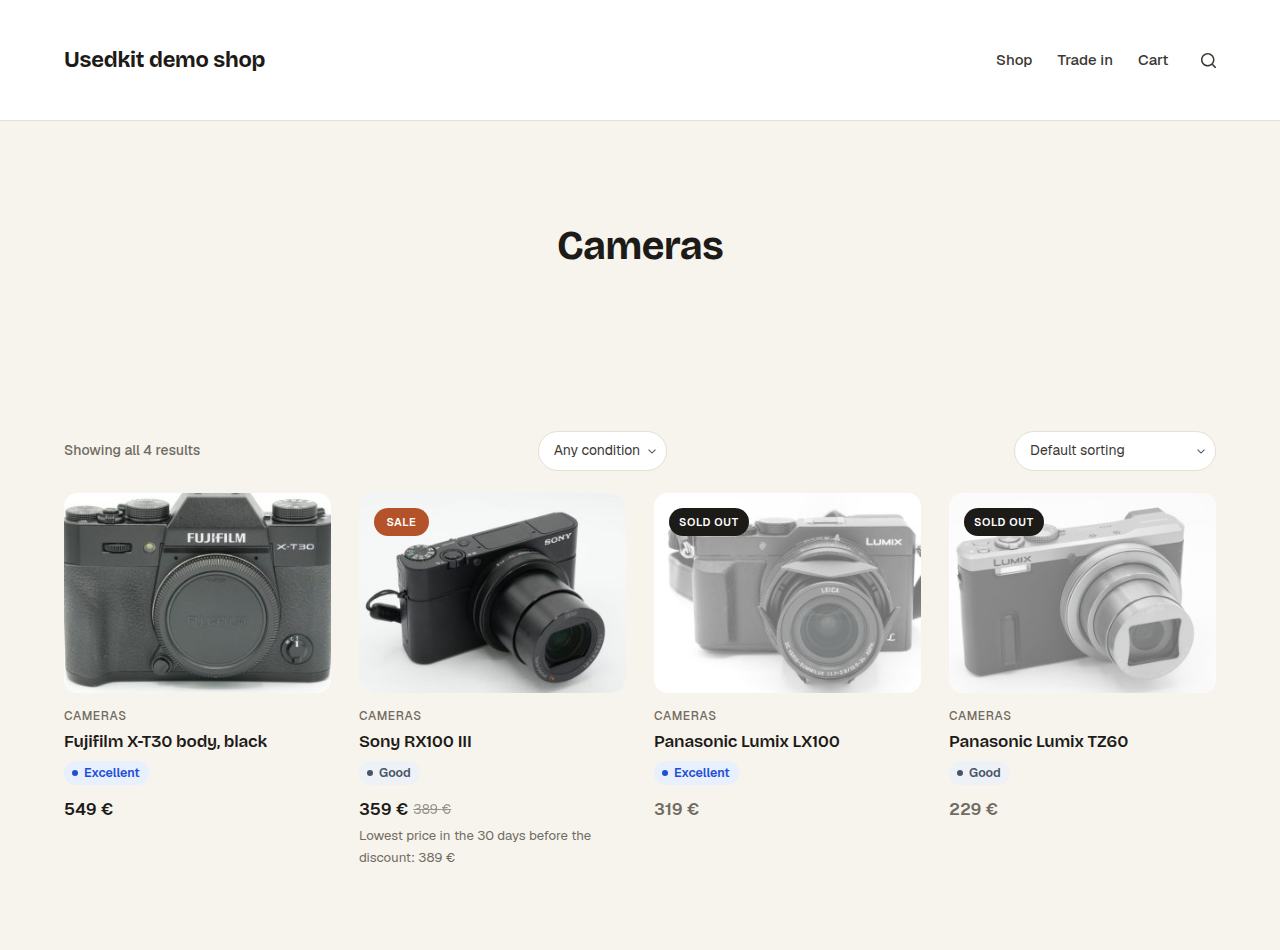
Condition grades on product cards, and a filter for them.
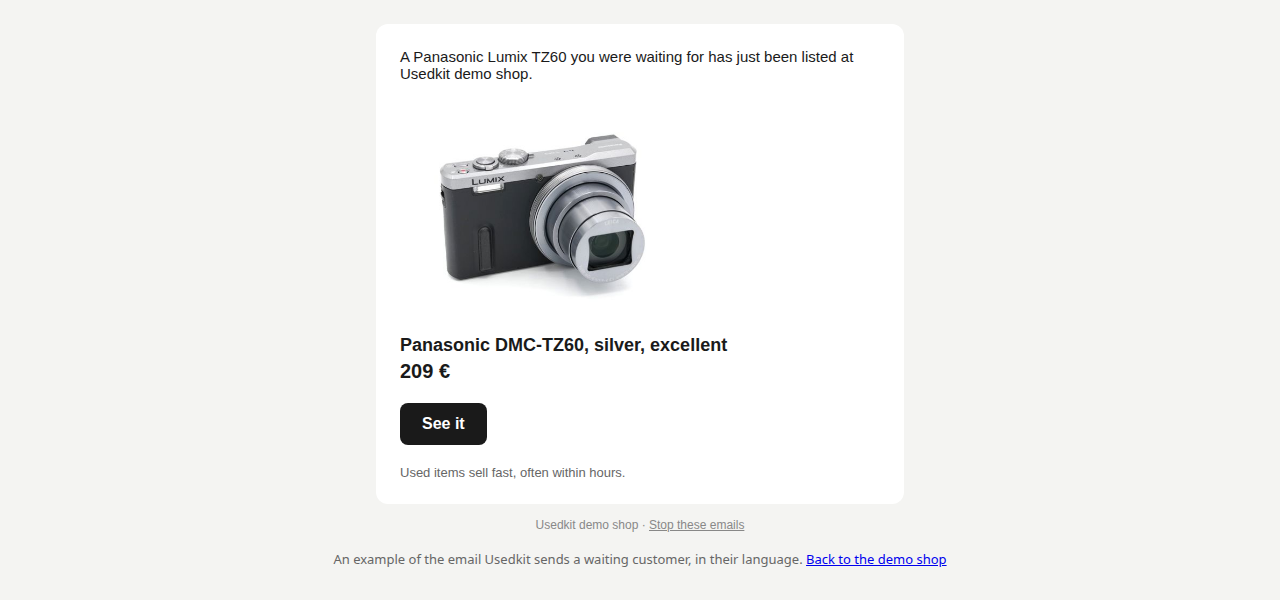
The email a waiting customer gets when a match is listed.
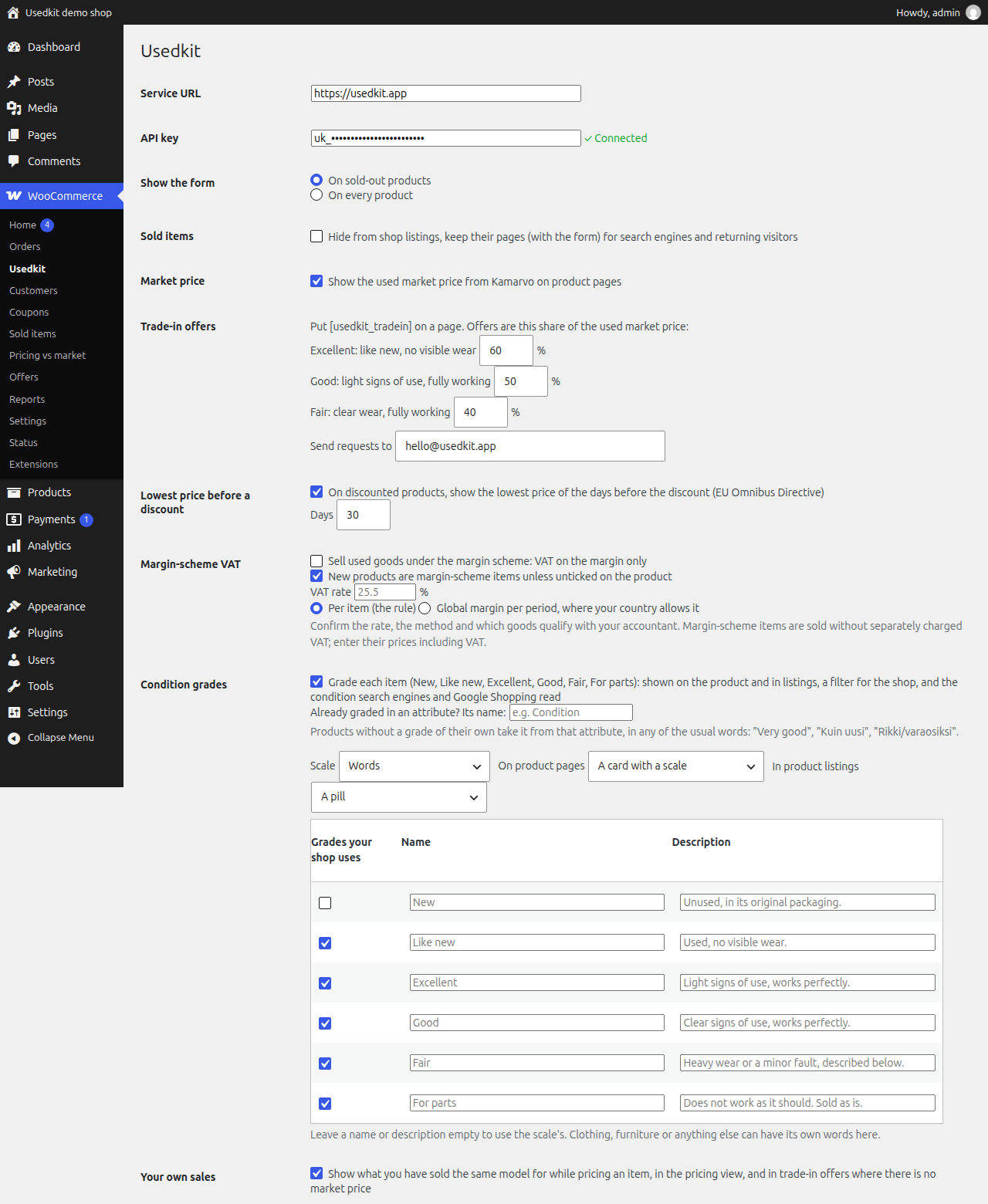
Settings: every module is off until you turn it on.
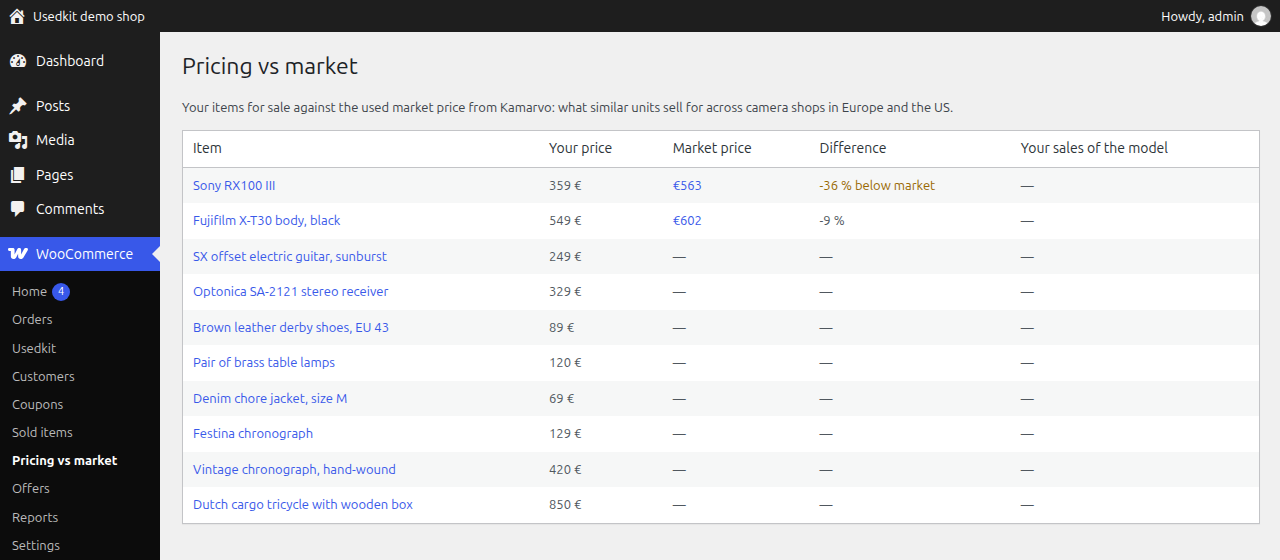
Pricing vs market: your prices against the used market and your own sales.
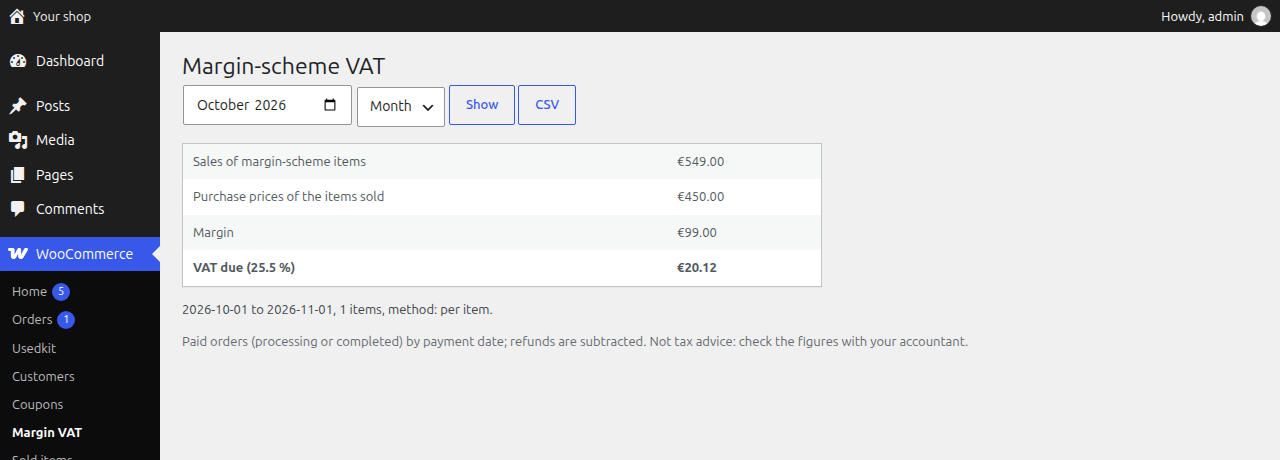
The margin-scheme VAT report for a month.


