
PuffinMail For WooCommerce Wordpress Plugin - Rating, Reviews, Demo & Download
Plugin Description
Connect your store to PuffinMail in one step. The plugin keeps your customers, orders and carts in sync so you can:
- Grow your list with a consent checkbox at checkout and in My Account (works with the block checkout).
- Win back abandoned carts with two timed reminders, a one-click link that restores the cart, and an optional single-use coupon.
- Send birthday emails with a unique coupon.
- Segment by orders, total spent and last order date.
- Keep unsubscribes in sync both ways.
Syncing happens in the background, so it never slows down your shop, and nothing is lost if PuffinMail is briefly unreachable.
External services
This plugin connects your store to PuffinMail (https://puffinmail.co), an email marketing service for online stores. It needs a PuffinMail account; it does nothing until you paste a PuffinMail API key in its settings.
Once connected, it sends to PuffinMail’s Store API (https://my.puffinmail.co/api/v1):
- Customers and guest buyers: name, email address, phone, billing address, language, newsletter status and consent record (time, IP address, sign-up wording), birthday if collected, and order totals. Sent when they are created or change. Existing customers and orders are sent only when you start a history sync (the last 12 months, 3 years or everything).
- Orders: items, totals, status changes and refunds, when they happen.
- Carts that are abandoned: the cart contents and the customer’s email address, so reminder emails can be sent.
- Products: name, price, image, stock and categories, so emails can show them. The whole catalogue is sent once when you connect, then each change.
It also adds PuffinMail’s storefront script (https://my.puffinmail.co/s.js) to your shop’s pages. The script records page visits and product views for your store’s PuffinMail account, and shows your PuffinMail signup forms. For customers who arrived from a PuffinMail email or are signed in, visits are linked to their contact. It sets a first-party cookie (pm_vid, one year). You can turn it off under WooCommerce > Settings > PuffinMail, and with a consent plugin that supports the WP Consent API it only loads for visitors who allow statistics cookies.
PuffinMail sends signed requests back to your store (to /wp-json/puffinmail/v1/webhook) when someone unsubscribes, so your store stays in sync.
PuffinMail: Terms of Service, Privacy Policy.
Screenshots
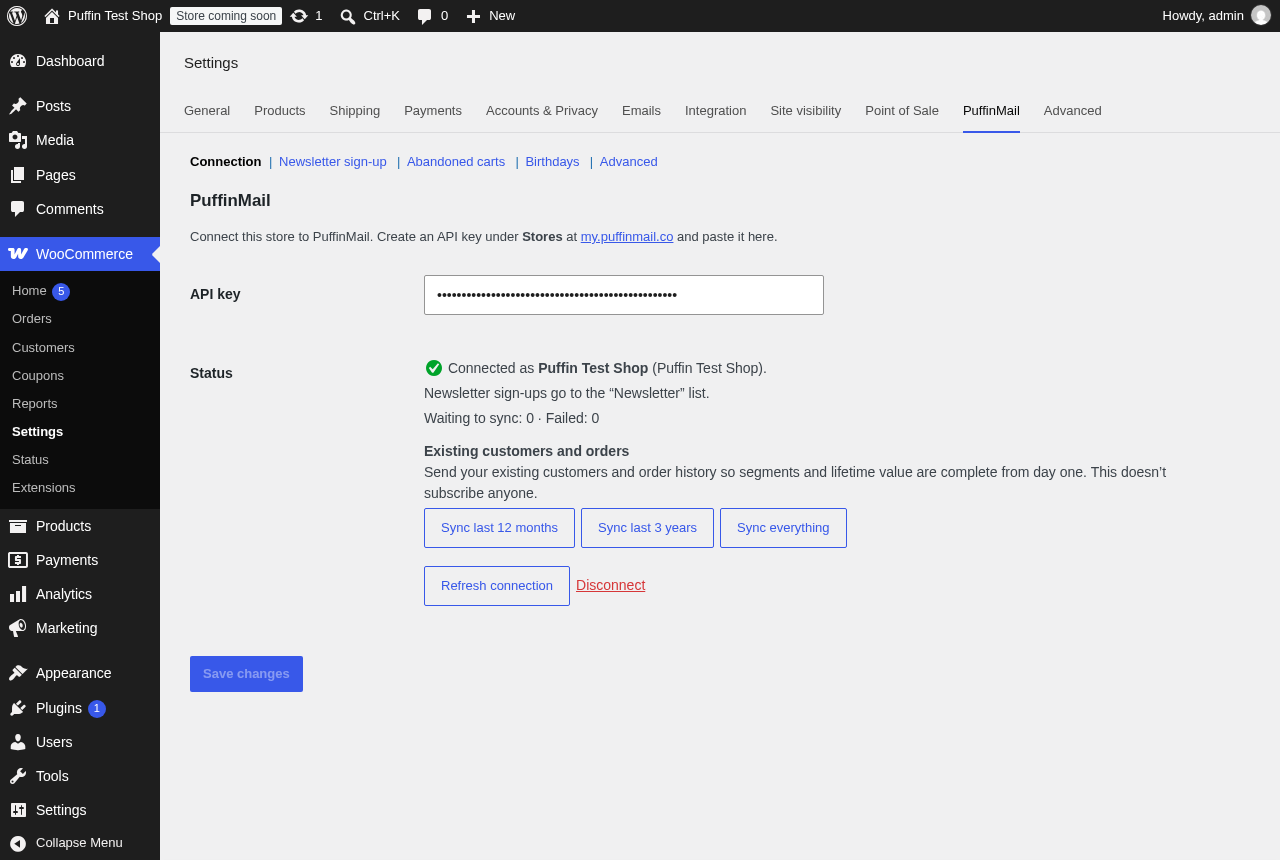
Connect your store with one API key, then send your existing customers and orders.
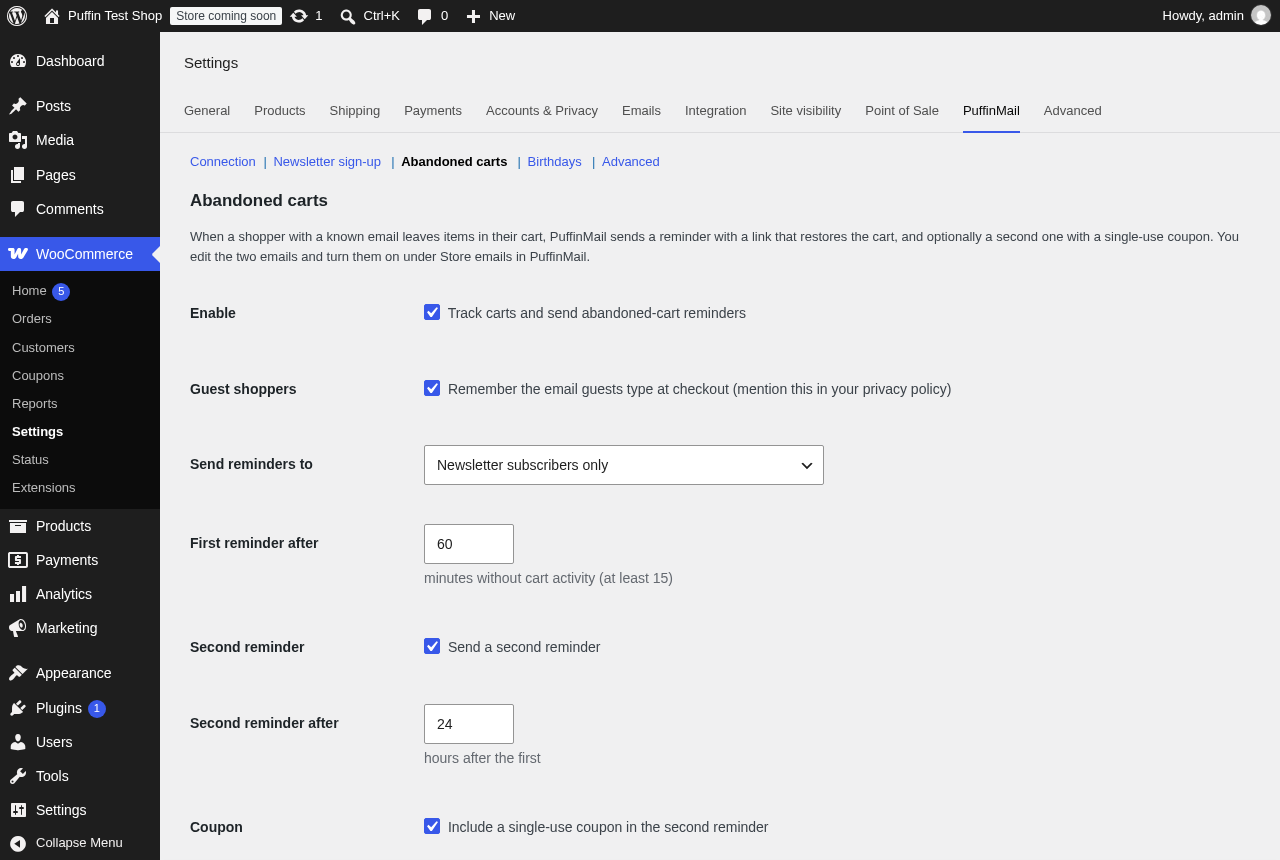
Abandoned-cart reminders: when they go out, who gets them, and a single-use coupon.
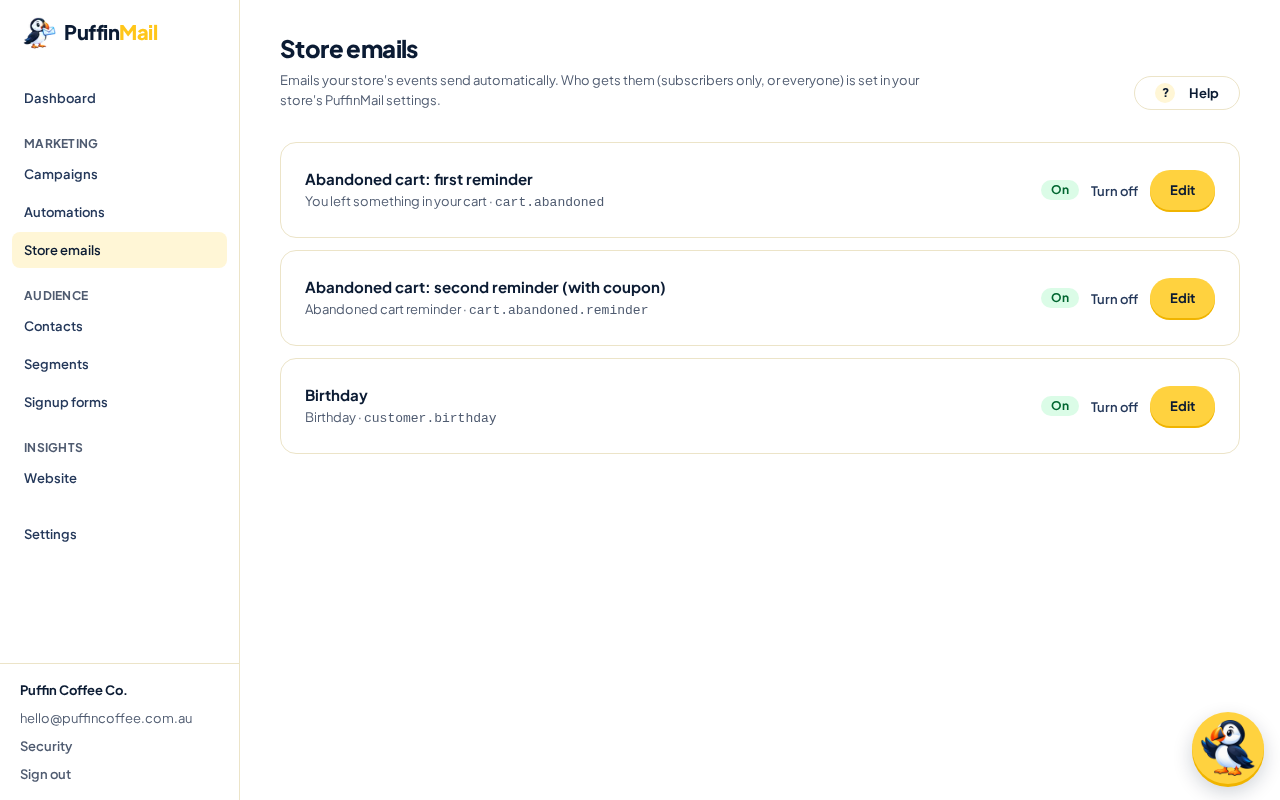
In PuffinMail: the emails your store’s events send, each with an on/off switch.
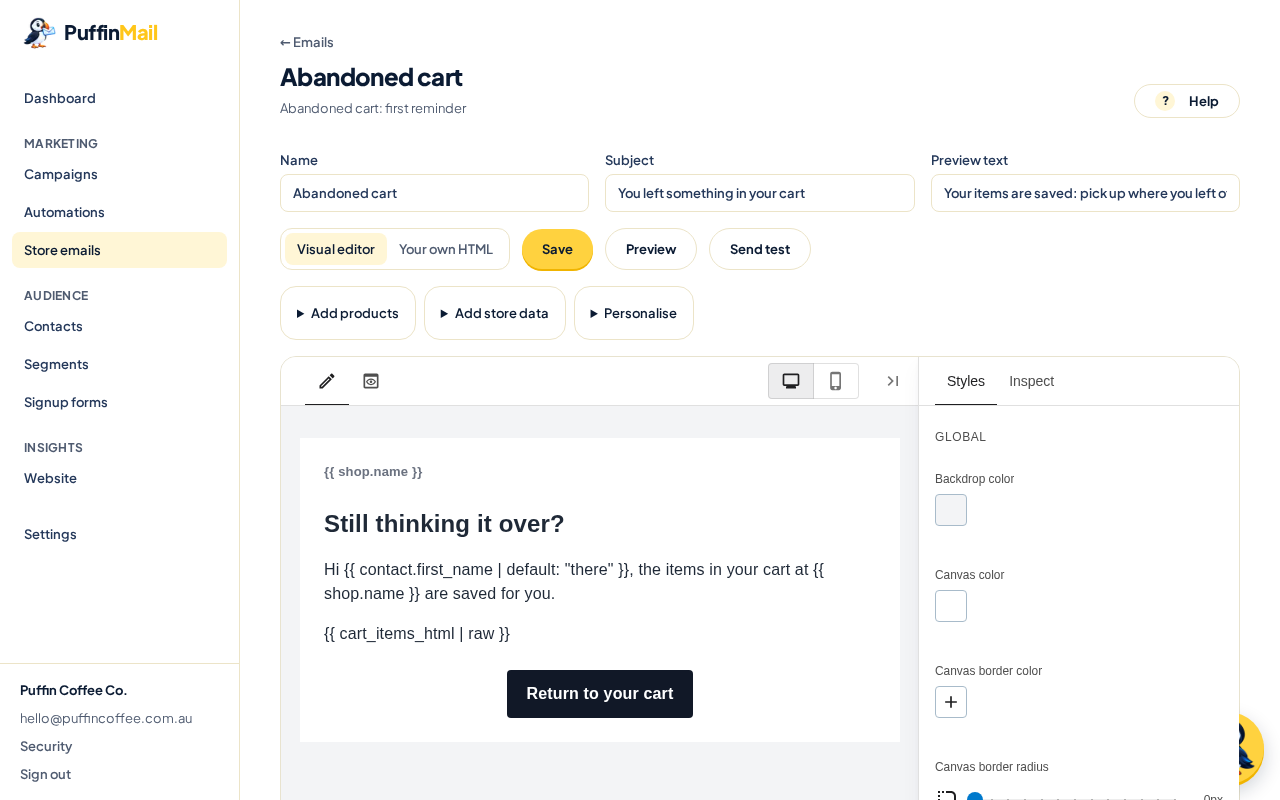
Edit each email in PuffinMail’s visual editor.
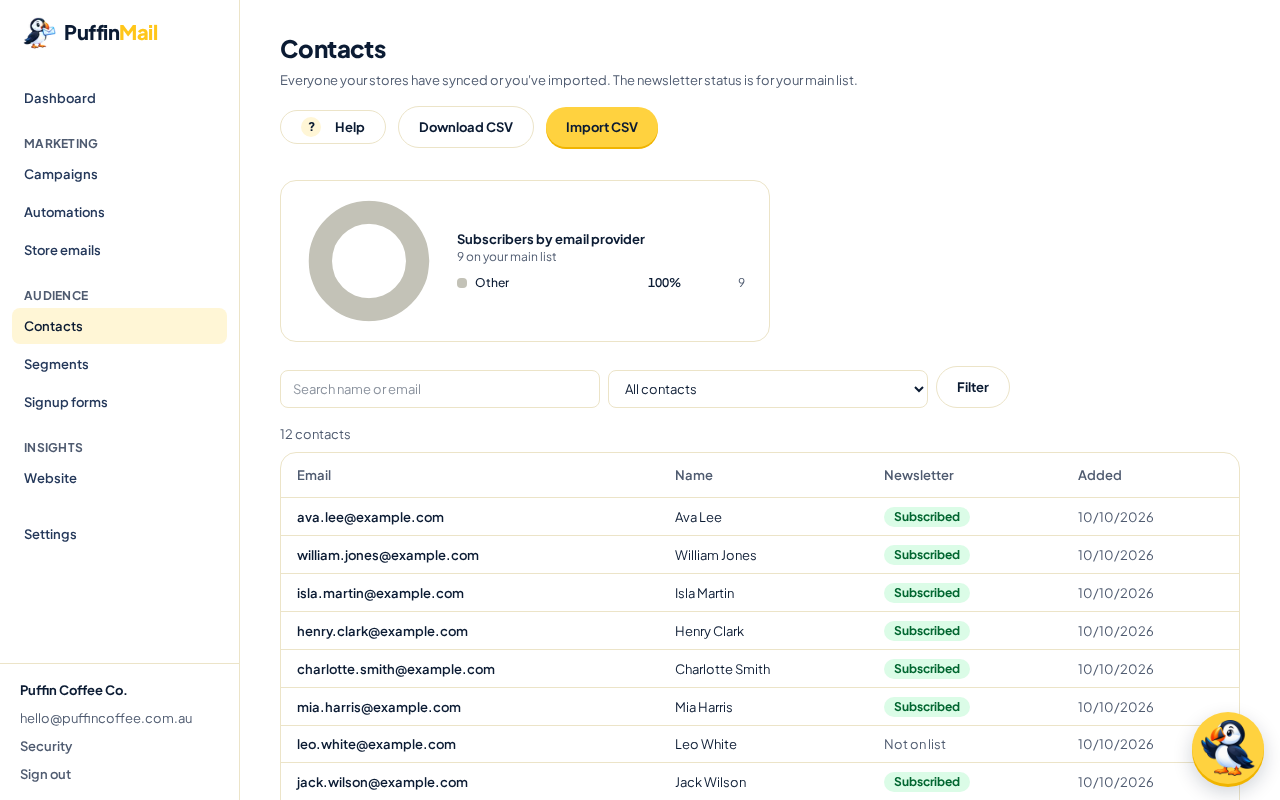
Your customers and subscribers, synced from WooCommerce.


