
Parcelflare – Order Sync For Click & Drop Wordpress Plugin - Rating, Reviews, Demo & Download

Plugin Description
Parcelflare pushes your WooCommerce orders into your Royal Mail Click & Drop account using the official Click & Drop API, so you can print labels without copying addresses by hand.
Features
- Automatic sync when an order reaches the statuses you choose (default: Processing).
- Background queue (Action Scheduler) with automatic retries and exponential back-off, honouring API rate limits. You choose how many attempts to make.
- Duplicate protection: an order is never created twice in Click & Drop, even after timeouts.
- Email digest and admin notice when an order fails to sync, with a one-click retry.
- Sync log page with filtering, search and CSV export. You choose how long to keep it, or keep it forever.
- Health check every 6 hours: warns you if the API key stops working and sends any recent order that was missed.
- Default parcel weight for products with no weight, and a 30 kg per-parcel safety check.
- International orders: customs line items, HS codes, country of origin and IOSS for EU destinations.
- Map WooCommerce shipping methods to Click & Drop service codes.
- Manual “Send to Click & Drop” order action and bulk action.
- Works with High-Performance Order Storage (HPOS) and legacy order storage.
All of the above is free, with no limits; you only need your own Click & Drop API key. A separate add-on from the author, Parcelflare Pro, adds tracking numbers written back to orders and is not needed for anything described here.
Royal Mail and Click & Drop are trademarks of Royal Mail Group Ltd. Parcelflare is an independent product and is not affiliated with, endorsed by or sponsored by Royal Mail Group Ltd.
External services
This plugin connects to the Royal Mail Click & Drop API (https://api.parcel.royalmail.com/api/v1) to create orders in your Click & Drop account and to check your API key (when you press “Test connection”, and every 6 hours while the health check is on).
- What is sent: the order number, date, customer name, shipping (and billing) address, email address and phone number if present, order items (name, SKU, quantity, value, weight, customs data) and order totals.
- When: whenever an order reaches one of the trigger statuses you configure, or when you send it manually.
- The health check uses your API key to confirm it still works, and sends any recent order that should have been sent but was missed (the same order data as above). It can be turned off on the settings page.
- Data is only sent once you have entered your own Click & Drop API key and enabled sync.
Royal Mail Click & Drop terms: https://www.royalmail.com/terms-and-conditions
Royal Mail privacy notice: https://www.royalmail.com/privacy-notice
Screenshots
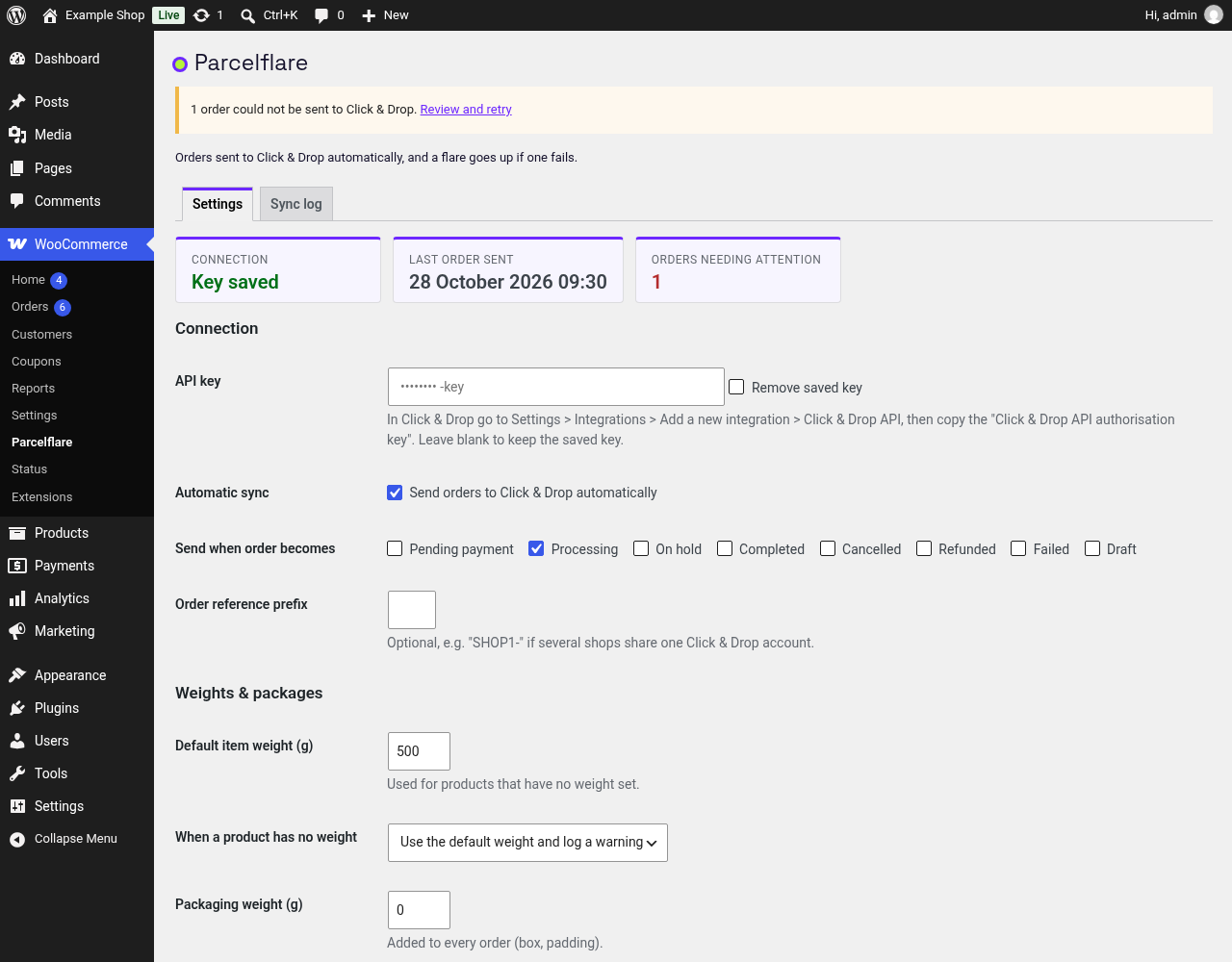
Settings: connection status, API key, which order statuses are sent to Click & Drop, and parcel weights.

Alerts, log retention and the Reliability section, with retry attempts and the 6-hourly health check.

Sync log with filters, search, one-click retry and CSV export.

The sync log exported as a CSV file.

Orders list with the Click & Drop sync status column.

Order screen with the Click & Drop box, showing an order that was sent after an automatic retry.

