
Tivy Shipping Rate Tables For Flexible Shipping Wordpress Plugin - Rating, Reviews, Demo & Download
Plugin Description
Customers want to know what delivery will cost before they reach the checkout. If you set your shipping costs up with Flexible Shipping, you probably keep a separate “Delivery charges” page by hand, and it drifts out of date every time you change a rate.
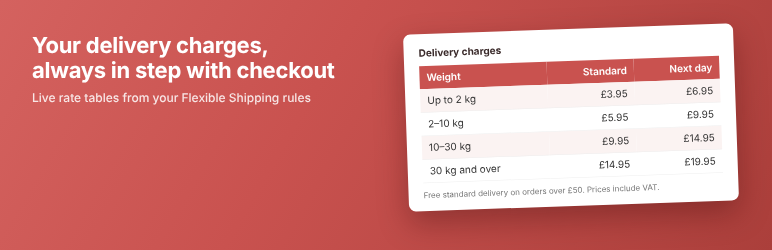
Tivy Shipping Rate Tables for Flexible Shipping reads your Flexible Shipping rules directly and turns them into tidy, readable tables. Change a rate in WooCommerce and the table changes with it.
Features
- Weight band tables built from your Flexible Shipping rules: “Up to 2 kg”, “2–10 kg”, “30 kg and over”.
- Tidy band edges. Bands entered as 9.999 or 10.001 to stop them overlapping are shown as 10.
- Several methods side by side, a column per method, or a separate table for each.
- Neat, short tables. Neighbouring weight bands with identical prices are combined, so “0.1–0.25 kg” and “0.25–0.5 kg” at the same price become “0.1–0.5 kg”.
- Per-kg and per-item charges shown alongside the base price (“£12.00 + £0.50 per kg”).
- “From” prices where a rate depends on something a table can’t show, such as shipping class.
- Free delivery footnote taken from the method’s free shipping threshold.
- Prices shown the way your shop shows them, or always excluding or always including VAT, worked out from your WooCommerce tax settings.
- Works with Tax Switch for WooCommerce. Table prices follow the customer’s VAT toggle, and the footnote changes with them.
- Your own column headings and order, set on one settings page, with a live preview.
- Warnings only shop managers see when a shortcode names a method that doesn’t exist.
- Lightweight: no JavaScript, one small stylesheet, nothing loaded on pages without a table.
This plugin is made by Tivy. It is not made by or affiliated with Octolize, the developers of Flexible Shipping.
Pro add-on
If you use Flexible Shipping Locations for postcode-based delivery charges, the Pro add-on adds:
- Postcode area tables, with postcode lists summarised for customers (“FK1–FK16, G, KA1–KA25”).
- Area columns in weight band tables.
- Prices shown both excluding and including VAT.
- Separate tables for trade and retail customers, read from your Flexible Shipping user role rules.
- Checks that find postcodes charged in two areas at once, or not charged at all.
Usage
Add the shortcode to any page or post:
[shipping_rate_table]
Options:
vat="shop"(default): show prices the way WooCommerce Settings Tax “Display prices in the shop” says, and follow a Tax Switch for WooCommerce toggle if you have one.vat="ex"orvat="inc": always show prices excluding or including VAT, whatever the shop setting or toggle.methods="Standard, Express": choose methods by name or instance ID, instead of the ticked methods on the settings page.caption="no": hide the method name above each table.merge="no": show every weight band separately, even where neighbouring bands cost the same. The default follows the setting, which is on.note="no": hide the free delivery and VAT footnotes.vatnote="no": hide just the VAT footnote, for example if your site lets customers switch between prices with and without VAT. There is also a setting for this.class="my-class": add a CSS class to the table wrapper.
Screenshots

Two delivery services side by side in one weight band table, with the free delivery threshold and VAT note.

The settings page: choose methods, headings and order, with a live preview.
Similar Plugins:
 Shipping Method For WooCommerce – Use For Conditional Shipping + Extra Shipping + Flat Rate Shipping Method + Table Rate Shipping For WooCommerce
 Conditional Shipping & Advanced Flat Rate Shipping Rates / Flexible Shipping For WooCommerce Shipping
 Rating Widget: Post Rating, 5 Star Rating, Reviews, Thumbs Up & Down, Reaction