FlatRateChat – AI Website Chatbot Wordpress Plugin - Rating, Reviews, Demo & Download

Plugin Description
FlatRateChat adds a small chat bubble to your website. Visitors type a question; the answer is built only from the public pages of your own site and links the page it came from. When the answer is not on your site, the bot says so and shows your contact details (email, phone or contact page) instead of guessing. Like any AI, it can be wrong sometimes. Your content is not used to train AI models.
The plugin is a connector. It adds the FlatRateChat widget script to your pages and shows your plan and usage on one settings page. Everything else (reading your pages, answering questions, conversations, contact-detail settings, billing) happens on the FlatRateChat service at flatratechat.com. Nothing is sent to FlatRateChat until you click Connect on the settings page.
Plans (chosen and billed in the FlatRateChat dashboard, not through WordPress):
- Free: up to 50 pages read, 100 AI answers a month, no card. At the limit the bubble stays on your site and shows your contact details until the 1st of the next month.
- Starter, $19/month: up to 100 pages, 1,000 AI answers a month. 14-day free trial on a site’s first paid plan, card required.
- Full, $59/month: up to 500 pages, 5,000 AI answers a month. 14-day free trial on a site’s first paid plan, card required.
Paid plans: above the included answers the bot keeps answering at up to 10 answers an hour until the next monthly cycle, with no overage charges. Your price stays locked while you stay subscribed. Plans are billed monthly (no yearly option for WordPress sites yet). The free trial applies once per website; a site that already had one starts paid right away, and the dashboard says so before you choose. You can switch between Starter and Full from the dashboard at any time, and cancel from the billing page; the site then returns to the Free plan at the end of the period.
What the bot does
- Answers only from your site’s own pages and links the source page under each answer.
- Says when the answer is not on your site and shows your contact details.
- Answers in the visitor’s language when they write in another language.
- Keeps a list of conversations in your dashboard so you can see what people ask.
What the plugin does on your WordPress site
- Adds one settings page: Settings FlatRateChat.
- After you connect, loads the widget script
https://flatratechat.com/w.jsin the footer of public pages with your site key. - Stores four options (site key, a read-only status token, your site host, the connection time). Disconnect or uninstall removes them and tells the service to stop accepting that token.
- Does not store visitor data, write to your posts, add tracking, or show anything outside its own settings page.
External services
This plugin connects to the FlatRateChat service (https://flatratechat.com), operated by FlatRateChat. It is required for the plugin to do anything; without a connection the plugin does nothing on your site.
What is sent, and when
- When you click Connect (an administrator action on the settings page): your site address (home URL), a one-time random token generated by the plugin, and the address of your settings page, so the service can bring you back. On flatratechat.com you sign in with your email address. The service then reads the public pages of your site (the same way a search engine would, respecting robots.txt) so the chatbot can answer from them.
- After you connect: the plugin asks the service for your plan and usage (answers this month, pages read) when you open the settings page, at most once every 5 minutes, using a token that can only read this information. When you click Disconnect or delete the plugin, one last request tells the service to invalidate that token.
- On your public pages: the widget script is loaded from flatratechat.com in each visitor’s browser. When a visitor opens the bubble and asks a question, the question text, the page they are on, their browser language and an anonymised identifier used to limit abuse are sent to the service to produce the answer. Visitor questions and the answers are stored as conversations you can read in your dashboard. Visitors’ IP addresses are not stored in conversations.
- Nothing is sent before you click Connect, on activation, or from the WordPress dashboard other than the settings page described above.
FlatRateChat Terms of Service: https://flatratechat.com/terms
FlatRateChat Privacy Policy: https://flatratechat.com/privacy
Answers are generated with a third-party AI model provider under FlatRateChat’s agreements; your content is not used to train AI models. Payments for paid plans are handled by Stripe on flatratechat.com; the plugin never sees card details.
Screenshots
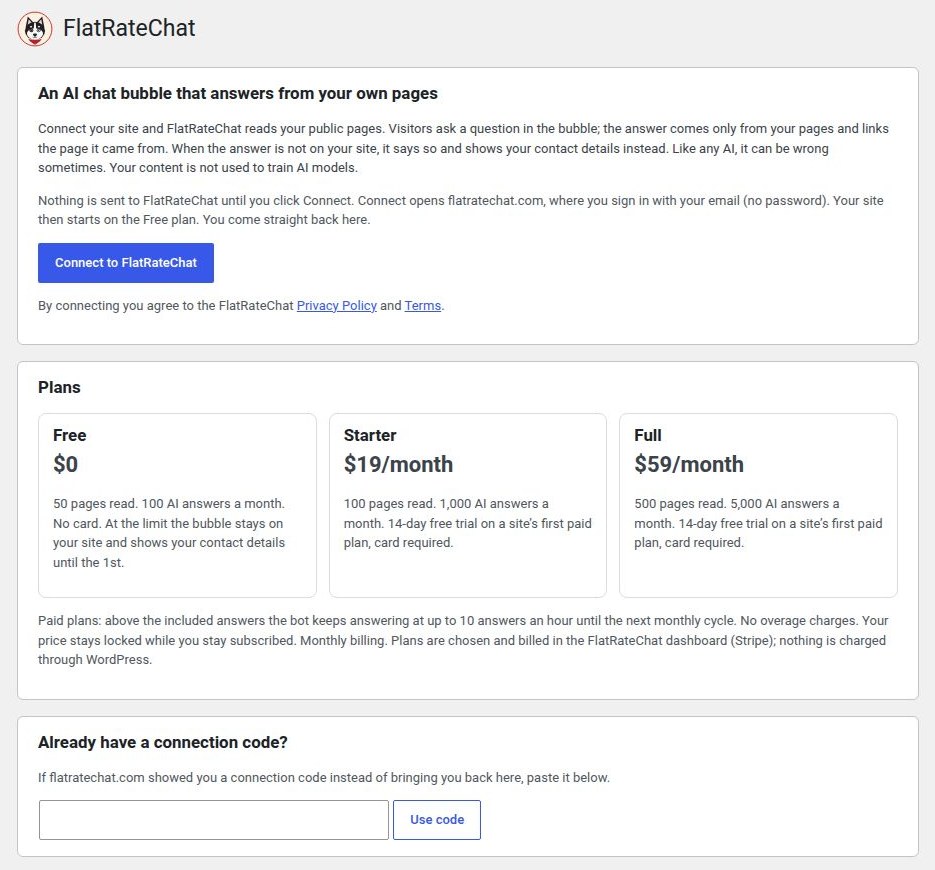
Settings → FlatRateChat before connecting: explanation, plans and the Connect button.

Signing in on flatratechat.com with your email.

Settings page after connecting: plan, answers used this month, pages read, dashboard buttons.

The chat bubble on a page, with an answer and its source link.

The bot showing contact details when the answer is not on the site.

The FlatRateChat dashboard with the Free, Starter and Full plans.