
Verificador De Comprobantes For WooCommerce Wordpress Plugin - Rating, Reviews, Demo & Download
Plugin Description
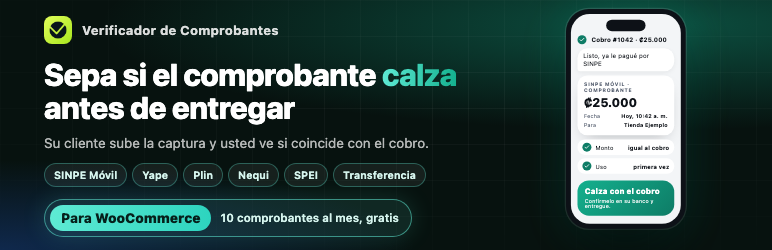
If you sell by bank transfer, SINPE Móvil, Yape, Plin, Nequi or a similar method, you get a screenshot and have to check it against the order by hand. This plugin puts that in one place.
Free, with no account:
- An upload form on the order received page and in My Account.
- Receipts stored encrypted on your own site and deleted after 30 days.
- A box on each order to view the receipt and confirm the payment.
Optional reading service:
Turn it on from WooCommerce > Payment receipts and the service reads each receipt with artificial intelligence, then shows you whether the amount, currency, date and receiving account match the order, and whether the same receipt was already used on another of your orders.
10 receipts a month are free, no card needed. Paid plans for higher volume are offered by the service. Everything in this plugin’s code works without paying: the limit belongs to the external service.
What it does not do:
The plugin never marks an order as paid on its own. It does not move money or connect to your bank. Reading can be wrong: always confirm the payment in your bank before delivering.
The interface is included in English and Spanish. Results from the reading service are currently written in Spanish.
This plugin is independent and is not affiliated with or endorsed by any bank, wallet or Automattic.
External services
This plugin can connect to the Verificador de Comprobantes service to read receipts and compare them with orders. Nothing is sent until a store manager turns on reading and accepts the terms on the settings page.
When and what is sent:
- When turning on reading: store name, email, the accounts or phone numbers where the store receives payments, and the store currency. The sending server’s IP address is used to limit abuse and is kept only as a hash.
- Each time a customer uploads a receipt, or a manager clicks “Read now”: the receipt image or PDF, and the order number, amount, currency and date.
- When opening the settings page: the store key, to show the plan and reads used.
- When saving the settings: the accounts or phone numbers.
The service does not store the image sent by this plugin. It keeps the result of the reading, the receipt’s fingerprint and its reference number, so it can flag repeated receipts. The image is processed by Anthropic (Claude API) to read it.
- Service terms: https://verificadordecomprobantes.com/terminos
- Service privacy policy: https://verificadordecomprobantes.com/privacidad
- Anthropic terms: https://www.anthropic.com/legal/commercial-terms
- Anthropic privacy policy: https://www.anthropic.com/legal/privacy
Paid plans are processed by Polar on the service’s website, not inside this plugin. Polar does not receive receipts.
Screenshots
No screenshots provided


