Shopproof Cart Recommendations For WooCommerce Wordpress Plugin - Rating, Reviews, Demo & Download
Plugin Description
This plugin is an add-on for WooCommerce. It needs WooCommerce installed and active, and does nothing without it.
Shopproof Cart Recommendations looks at which products your customers buy together and shows the best matches in the cart, so shoppers find the filter for their kettle or the case for their phone before they check out.
It learns from your own store’s orders, on your own server. There is no account to create, no outside service, and no order data leaves your site.
What it does
- Learns from your orders. It finds products that the same customers buy, and ranks them for each product in your catalog. Training runs in the background (weekly by default, or daily), in small steps that don’t slow your store down. Your current recommendations stay live until the new ones are ready.
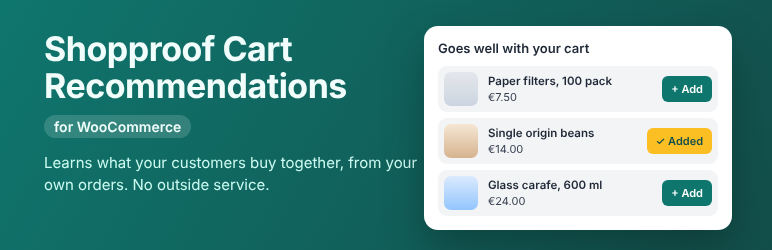
- Recommends in the cart. A compact strip of picks appears above the cart: the product picture, its name, its price and an Add button, in a row on desktops and stacked on phones. When a shopper adds one, the next best pick takes its place.
- Works in side carts too. It can also show a compact strip in mini carts and side carts.
- Fits your theme. The strip uses your theme’s fonts, colors and buttons, on light and dark themes alike. Set your own button color if you like, and the button text stays readable.
- Accessible. Every Add button says which product it adds, results are announced to screen readers, and keyboard focus stays in place when a pick is replaced. Tested against WCAG 2.2 AA.
- Handles new products. Products without order history yet get best sellers from the same brand, then the same category, then the whole store.
- Works with your cart. The classic cart, the WooCommerce Cart block and page builder carts are all supported. Place the strip automatically, at a WooCommerce cart hook, or with the
[shopproof_cart_recommendations]shortcode. - Shows what it earns. Views, adds, add rate, orders and revenue from recommended items, right in the admin.
- Offer prices if you want them. Show the normal WooCommerce price, a price from a custom field, or a percentage off, and optionally charge that price when a product is added from the strip.
- Supports HPOS. It works with WooCommerce’s High-Performance Order Storage and with the older order storage.
- Ready for developers. Filters and actions let you change the picks, the cards, the scoring and the placement, and add tabs to the settings screen.
External services
This plugin does not use any external service by default.
If you enter an External recommendations URL in the settings, the plugin downloads that file once a day (and when you click “Fetch from URL now”) to import recommendations you have trained elsewhere. The request is a plain GET to the address you entered. It sends no order or customer data. Like every request WordPress makes, it includes your site’s address in the User-Agent header. The service at that address is one you choose and run yourself, so its terms and privacy policy are your own or your provider’s. Clear the field to stop the requests.
Privacy
- Training reads paid orders from your own database. To tell customers apart while it counts which products they bought, it stores an MD5 hash of the billing email (or of the customer ID) with the product IDs in a temporary table. The table is emptied when the run ends and is deleted when you uninstall the plugin.
- The model itself only stores product IDs.
- The statistics count views, adds and orders per day. They contain no personal data.
- Items added from the strip are marked in the cart and on the order (hidden order item meta
_smcr_reco), so revenue from recommendations can be counted. - The plugin sets no cookies of its own. It uses the WooCommerce session that the cart already uses.
- Suggested text for your privacy policy is under Settings > Privacy > Policy Guide.
Screenshots

The strip above the cart, in the store’s own theme.

On a phone, the picks stack so the cart stays close.

The Overview tab: what is live, when it trained, and what the strip earned in the last 30 days.

The Settings tab.