ILM Min Max Multiple Order Quantity For WooCommerce Wordpress Plugin - Rating, Reviews, Demo & Download
Plugin Description
ILM Min/Max/Multiple Order Quantity for WooCommerce stops orders that are too small, too large or not in the right pack size. Free, with no licence key and no account.
🔗 Try it before you install
- Live shop demo: add a product to the cart and try a quantity outside its limit.
- Admin demo: set limits yourself (login demo / Ilm-Demo-2026, filled in for you). The demo runs the Pro add-on, so it shows the Free and the Pro features.
- Step-by-step video guides and documentation.
- Get the Pro add-on for category, role and customer rules, amounts, durations and conditions.
✨ Key features
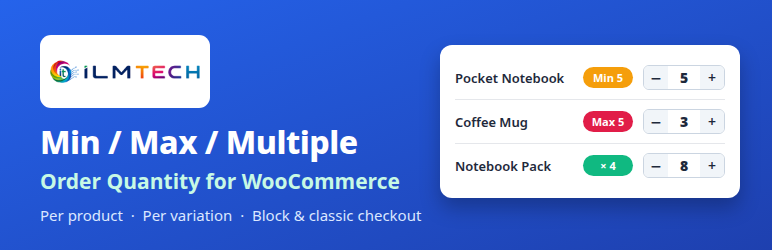
- Minimum Quantity – customers must order at least this many units of a product.
- Maximum Quantity – customers cannot order more than this many units of a product.
- Multiples of Quantity – customers order in packs, e.g. 3, 6, 9.
- Per variation – give a variation its own numbers, or let customers mix variations to reach the product’s limit.
- Shop-wide default – one Global value for every product without its own rule.
- Rule table – edit the limits of all products and variations on one screen, with search, category filter and auto save.
- Messages – change every message customers see, in every language of WPML or Polylang.
Limits are enforced everywhere a quantity can change:
- the product page quantity box (minimum, maximum and step),
- add to cart (classic, AJAX and the Store API used by blocks),
- quantity changes in the cart,
- the cart page and the checkout, classic and block – an order that breaks a limit is refused.
⭐ Free and Pro
This free plugin is complete for per-product and per-variation limits. The separate ILM Min/Max/Multiple Order Qty/Amt Pro add-on adds:
- More rule types: category, brand, tag, user role, single customer and global rules, with a priority order.
- Amounts: minimum and maximum order amount.
- Allowed quantities: only listed quantities, e.g. 6, 12, 24.
- Duration rules: limits per order, per period or for a customer’s lifetime.
- Conditions, rule templates, CSV import/export and a blocked attempts log.
- AI Assistant (separate AI add-on): creates rules from plain words, checks rules for conflicts and writes or translates the messages.
Get Pro or try it in the demo.
Screenshots

Product page: the quantity box starts at the product’s minimum (5).

Cart: a quantity above the maximum is refused with a clear message.

Variable product: each size has its own minimum and maximum.

Rule table: limits of every product and variation on one screen.

Configuration: switch each limit on or off and set the shop-wide default.

Messages: the text customers see, with a live sample.

Product edit: Minimum, Maximum and Multiples fields in the Inventory tab.

Variation edit: own limits for one variation.