
Junk Theme Masonry Photo Gallery Wordpress Plugin - Rating, Reviews, Demo & Download
Plugin Description
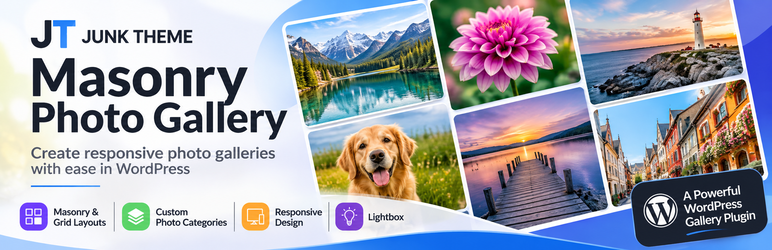
Junk Theme Masonry Photo Gallery lets you create photo galleries in the WordPress admin and display them anywhere with a shortcode.
Create your own named photo categories on the gallery edit screen and choose Media Library images for each category. Category names can be displayed as filter buttons on the frontend so visitors can view all photos or filter by category.
Features:
- Masonry and grid layouts.
- Adjustable desktop columns, image spacing, corner radius, and grid aspect ratio.
- Custom category filter label, alignment, colors, button shape, text size, and spacing.
- Optional lightbox with captions, navigation arrows, and keyboard navigation.
- Optional image entrance and category-switch animations, with reduced-motion support.
- Optional lazy loading and minified frontend CSS and JavaScript assets.
- Gallery settings are saved per gallery.
- No WordPress taxonomy setup is needed for photo categories.
Live Demo
See the gallery in action:
https://demo.junktheme.com/elementor/photo-gallery/
Usage
Use the shortcode shown in the gallery editor:
[rmg_gallery id="123"]
Replace 123 with the ID of your published gallery. The shortcode uses the settings saved on that gallery.
You can optionally override the saved desktop column count for a specific shortcode:
[rmg_gallery id="123" columns="4"]
The columns attribute accepts values from 1 to 6. Responsive layouts reduce the number of columns on smaller screens.
Settings
All options are available on the gallery edit screen:
- Layout Settings: Select Masonry or Grid, choose desktop columns and image spacing, set corner radius, and optionally select an aspect ratio for Grid layout. Masonry uses image proportions and does not apply the aspect ratio setting.
- Filter and Button Styling: Show or hide category filters, set the label for the all-photos button, align the buttons, and customize active and inactive colors, corner radius, text size, padding, and spacing.
- Animation and Performance: Choose an entrance animation, a category-switch animation, enable or disable lazy loading, and enable Speed Up to use the included minified frontend assets.
- Lightbox Settings: Enable or disable the lightbox and configure captions, navigation arrows, and keyboard navigation.
Included Files
junk-theme-masonry-photo-gallery.php— plugin bootstrap, gallery post type, editor controls, settings, and shortcode output.assets/css/admin.css— styles for gallery editor controls.assets/js/admin.js— media selection, settings interactions, and shortcode copy button.assets/css/gallery.cssandassets/js/gallery.js— frontend layout, filters, animations, and lightbox behavior.assets/css/gallery.min.cssandassets/js/gallery.min.js— minified frontend assets used when Speed Up is enabled.
Screenshots


Similar Plugins:
 Elementor Image Gallery Plugin ( Masonry Gallery, Elementor Gallery Plugin With Captions, Elementor Portfolio Gallery Widget, Filterable Gallery )
 WoowGallery – Image Gallery / Content Gallery / Ecommerce Gallery / Social Gallery / Video Gallery / Album Photo Gallery
 Rating Widget: Post Rating, 5 Star Rating, Reviews, Thumbs Up & Down, Reaction