
A11yfy – PDF Accessibility Checker & Fixer Wordpress Plugin - Rating, Reviews, Demo & Download

Plugin Description
Is your site ready for the European Accessibility Act (EAA) and the ADA? Most PDF documents on the web are not accessible: screen readers cannot read them in a meaningful order, images have no descriptions, forms have no labels. The requirements are similar on both sides of the Atlantic — the EAA in the EU, the ADA and Section 508 in the United States — and PDFs are the most commonly overlooked part.
See the plugin in action (58 seconds):
The a11yfy plugin gives you two things:
-
Free accessibility scan — 100% local. The analysis engine runs in your browser (pdf.js + pdf-lib): it verifies your PDFs against 42 machine-verifiable checkpoints of the Matterhorn Protocol (PDF/UA-1) — tag structure, document metadata, heading hierarchy, alternative texts, language settings, annotation nesting and more. Your files never leave your site. The result is a risk rating and a concrete list of problems for every PDF in your Media Library.
-
One-click remediation (optional, paid). Connect your a11yfy account and the plugin sends the selected PDFs to the a11yfy service, which produces a tagged, PDF/UA-oriented accessible version — processed in the EU. The fixed file replaces the original at the same URL (the original is kept as a backup with one-click restore), or, in conservative mode, is served alongside it.
The free scan is a genuine standalone tool — no account, no API calls, no telemetry. The paid service is only involved when you explicitly send a document for remediation.
Why a11yfy?
- Files are processed in the EU, on EU infrastructure — GDPR-friendly by design.
- Works on scanned (image-only) PDFs too: OCR plus a full structural rebuild.
- The original file is always kept — one-click restore, tamper detection, free re-apply.
- Every remediated PDF comes with a verifiable certificate — downloadable from the document page or the Media Library, with a public verification link you can share.
- Fully translation-ready — translations are delivered via translate.wordpress.org as they become available.
Important: the free scan is a technical pre-check against the machine-verifiable PDF/UA-1 checkpoints. It cannot (and does not claim to) certify full PDF/UA-1, EAA or ADA compliance — that also requires human checks and font-level validation, which the a11yfy service performs during remediation.
External Services
This plugin connects to the a11yfy API (https://a11yfy.com) — but only when you connect an API key and request remediation or balance information. The free scan never contacts any external service.
What is sent and when:
- When you remediate a PDF (manually, via bulk action, or through the automatic mode you enabled): the PDF file itself, its file name, and your API key are sent to
https://a11yfy.com/v1/jobs. Processing happens in the EU. - Balance / job status checks: your API key is sent with each request; no document content.
The plugin never sends analytics, usage statistics, or any data about your site visitors. Data processing terms: https://a11yfy.com/privacy — Terms of service: https://a11yfy.com/terms
Source Code
The bundled analysis engine is built from human-readable source with esbuild. Unminified source: the js/ directory of the plugin repository, and the bundled libraries are pdf.js (Apache-2.0, https://github.com/mozilla/pdf.js), pdf-lib (MIT, https://github.com/Hopding/pdf-lib), smalot/pdfparser (LGPL-3.0, https://github.com/smalot/pdfparser), Action Scheduler (GPL-3.0, https://github.com/woocommerce/action-scheduler).
Screenshots
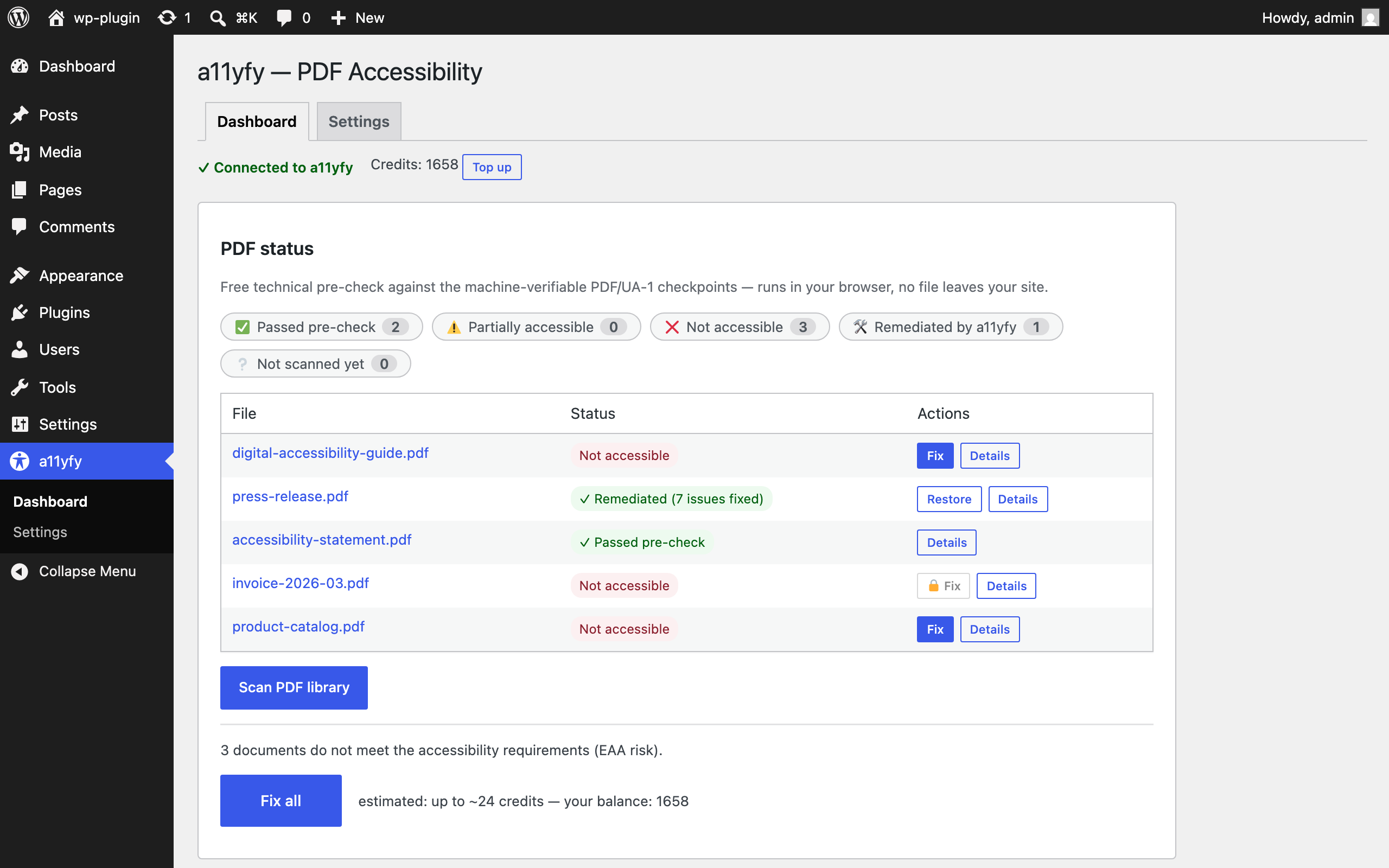
Dashboard: every PDF in your Media Library with its accessibility status — credit balance, filter chips, one-click Fix and “Fix all”.
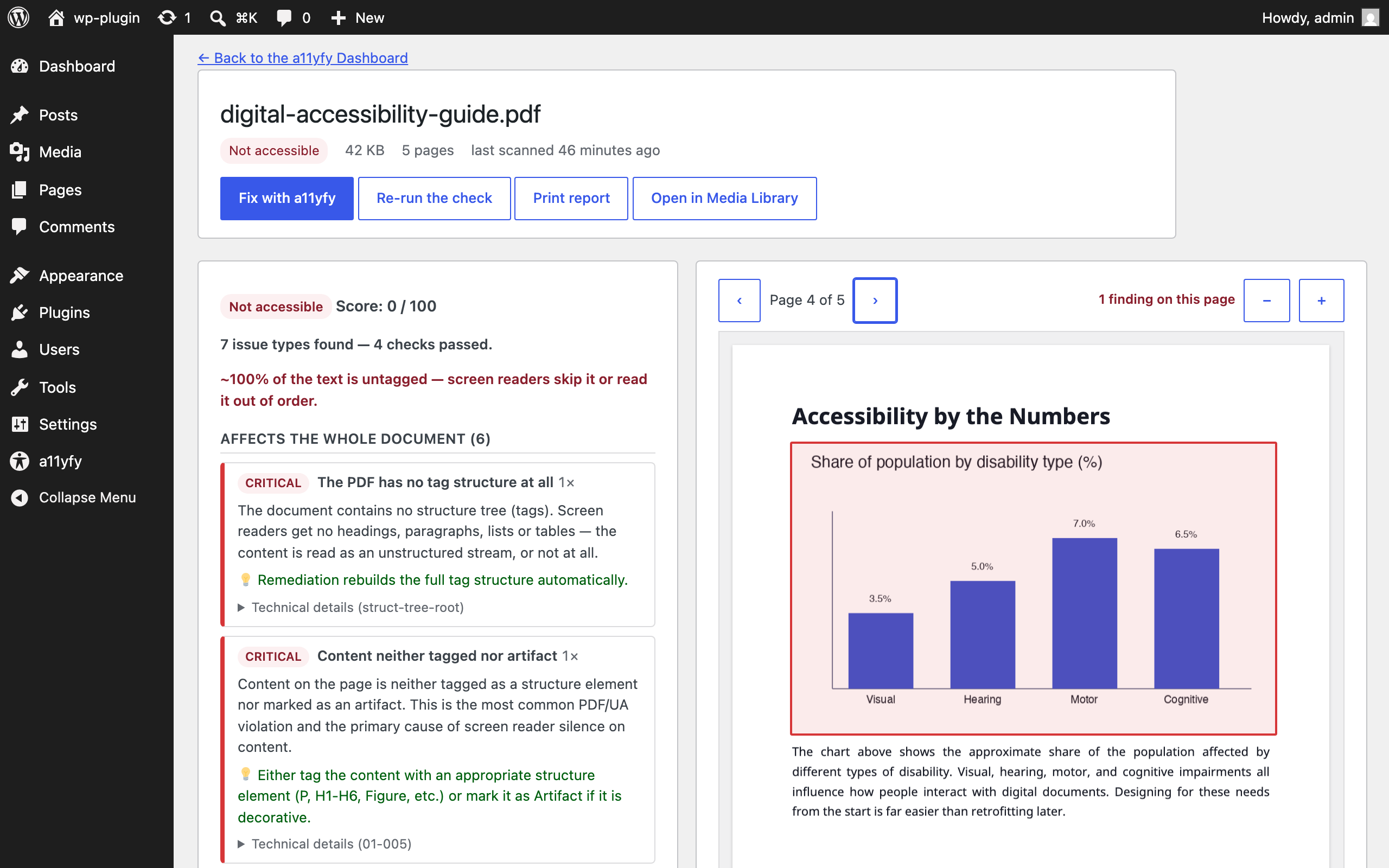
Plain-language issue details with a live page preview — findings are highlighted right on the page, and each failed checkpoint explains what the remediation will do about it.
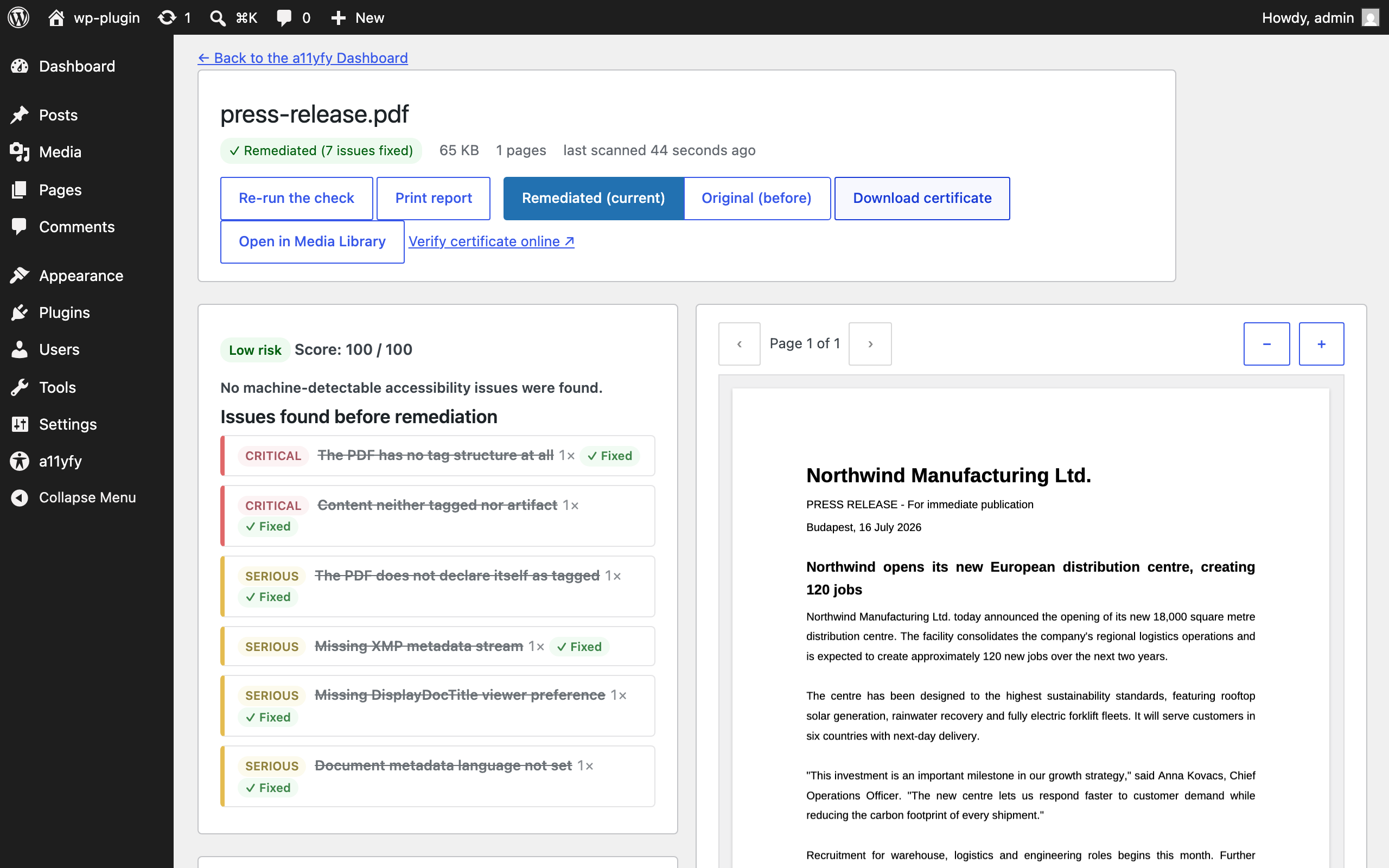
After remediation: the issues found before are shown crossed out with a “Fixed” chip — verified by re-running the free scan.
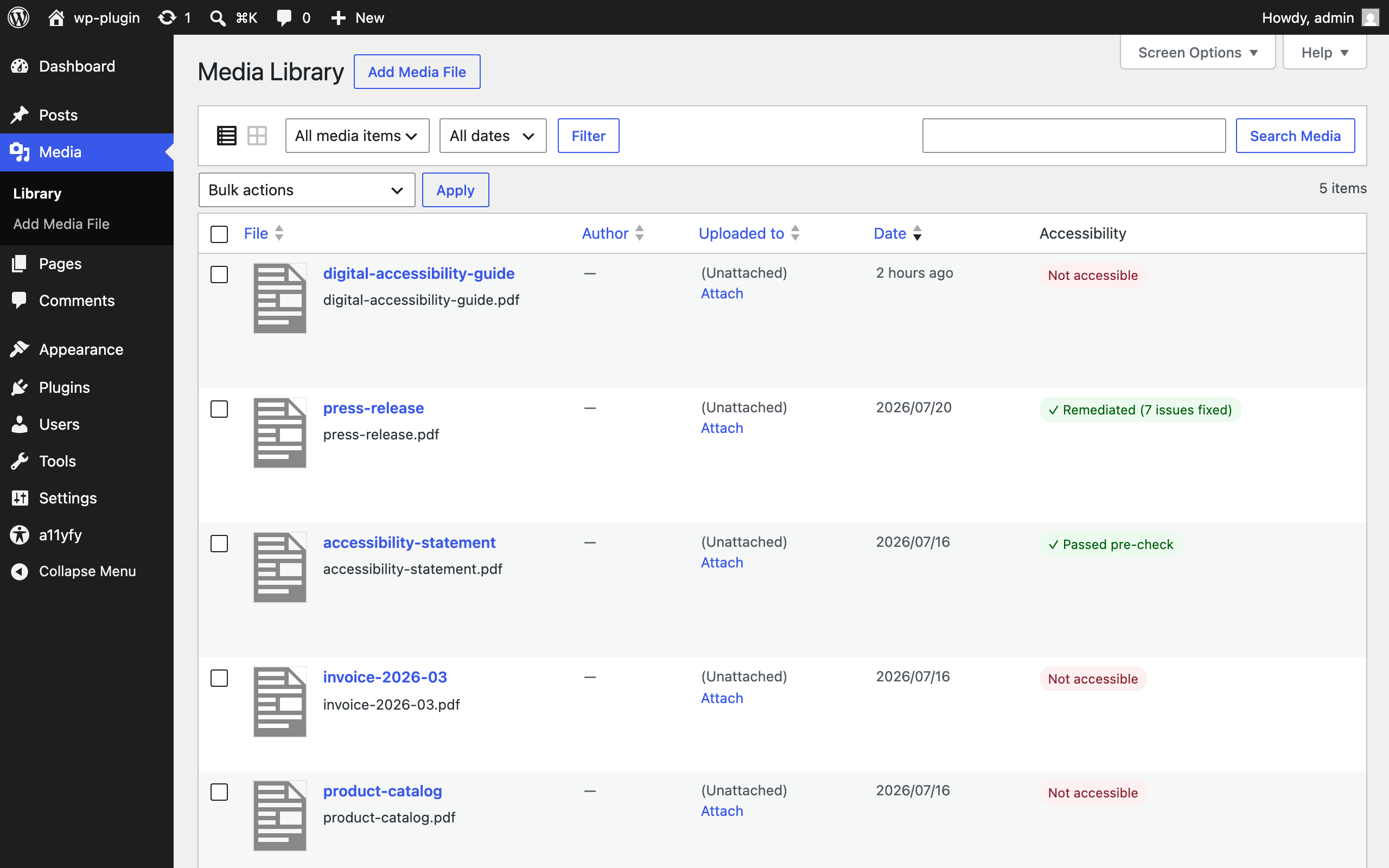
Accessibility column in the Media Library list view, with row actions.
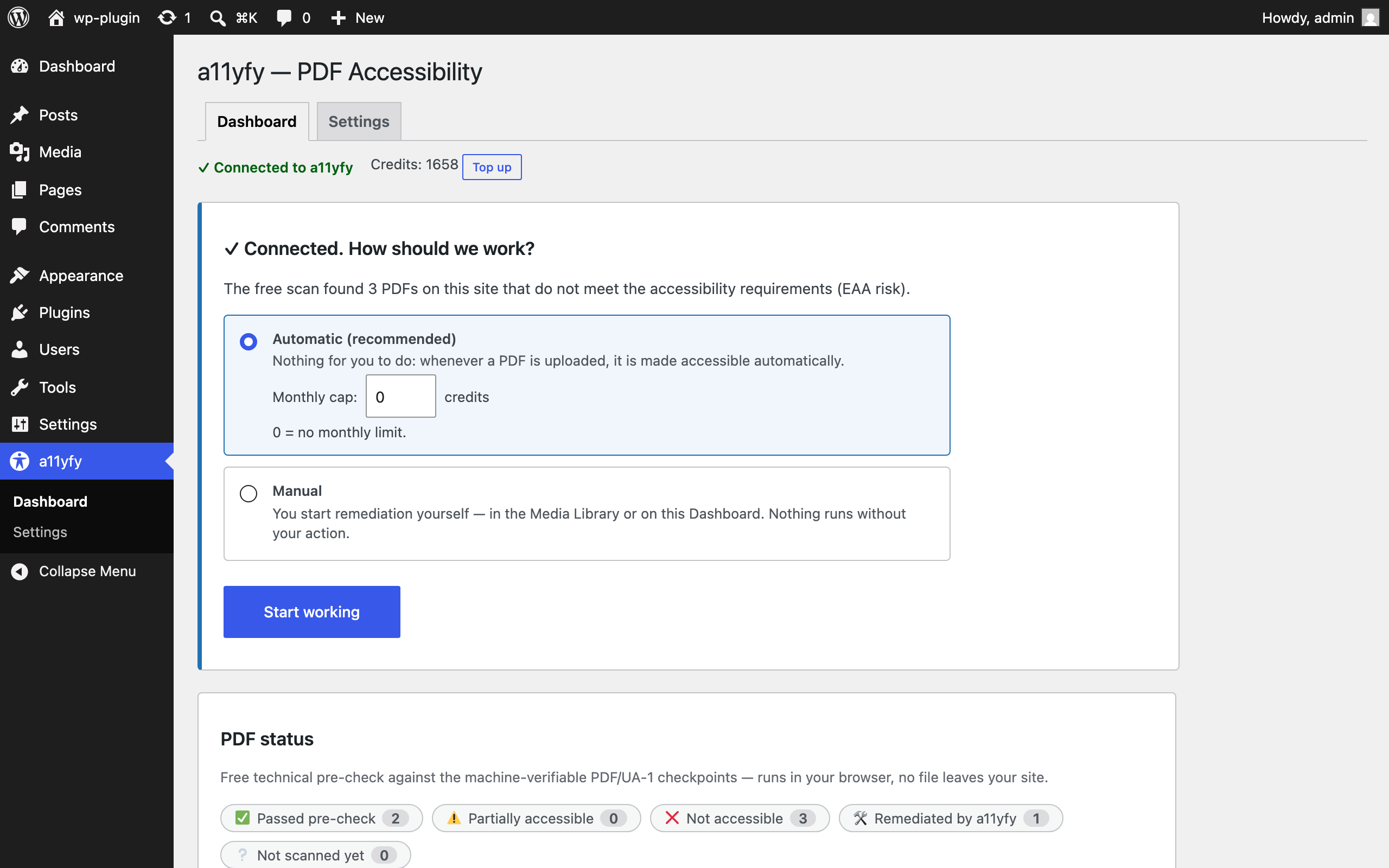
One-question onboarding: automatic or manual remediation, with an optional monthly credit cap (0 = no limit).
Similar Plugins:
 WordPress To PDF, Download As PDF Document Of Any WordPress Post Types, Download Post As PDF, PDF Viewer, PDF Block, View PDF On WordPress – Document Engine
 Rating Widget: Post Rating, 5 Star Rating, Reviews, Thumbs Up & Down, Reaction
 Equalize Digital Accessibility Checker – Audit Your Website For WCAG, ADA, And Section 508 Accessibility Errors