ABP Transport Booking Wordpress Plugin - Rating, Reviews, Demo & Download
Plugin Description
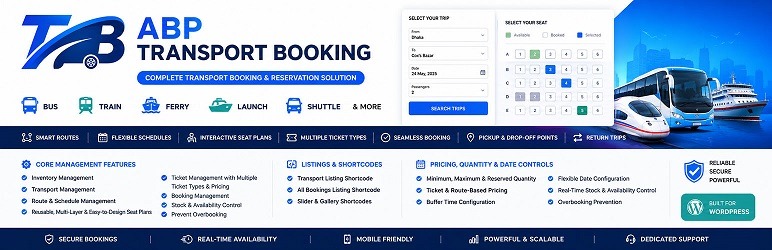
ABP Transport Booking Plugin transforms WooCommerce into a complete transportation ticketing platform, enabling businesses to manage routes, reservations, and online ticket sales efficiently from a single dashboard.
Designed for bus, ferry, launch, shuttle, coach, van, minibus, and other passenger transport services, the plugin provides a flexible booking system with customizable ticket types, reusable seat plans, route and schedule management, passenger information forms, additional services, and booking.
Customers can search available transport services, select travel dates, choose ticket types and seats, provide passenger information, and complete bookings through WooCommerce checkout.
ABP Transport Booking supports both one-way and return trip bookings. Customers can book an outbound journey and a return journey using the same transport when return travel is configured and available.
Seat plans are highly customizable and can be created with drag-and-drop controls, automatic numbering, dynamic ticket type assignment, custom cells, flexible layouts, and multiple design options. The same seat plan can be reused across multiple transports and assigned multiple times within the same transport for multi-layer seating arrangements.
Administrators can create reusable global ticket types, seat plans, stops, categories, organizers, brands, features, additional services, passenger forms, FAQs, and Terms & Conditions, then use them across multiple transports.
Key Features
- Passenger transport booking
- One-way trip booking
- Return trip booking
- Return booking using the same transport
- Bus, ferry, launch, shuttle, coach, van, and minibus support
- Route and schedule management
- Transport management dashboard
- Transport list with pagination
- Transport edit, clone, view, and delete options
- Filterable booking and order list
- Order pagination and cancellation
- Detailed booking and order information
- Flexible ticket type management
- Reusable global ticket types
- Custom and reusable seat plans
- Multi-layer seat plan support
- Drag-and-drop seat plan design
- Automatic seat numbering
- Custom seat labels and prefixes
- Dynamic ticket type assignment
- Custom seat cells and layout options
- Real-time seat availability
- Date and schedule configuration
- Boarding and drop-off stop management
- Passenger information forms
- Additional services
- FAQ management
- Terms & Conditions management
- Global and transport-specific configuration
- Global stops, categories, organizers, brands, and features
- Global feature enable/disable controls
- Related transport display
- Dynamic pricing and quantity controls
- WooCommerce checkout and payment integration
- Responsive frontend booking interface
- Translation-ready
Return Trip Booking
ABP Transport Booking supports return journey booking for passenger transport services.
Customers can book an outbound journey and a return journey when return travel is configured for the transport.
Return booking can be used when passengers need to travel to a destination and return later using the same transport service.
This can be useful for:
- Bus return journeys
- Ferry and launch return trips
- Shuttle return services
- Tourist transportation
- Event transportation
- Scheduled passenger return journeys
Global Data & Reusable Configuration
ABP Transport Booking allows administrators to create common transport data globally and reuse it across multiple transports.
Global data includes:
- Ticket Types
- Seat Plans
- Stops
- Categories
- Organizers
- Brands
- Features
- Additional Services
- Passenger Forms
- FAQs
- Terms & Conditions
Global data helps reduce repetitive configuration when managing multiple transports.
Supported global configurations can be imported and customized for individual transports when required.
Global Ticket Types
Create ticket types once and reuse them across multiple transports.
Ticket types can be assigned while designing seat plans, allowing different seats or seating areas to use different ticket categories.
Global ticket types are managed independently from individual transports, making them easier to maintain and reuse.
Global Seat Plans
Create a seat plan once and assign it to multiple transports.
The same seat plan can also be assigned multiple times to the same transport, allowing multi-layer seating arrangements.
Seat plan design supports:
- Drag-and-drop seat positioning
- Automatic numbering
- Dynamic ticket type assignment
- Custom seat names and prefixes
- Custom cells and text
- Flexible rows and columns
- Adjustable cell dimensions
- Adjustable spacing and gaps
- Multiple layout configurations
- Background and visual customization
- Multi-layer seat arrangements
- Clone Seat plan
- Edit Seat plan
- Delete Seat plan
- View Seat plan
Transport Management
Manage transports from a dedicated WordPress dashboard.
- Create transports
- Edit transports
- Clone transports
- View transport details
- Delete transports
- Manage routes
- Manage schedules
- Configure ticket types
- Configure seat plans
- Configure pricing
- Configure dates and availability
- Manage frontend display settings
- Display related transports
Booking and Order Management
Manage transport bookings and WooCommerce orders from the dashboard.
- Filter bookings and orders
- Paginate order results
- View complete order details
- View passenger information
- View ticket and seat information
- View booking information
- Cancel orders
- WooCommerce order integration
Route, Stop & Schedule Management
Create and manage transportation routes and their stops.
- Global stop management
- Boarding stops
- Drop-off stops
- Boarding and drop-off stops
- Multiple pickup points
- Multiple drop-off points
- Route direction configuration
- Date-wise schedules
- Travel time configuration
- Special date configuration
- Availability controls
Seat Reservation & Ticket Types
Customers can select available seats during booking when a seat plan is enabled.
The seat system supports:
- Custom seat layouts
- Ticket-type based seating
- Seat name prefixes
- Automatic seat numbering
- Custom seat labels
- Multiple seat layers
- Reusable seat plans
- Real-time seat availability
- Flexible visual seat design
Pricing & Quantity Control
Configure booking quantity and pricing according to transport requirements.
- Minimum quantity
- Maximum quantity
- Reserved quantity
- Dynamic price calculation
- Multiple pricing configurations
- Ticket and seat based pricing options
Availability Management
Control when a transport can be booked.
- Date-wise availability
- Weekend availability controls
- Special date configuration
- Off-date configuration
- Availability overrides
- Schedule and time configuration
Passenger Information
Collect passenger information during the booking process using configurable passenger forms.
- Global passenger forms
- Transport-specific passenger forms
- Custom passenger fields
- Passenger information management
Additional Services
Offer optional services during booking.
- Global additional services
- Transport-specific services
- Optional service selection
- Service pricing
FAQ & Terms and Conditions
Create reusable customer information globally or customize it for individual transports.
- Global FAQ configuration
- Transport-specific FAQ configuration
- Global Terms & Conditions
- Transport-specific Terms & Conditions
- Import global configuration
- Customize imported configuration for a transport
Feature Controls
Major plugin features can be enabled or disabled globally from the configuration panel.
This allows administrators to keep the dashboard and frontend focused on the features required for their transportation business.
Frontend Booking Experience
The frontend booking experience can include:
- Transport listing pages
- Search and filtering
- Transport details
- Related transports
- Route and stop information
- Schedule information
- Travel date selection
- Return date selection
- Ticket type selection
- Seat selection
- Passenger information forms
- Additional services
- Dynamic pricing
- WooCommerce checkout
- Responsive booking interface
WooCommerce Integration
ABP Transport Booking uses WooCommerce for checkout and payment processing.
Customers can complete transport bookings through WooCommerce checkout and use payment gateways supported by WooCommerce.
WooCommerce handles payment processing, taxes, coupons, customer accounts, and order management according to the site’s WooCommerce configuration.
Recommended For
- Bus operators
- Ferry and launch services
- Shuttle services
- Coach operators
- Van and minibus operators
- Intercity transport services
- Local passenger transport
- Airport transfer services
- Corporate transportation
- School and college transportation
- Tourist transportation
- Event transportation
- Group travel transportation
- Passenger transport agencies
- Multi-route transport businesses
Requirements
- WordPress 6.2 or later
- PHP 7.4 or later
- WooCommerce
Shortcodes
Use these shortcodes to display transport content on your website:
[abptb-booking] — Display transport listings and booking functionality.
[abptb-post] — Display transport listings.
[abptb-gallery] — Display transport images and galleries.
Pro Features
ABP Transport Booking Pro provides additional features for advanced transport booking and management requirements.
Pro features may include:
✅ Same day multiple trip
✅ Day Wise multiple trip
✅Date Wise multiple trip
✅ PDF ticket and invoice generation
✅ Booking list export
✅ PDF booking export
✅ CSV booking export
✅ QR Code
✅ Email notifications with PDF attachments
✅ Seasonal pricing and discounts
✅ Early booking discounts
✅ Advanced booking management
✅ Additional administrative tools
✅ Premium Support
✅ Priority Updates & New Features
Need help or have suggestions?
If you need any further assistance or support, do contact us at this 🎫 support form. We are very open to your suggestions. So do feel free to tell us if there is anything we can do to improve the plugin.
🌐 Live Demo
📖 Documentation
💬 Support Forum
🐛 Bug Reports
📧 Email: support@abp-team.com
If you find ABP Transport Booking useful, please leave a ⭐⭐⭐⭐⭐ review on WordPress.org — it really helps!
Screenshots
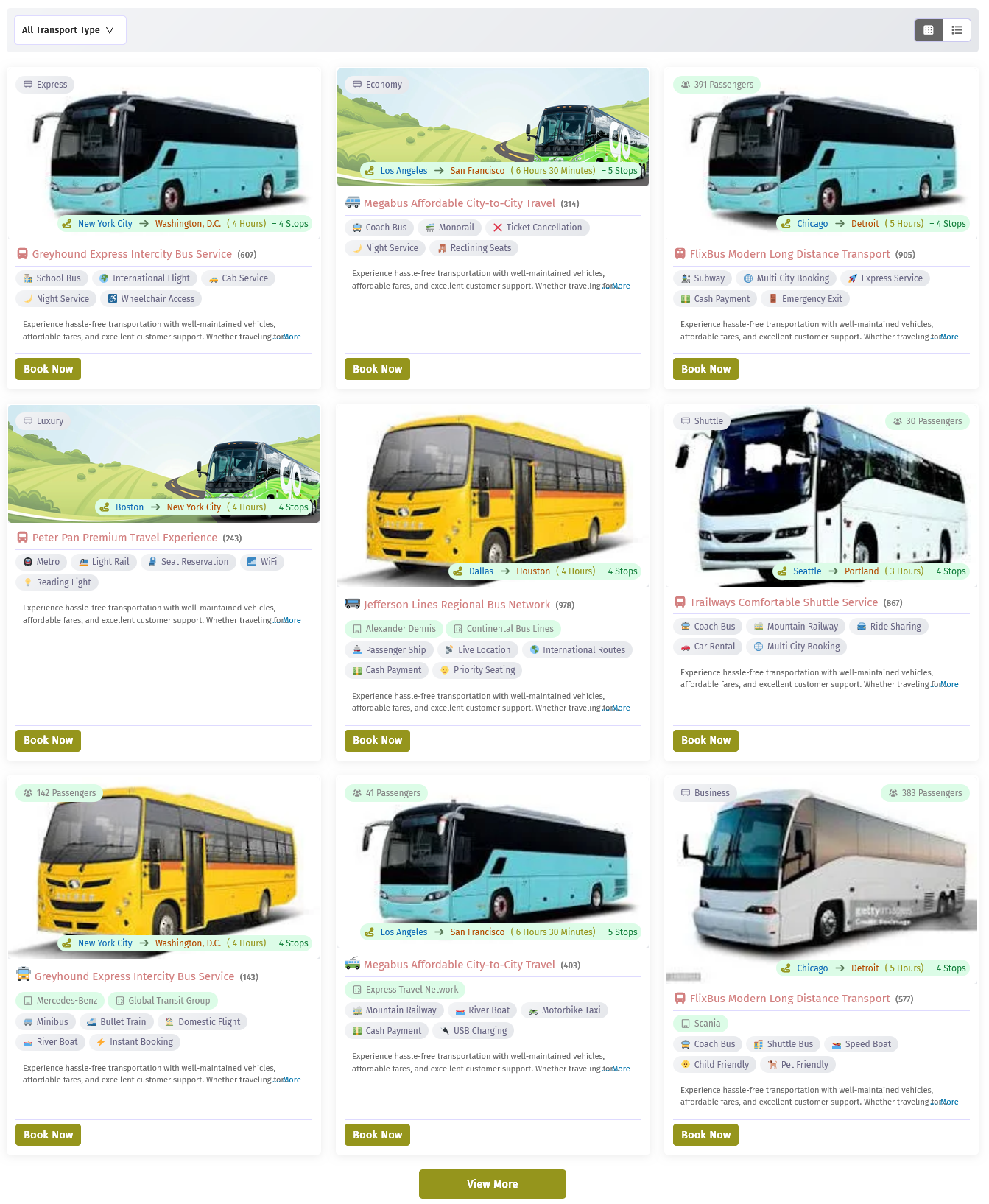
Transport List Page – Grid View
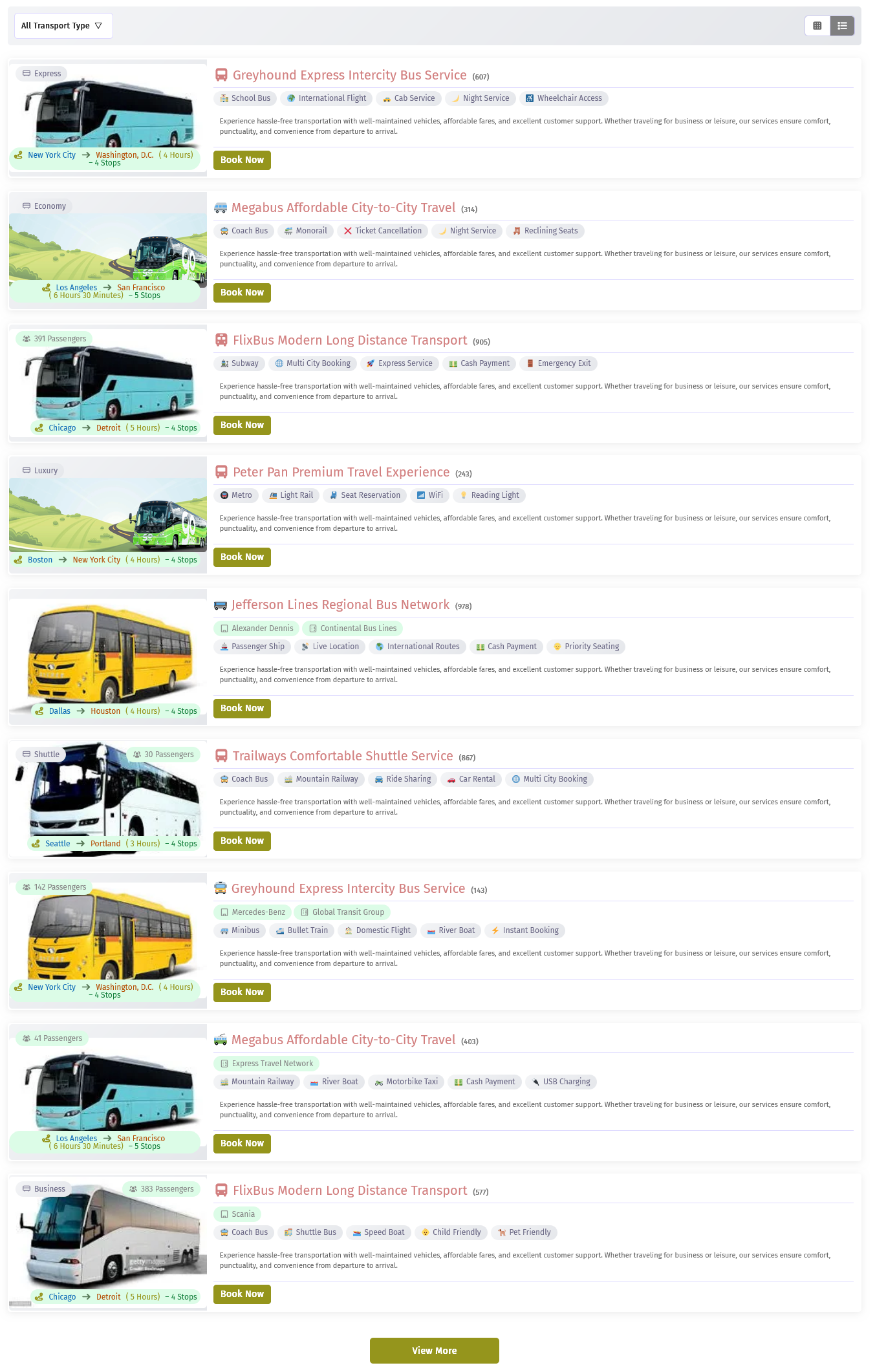
Transport List Page – List View
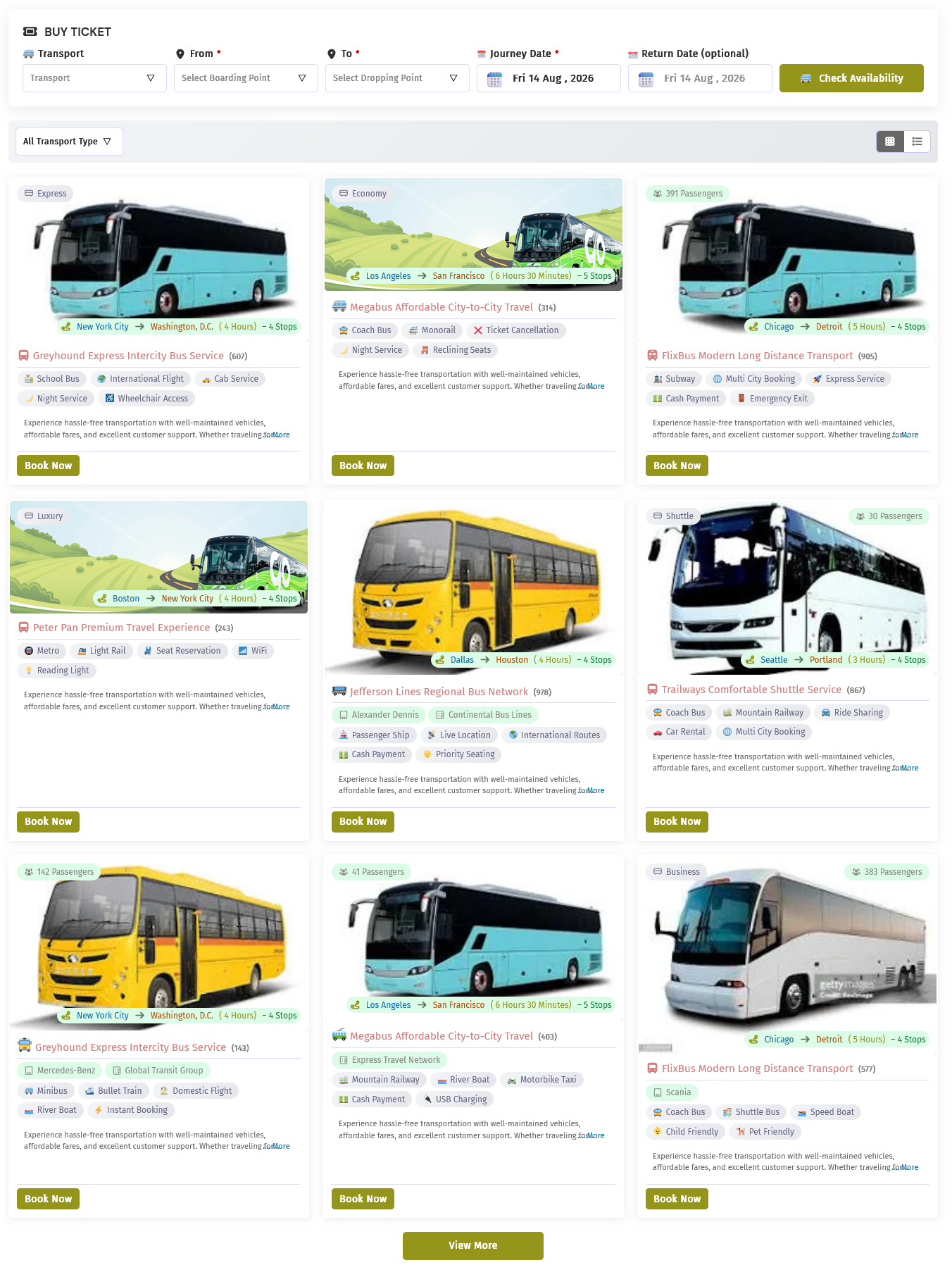
All Transport Bookings – Grid View
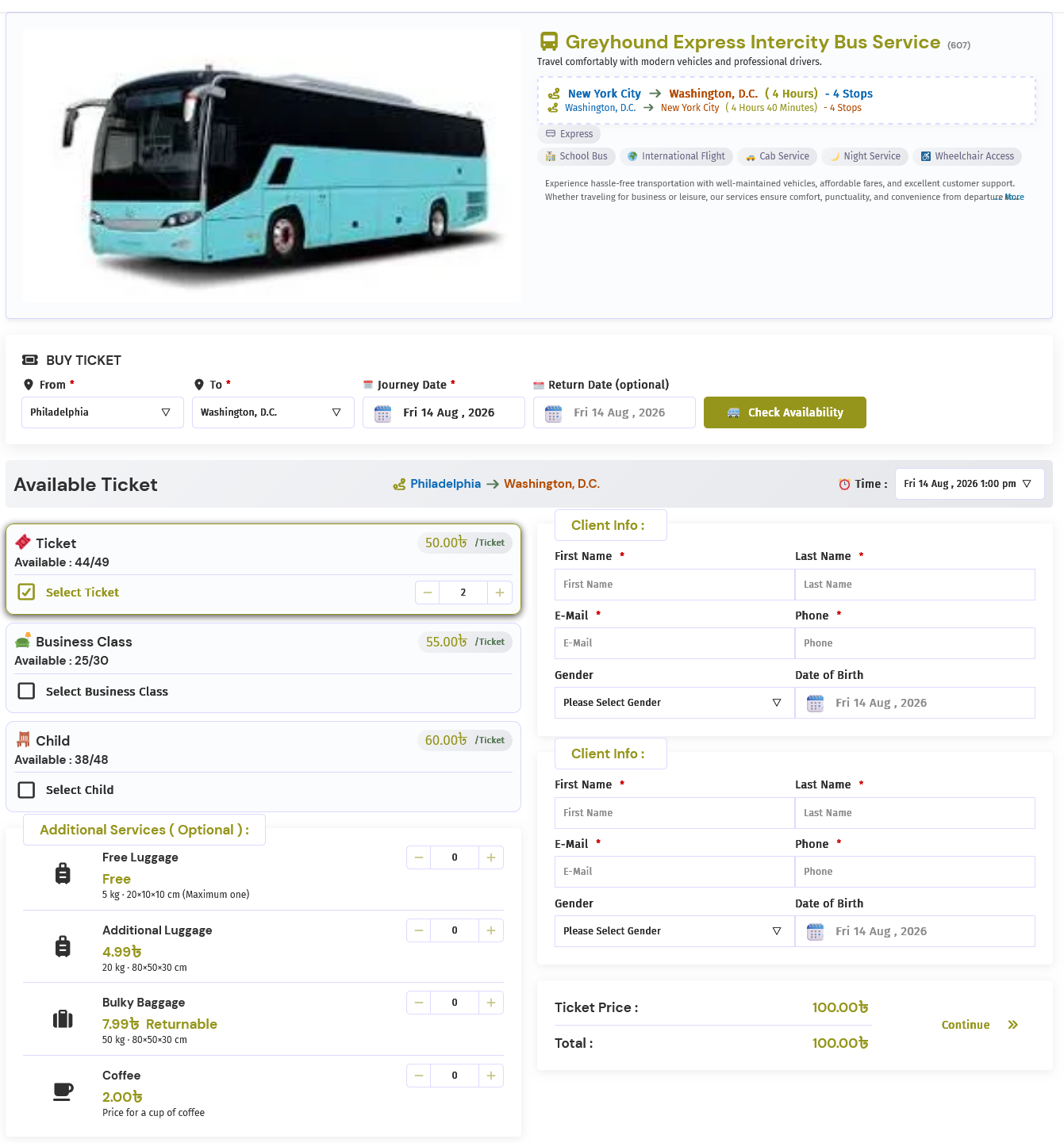
Transport Details – Default Template with Ticket Types
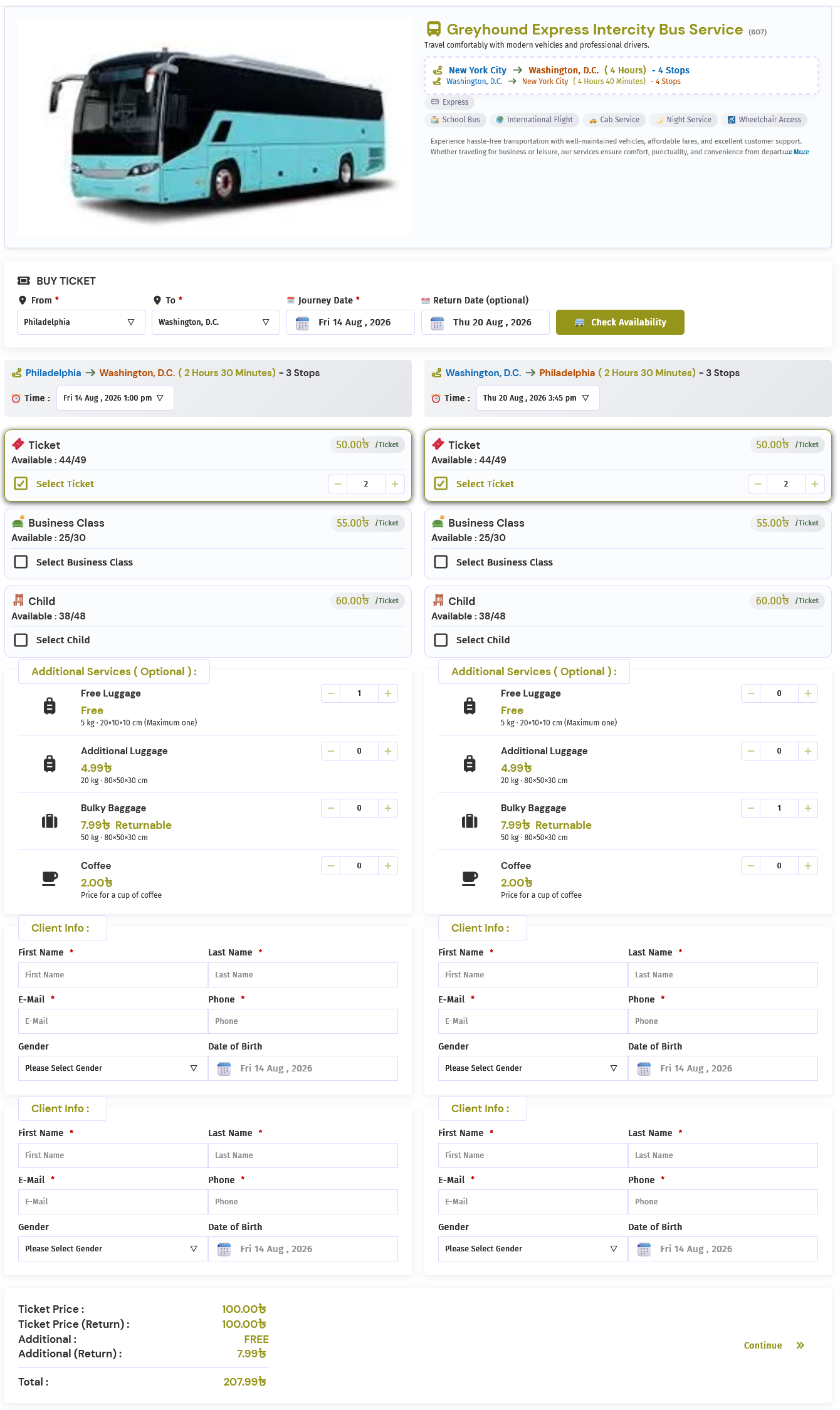
Transport Details – Default Template with Return Transport
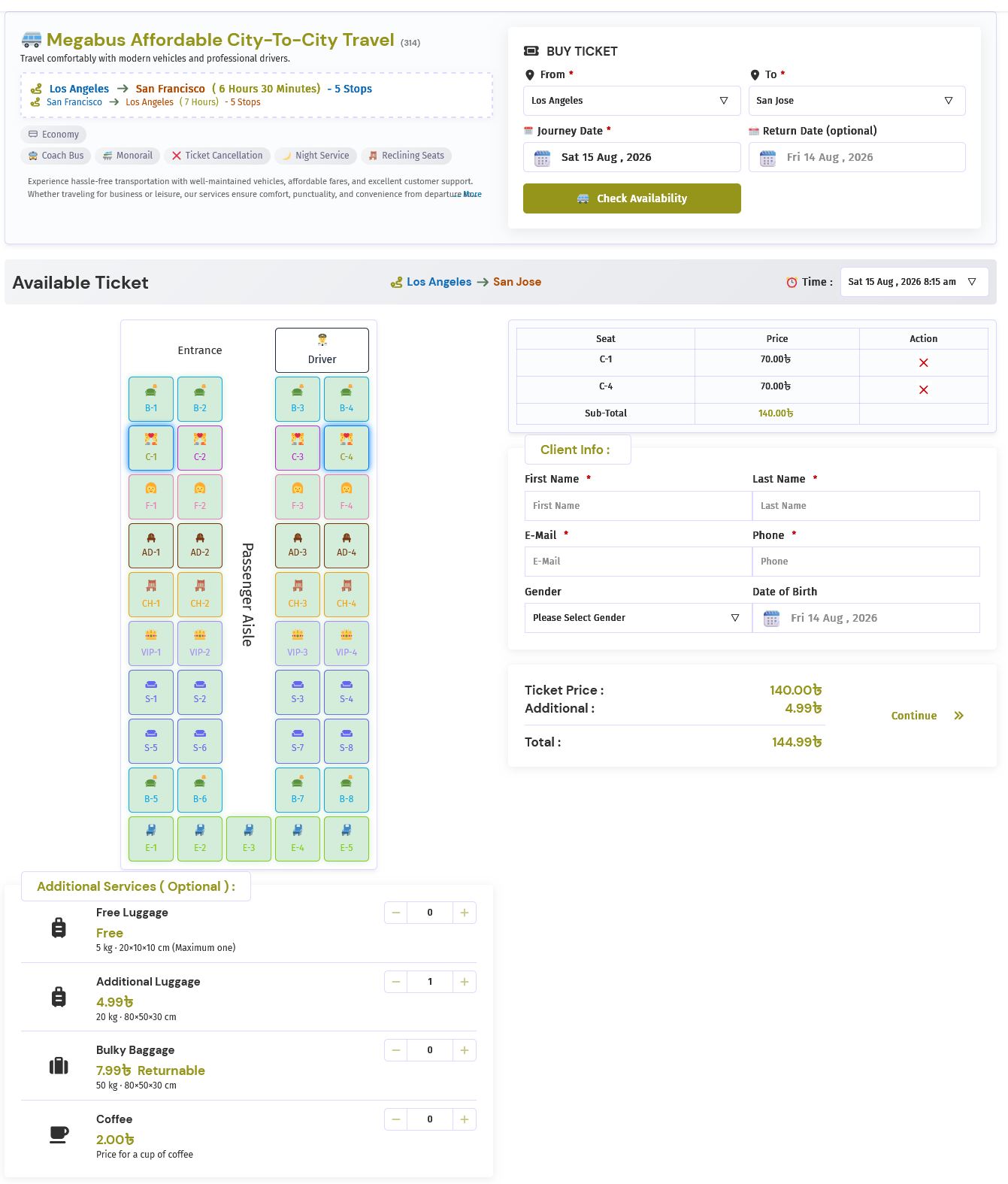
Transport Details – Light Template with Seat Plan and Single Attendee Information
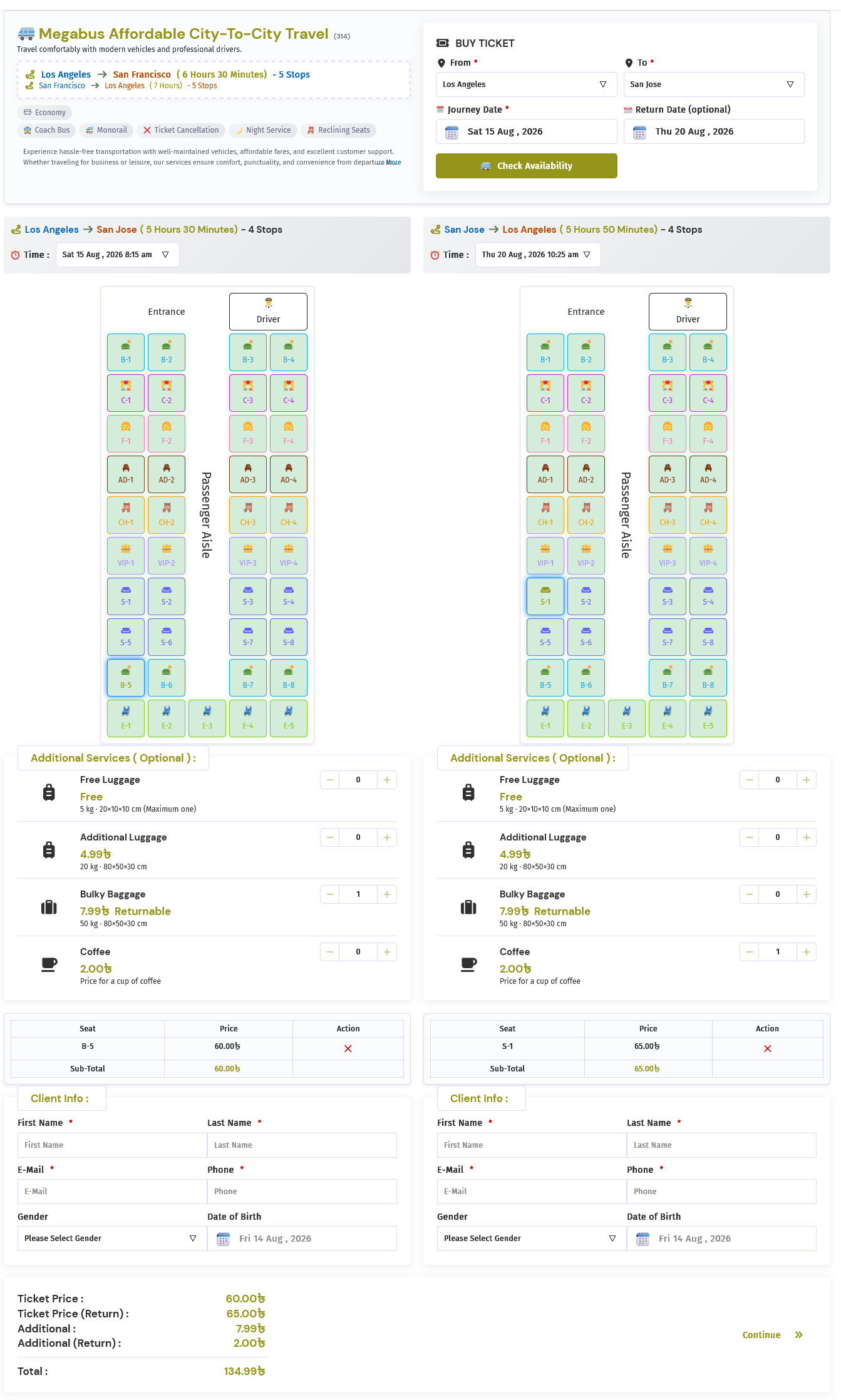
Transport Details – Light Template with Seat Plan, Single Attendee Information, and Return Transport
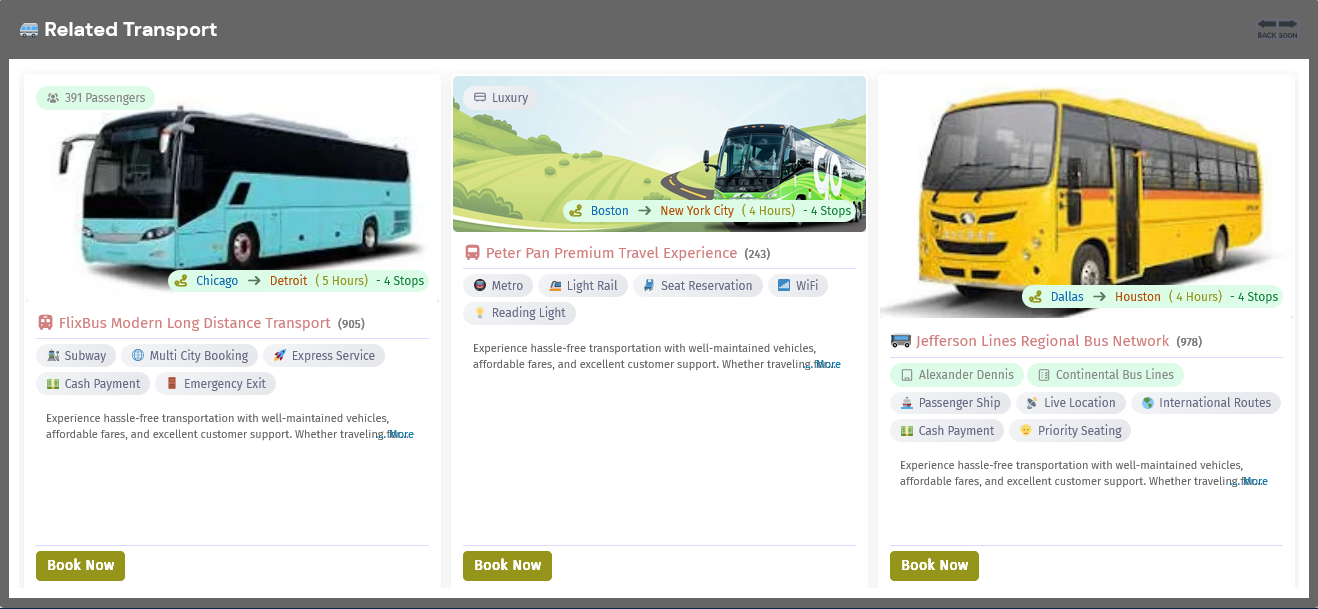
Related Transport
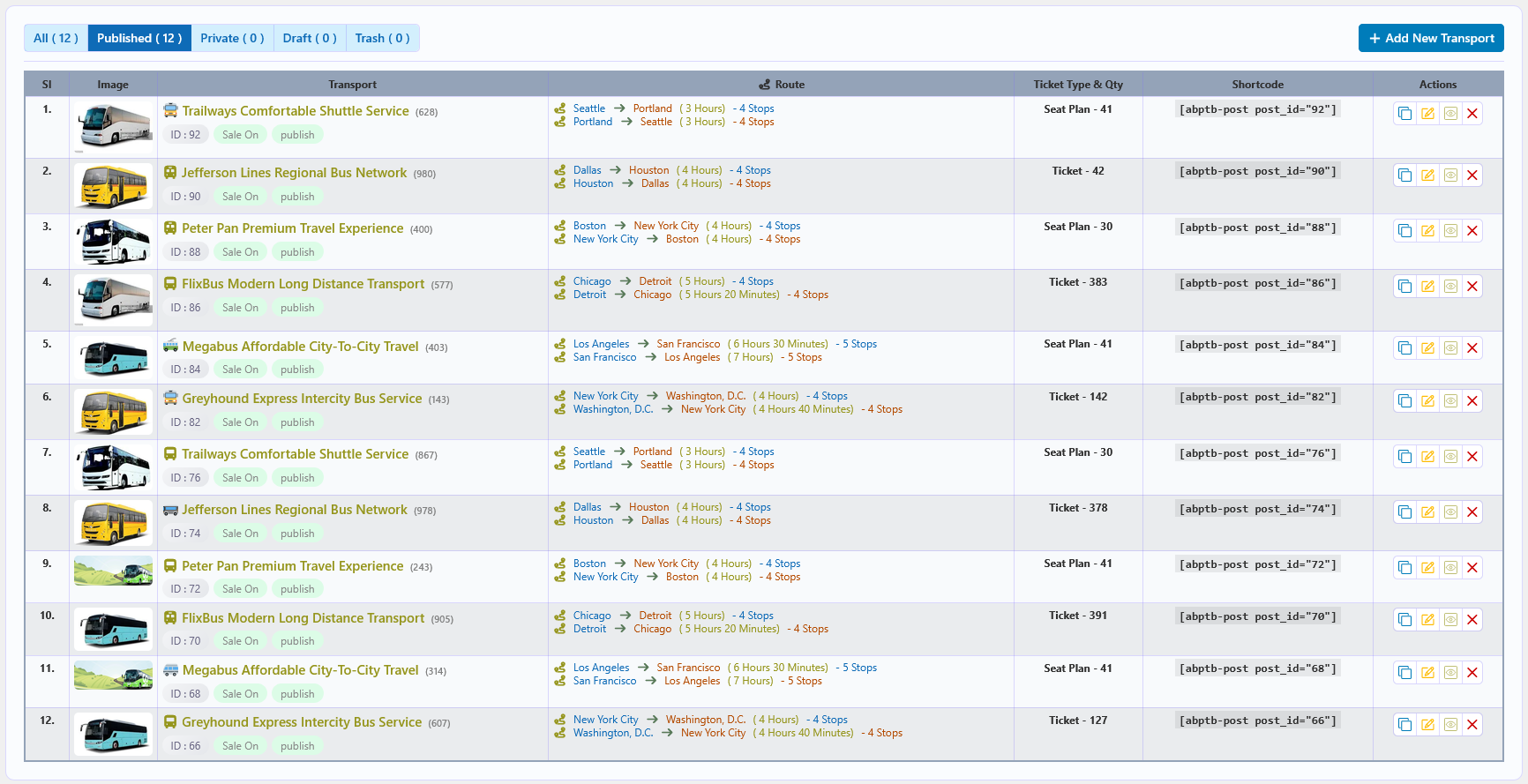
Transport List – Admin View
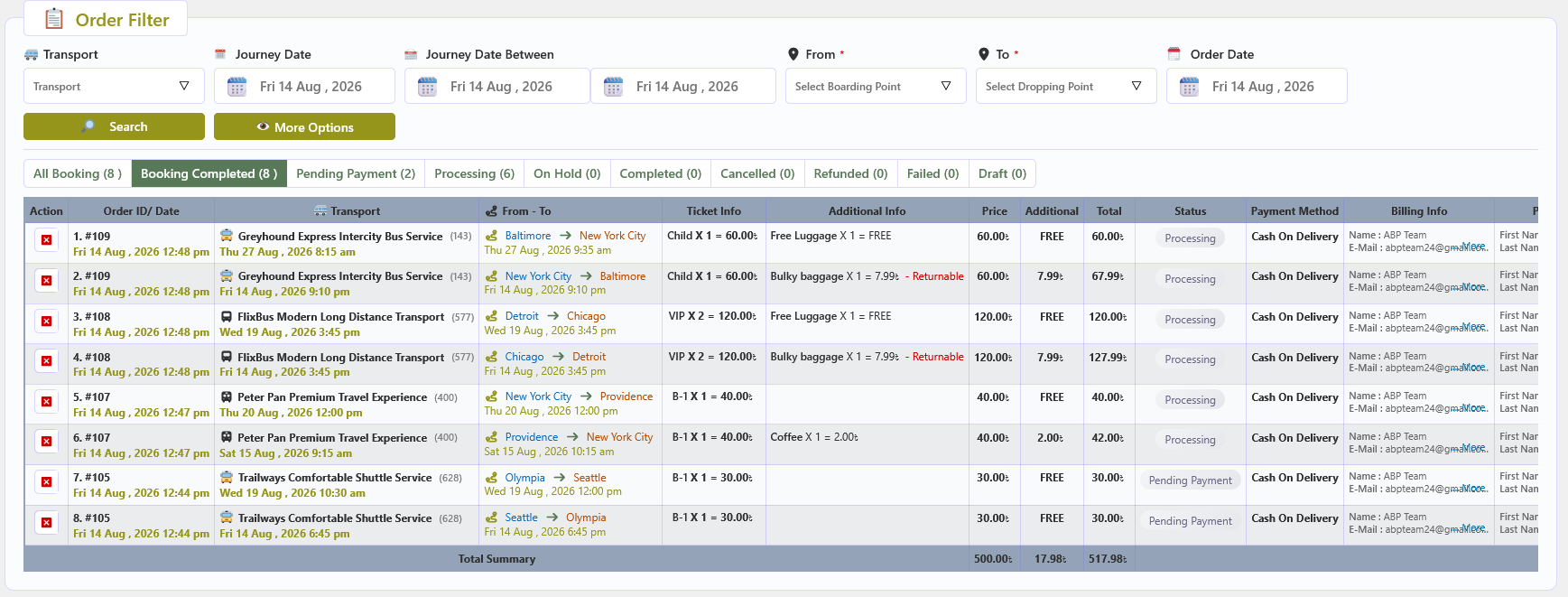
Order List and Filter – Admin View
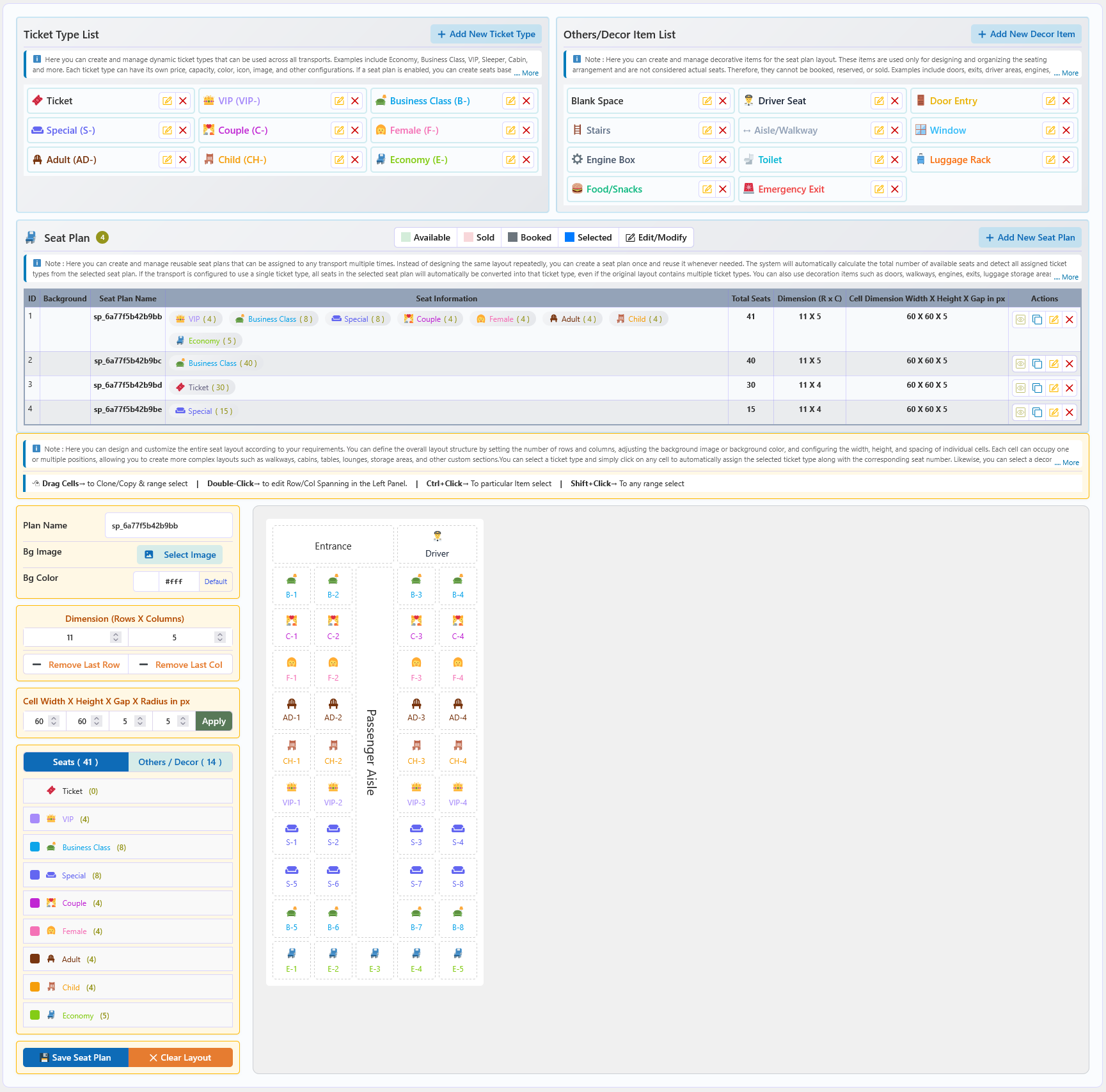
Global Ticket Type and Seat Plan Configuration
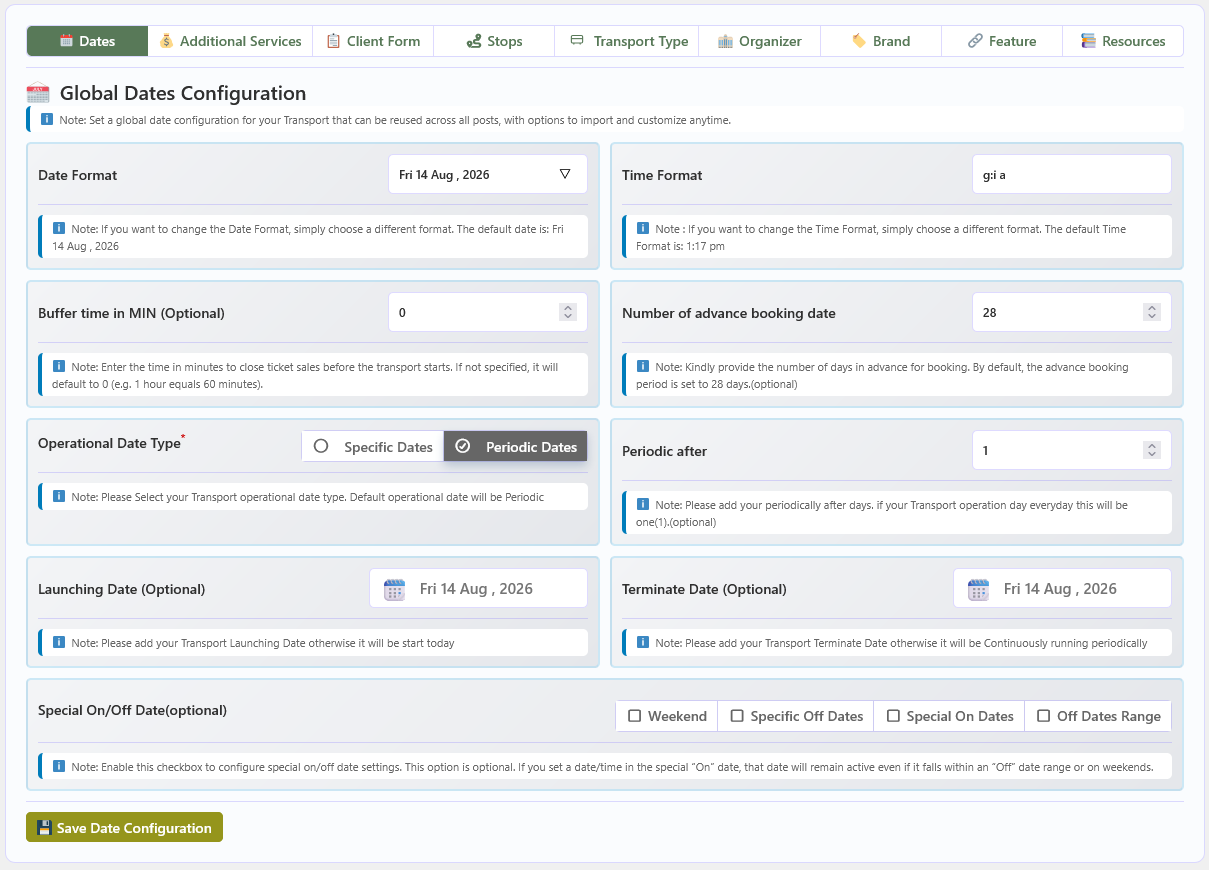
Global Reusable Date Configuration
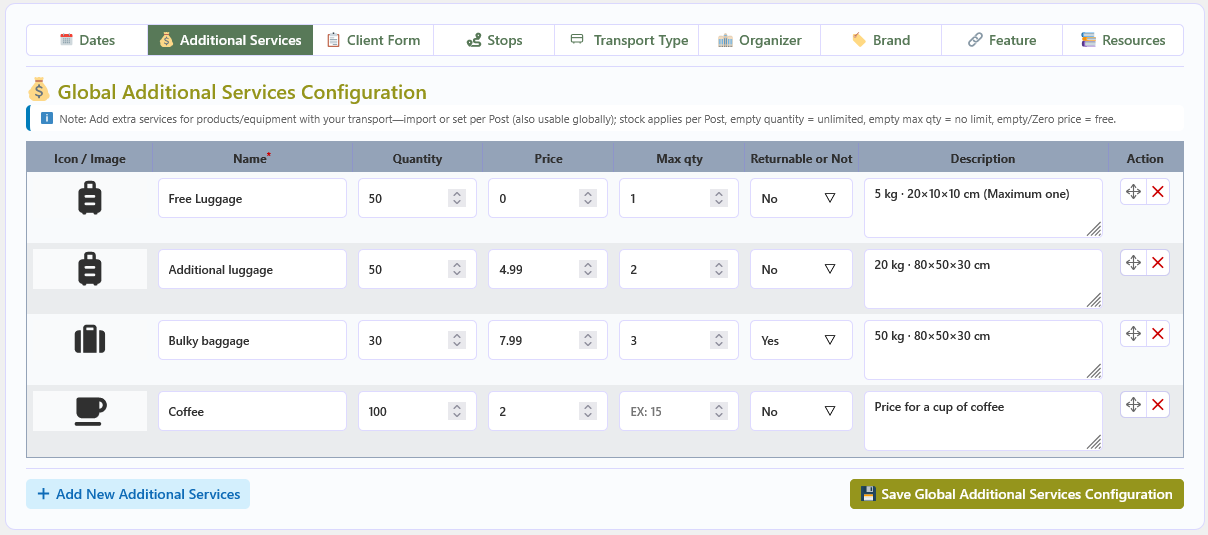
Global Reusable Additional Service Configuration
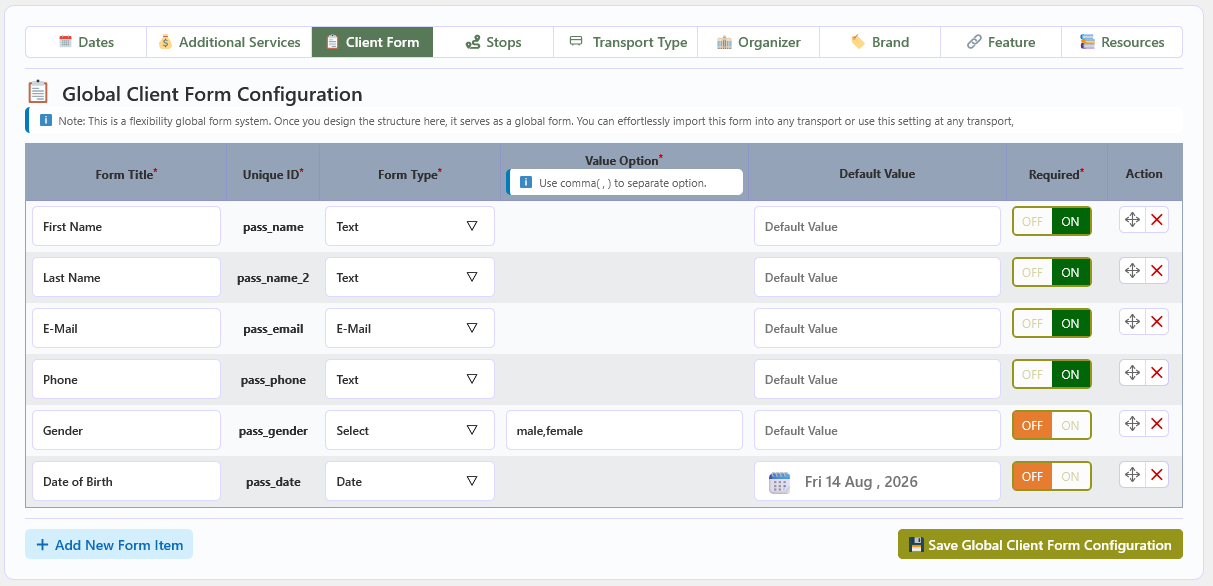
Global Reusable Passenger Form Configuration
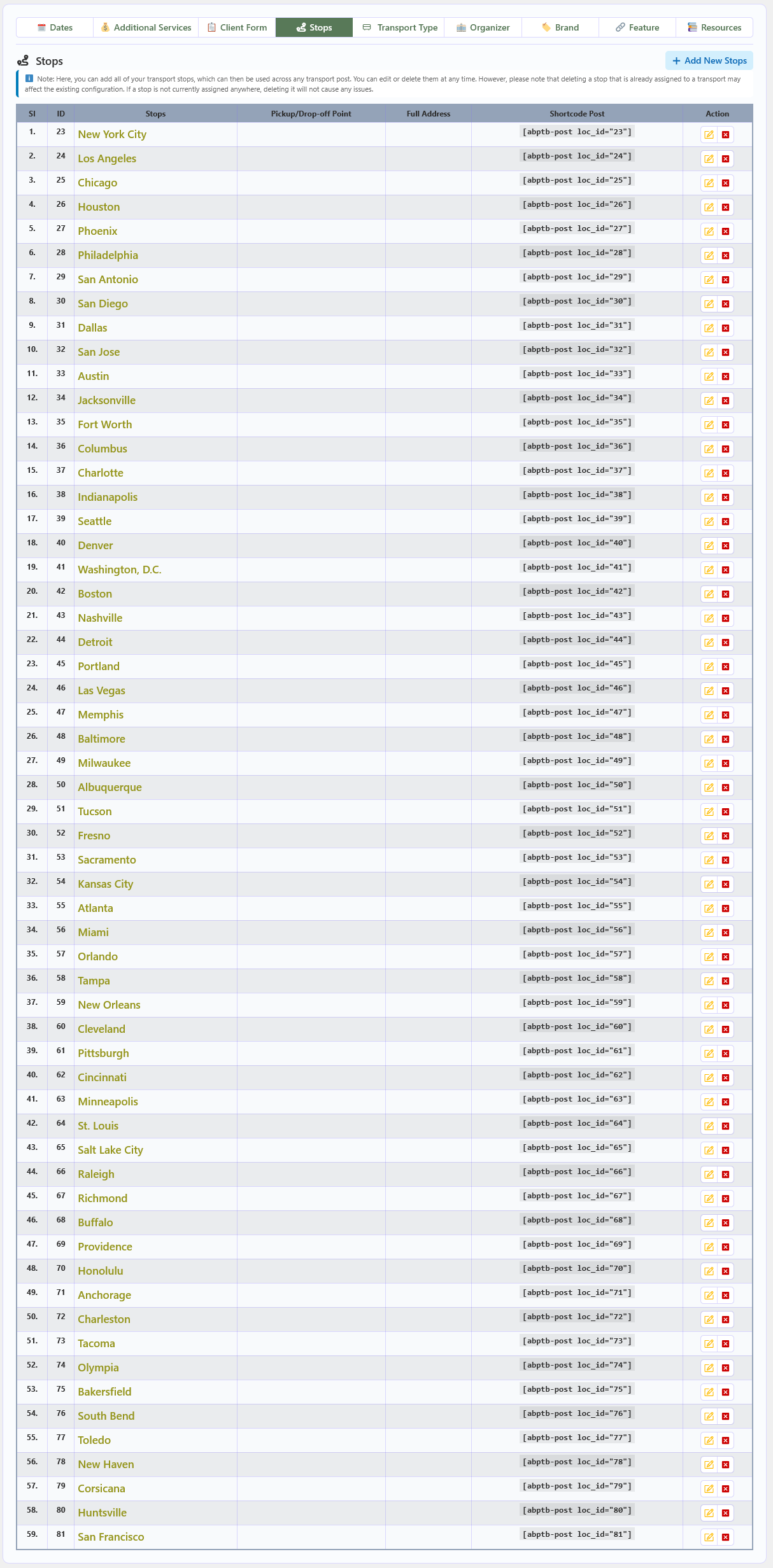
Global Reusable Stops and Location Configuration
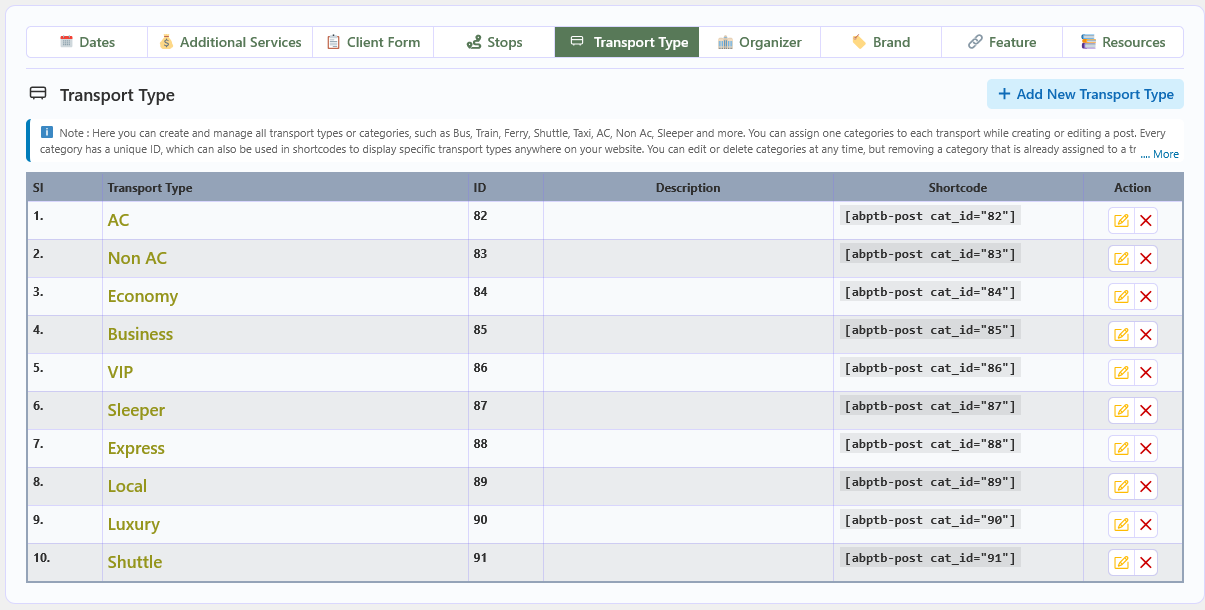
Transport Type / Category Configuration
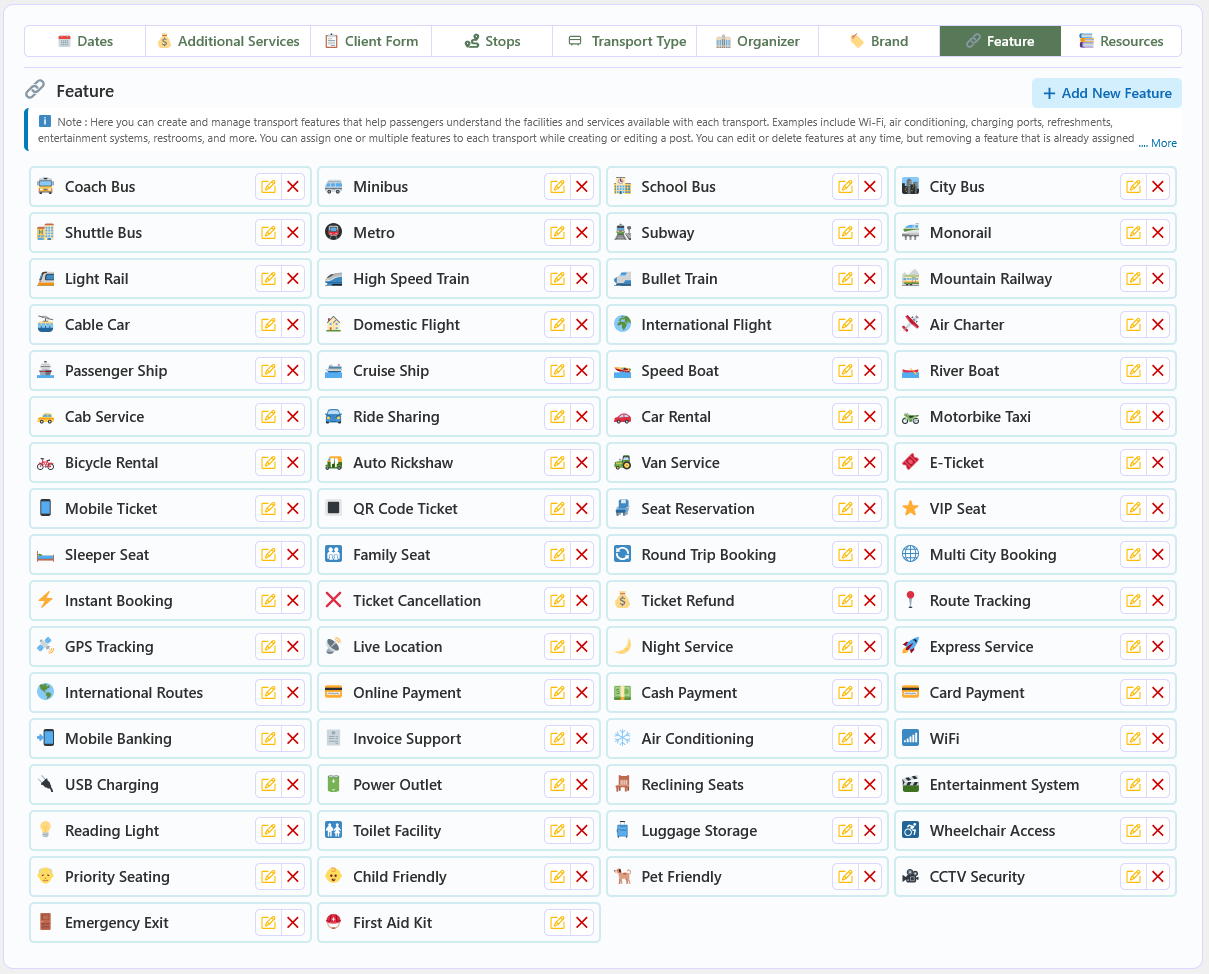
Transport Feature Configuration
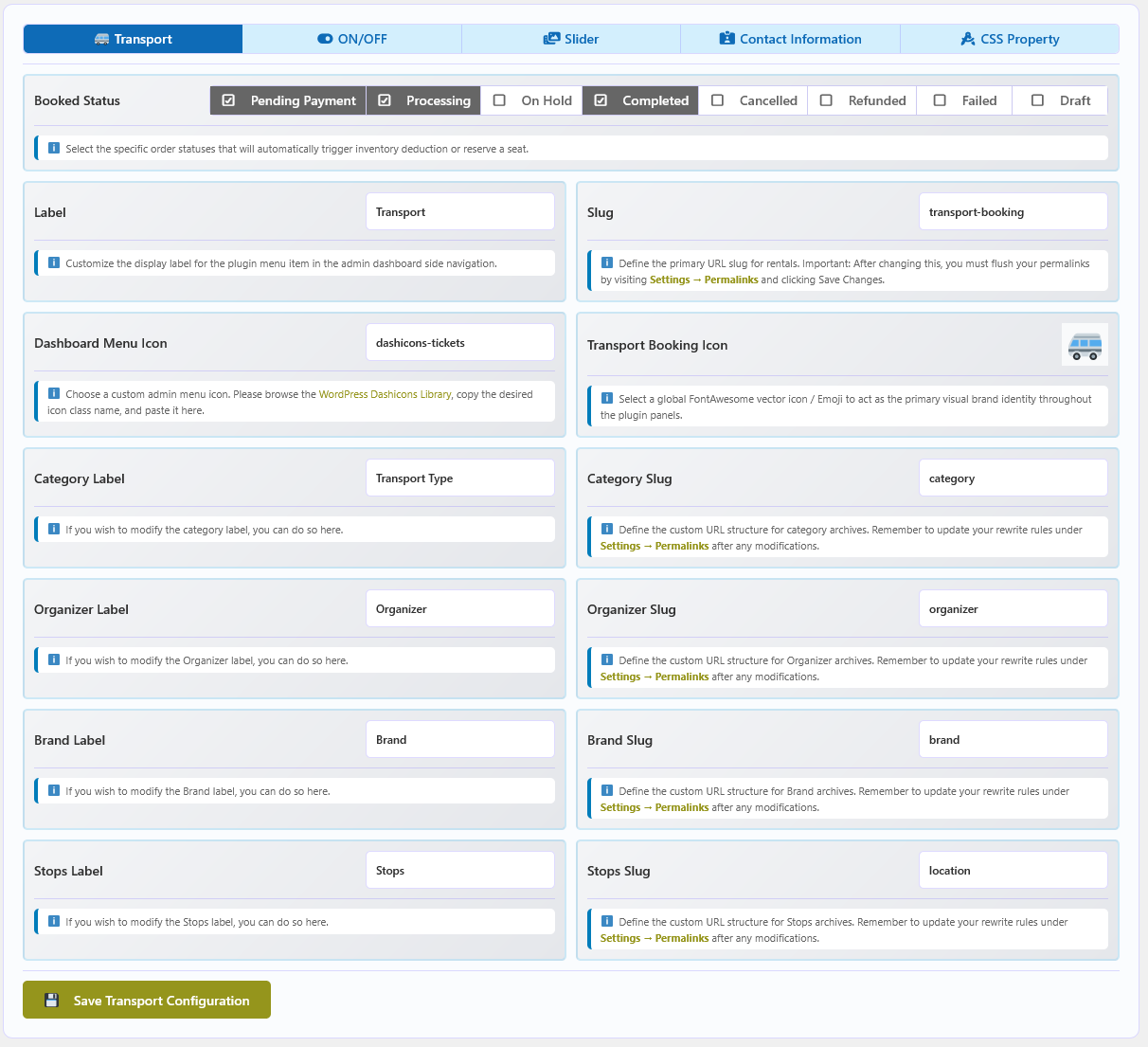
Transport Global Configuration
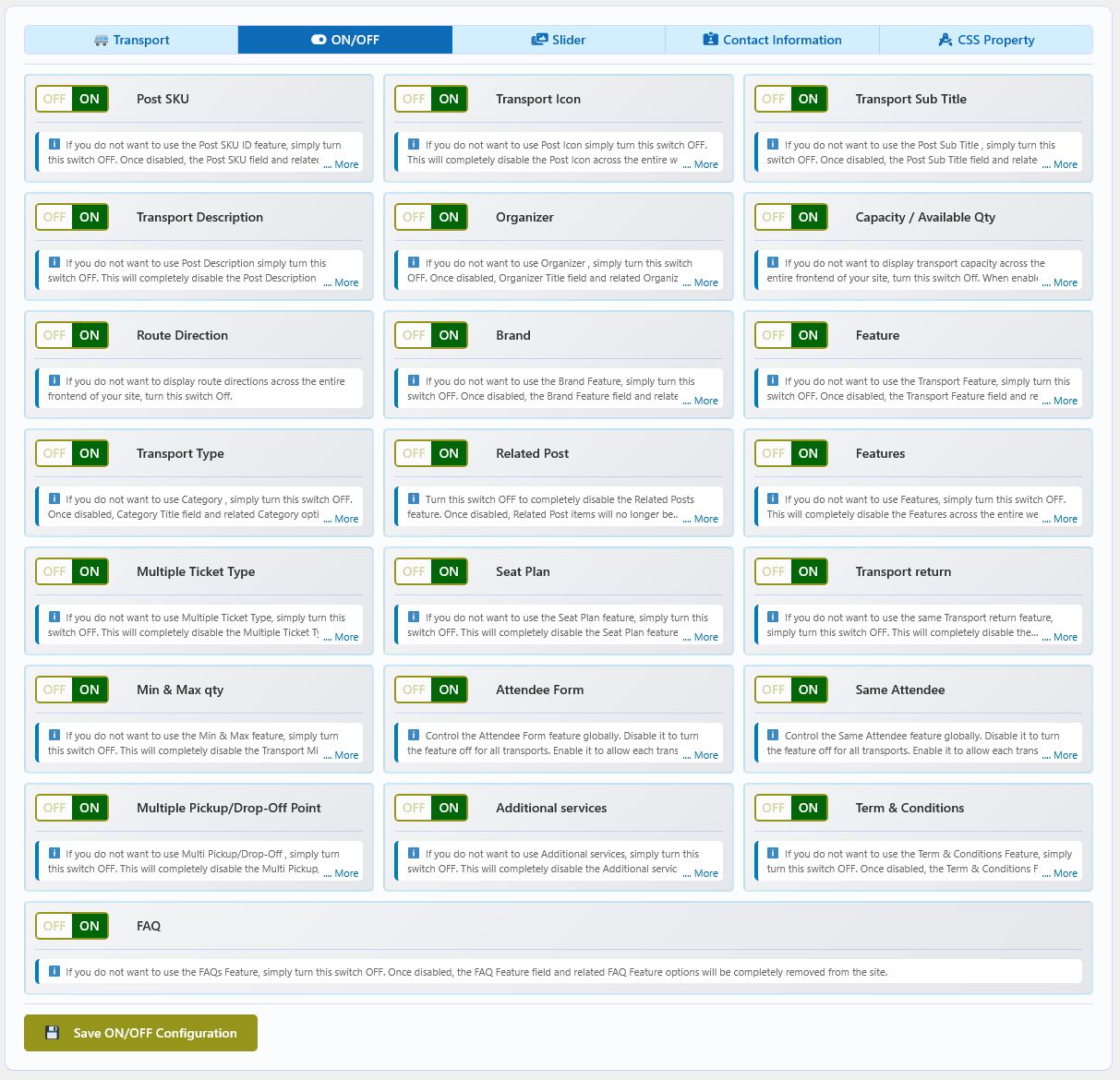
Global Feature Controls
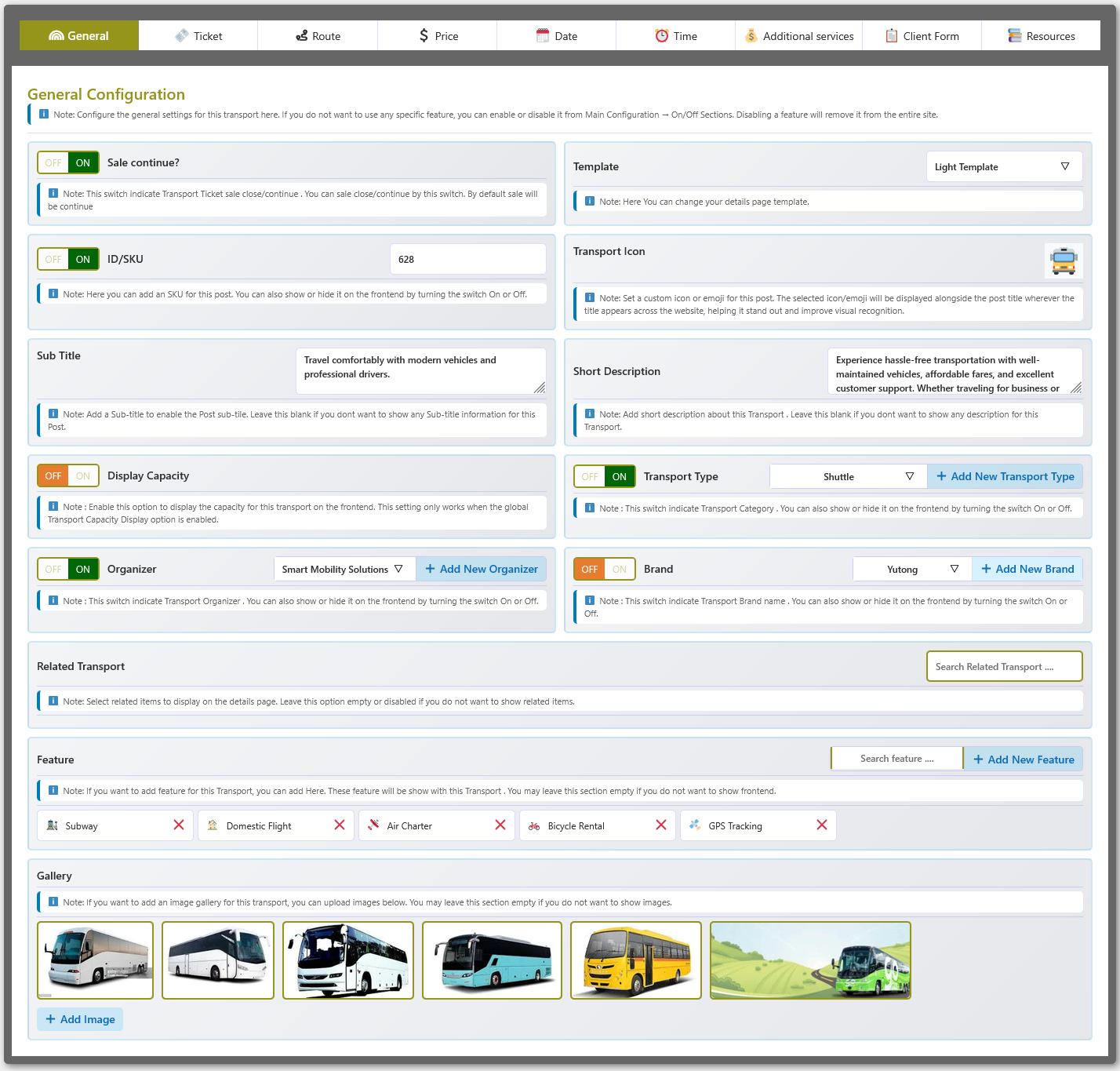
Transport General Configuration
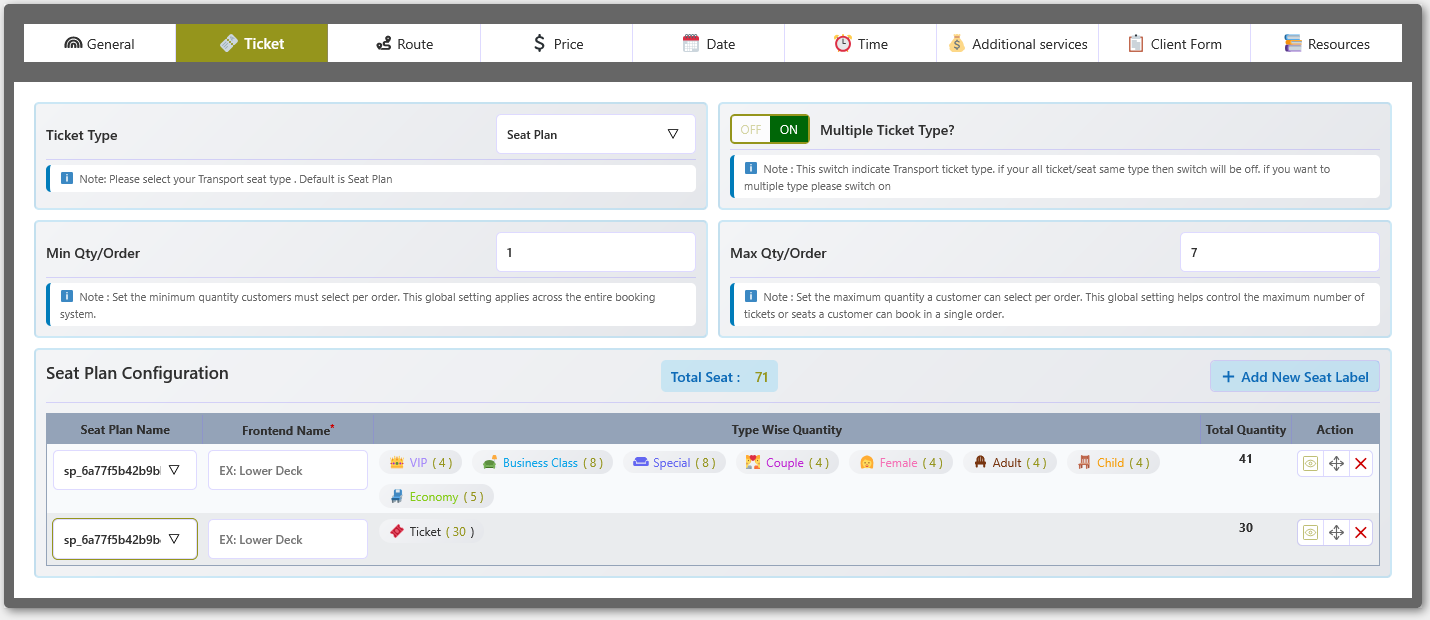
Multi-Layer Seat Plan Configuration for Transport
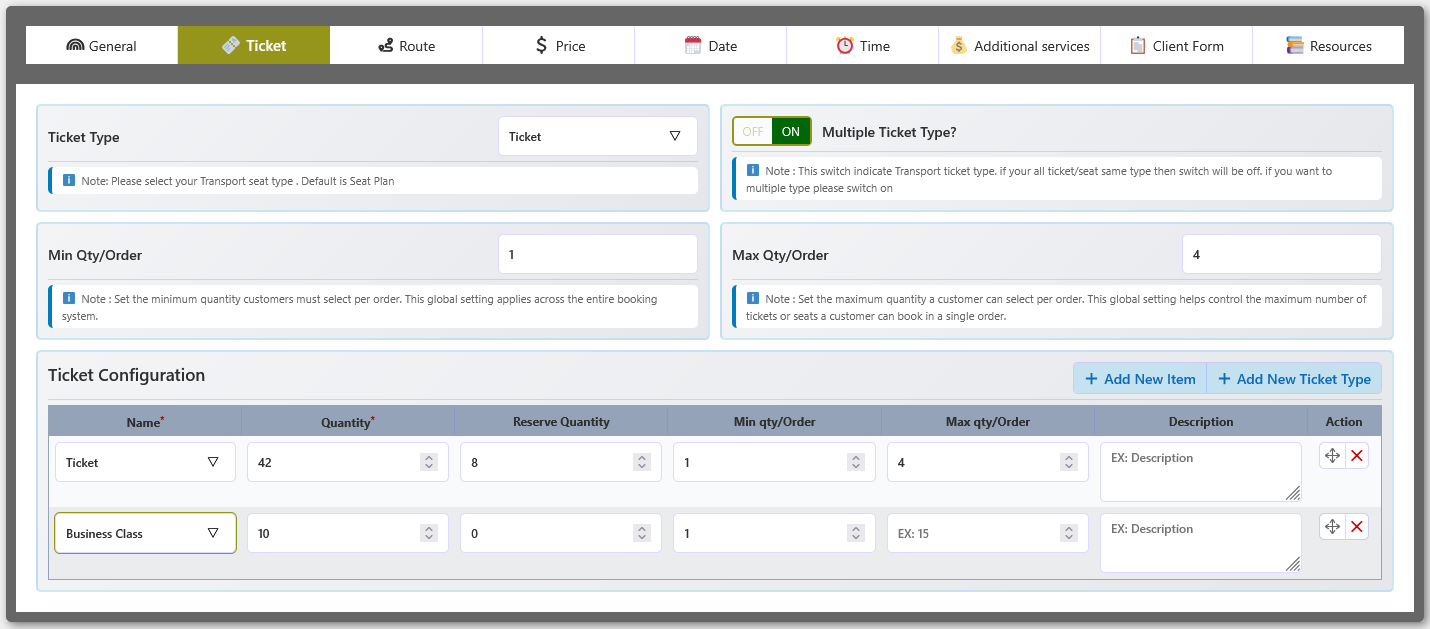
Transport Ticket Type Configuration
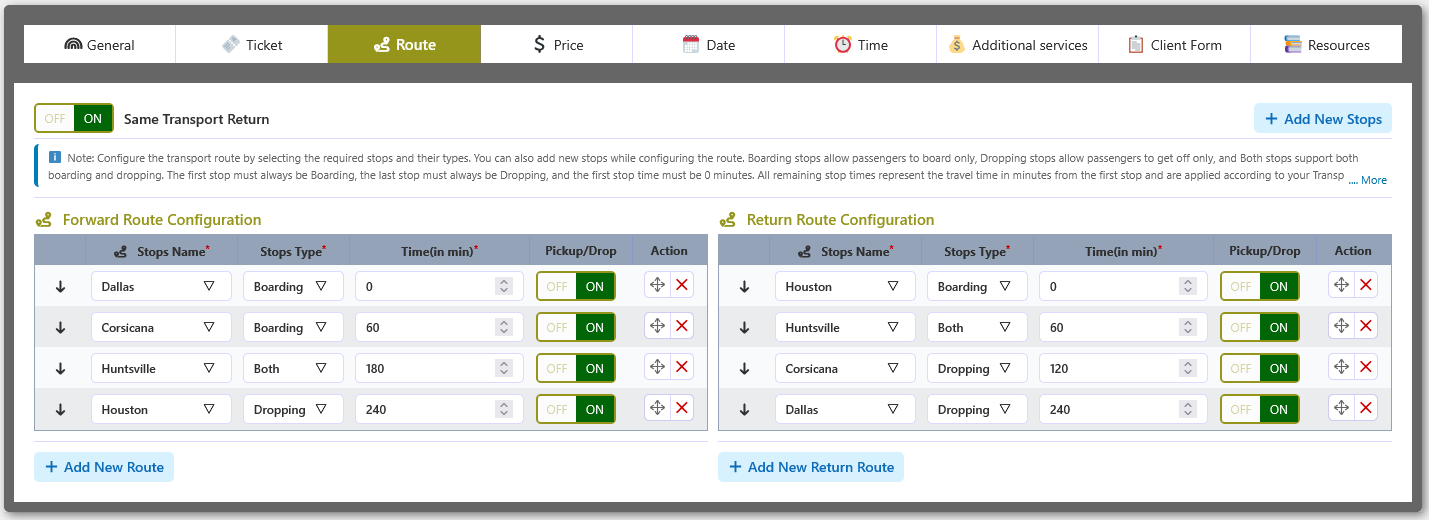
Transport Route Configuration with Return Route
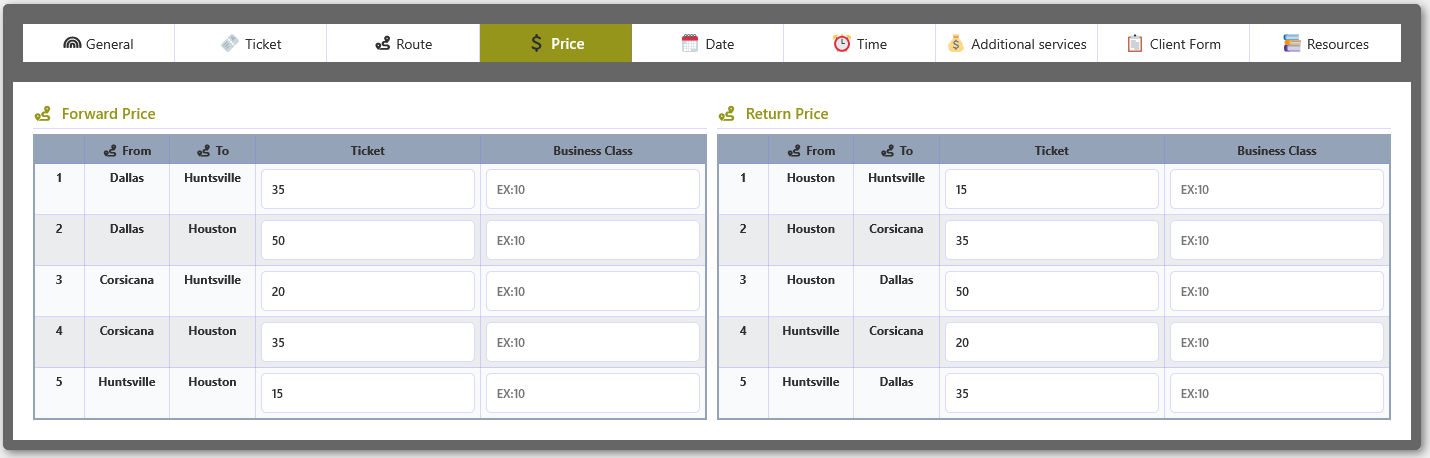
Transport Price Configuration with Return Route
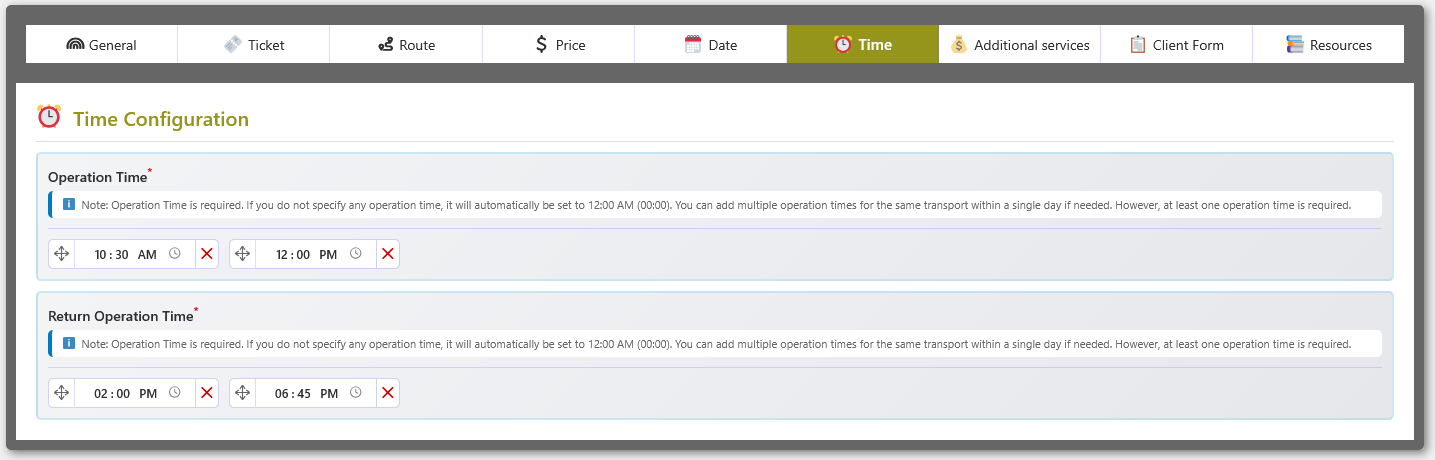
Transport Time Configuration with Return Route