
AddOnBoss – Product Options, Add-Ons & Personalisation For WooCommerce Wordpress Plugin - Rating, Reviews, Demo & Download

Plugin Description
AddOnBoss gives any product its options, add-ons and personalisation without generating a single variation. A product with five colours and five sizes would be twenty-five variations to build and maintain. Here it is one option set, attached in a click, and the product still counts as one simple product. Your product editor stays fast, and adding a colour later does not mean rebuilding every combination.
Two things matter most here. First, no variation bloat: an option set offers the same choices a variable product would, without creating any variations. Second, the money is correct: every add-on fee joins the cart line through WooCommerce’s own pricing and tax, so it is taxed exactly as the product is and it never oversells.
AddOnBoss shares one option-set library with BundleBoss, so an option set you build in one plugin is ready in the other. Each plugin runs its own copy of the options engine; when both are active, AddOnBoss defers to an older BundleBoss that still renders product options itself, so the two never double render or double charge. Use AddOnBoss on its own, or alongside BundleBoss with one shared library.
What the free plugin does
This is the whole options product for a simple product. Build a set once, attach it anywhere, and the choices are priced and taxed as part of the line.
- Reusable option sets: define colours, sizes, finishes or weights once, attach them to any product, reorder and rename from one library. They show as swatches, buttons or a dropdown, and each choice can carry a charge.
- Choose one or choose several: a set can let shoppers pick more than one choice, like choosing up to three toppings, with an optional “at least” and “up to” bound. Every pick keeps its own charge and each one reads separately in the cart and on the order.
- Custom fields: a name to print, a message, a number, a dropdown, a tick box, a section label and an info block, each optional or required, each able to charge once or for each item.
- Groups: gather related options under their own headings, so a long list reads in sections instead of one run.
- A correct cart and order path: options join the line through WooCommerce’s own pricing and tax, and the picks read on the order screen, in emails and on reorder.
What AddOnBoss Pro adds
AddOnBoss Pro is a separate paid plugin. It adds:
- Options on variable products, so a parent can offer sets alongside its own variations
- A quantity grid: order a whole range at once (every colour by every size) as one order
- Quantity discounts: price breaks by how many they buy (10-24 pay one price, 25-49 a lower one), shown as a trade price table or a card ladder, counted across a whole size run
- File and artwork upload, with a confined upload area, resolution checks before you print, and GDPR export and erase
- Print areas and product sides, with the customer’s name or logo drawn on your own product photo
- Conditional choices: reveal a set or a field only when another choice is made
- Measured sizes: price by length, area or volume from the dimensions a customer types
- Price tables: a grid of prices, width down one side and height across the other, with a minimum charge and an optional margin on a cost grid. Shoppers pick a size or type their own and the right cell prices it
- Stock per option: hold a count on a single choice, so ten jars of one flavour sell out on their own while the rest stay on sale. WooCommerce does the counting, so a sale takes it off, a cancel or refund puts it back, and nobody can order more than you have. Sold-out choices can be hidden or shown as sold out, and you choose whether shoppers see the numbers at all
- A photo per choice that swaps the product image when they pick it
- Per-letter, percentage and per-unit-entered pricing for add-on fees
- Ask a field more than once: let a shopper add another engraving line, or ask for a name for each item they buy, so six shirts collect six names. Each one is priced and shows on the order separately
- Folding sections for a product with a lot of choices, so a long page reads as a handful of headings. A group holding something the shopper has to answer is never folded away
Nothing you build in the free plugin is lost if you add Pro later, and nothing you built with Pro is deleted if you stop: those settings stay on disk and come back with the plugin.
Privacy
AddOnBoss does not collect, store or transmit any personal data of its own.
- A customer’s option choices and any text they enter (such as a name to engrave) are stored only as part of their cart and order: standard WooCommerce order data under your control, removed whenever you erase the order.
- Entered field values are covered by WordPress’s personal-data export and erase tools, so a data request returns them and an erase request deletes them. In Pro, where a customer can upload a file, those files are covered the same way.
- The plugin sets no advertising or tracking cookies.
Third-party services
The free version of AddOnBoss does not connect to any external service or send any data off your site.
AddOnBoss Pro is a separate, paid plugin that uses Freemius for checkout, licensing and updates. None of that is included in this free version.
Screenshots
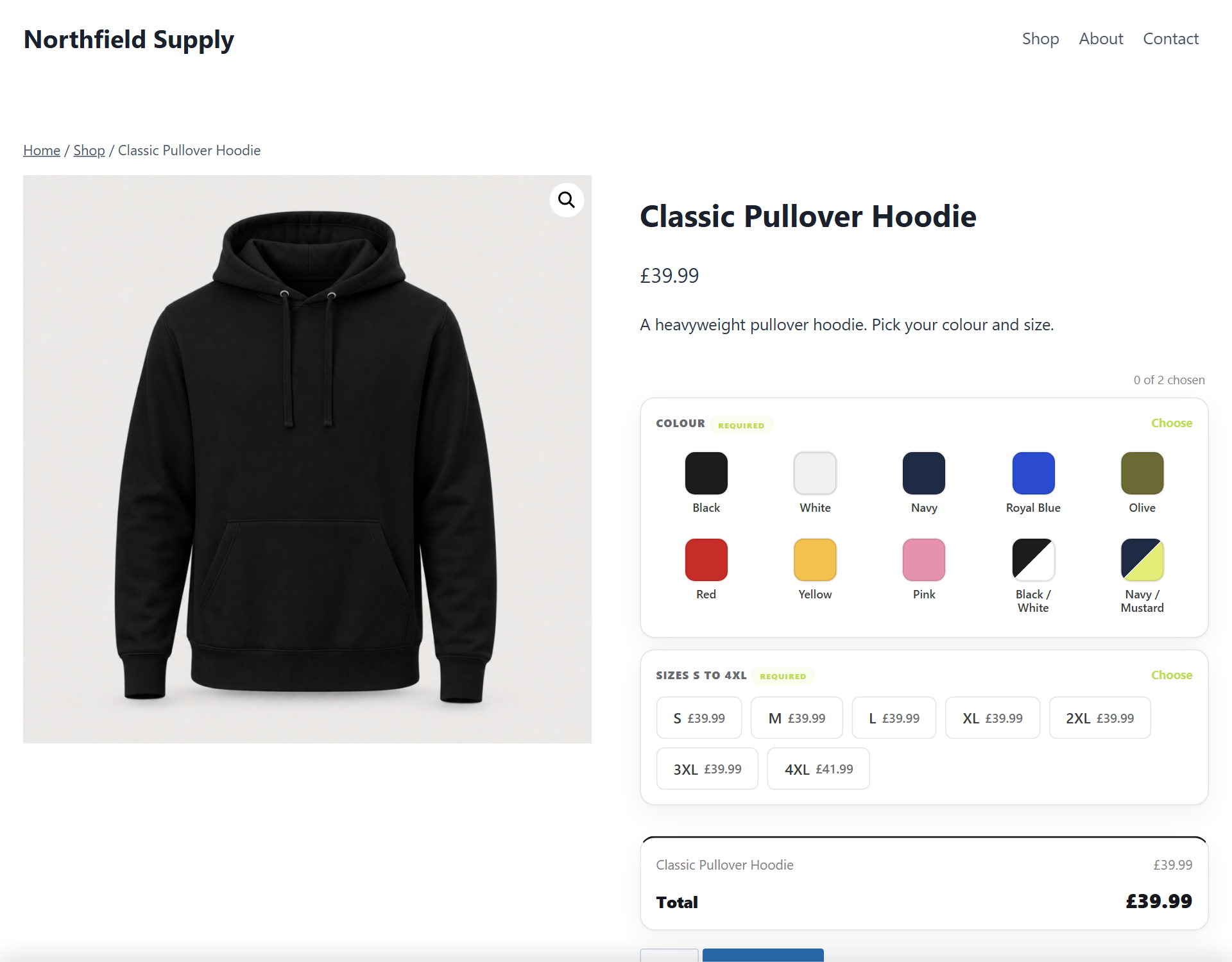
Colour and size, each in its own card, with the sizes carrying their own prices and a total that keeps up as the shopper picks.
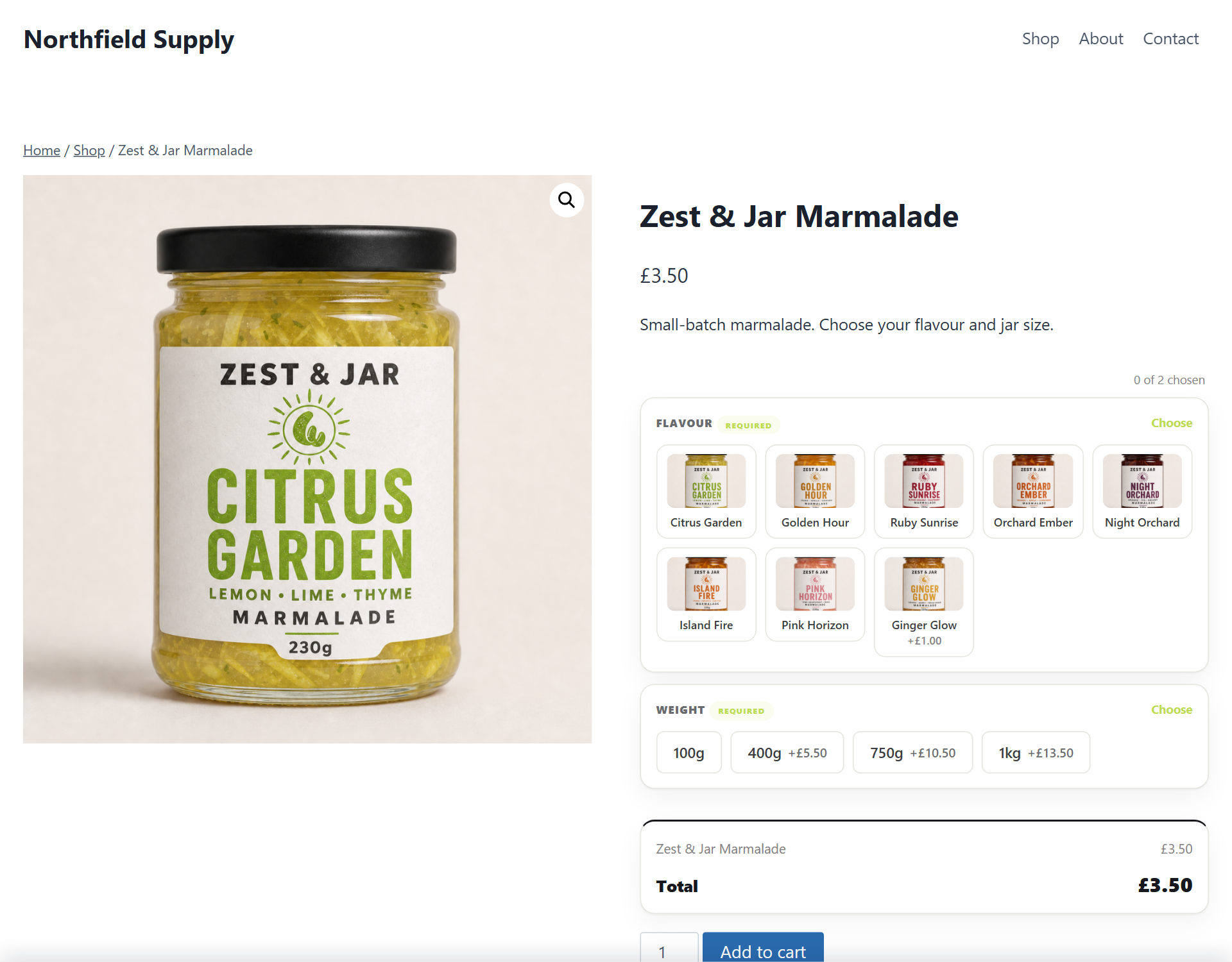
Choices shown as photographs rather than names, on a product from a different trade entirely. One flavour costs a little more and says so.
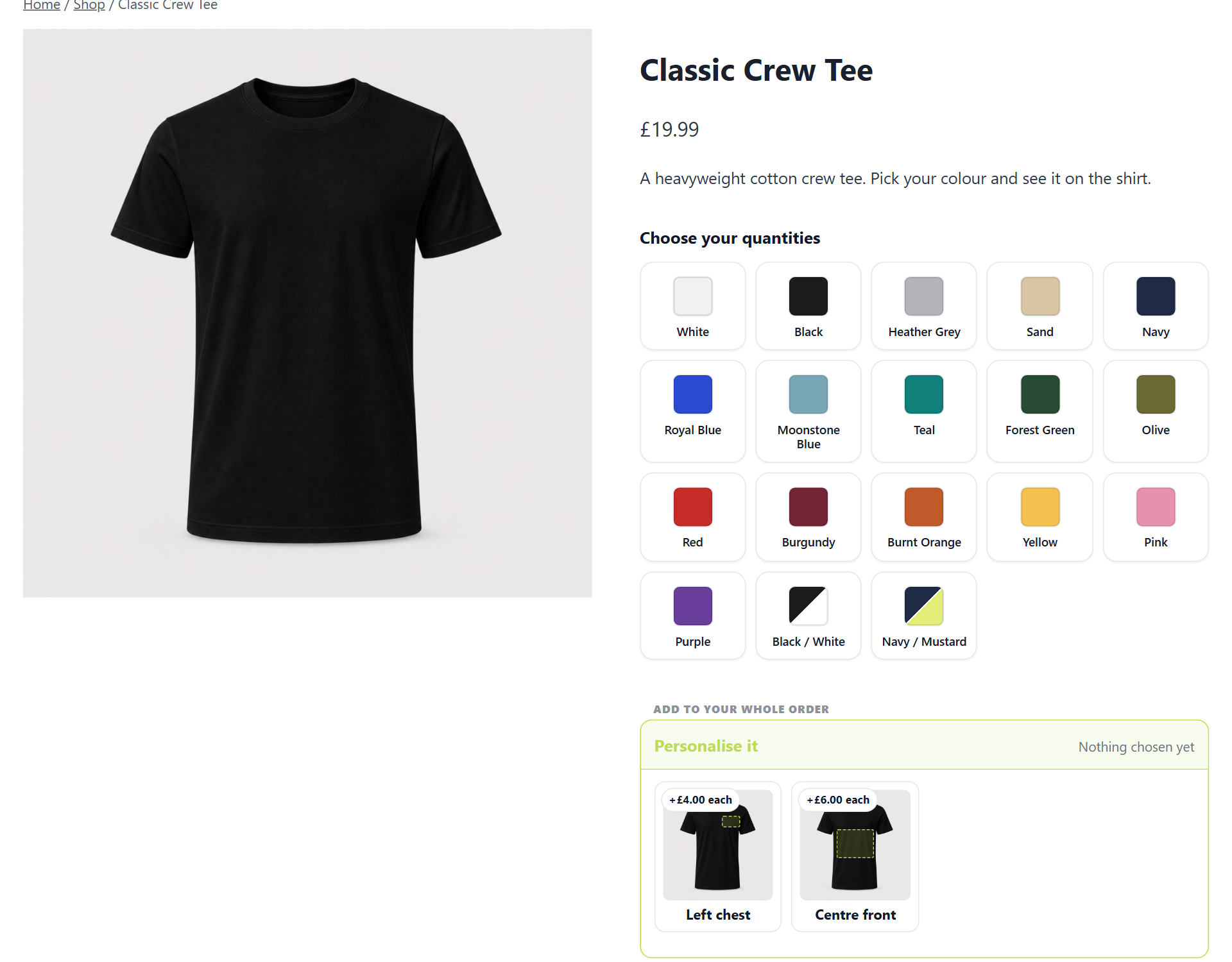
Eighteen colours on one product, two of them two-tone, all from a single set shared across the shop.
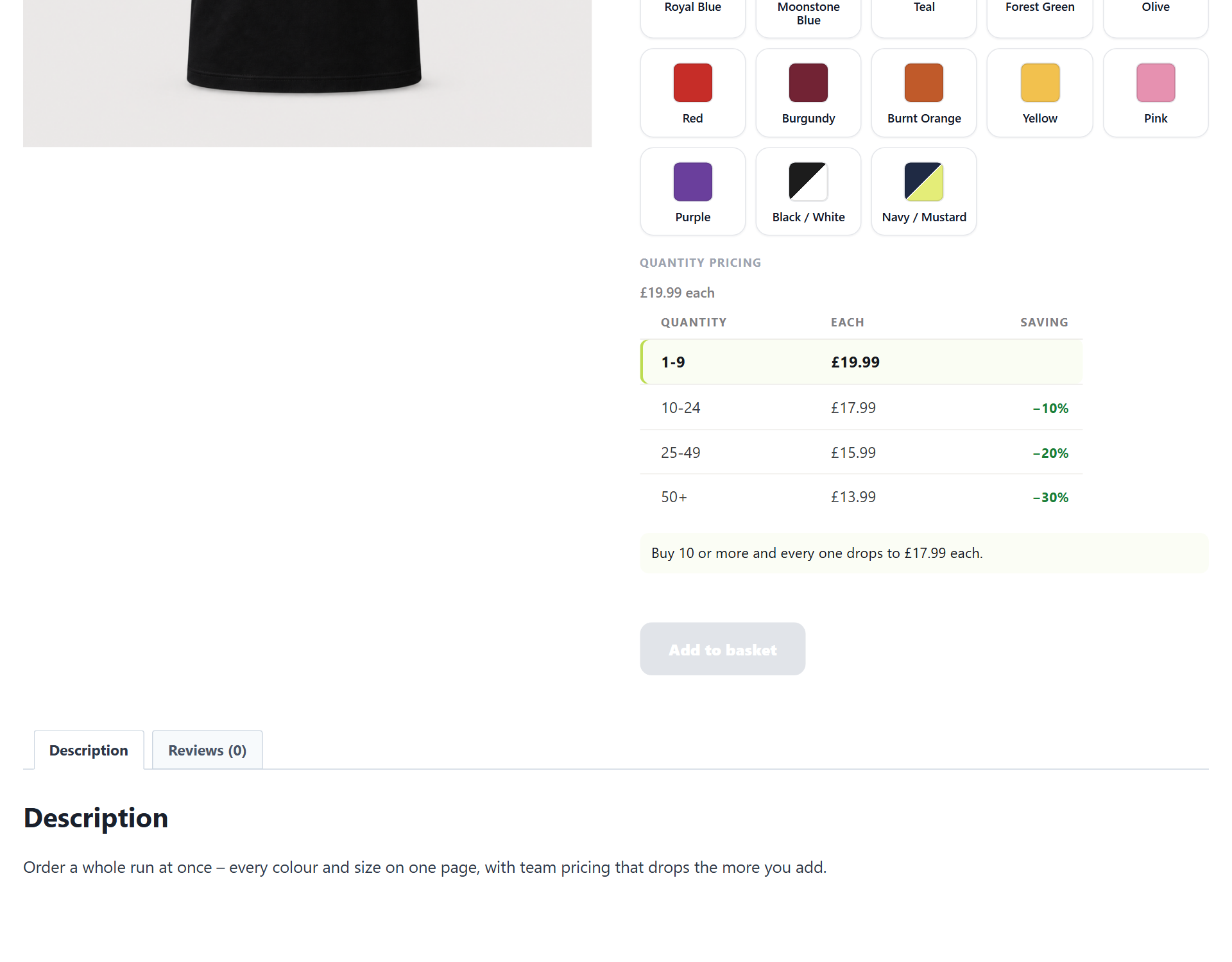
The quantity grid: every colour ordered in one go, with the price per item dropping as the order grows.
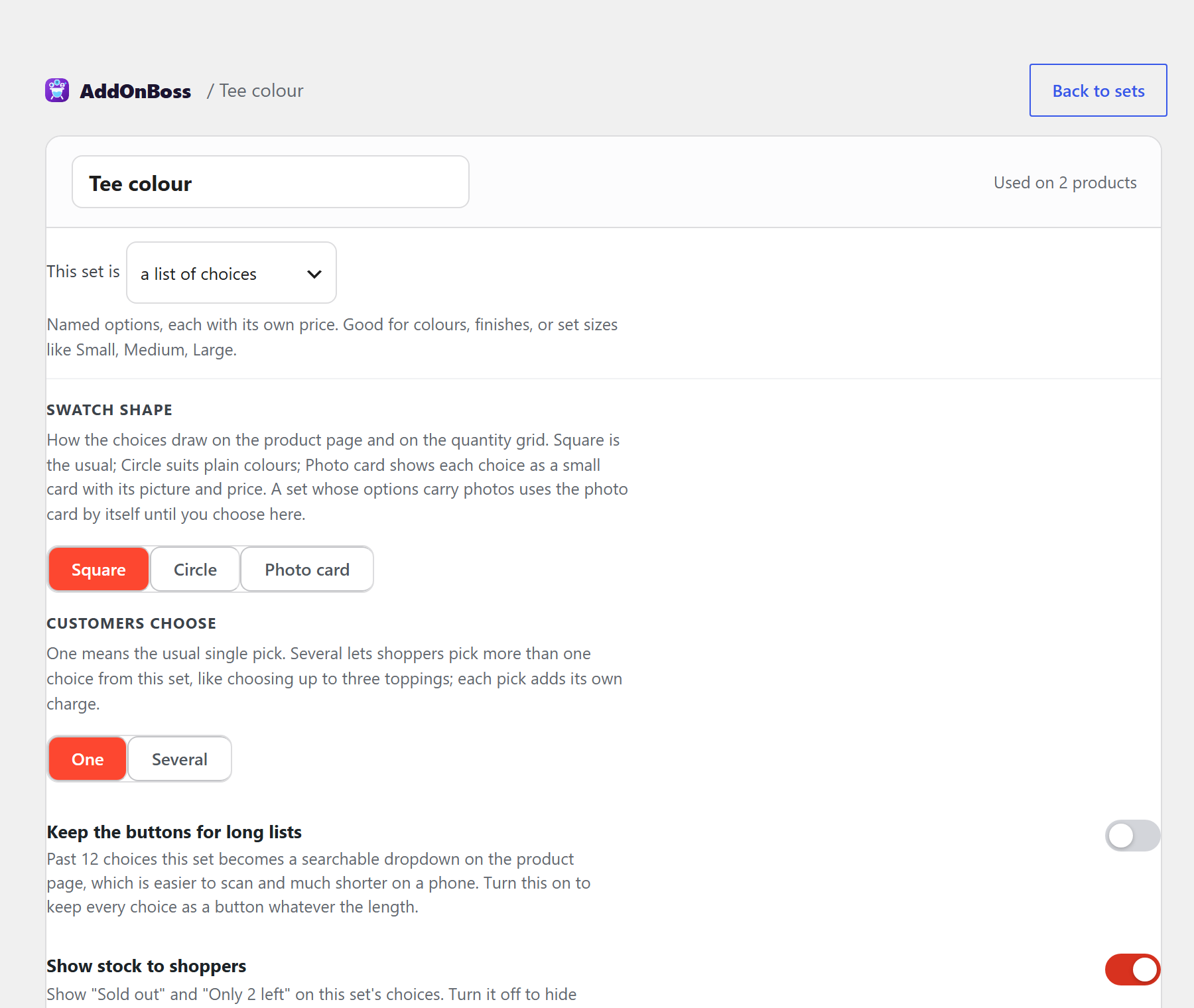
Building a set: name it, say whether its choices draw as squares, circles or photo cards, and decide whether shoppers pick one or several. Attach it to as many products as you like.


