AddOnn Shoppable Video For WooCommerce Wordpress Plugin - Rating, Reviews, Demo & Download

Plugin Description
AddOnn Shoppable Video for WooCommerce lets you upload video content (UGC, reels, product demos) and turn it into a tappable, shoppable feed on your store — customers tap a video, see the tagged product(s), and add to cart without leaving the player.
Free version features:
- Self-hosted video upload via the WordPress Media Library — no third-party CDN dependency
- Tag one or more products per video (native combo/bundle video support)
- Add to cart directly from the video, no page reload
- WhatsApp “Order on WhatsApp” share-to-buy button — great for stores where customers prefer to finalize orders over WhatsApp
- Two layouts: Carousel (horizontal scroll) and Inline (vertical TikTok-style feed)
- Works via shortcode
[addoshvi_feed], a native Elementor widget, and a native Gutenberg block - Basic per-video analytics: views and add-to-cart counts, visible right in the video list
- Front-end “Add Video” — store admins/shop managers can upload a video, tag products, and set a cover image without ever going into wp-admin, right from the feed itself (shortcode, Elementor, or Gutenberg). Never shown to regular shoppers.
- Build your video list right inside the Elementor editor — the Elementor widget’s “Add & manage videos right here” mode lets you upload videos, tag products, and set WhatsApp options directly in the Content panel, with a live preview, no trip to wp-admin needed.
- Carousel navigation dots, autoplay, and style controls — swap the browser scrollbar for clickable dots, turn on auto-slide with adjustable speed and continuous looping, and (in Elementor) style the arrows and dots’ colors and size from the widget’s Style tab.
Screenshots

The shoppable video feed as a horizontal carousel — price badges, a “COMBO” tag for multi-product videos, and navigation arrows, embedded right on a shop page.

Tap a video to open the product panel — tagged product with price, one-tap Add to Cart, and the “Order on WhatsApp” share-to-buy button.
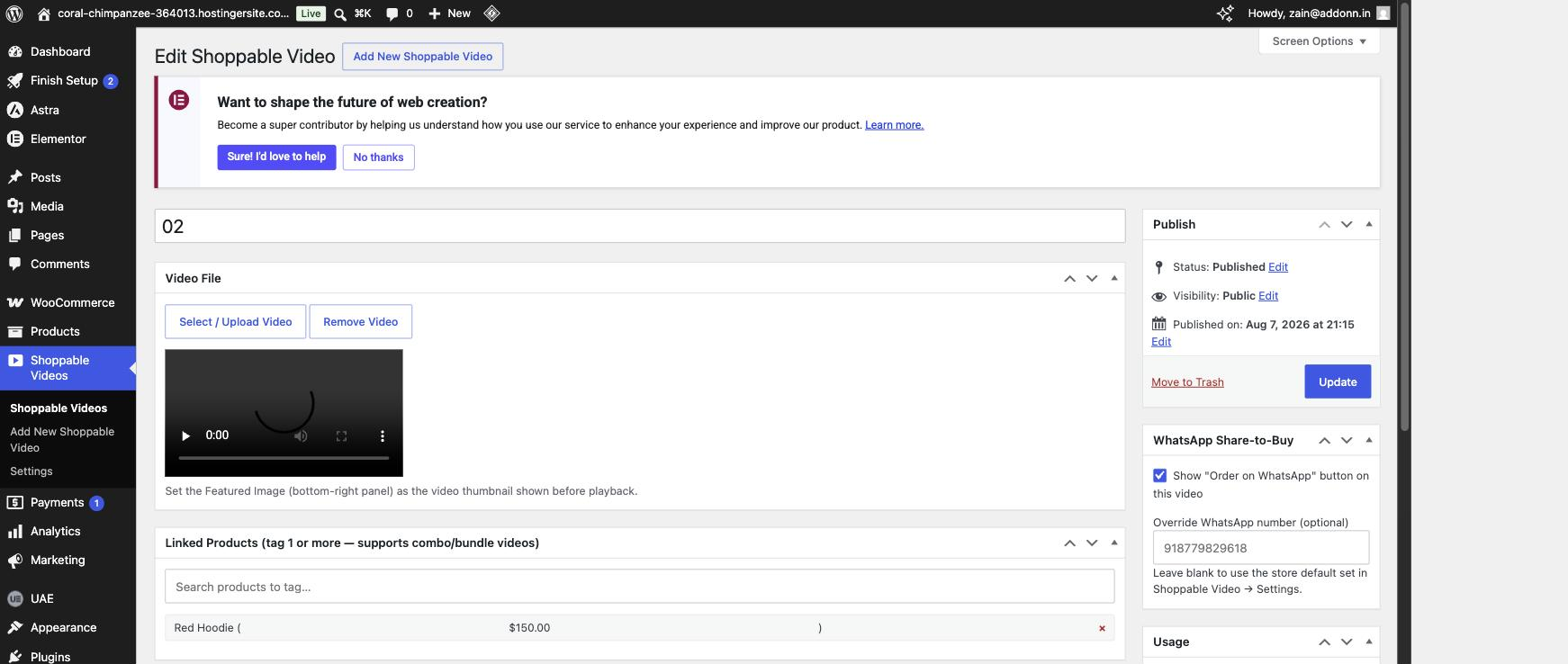
wp-admin video editor — upload a video, tag one or more products (combo/bundle support), and optionally override the WhatsApp number for that video.
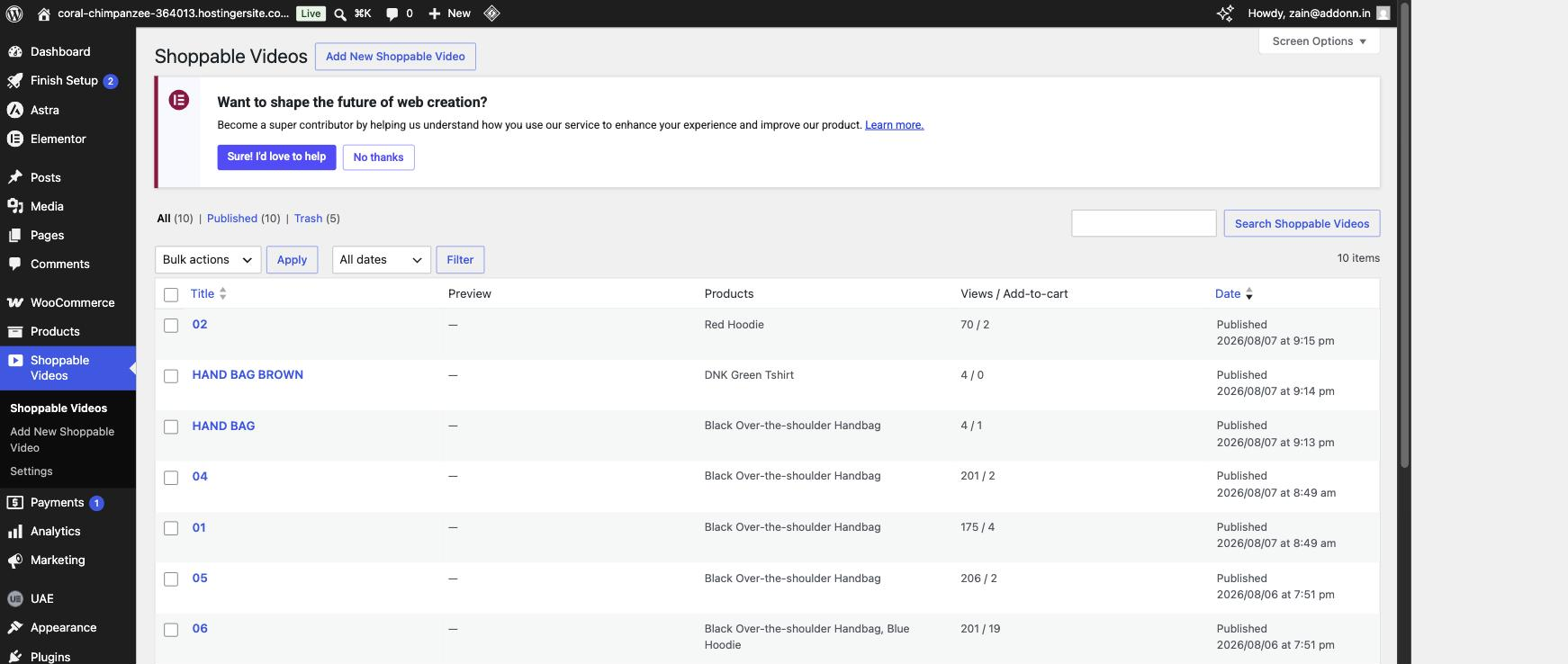
The Shoppable Videos list in wp-admin, with per-video view and add-to-cart counts.
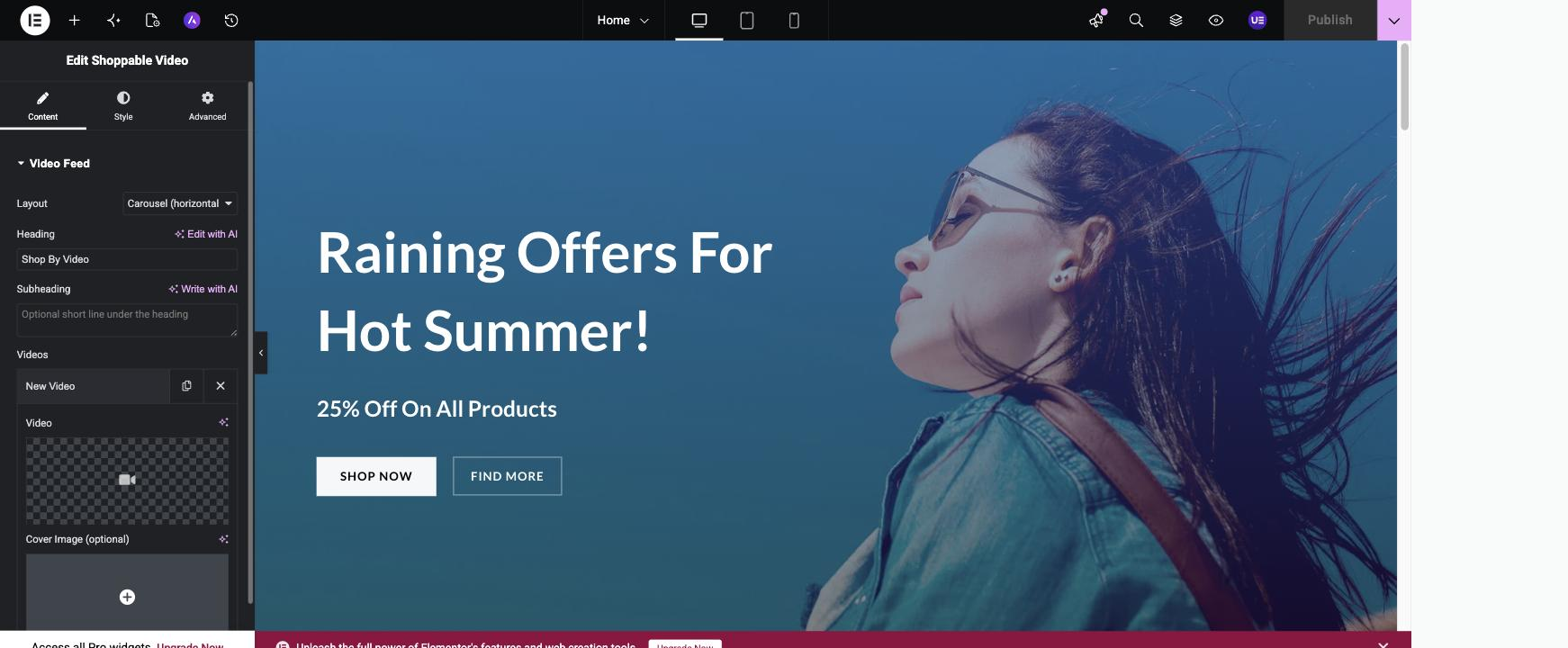
Build your video feed without leaving the page — the Elementor widget’s “Add & manage videos right here” mode with live preview.