
Advanced Cash On Delivery Fees For WooCommerce Wordpress Plugin - Rating, Reviews, Demo & Download

Plugin Description
Advanced Cash on Delivery Fees for WooCommerce
Advanced Cash on Delivery Fees for WooCommerce lets you charge a fixed or percentage based fee whenever a customer pays with Cash on Delivery (COD) or Cash on Pickup. Build unlimited, priority-ordered fee rules based on the product, category, cart amount, cart weight, quantity, customer role, location, shipping method, day of week, or date range — or set a one-click override fee on any individual product. Everything is simple to set up and requires no coding.
What Customers See
- A clear, labelled fee line – When a matching rule applies, the COD fee is added to the cart/checkout totals with a clear label (e.g. “COD Charges”), so customers always know exactly what they’re being charged and why.
- Only affects Cash on Delivery – The fee is calculated and applied only when a COD-type payment method is selected. Customers paying by card, PayPal, bank transfer, or any other gateway never see it.
- Instant recalculation – The fee updates live as the customer switches payment methods at checkout, on both the classic and block-based Checkout.
Unlimited, Priority-Ordered Fee Rules
- Create unlimited fee rules — no restriction on how many you build.
- Rules run in priority order; the first rule whose conditions all match is applied, so more specific rules can be checked before broad, catch-all rules.
- Every condition on a rule must match at the same time (AND logic), so you can combine conditions freely — e.g. “Product X + Quantity 1–10” or “Cart Amount + Cart Weight” for a true hybrid rule.
- Charge a Fixed amount or a Percentage of the cart total on every rule.
- Instantly toggle any rule Active/Inactive from the rules list, no need to open it.
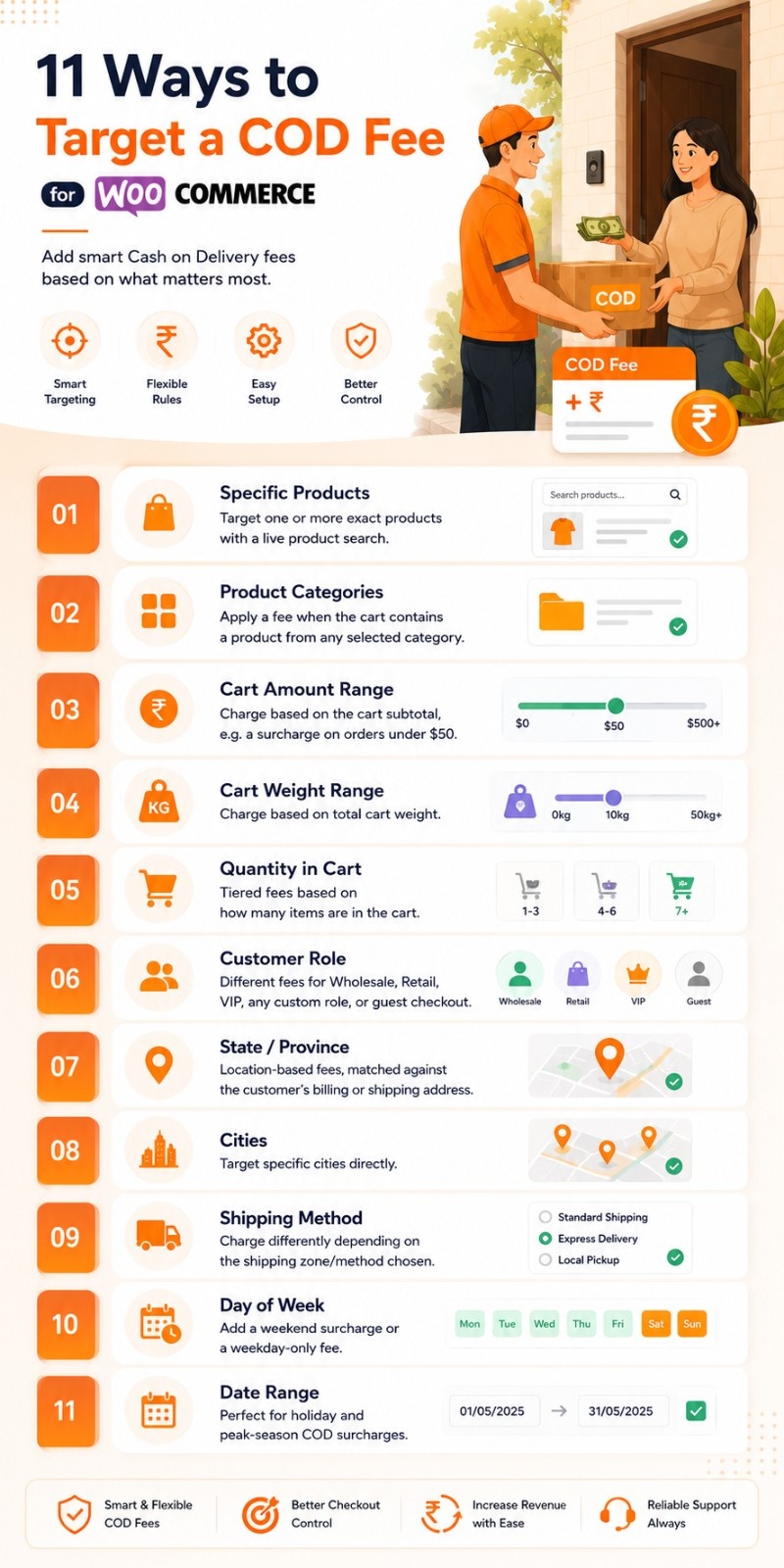
11 Ways to Target a COD Fee
- Specific Products – target one or more exact products with a live product search.
- Product Categories – apply a fee when the cart contains a product from any selected category.
- Cart Amount Range – charge based on the cart subtotal, e.g. a surcharge on orders under $50.
- Cart Weight Range – charge based on total cart weight.
- Quantity in Cart – tiered fees based on how many items are in the cart.
- Customer Role – different fees for Wholesale, Retail, VIP, any custom role, or guest checkout.
- State / Province – location-based fees, matched against the customer’s billing or shipping address.
- Cities – target specific cities directly.
- Shipping Method – charge differently depending on the shipping zone/method chosen.
- Day of Week – add a weekend surcharge or a weekday-only fee.
- Date Range – perfect for holiday and peak-season COD surcharges.
Per-Product Fee Override
- Set a custom COD fee directly on any product’s edit screen — a dedicated “COD Fee” tab inside the Product Data panel.
- Choose Fixed or Percentage, independent of any rule.
- A product override always takes top priority over every fee rule.
- If several overridden products are in the same cart, the highest resulting fee is charged.
Automatic Fee Application
- Fees are calculated and applied automatically at checkout — no manual steps.
- The plugin resolves the fee in a clear, predictable order: Product Override → first matching Rule (by priority) → Default Fee.
- Works with WooCommerce’s native fee system (
WC_Cart::add_fee()), so it appears correctly in cart totals, checkout, emails, and the order screen. - Optionally show the matched rule’s name right inside the fee label — e.g. “COD Charges (Wholesale Surcharge)” — so it’s instantly clear which rule applied, even with many active rules.
Admin Features
- Dedicated Fee Rules screen with a clean list of every rule: name, condition summary, fee, priority, and status.
- One-click Active/Inactive toggle per rule, no page reload needed.
- Simple, guided rule builder — add or edit a rule from a single, well-organized form.
- Everything lives under WooCommerce → Settings, in its own “COD Fees” tab.
Settings
- Enable or disable the entire plugin with one toggle.
- Set a custom Fee Label shown to customers.
- Choose whether the fee is taxable.
- Optional Default Fee (fixed or percentage) applied when no rule matches.
- Optional “Show Rule Name in Fee Label” toggle for full transparency on which rule fired.
Compatibility
- Compatible with WooCommerce HPOS (High-Performance Order Storage).
- Works with both the classic and block-based Cart & Checkout.
- Only ever applies to Cash on Delivery / Cash on Pickup gateways — every other payment method is untouched.
- Translation-ready with a .pot language file included.
- Built with clean, lightweight, and WordPress coding standards — no custom database bloat beyond a single, indexed rules table.
 = 1.0.0 = 10-07-2026
* [+] Initial release


