Afojet New Post Alerts Wordpress Plugin - Rating, Reviews, Demo & Download
Plugin Description
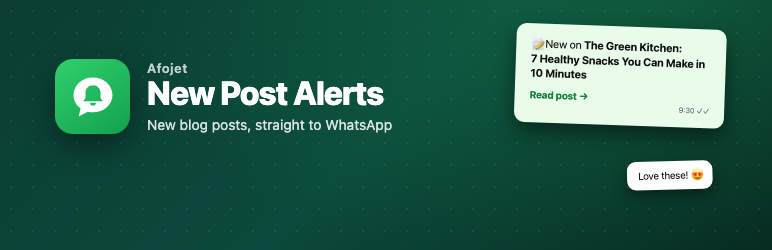
Fewer people open blog emails, but almost everyone reads their WhatsApp messages. New Post Alerts adds a “Get new posts on WhatsApp” form to your blog. When you publish, one click sends the post to every subscriber’s WhatsApp.
It uses the official WhatsApp Business Cloud API from Meta, not unofficial tools that can get your number banned. The plugin is free. You pay Meta only for the messages you send.
How it works
- A reader enters their WhatsApp number in the form under your post and ticks the consent box.
- You publish a new post and click Send on WhatsApp in the editor.
- Each subscriber gets a WhatsApp message with the post title and link. Readers who reply STOP are unsubscribed automatically.
Free features
- Subscribe form under every post, with the
[afpp_subscribe_form]shortcode, the “New Post Alerts subscribe form” block, or a floating button on every page - Clear opt-in: a consent checkbox, honeypot and rate limit keep your list clean and compliant
- One-click sending from the post editor, with a live progress bar
- Background sending in batches, so large lists never time out
- Automatic unsubscribe: replies like STOP, or taps on WhatsApp’s “Stop promotions” button, remove the reader
- Personal unsubscribe links (optional)
- Featured image as the message header (optional)
- Delivery receipts saved for every message
- Subscriber list with search, filters, bulk actions and CSV export
- Broadcast history showing WhatsApp’s exact reason when a message fails
- Step-by-step setup guide inside the plugin: creating the WhatsApp Cloud API, the message template (with text to copy) and the webhook
- Send-test tool to check your setup with one number
- Works with any theme, on desktop and mobile
New Post Alerts Pro
New Post Alerts Pro is a paid add-on for blogs that want to grow:
- Auto-send every new post a few minutes after publishing, with a “don’t send” box on each post
- Category topics: readers choose what they care about, and each post goes only to readers who chose its category
- Daily and weekly digests for readers who want fewer messages
- Click analytics: delivered, read and click rates, plus subscriber growth
- OTP-verified opt-in: readers confirm their number with a WhatsApp code
What you need
- A Meta Business account and the WhatsApp Cloud API. Setup is free and takes about 30 minutes; the built-in guide walks you through it.
- A phone number that is not already used on the WhatsApp app.
- An approved WhatsApp message template. The plugin gives you the text to copy.
External services
This plugin connects to the WhatsApp Business Cloud API by Meta Platforms, Inc. (graph.facebook.com) to send messages. It is needed for the plugin’s main feature.
- When: when you click “Send on WhatsApp”, click “Send test”, or when a queued broadcast is sent in the background.
- What is sent: the subscriber’s phone number, the post title, the post link and, if switched on, the featured image URL and the subscriber’s unsubscribe link, together with your Phone number ID and access token.
- Incoming data: if you set up the webhook, Meta sends replies and delivery receipts to your site’s REST API (
/wp-json/afpp/v1/webhook). Every call must be signed with your Meta app secret; unsigned calls are refused.
Meta terms of service: https://www.whatsapp.com/legal/business-terms
Meta privacy policy: https://www.whatsapp.com/legal/privacy-policy
No other data leaves your site. The plugin does not track you or your visitors.
Screenshots

The subscribe form under a blog post.

Send a post to your WhatsApp subscribers from the editor.

Subscriber list with filters, search and CSV export.

Broadcast history with sent and failed counts and WhatsApp’s error reasons.

WhatsApp API settings, template variables and webhook details.

The built-in setup guide, with template text ready to copy.