
Aftercare Wordpress Plugin - Rating, Reviews, Demo & Download
Plugin Description
Know what changed. Know what it cost. Prove what you did.
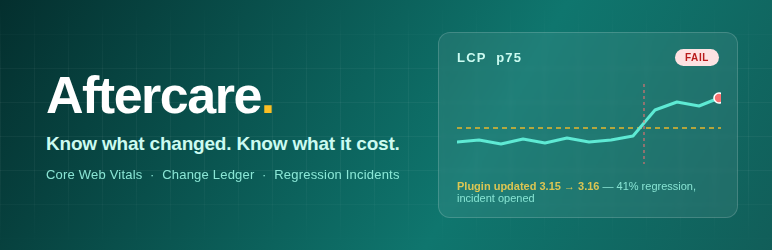
Aftercare watches your WordPress site after launch. Every day it records your real-world Core Web Vitals; every second it records the changes made to the site. When performance regresses, it connects the two — an incident opens, an email goes out, and the incident page shows every change from the 72 hours before the regression, right next to the trend.
It is built for agencies and freelancers who maintain client sites on monthly care plans — and for any site owner who wants an answer to “why did the site just get slower?” that is based on data instead of guesswork.
📈 Core Web Vitals monitor
- Daily p75 values for LCP, INP, CLS and TTFB from the Chrome UX Report — real field data from actual Chrome users, fetched with your own free Google API key
- Optional real-user monitoring beacon: ~2 KB, no external libraries or services, loaded for a configurable sample of visits and aggregated to daily p75 on your own site
- Track the homepage plus as many other URLs as you like, with sparkline trends and pass / warn / fail status pills
💰 Performance budgets and incidents
- Editable budgets per metric (defaults: LCP 2.5 s, INP 200 ms, CLS 0.1, TTFB 800 ms)
- A daily p75 over budget — or 20% worse than your 28-day baseline — opens an incident and emails you
- Incidents track status (open, acknowledged, resolved, dismissed) and resolve automatically when the metric recovers
- Every incident shows the raw change timeline from the 72 hours before the breach
📒 Change ledger
- Records plugin updates (old new version), activations, deactivations, theme updates and switches, core updates, allow-listed settings changes, content publishes and new users
- Human-readable entries with the responsible user: “WP Rocket updated 3.15 to 3.16 by admin”
- Filterable timeline by type and date, CSV export, and the full history kept by default
🧰 Fits into your workflow
- Dashboard widget with vitals status and open incidents on the main wp-admin screen, plus a pass / warn / fail dot in the admin bar
- Site Health integration — checks that vitals collection is configured, daily checks are running and budgets are not breached
- WP-CLI commands —
wp aftercare pull,wp aftercare check,wp aftercare statusandwp aftercare runfor scripted setups and real server crons - Weekly digest email — vitals status, changes made and incidents from the past 7 days (opt-out in settings)
- Guided first run — a three-step setup pointer until first data arrives, and suggested privacy-policy text for the RUM beacon
🔒 Private by design
- No phoning home, no accounts, no external service. CrUX calls go straight from your server to Google with your key; RUM beacons post to your own site’s REST API
- Uninstall removes every table and option unless you choose to keep the data
This plugin is complete in itself. Nothing here is capped, timed or held back: every URL you add is monitored, vitals are kept for thirteen months and the change ledger is kept in full.
A separate add-on plugin, distributed outside this directory, adds ranked cause attribution and white-label monthly client reports with Slack and webhook delivery. It is not required, and this plugin does not check for a licence, prompt for one or change behaviour without it.
Aftercare is built and maintained by Nomad Developer.
Privacy
Aftercare does not phone home. CrUX data is fetched directly from Google’s API using the key you provide. The optional RUM beacon posts anonymous metric values (no cookies, no personal data, no IPs stored) to your own site’s REST API and can be disabled at any time.
External Services
Aftercare connects to the following external services. No connection is made until you configure it.
Chrome UX Report API (Google) — used to retrieve real-user Core Web Vitals field data for the URLs you choose to track. Once you enter your own Google API key, the plugin sends your tracked URLs (or your site’s origin) together with that API key to https://chromeuxreport.googleapis.com once per day per URL. No visitor data, personal data or site content is sent. This service is provided by Google: Terms of Service, Privacy Policy. If no API key is configured, no request is ever made.
Screenshots

Dashboard — vitals cards with budgets, status pills, sparklines, incidents and recent changes

Change ledger — filterable timeline of every site change

Incident detail — breach versus budget and baseline, with the changes from the 72 hours before (ranked cause attribution shown is a Pro feature)

Settings — API key, tracked URLs, performance budgets and notifications


