Agentency Chatbot Wordpress Plugin - Rating, Reviews, Demo & Download
Plugin Description
Agentency Chatbot puts your trained AI support agent on every page of your site.
This plugin is a connector for the Agentency service. You train an agent on your own content in your Agentency account, then this plugin embeds it on your WordPress site and keeps the connection in sync — including registering your domain so the widget is allowed to load.
An Agentency account is required. The plugin does nothing on its own.
What it does
- Connects to your Agentency account with a personal access token you create yourself
- Lists your agents and lets you pick which one appears on this site
- Registers your site’s domain automatically, so the widget is not blocked
- Controls where the launcher sits, how big it is, and whether it opens on its own
- Optionally forces the chat into one language — for sites that run in a language the agent does not
- Optionally tells Agentency the display name of logged-in WordPress users, so your conversations list shows who you are talking to
- Optionally shares page context — the page title, URL, meta description, main heading and an excerpt of the main content — so the agent can answer questions about the page a visitor is on
- Hides the widget on specific pages, or everywhere, with one setting
Works with WooCommerce
WooCommerce runs on WordPress, so the same plugin covers your storefront. No extra setup.
Privacy and the external service
This plugin relies on the Agentency service, on two hosts:
https://api.agentency.com— the Agentency API. Your WordPress server talks to it (configurable if you self-host), and visitors’ browsers send chat messages to it.https://agentency.com— serves the chat widget script,https://agentency.com/js/chatbot-widget.js.
From your server. When you connect, the plugin sends your personal access token, your site URL and the plugin version, and receives your list of agents plus a public widget token. While connected it repeats a check-in (installation id and plugin version) on an interval Agentency sets — once a day by default, never more often than hourly or less often than weekly. Every one of these requests identifies itself with the plugin version and your site URL in its User-Agent header.
From your visitors’ browsers. While connected, every page view on your public site loads the widget script from https://agentency.com and the agent’s widget settings from https://api.agentency.com, so those hosts see the visitor’s IP address, browser user agent and your site’s address (the referrer is limited to your site’s origin), whether or not the visitor opens the chat. When a visitor chats, their messages are sent to Agentency to be answered. If you enable the “Logged-in visitors” option, the WordPress display name and user ID of signed-in users are included so you can identify them in your conversations list. That option is off by default.
If you enable the “Page context” option, each chat message also carries the current page’s title, its address without the query string or hash, its meta description, its first heading and an excerpt of its main content (navigation, header, footer, sidebar and hidden content are skipped), so the agent can tell what “this page” means. That option is off by default.
Your personal access token is stored in your site’s database, encrypted with a key derived from the secret keys in your wp-config.php, so a copy of the database alone does not reveal it. Anyone who can read both the database and wp-config.php can still recover it, and if those secret keys change the token can no longer be read and you connect again. It is never displayed again after you save it, never sent to the browser, and is deleted when you disconnect or delete the plugin.
Please review these before installing:
- Terms of service: https://agentency.com/terms
- Privacy policy: https://agentency.com/privacy
Screenshots
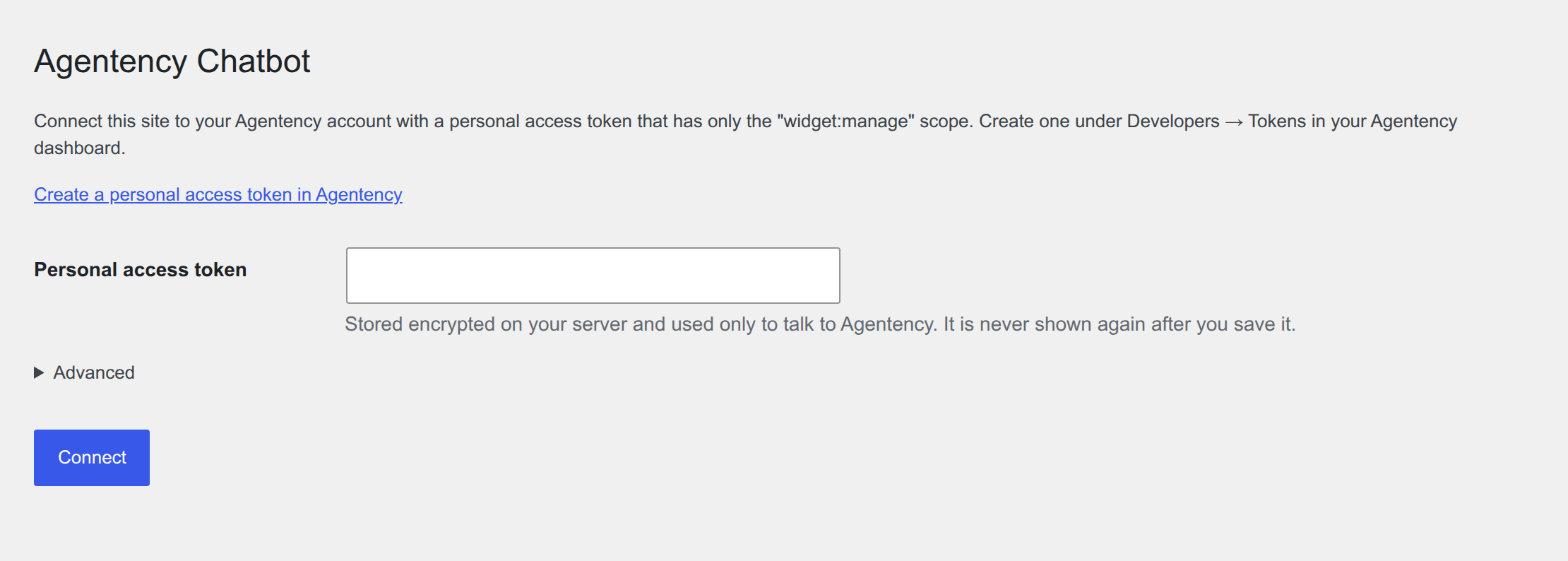
Connect this site to your Agentency account with a personal access token you create yourself, with a direct link to where you create it.
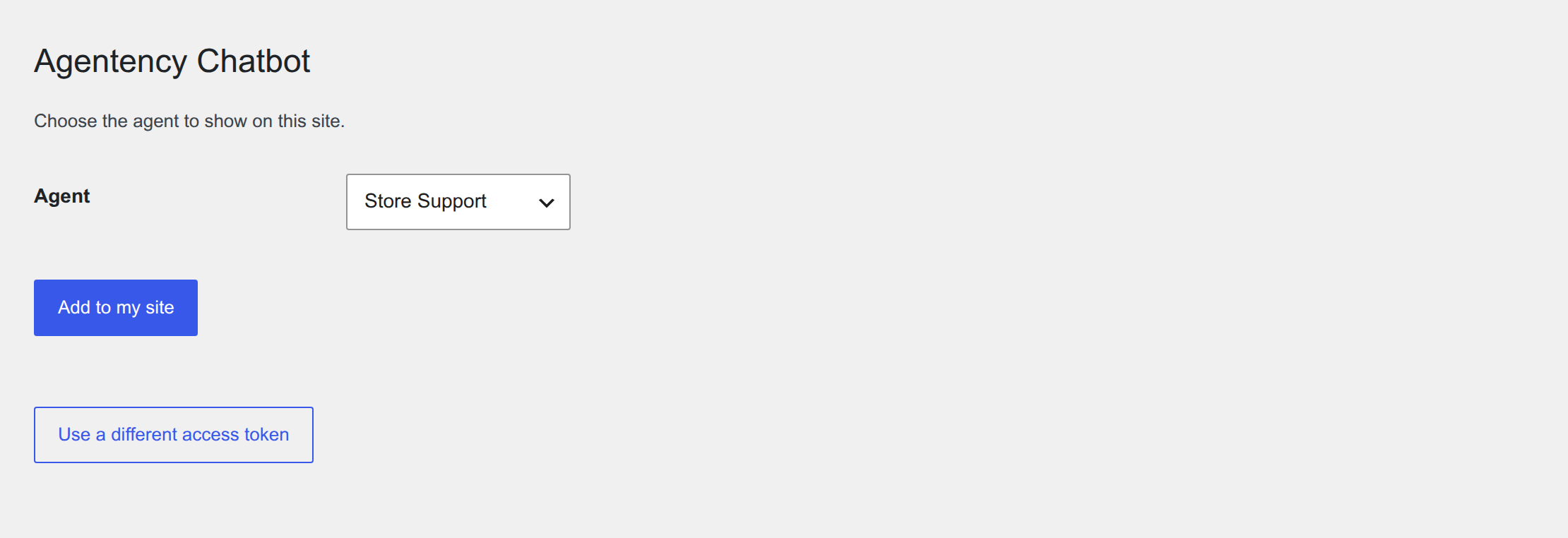
Choose which of your agents appears on this site.
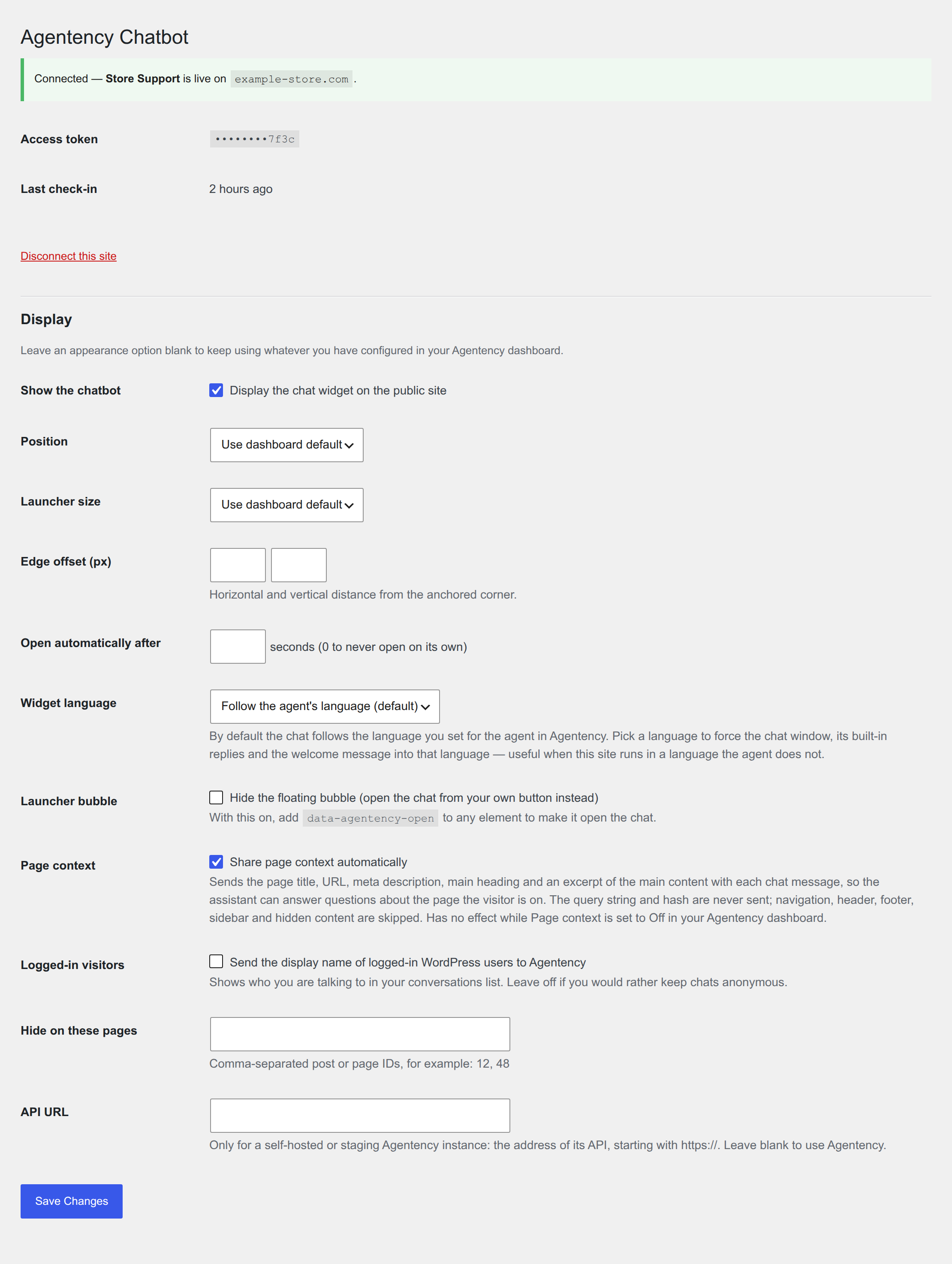
Once connected: status, last check-in, and the display rules, including widget language and page context.