Agentic Markdown Bridge Wordpress Plugin - Rating, Reviews, Demo & Download
Plugin Description
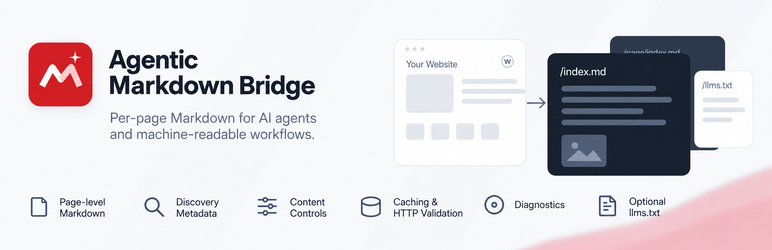
Agentic Markdown Bridge gives public WordPress content a clean machine-readable Markdown representation while leaving the normal HTML experience unchanged.
Its primary purpose is a per-page representation layer for WordPress content: posts, pages, and public custom post types can expose their own Markdown endpoint for AI agents, retrieval systems, developer tools, and other machine clients. llms.txt support is optional and complements that per-page layer rather than defining it.
With pretty permalinks:
https://example.com/about/
can expose:
https://example.com/about/index.md
The HTML page can advertise the representation with:
<link rel="alternate" type="text/markdown" href="https://example.com/about/index.md">
The plugin also includes optional llms.txt management, per-content controls, caching, diagnostics, multilingual-aware URLs and response language metadata, local request counters, content negotiation, and developer/CLI tools.
The plugin does not automatically send content or analytics to Bipixels or any third party and does not require an account, API key, SaaS service, or remote code. Optional AI-assisted llms.txt buttons are user-initiated outbound links to third-party AI websites.
Representation layer, not just llms.txt
The core feature is a machine-readable representation layer for individual WordPress URLs. Each eligible piece of content can have its own Markdown endpoint, discovery metadata, HTTP validation headers, content-negotiation behavior, exclusions, title rules, and per-content overrides. Optional llms.txt management acts as a site-level resource map on top of that representation layer.
Core Markdown features
- Dynamic
/index.mdrepresentations with no duplicate physical Markdown files. - Posts, pages, and selectable public custom post types.
- Per-post/page Markdown enable, disable, or inherit control.
- Smart title behavior: Auto, Always include, or Never include the WordPress title.
- Per-post title override.
- Global and per-content control to ignore visual content before the first H1; enabled by default for cleaner machine-readable documents.
- Optional custom Markdown override for individual posts/pages.
- Gutenberg-friendly exclusion control with the
agentic-markdown-excludeCSS class. - Configurable additional exclusion classes such as
.exclude-mrk, .no-markdown, with the whole matching section removed from generated Markdown. - Developer exclusion control with
data-agentic-markdown="exclude". - Improved conversion of headings, paragraphs, adjacent emphasis, links, images, nested lists, blockquotes, code, tables, details/FAQ blocks, figures/captions, definition lists, and embedded media.
- Common presentation noise such as scripts, forms, navigation, buttons, SVG, hidden content, and excluded blocks is removed.
Discovery and HTTP behavior
- Optional
rel="alternate" type="text/markdown"discovery. - Optional
rel="describedby"discovery for llms.txt. - Canonical HTTP Link header from Markdown back to the HTML page.
- Optional
Accept: text/markdowncontent negotiation on canonical URLs. - Optional YAML front matter with title, canonical URL, author, dates, and language.
ETag,Last-Modified,Cache-Control,Content-Language, andX-Content-Type-Optionsresponse headers.- Optional
X-Robots-Tagpolicy for Markdown resources. - GET and HEAD support with conditional 304 responses.
Performance
- Optional generated-Markdown transient cache.
- Configurable generation cache lifetime.
- Configurable crawler/browser cache lifetime.
- Generation keys include content state and per-content settings, so normal edits do not require broad cache deletion.
- O(1) cache invalidation uses a generation epoch; expired transient rows are left for WordPress to clean naturally.
- Tools and WP-CLI command to clear generated Markdown cache.
llms.txt manager
- Create and edit
/llms.txtdirectly in WordPress. - Virtual
/llms.txtwhen no physical file exists. - Detect and load an existing physical root
llms.txtinto the editor. - Safely update writable physical files using a temporary backup and same-directory replacement.
- Symbolic-link editing is intentionally blocked.
- H1 validation warning.
- Editable starter template.
- llms.txt generator with site summary, selected content, and optional links to Markdown representations.
- Generation happens only when explicitly requested and never silently overwrites manual edits.
- Optional AI-assisted generation links for ChatGPT, Claude, Gemini, and Perplexity using the administrator’s own account.
- Preview/copy the generated AI prompt before opening a provider.
- External llms.txt discovery is supported when another tool manages the file.
Admin and diagnostics
- Settings > Agentic Markdown configuration screen.
- Editor-side Agentic Markdown controls.
- Admin “View Markdown” links.
- Tools > Markdown Content bulk management screen.
- Bulk enable, disable, or inherit controls.
- Local Markdown view counts shown in the content manager when counters are enabled.
- Tools > Markdown Diagnostics health screen.
- Checks for rewrite rules, DOM support, llms.txt source, H1 validity, and physical-file safety.
- Same-origin browser live endpoint checks.
- One-click cache clearing and local counter reset.
Front-end actions
Optional fixed front-end actions can be enabled for eligible pages:
- View Markdown.
- Copy Markdown.
- View llms.txt.
- Per-page/post overrides for the fixed action group, Copy Markdown, and View llms.txt.
- Custom labels.
- Bottom-left, bottom-center, or bottom-right placement.
- Dark, light, or automatic color style.
- Pill, rounded, or square shape.
Front-end actions are disabled by default and are not required for machine discovery.
Multilingual compatibility
Markdown URLs are derived from the translated WordPress permalink, preserving language paths used by common multilingual plugins. Response language metadata includes integration support for Polylang and WPML, uses the active TranslatePress language when available, and falls back to the current WordPress locale.
Multisite
Settings and data remain site-specific on WordPress Multisite. Network activation initializes each site, and uninstall cleanup handles each site.
WP-CLI
When WP-CLI is available:
wp agentic-markdown validate

wp agentic-markdown url 123

wp agentic-markdown clear-cache

wp agentic-markdown generate-llms
External Services
Agentic Markdown Bridge does not call AI APIs or send data to AI services automatically. The optional “Generate llms.txt with your AI” controls only run after an administrator explicitly clicks a provider button.
The generated prompt includes the public website URL and public llms.txt URL, plus the optional site summary entered by the administrator. It instructs the chosen AI service to inspect the public website and existing llms.txt, verify facts and URLs, and return only the final llms.txt Markdown.
- ChatGPT: opens
https://chatgpt.com/with the generated prompt in the URL. OpenAI Terms: https://openai.com/policies/terms-of-use/ Privacy: https://openai.com/policies/privacy-policy/ - Claude: opens
https://claude.ai/newwithout placing the prompt in the URL. The plugin copies the generated prompt to the administrator’s clipboard so it can be pasted manually, avoiding Claude’s warning for externally supplied prefilled prompts. Anthropic Consumer Terms: https://www.anthropic.com/legal/consumer-terms Privacy: https://www.anthropic.com/legal/privacy - Gemini: opens
https://gemini.google.com/. Because Gemini does not currently provide a reliable public prompt-prefill URL, the plugin copies the prompt to the administrator’s clipboard instead of transmitting it in the URL. Google Terms: https://policies.google.com/terms Privacy: https://policies.google.com/privacy - Perplexity: opens
https://www.perplexity.ai/with the generated prompt in the URL. Perplexity Terms: https://www.perplexity.ai/hub/legal/terms-of-service Privacy: https://www.perplexity.ai/hub/legal/privacy-policy
These services are third-party services and are governed by their own terms and privacy policies. Provider URL behavior can change independently of this plugin.
Developer Filters
agentic_markdown_bridge_allowed_post_typesagentic_markdown_bridge_is_enabled_for_postagentic_markdown_bridge_frontend_actions_enabledagentic_markdown_bridge_copy_action_enabledagentic_markdown_bridge_llms_action_enabledagentic_markdown_bridge_markdown_urlagentic_markdown_bridge_rendered_htmlagentic_markdown_bridge_include_post_titleagentic_markdown_bridge_ignore_before_first_h1agentic_markdown_bridge_markdownagentic_markdown_bridge_llms_txt_urlagentic_markdown_bridge_llms_txt_contentagentic_markdown_bridge_content_languageagentic_markdown_bridge_ai_provider_urls
Privacy
Agentic Markdown Bridge does not contact AI services automatically and does not transmit site data to Bipixels. Optional local counters are stored only in the site’s own WordPress database and contain aggregate counts only. If an administrator explicitly uses an AI-assisted llms.txt button, the generated prompt is handled as described in the External Services section above.
Screenshots
No screenshots provided