AgeOnce Verification Wordpress Plugin - Rating, Reviews, Demo & Download

Plugin Description
AgeOnce Verification integrates with the AgeOnce API to provide enterprise-grade age verification for your WordPress site. Protect WooCommerce checkout for age-restricted products and gate content based on taxonomy rules (categories, tags) or manual overrides.
Features
- WooCommerce Integration – Require age verification before checkout when cart contains restricted products
- Content Protection – Restrict posts, pages, and custom post types by taxonomy (categories, tags)
- Multi-Age Support – Configure different rules for 16+, 18+, and 21+ content
- Manual Override – Lock individual items via metabox regardless of taxonomy rules
- Product-Level Control – Enable age verification per product in WooCommerce
- Secure OAuth Flow – One-time verification with CSRF protection
- Production-ready – Connects to AgeOnce cloud (app.ageonce.com, api.ageonce.com)
Requirements
- WordPress 5.0 or higher
- WooCommerce 5.0 or higher (for checkout protection)
- AgeOnce API account (client ID and secret)
Getting Started
- Install and activate the plugin
- Create an account at AgeOnce to obtain API credentials
- Go to AgeOnce Settings in the admin menu
- Enter your Client ID and Client Secret
- Configure Content Rules for post types and taxonomies
- Enable the plugin and save
For detailed setup and API reference, see Documentation.
Privacy
This plugin sends data to the AgeOnce service (app.ageonce.com, api.ageonce.com) only when a user explicitly starts age verification (e.g. clicks “Verify Age” at checkout or on restricted content). No tracking or data collection occurs without that user action. See the AgeOnce service for its privacy and terms.
External services
This plugin relies on third-party services operated by AgeOnce (the verification provider). They are required for OAuth login and token exchange so the site can confirm age verification.
-
AgeOnce web app (app.ageonce.com) — Used for the user-facing OAuth authorization screen when someone clicks “Verify Age”. The browser is redirected here with your site’s OAuth client ID, redirect URI, a state value, and required minimum age. The user completes verification on AgeOnce; no WordPress account password is sent to AgeOnce.
-
AgeOnce API (api.ageonce.com) — Used when the user returns to your site with an authorization code. The plugin sends a server-to-server request to exchange that code for an access token: it transmits the authorization code, redirect URI, OAuth state, and HTTP Basic authentication using your Client ID and Client Secret (stored in WordPress options). On success, the plugin may store a verification flag in the WooCommerce session or a cookie and optional transaction metadata for orders. This happens only during that callback after the user completes the flow.
-
Terms and privacy (AgeOnce) — Terms of service, Privacy policy.
Screenshots
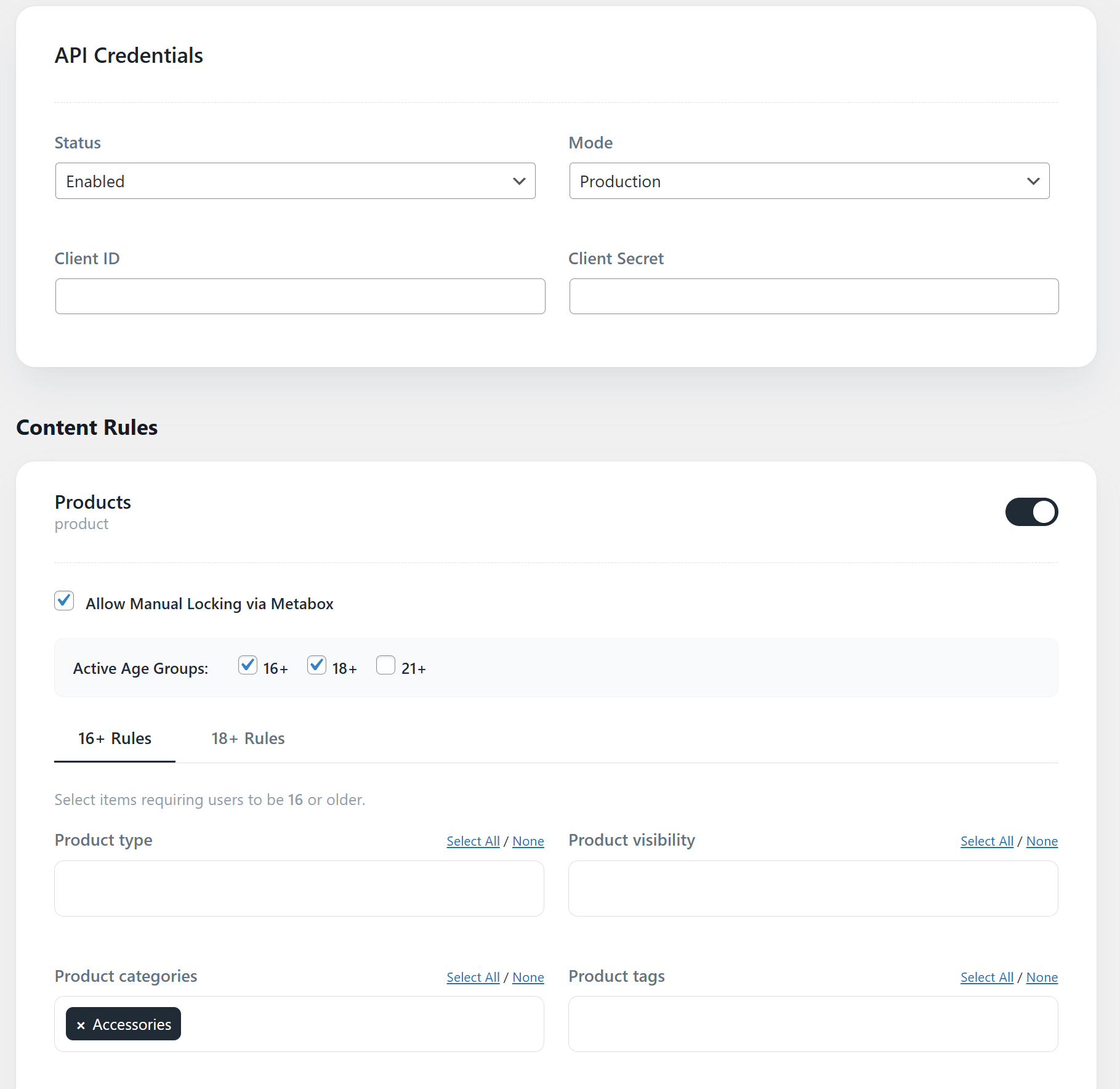
AgeOnce Settings – API credentials and content rules
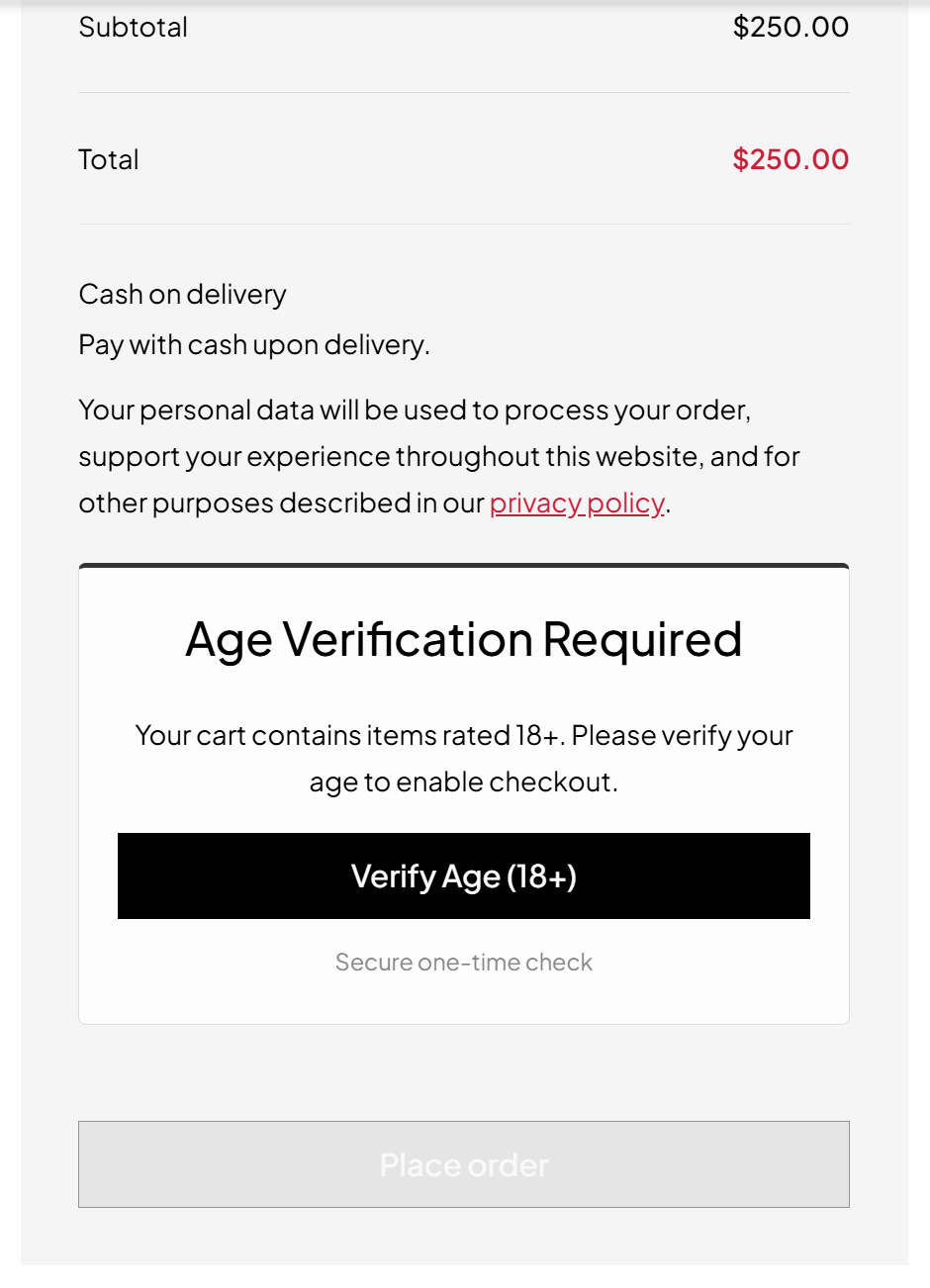
Checkout age gate – verification required before placing order
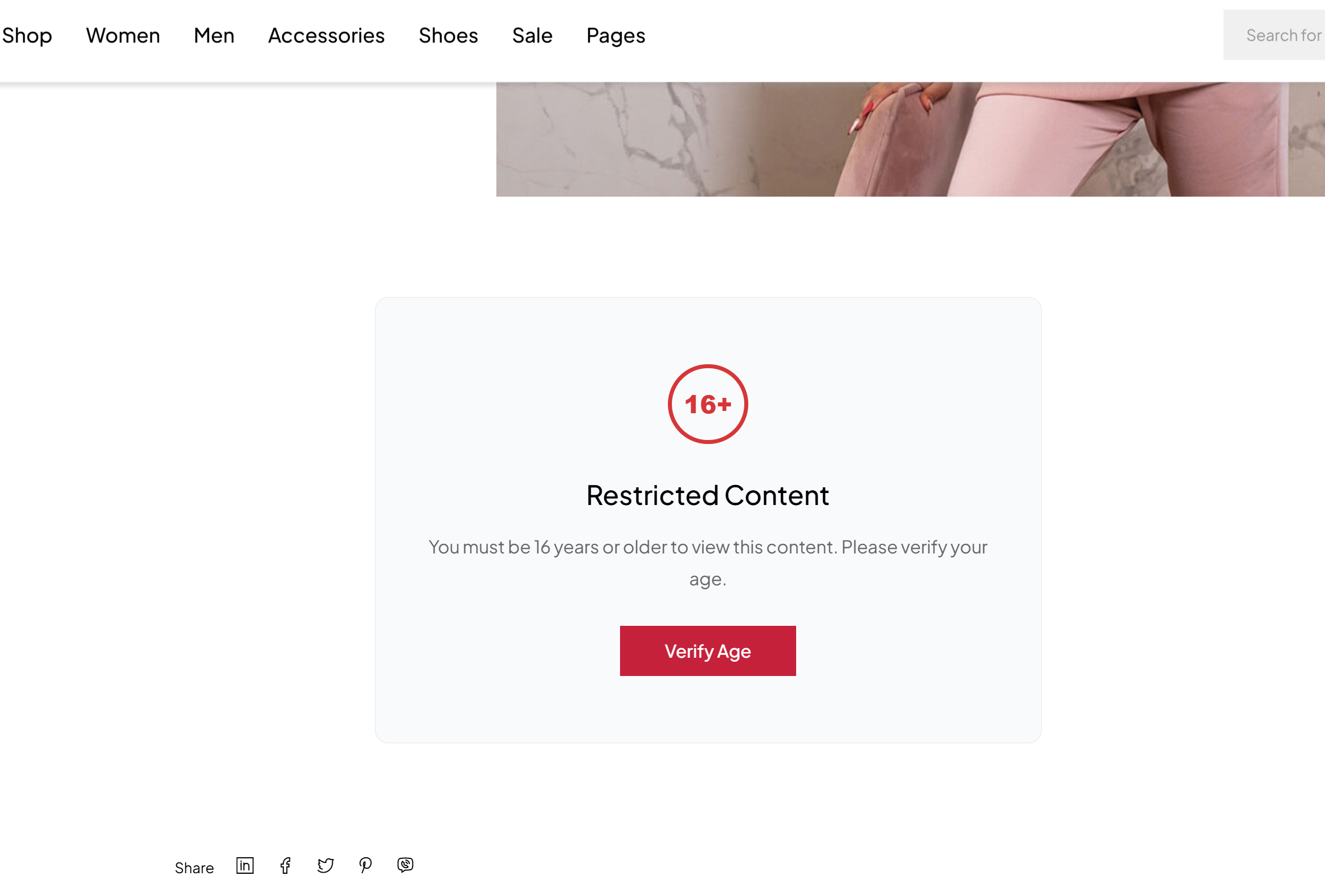
Restricted content gate – age verification for protected posts