
AI Conduit Wordpress Plugin - Rating, Reviews, Demo & Download
Plugin Description
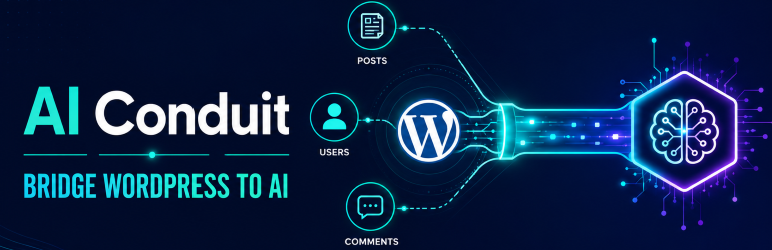
AI Conduit bridges your WordPress data to LLM-powered AI assistants via the Model Context Protocol (MCP) Streamable HTTP transport. Build structured, read-only data endpoints that expose specific WordPress content to MCP-compatible clients like Claude Desktop, Cursor, and other AI assistants.
Key Features
- Visual Tool Builder — Drag-and-drop React admin UI to create MCP tools without writing code.
- Block System — Choose from Posts, Users, Comments, and Site Info blocks to build tools. Each block has configurable fields, custom fields (meta keys), taxonomy filters, and standard filters.
- Multi-Block Tools — Combine multiple blocks in a single tool for comprehensive data access. Selective block execution via the
_blocksparameter. - Join Queries — Build cross-table queries that join Posts to Users, Comments to Posts, and more — all from the visual builder.
- Pattern Meta Keys — Use wildcard patterns (e.g.,
_course_completed_%) to dynamically match and return groups of meta keys. - Meta Filters — Filter by custom fields with operators like
=,!=,>,<,LIKE,IN,BETWEEN, and more. - Role-Based Access — Per-tool role-based access control ensures only authorized users can query specific data.
- MCP Protocol Support — Full JSON-RPC 2.0 implementation with
initialize,ping,tools/list, andtools/callmethods. - Request Logging — All MCP requests and responses are logged to a custom database table with automatic daily cleanup.
- Rate Limiting — Configurable per-user rate limiting with automatic block duration.
- Import/Export — Export individual or all tools as JSON. Import tools on another site with automatic rename on conflict and block type validation.
- Extensible — Add-on developers can register custom block types, REST endpoints, and configurator components.
Who Is It For?
- WordPress site administrators who want to expose site data to AI assistants.
- Customer support teams using AI clients to speed up ticket resolution.
- Site owners who want AI-generated reports from their WordPress data.
- Add-on developers extending AI Conduit with custom blocks for WooCommerce, MemberPress, LearnDash, and other plugins.
How It Works
- Install and activate the plugin.
- Navigate to AI Conduit > Tools in the WordPress admin.
- Create a new tool using the visual drag-and-drop builder.
- Configure blocks, fields, filters, and access roles.
- Connect your MCP client (Claude Desktop, Cursor, etc.) to the endpoint URL shown on the Instructions page.
- AI assistants can now query your WordPress data through the tools you built.
Screenshots

Tool Builder — Drag-and-drop interface for creating MCP tools.

Settings Page — Configure caching, logging, and rate limiting.


