
AICOM – AI Commander Wordpress Plugin - Rating, Reviews, Demo & Download

Plugin Description
AICOM – AI Commander for WordPress turns your WordPress site into an MCP (Model Context Protocol) server, giving AI agents, automation tools, and platforms like OpenClaw direct, structured access to your WordPress content, settings, and data.
No more copy-pasting between your AI assistant and WordPress. No more manual repetitive tasks. Describe what you want, and your AI agent does it.
What can you do with AICOM?
- AI-powered content creation — let an AI agent write, update and publish posts, pages and custom post types directly on your site
- Automate your WooCommerce store — update product descriptions, manage categories and read settings through an AI agent without touching the dashboard
- Manage multilingual sites — connect with Polylang so AI agents can create and manage translations automatically
- Control Elementor pages — validate and inspect Elementor-built pages programmatically
- Build AI editorial workflows — draft, review, schedule and publish content via AI instructions
- Bulk SEO tasks — update meta fields, slugs, titles and descriptions in bulk via AI
- Audit every AI action — full log of every request: who, what, when, from which IP, with result
Who is this for?
- Developers building AI-powered WordPress tools or integrations
- Agencies automating client site management with AI agents
- Content teams using AI writing assistants and wanting direct WordPress integration
- OpenClaw users — AICOM works with the OpenClaw AI platform as a WordPress MCP connector
- Anyone using Claude, ChatGPT, Gemini, or other AI agents who wants them to directly control a WordPress site
How it works
AICOM exposes a secure HTTP endpoint on your WordPress site. AI platforms and agents send structured requests using the MCP / Model Context Protocol standard. AICOM authenticates the request, checks permissions, executes the operation, and returns a structured response.
AI Agent AICOM Endpoint WordPress
Features
- MCP Standard — Full JSON-RPC 2.0 support (
tools/call,tools/list), compatible with any MCP client - 87 tools across 7 modules: WP Core, Media, Users, Backup, WooCommerce, Elementor, Polylang
- Security-first — API key authentication (bcrypt-hashed), IP allowlists, scope-based access control per key
- Lock system — Hard lock (read-only emergency mode), soft lock, unlocked — switchable from the WordPress admin
- Audit logging — Every request logged with duration, API key label, tool used, parameters and result summary
- Dry-run mode — Test what an operation would do without applying changes
- Confirm flag — Destructive operations require explicit
"confirm": true— prevents accidental AI mistakes - Modular — WooCommerce, Elementor and Polylang tools only activate when those plugins are present
Available Modules & Tools
- WP Core — server.status, wp.site.info, wp.posts.list/get/create/update/delete, wp.terms.*, wp.meta.*, wp.options.*
- Media — media.list, media.get, media.upload, media.update, media.delete, files.list/read/write
- Users — wp.users.list/get/create/update/delete, wp.roles.list
- Backup — backup.post, backup.term, backup.restore, backup.list, backup.delete, backup.purge
- WooCommerce (optional) — wc.products.list/get/create/update/delete, wc.categories.*, wc.settings.get/update
- Elementor (optional) — elementor.page.validate, elementor.page.get_data, elementor.widget.*
- Polylang (optional) — pll.languages.list, pll.post.translate, pll.term.translate, pll.string.*
API Key Scopes
Each API key is granted specific scopes — you control exactly what each AI agent can and cannot do:
read.wp, `write.wp.posts`, `manage.taxonomies`, `manage.meta`, `manage.wordpress.settings`, `manage.media`, `manage.users`, `manage.woocommerce.products`, `manage.woocommerce.settings`, `manage.elementor`, `manage.polylang`
Endpoint
REST API:
POST /wp-json/aicom/v1/mcp
Fallback (no mod_rewrite required):
POST /?aicom=1
Health check:
GET /?aicom=1
Authentication
Authorization: Bearer aicom_XXXXXXXX_<secret>
or:
X-API-Key: aicom_XXXXXXXX_<secret>
MCP Request Example
{"jsonrpc":"2.0","method":"tools/call","params":{"name":"wp.posts.list","arguments":{"post_type":"post","posts_per_page":10}},"id":1}
Screenshots
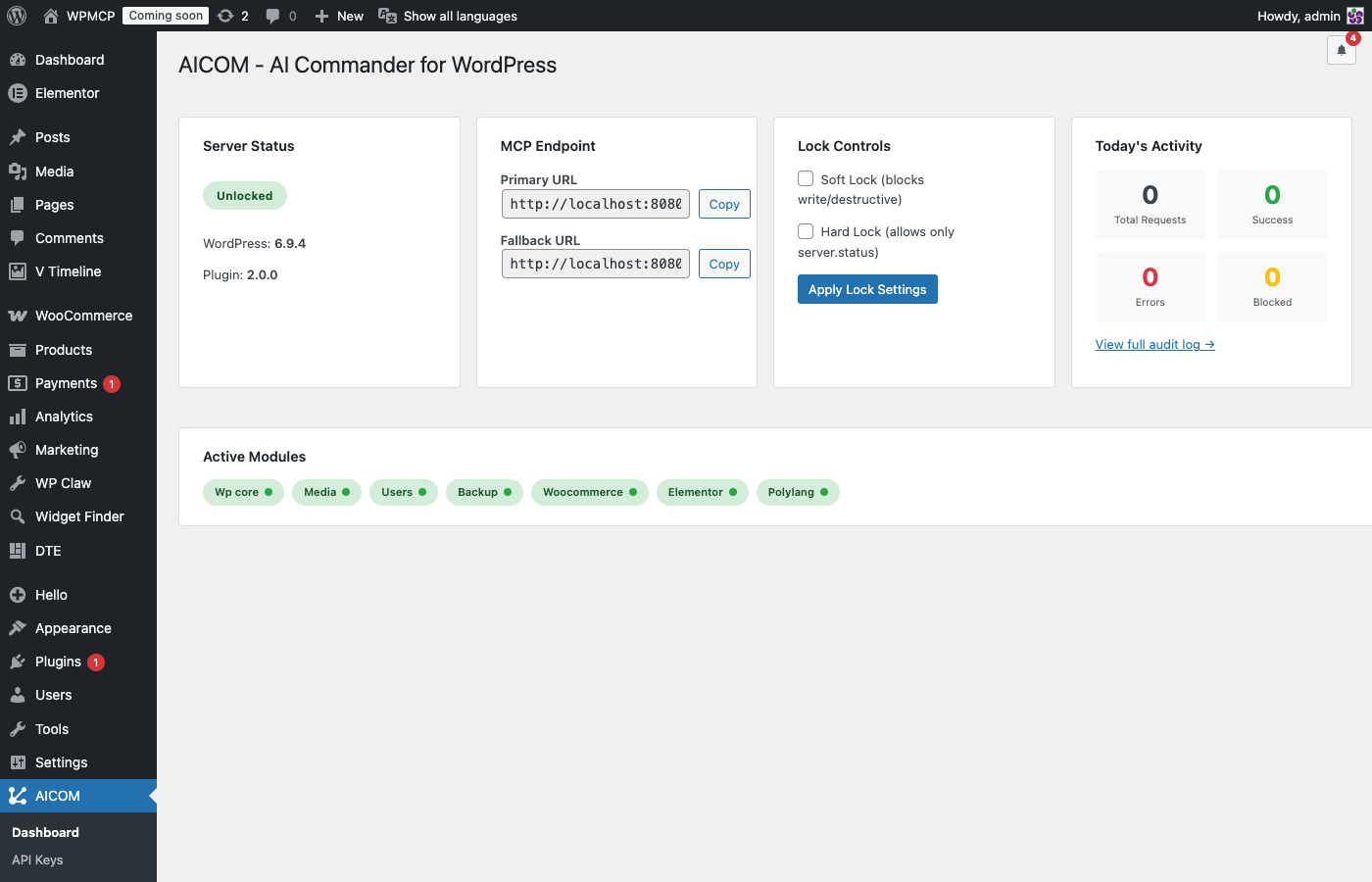
Dashboard — Real-time server status, MCP endpoint URL, lock state indicator, today’s request count broken down by result, and list of active modules with tool counts.
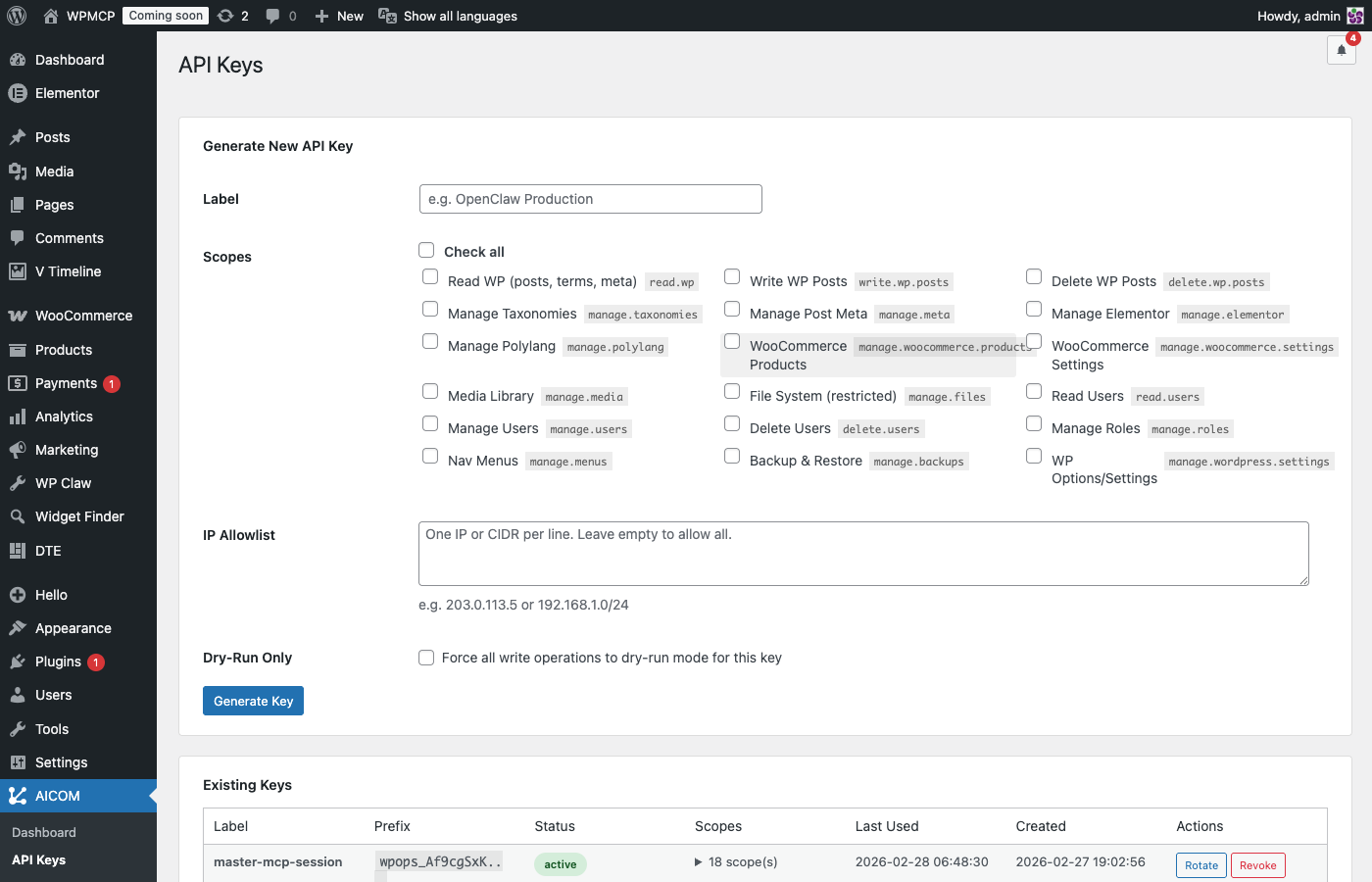
API Keys — Generate new keys with a descriptive label, select granular scopes (read, write, manage per module), set an optional IP allowlist, and view all existing keys with their last-used date and status.
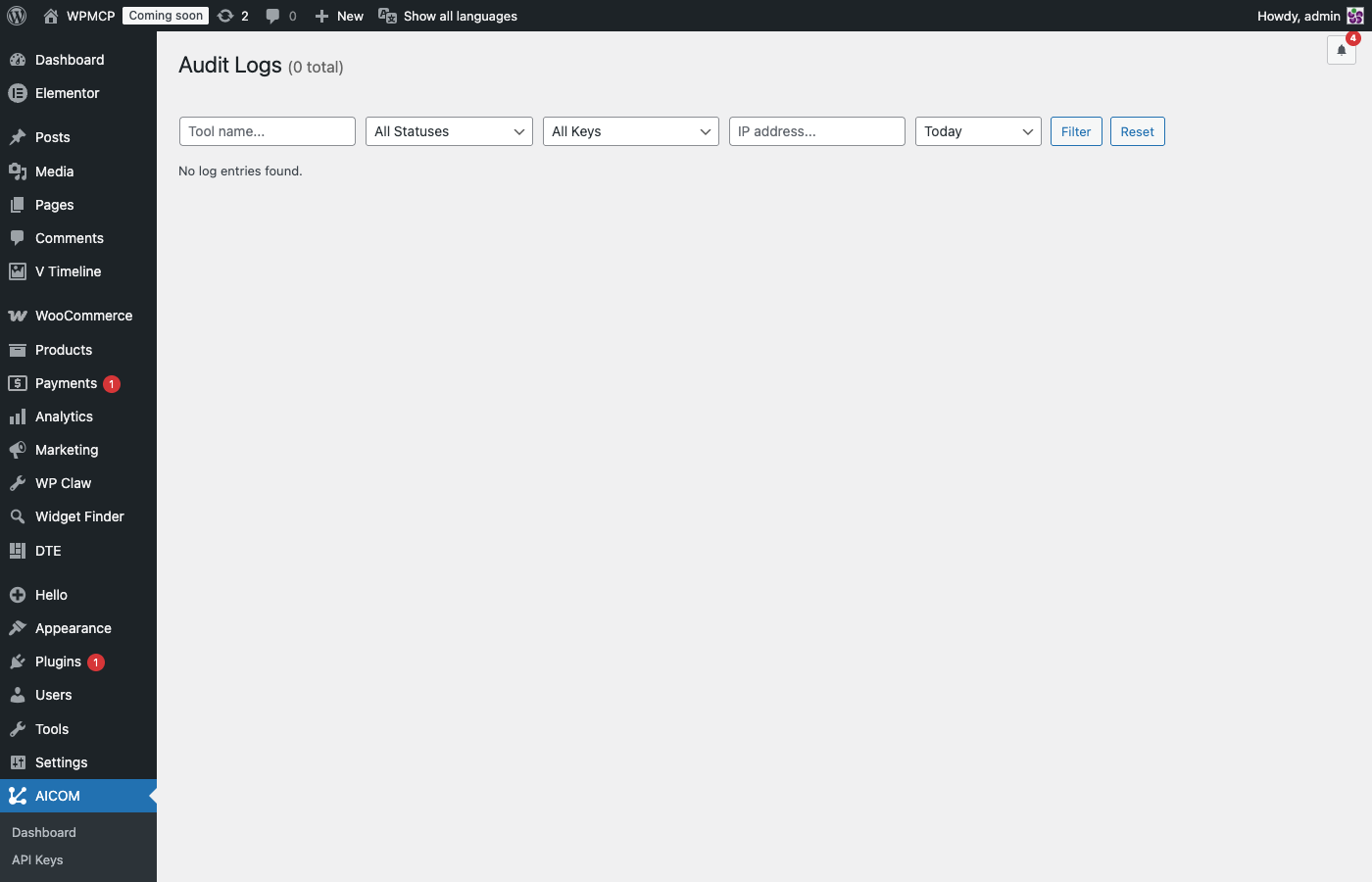
Audit Logs — Full request history filterable by date range, API key, and tool name. Each row shows timestamp, IP, key label, tool called, result status, and response time in ms.
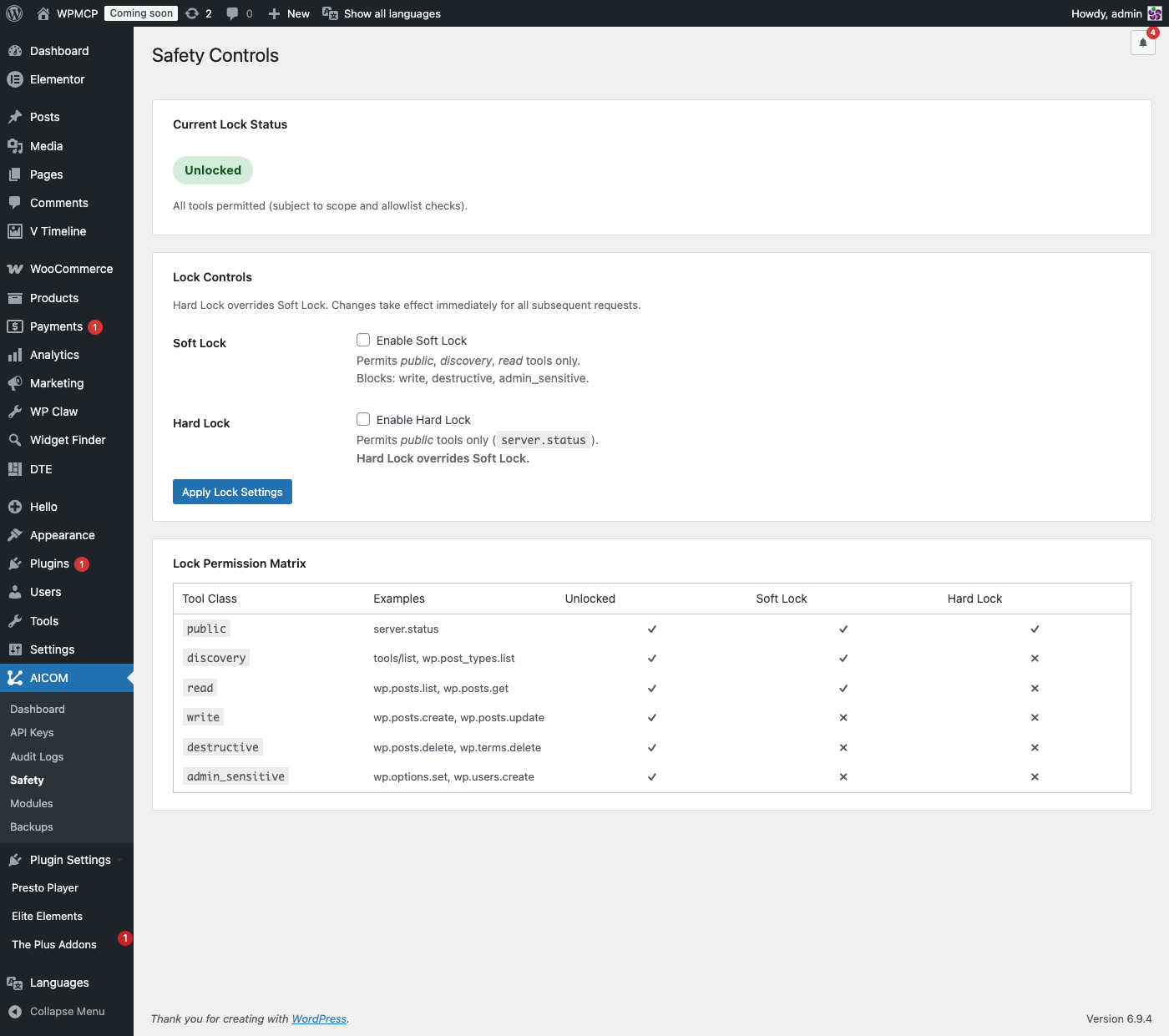
Safety Controls — One-click Soft Lock and Hard Lock toggles with current lock status indicator. Includes the full Lock Permission Matrix showing which tool classes are allowed in each lock mode.
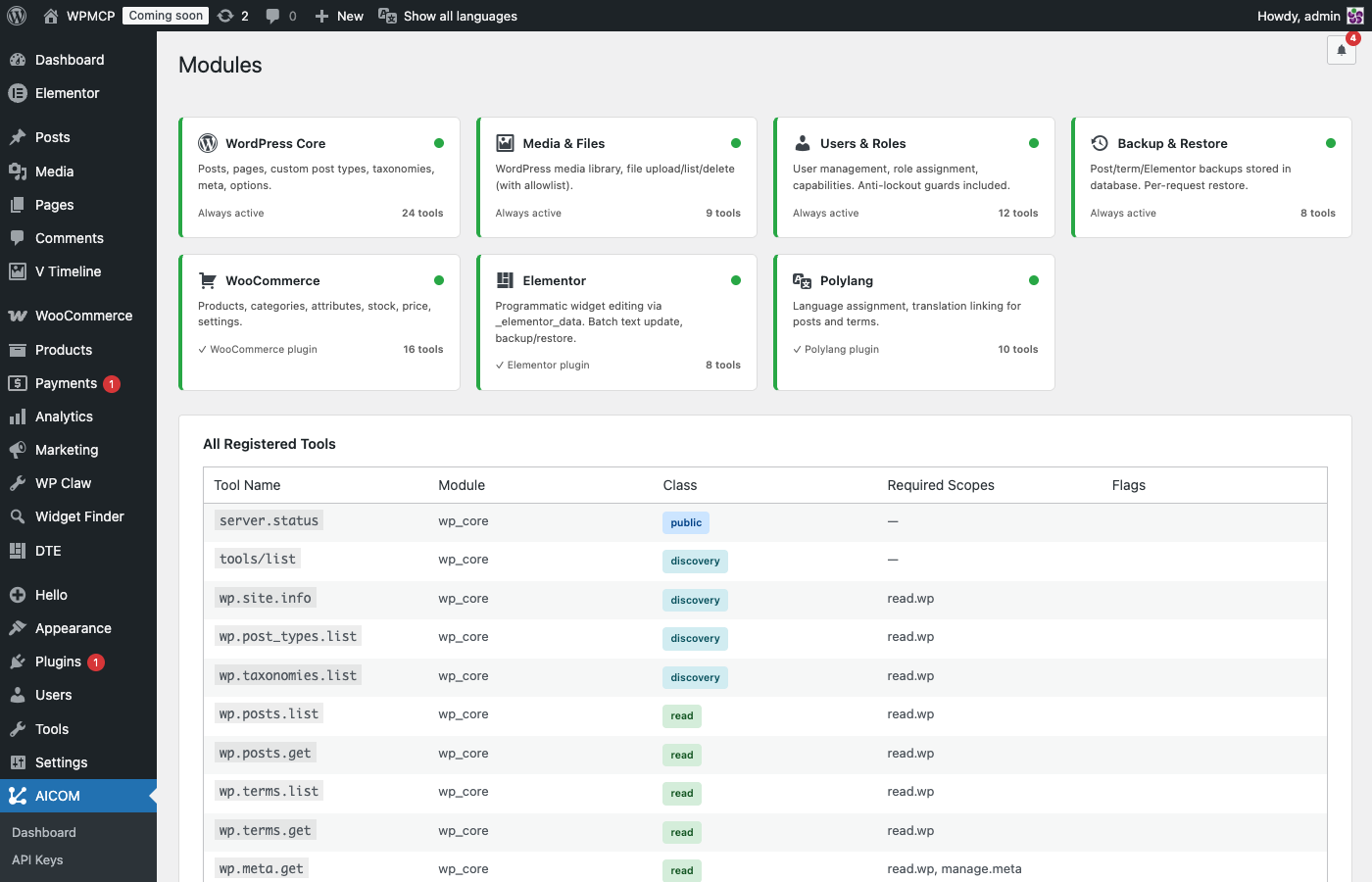
Modules — Overview cards for all 7 modules (WordPress Core, Media, Users, Backup, WooCommerce, Elementor, Polylang) with active/inactive status and tool count, followed by the complete list of all 87 registered tools with their class, required scopes, and flags.


