
AIMarky – Content Marker For AI Wordpress Plugin - Rating, Reviews, Demo & Download
Plugin Description
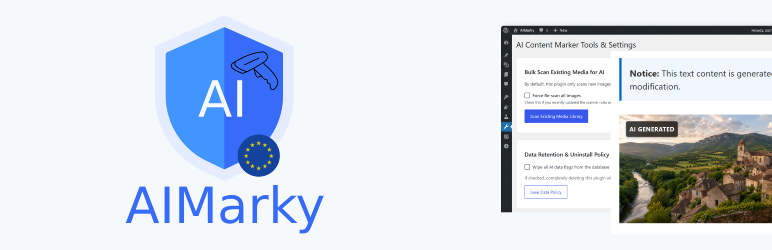
AIMarky is a WordPress plugin that automatically detects and marks AI-generated images and posts. It is designed to help website owners maintain transparency and adhere to EU Compliance regulations regarding AI-generated content by providing frontend markers and essential backend controls.
Features
- Automatic Metadata Scanning: Automatically scans newly uploaded images (JPEG, PNG, WEBP) for known AI signatures, including C2PA, OpenAI (DALL-E), Google DeepMind (SynthID), Meta, Adobe Firefly, Midjourney, Stable Diffusion, and more.
- Bulk Media Scanner: Includes a dedicated tool to bulk scan your existing WordPress media library for AI-generated images.
- Frontend Visual Markers: Automatically injects clear, stylish warning boxes for AI-generated text content and places visual “AI Generated” badges over AI images on the frontend.
- Machine-Readable Meta Tags: Injects
<meta name="ai-generated" content="true" />into the<head>of AI-generated posts for SEO transparency and machine readability. - Post & Page Controls: Adds an “AI Labeling (EU Compliance)” meta box to posts and pages, allowing editors to manually flag content as AI-generated or mark it as “Reviewed by human editor” to bypass frontend textual warnings.
- User Profile Flags: Allows administrators to mark specific user profiles as AI generators/bots. All content published by these users is automatically flagged as AI-generated.
- Media Library UI Integration: Adds highly visible AI status badges and manual override toggles directly within the WordPress attachment details modal.
- Data Retention Management: Offers settings to control whether AI data flags should be permanently wiped from the database upon plugin uninstallation.
Screenshots

AI Content Scanner Tool: The bulk scanner interface for checking existing media and configuring data retention policies.

Media Library UI: Highly visible AI status badges (“AI Generated” or “Standard (Non-AI)”) and manual override toggles in the attachment details.

Post Meta Box: The standard “AI Labeling (EU Compliance)” meta box allowing editors to manually flag content or mark it as human-reviewed.

Post Meta Box (Forced Warning): The meta box displaying a forced AI status warning when an author’s profile is globally flagged as an AI generator.

User Profile Settings: The “AI Profile Status” checkbox to flag a user as an AI generator/bot.

Frontend Visual Markers: The visual “AI Generated” badges automatically placed over


