Algoshop AI Sales Chatbot Wordpress Plugin - Rating, Reviews, Demo & Download
Plugin Description
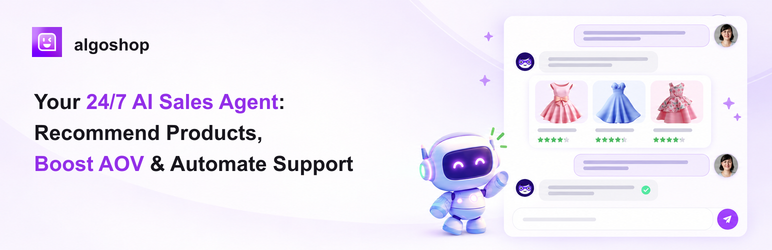
Add Algoshop AI Sales Chatbot to WordPress and WooCommerce for AI-powered shopper support, product discovery, and cart assistance.
Connect your site to Algoshop to offer shoppers an AI-powered chat experience.
Connect WooCommerce to enable supported store catalog and commerce features.
With this plugin, you can:
- Connect your site to your Algoshop account from WordPress.
- Show the chatbot across your site, or only on pages where you add the shortcode
or Gutenberg block. - Help shoppers discover products and get answers through Algoshop’s hosted AI
service. - Enable supported WooCommerce product and cart features after connecting your
store.
An Algoshop account is required. WooCommerce is optional for basic chat and is
required for WooCommerce-powered features.
Shortcode and block
- Shortcode:
[algoshop_chatbot] - Gutenberg: add the Algoshop Chatbot block
- Optional attribute:
[algoshop_chatbot store_id="..."]must match the connected Store ID when set
External services
This plugin connects to Algoshop SaaS to connect your store and provide the
chatbot, AI replies, and supported commerce features. When WooCommerce is
connected, relevant store data is made available to those features.
- Service: Algoshop SaaS (https://algoshop.ai,
dashboard, and the configured API endpoint; the
default ishttps://api.algoshop.ai). - Purpose: account and store connection, chatbot delivery, AI replies, and
WooCommerce-powered product or cart features. - Data: store identifiers and connection details; shopper messages and relevant
page, product, cart, and browser context; and, when WooCommerce is connected,
the store data needed for the enabled commerce features. - When: when a merchant connects or manages the plugin, and when a shopper uses
the chatbot or a connected commerce feature.
The storefront widget also requests approximate location data from
ipapi.co when it loads. The request sends the visitor’s
public IP address to identify a country/region and city for localization and
location-based experiences. The returned location information may be sent to
Algoshop with relevant chat or marketing context. See the
ipapi privacy policy.
When a merchant configures an image outreach card with media hosted by
Algoshop, the shopper’s browser retrieves that configured media from Algoshop’s
object storage, currently hosted at
https://ai-chatbot.tos-ap-southeast-1.volces.com. The request is made only
when the corresponding image card is displayed and sends the media URL and the
shopper’s standard network request metadata to the storage provider. The
plugin’s built-in fallback artwork is bundled locally and does not contact
object storage.
Privacy policy: https://algoshop.ai/privacypolicy/
Terms of Service: https://algoshop.ai/termsofservice/
Dashboard: https://app.algoshop.ai
Support: support@algoshop.ai
Bundled library
The storefront includes OpenIM Client SDK 0.0.20, published as
@openim/client-sdk under GPL-3.0-only. Its license text and package details
are included with the plugin in assets/storefront/.
The Lottie Web light player 5.12.2 is included locally under the MIT license.
Source: https://github.com/airbnb/lottie-web/tree/846dbf2a5c40df245db4307490cecae02b9dcca4
License and release details: assets/storefront/LOTTIE-NOTICE.txt and LOTTIE-LICENSE.txt.
Source code and build instructions
The chatbot runtime in assets/storefront/ai-chatbot.js is readable source code,
not a minified build. PHP, JavaScript adapters, the launcher and page-context
runtime are also included in readable form and require no compilation.
The source JSON catalogs are included in source/commerce/catalog/. The generated
commerce localization runtime is included in
assets/storefront/generated/commerce-i18n.js. The installed plugin does not run
Python or build assets; development-only build tooling is not part of the
distribution package.
Lottie source and build instructions are documented in LOTTIE-NOTICE.txt.
The optional clickable Algoshop credit is disabled by default. A site
administrator can explicitly enable it in Settings > Algoshop Chatbot.
Capabilities and permissions
- WordPress capability
manage_optionsis required to change plugin settings and connect or disconnect the store. - Plugin REST routes under
/wp-json/algoshop-chatbot/v1/expose health/connection diagnostics without secrets. - When WooCommerce is connected, authorization requests
read_writeaccess for the supported product and commerce features. - Deactivation pauses the plugin connection but does not disconnect the store or cancel billing.
- Uninstall asks Algoshop to stop the service and schedule cancellation at the end of the current billing period. No refund is issued.
Screenshots

AI sales conversations with personalized product recommendations and cart assistance.

A preview of the chatbot experience on desktop and mobile.

Product recommendations and promotional cards in the shopper journey.

Help shoppers check order and delivery status in chat.

Customize the chatbot appearance and greeting for your store.

Review engagement and performance insights by region and device.