Aluleth SMTP Wordpress Plugin - Rating, Reviews, Demo & Download
Plugin Description
By default, WordPress sends emails with the web server’s mail function. Many of them land in spam or never arrive: order receipts, password resets, form notifications. Aluleth SMTP sends every email through a real email service instead, and shows you what happened to each one.
Every service is free in Aluleth SMTP. Nothing is locked.
What it does that a plain SMTP plugin does not
- It follows each email after sending: delivered, bounced or marked as spam, through the service’s signed webhooks, and blocks bad addresses by rules you choose (a bounced address can still get its password reset, but no more newsletters).
- It shares that blocked list with your other plugins: Aluleth Forms, Popups and the other Aluleth plugins skip the same addresses.
- It keeps your log safe: password reset links, login links and verification codes are hidden before an email is saved.
- It sends each email through the right service: receipts through one, newsletters through another, with a queue that respects your plan’s sending limits.
- It checks your domain against the Gmail, Yahoo and Microsoft sender rules and gives you the DNS records to fix it.
14 services
SendGrid (global or EU), Amazon SES, Brevo, Mailgun (US or EU), Postmark, Resend, MailerSend, Mailjet, SMTP2GO, SparkPost (US or EU), Elastic Email, Gmail / Google Workspace, Microsoft 365 / Outlook, and any other SMTP server (your host, Zoho…). Services are reached through their API: it is faster than SMTP and works on hosts that block SMTP ports.
Gmail and Microsoft 365 send from your own mailbox: you make a small app at Google or Microsoft once (the plugin shows each step and the address to copy), then sign in. No password is stored, only an access the plugin can renew, encrypted.
Keys are checked with the service when you save, stored encrypted and never shown again. You can also keep them out of the database with constants in wp-config.php.
A fallback that saves your emails
Add a second connection as a fallback. When the main service refuses an email or cannot be reached, the fallback sends it right away. The overview shows how many emails the fallback saved.
Which email goes where
Routing rules send each email through the right connection, based on the plugin that sends it (WooCommerce, Aluleth Forms, your theme…), the kind of email (transactional or marketing) and the From address. For example: receipts through Postmark, newsletters through Amazon SES.
A queue with sending limits
Marketing emails can go out in the background, so visitors never wait. Set the sending limit of your plan (per second, minute, hour or day): above it, emails wait in the queue instead of being refused. Emails that fail for a temporary reason are tried again later, up to five times.
A log you can trust
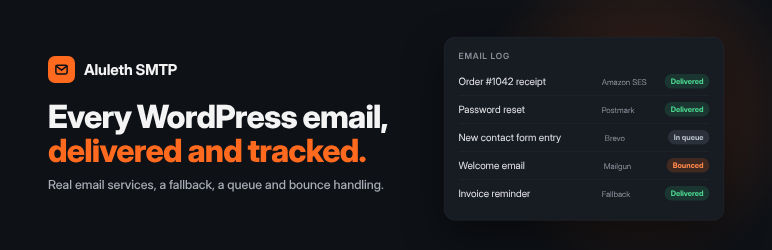
See every email: who sent it, through which connection, what the service answered, and the email itself. Search, filter, export to CSV and send an email again.
Links and codes that give access to an account (password resets, login links, verification codes) are hidden before the email is saved, so an old log can never be used to get into the site. You choose what is kept for transactional and marketing emails (the full email, a summary or nothing) and for how long.
Bounces and spam reports
Your email service tells your site what happened after sending: delivered, bounced, marked as spam, or rejected. The plugin adds the webhook at the service for you (Brevo, Postmark, Mailjet, Mailgun and others, when the key allows it) or shows the steps. Signed webhooks are checked (SendGrid, Mailgun, Resend, MailerSend, Amazon SES through SNS).
- The log shows each email as delivered, bounced or marked as spam, with the reason.
- Addresses that do not exist and people who marked an email as spam are blocked by the rules you choose: for example, a bounced address still gets password and order emails but no newsletters. Repeated soft bounces block marketing emails.
- One list for the whole site: Aluleth Forms, Popups and the other Aluleth plugins skip these addresses too, and the contact’s history shows the bounce.
- Block an address by hand, allow one again, export the list.
Deliverability checks
Will your emails reach the inbox? The Deliverability screen checks your sending domain against the rules of Gmail, Yahoo and Microsoft: SPF (one record, not too many lookups), DKIM for each connection (asked to the service when the key allows it), DMARC, alignment of your domain, spam report and bounce rates, and whether replies can come back. Each problem comes with the DNS record to copy. Send a check email through every connection in one click.
Import from other SMTP plugins
Coming from WP Mail SMTP, FluentSMTP or Post SMTP? Import their connections in one click, keys included, then deactivate the old plugin.
Alerts when sending fails
Get an email, a Slack, Discord or Telegram message when emails fail, at most once every 15 minutes.
Works with every plugin
Each email is recognized by the plugin or theme that sends it (WooCommerce, Aluleth Forms, your contact form…), for the log and the routing rules. Emails of newsletter plugins (MailPoet, Newsletter, Mailster, FluentCRM and others) are marketing emails. Developers can mark their own emails with the header X-Aluleth-Kind: marketing or the aluleth_smtp/kind filter.
External services
This plugin sends your site’s emails through the email service you connect, and only to that service. Nothing is sent to us.
When an email is sent, the connected service receives the email: sender, recipients, subject, content and attachments, a reference number of the email in your log, plus your key to identify your account. Like WordPress itself, each request names your site’s address in its user agent. When you save a connection, the plugin also asks the service whether the key works and whether the From address is accepted. Nothing is sent before you add a connection.
When you ask for it, the plugin also uses your key to add or remove a webhook at the service (the address of your site where the service reports delivered emails, bounces and spam reports) and, on the Deliverability screen, to ask whether your domain is authenticated. The service then sends to your site the events of your emails: recipient address, event, date and reason.
With Gmail / Google Workspace, the plugin signs in through your own Google Cloud app (https://accounts.google.com, https://oauth2.googleapis.com) and sends through the Gmail API (https://gmail.googleapis.com), only with the “send email” permission and your address: Google Terms of Service, Google Privacy Policy.
With Microsoft 365 / Outlook, the plugin signs in through your own Microsoft Entra app (https://login.microsoftonline.com) and sends through Microsoft Graph (https://graph.microsoft.com), only with the “send mail” permission and your profile’s address: Microsoft Services Agreement, Microsoft Privacy Statement.
With Amazon SES, events come through Amazon SNS: the plugin downloads Amazon’s certificate (from https://sns.REGION.amazonaws.com) to check each message, and opens the confirmation link Amazon sends when you subscribe the address (only https://sns.REGION.amazonaws.com addresses are opened). The Deliverability screen reads public DNS records of your domain with your server’s own DNS resolver.
Each service below is only contacted when you added a connection to it, at the addresses listed:
- SendGrid by Twilio (
https://api.sendgrid.com, orhttps://api.eu.sendgrid.comwhen you choose the EU region): Terms of service, Privacy notice - Amazon SES (
https://email.REGION.amazonaws.com, where REGION is the AWS region you choose for the connection, for examplehttps://email.eu-west-1.amazonaws.com; regions offered: us-east-1, us-east-2, us-west-1, us-west-2, ca-central-1, sa-east-1, eu-west-1, eu-west-2, eu-west-3, eu-central-1, eu-central-2, eu-south-1, eu-north-1, ap-south-1, ap-northeast-1, ap-northeast-2, ap-northeast-3, ap-southeast-1, ap-southeast-2, ap-southeast-3, af-south-1, me-south-1, il-central-1, us-gov-west-1): Service terms, Privacy notice - Brevo (
https://api.brevo.com): Terms of use, Privacy policy - Mailgun (
https://api.mailgun.net, orhttps://api.eu.mailgun.netwhen you choose the EU region): Terms of service, Privacy policy - Postmark (
https://api.postmarkapp.com): Terms of service, Privacy policy - Resend (
https://api.resend.com): Terms of service, Privacy policy - MailerSend (
https://api.mailersend.com): Terms of use, Privacy policy - Mailjet (
https://api.mailjet.com): Terms, Privacy policy - SMTP2GO (
https://api.smtp2go.com): Terms, Privacy policy - SparkPost by Bird (
https://api.sparkpost.com, orhttps://api.eu.sparkpost.comwhen you choose the EU region): Terms, Privacy policy - Elastic Email (
https://api.elasticemail.com): Terms of use, Privacy policy - Other SMTP: the SMTP server you enter receives the emails, under the terms of its provider.
Failure alerts are optional. When you turn them on, a short message (the site name, the number of failed emails, the subject and error of the last one, and a link to your email log) is sent to the service you choose:
- Slack, through the incoming webhook you paste (only
hooks.slack.com/services/…addresses are accepted): User terms of service, Privacy policy - Discord, through the webhook you paste. Only Discord webhook addresses are accepted:
https://discord.com/api/webhooks/…, and the other forms Discord gives,https://discordapp.com/api/webhooks/…,https://canary.discord.com/api/webhooks/…andhttps://ptb.discord.com/api/webhooks/…: Terms of service, Privacy policy - Telegram (
https://api.telegram.org), through the bot you create: Terms of service, Privacy policy
Shared Aluleth screens
Aluleth SMTP comes with the screens shared by all Aluleth plugins (Aluleth › Settings and Aluleth › Connections). They are mostly used by Aluleth Forms and the other Aluleth plugins. None of the services below is contacted unless you paste your own key in one of these screens. With Aluleth SMTP alone, that is when you click a “Save and check” or “Connect” button there, and, once captcha keys are saved, when you open Aluleth › Settings › Security: it shows the service’s test check, which loads its script in your browser.
- Aluleth › Connections: when you connect an account, your site sends your key to the service to read your lists, tags and fields. Mailchimp (
*.api.mailchimp.com): Terms of use, Privacy policy. Brevo (api.brevo.com): Terms of use, Privacy policy. MailerLite (connect.mailerlite.com): Terms of service, Privacy policy. Kit (api.kit.com): Terms of service, Privacy policy. Mautic: the address of your own Mautic and its API user, Mautic privacy policy. Telegram (api.telegram.org), with the token of your bot, to read its name and the chats that wrote to it: Terms of service, Privacy policy. Slack (https://hooks.slack.com/services/…) and Discord (https://discord.com/api/webhooks/…, also thediscordapp.com,canary.discord.comandptb.discord.comforms) webhooks and your own webhook addresses only receive a message when another Aluleth plugin sends one (for example a form entry with Aluleth Forms), or a sample message when you click “Send a test”. - Aluleth › Settings › Security: “Save and check the keys” sends your secret key and a test answer to the captcha service you chose, to tell you whether the keys work. Cloudflare Turnstile (
challenges.cloudflare.com, for the test check and the key check): Terms of use, Privacy policy. hCaptcha (js.hcaptcha.comfor the test check,api.hcaptcha.com): Terms of service, Privacy policy. Google reCAPTCHA (www.google.com/recaptcha, for the test check and the key check): Terms of service, Privacy policy. CleanTalk (moderate.cleantalk.org), a short test message with your access key: Terms of service, Privacy policy. These services check visitors only on the forms of Aluleth Forms; Aluleth SMTP adds no captcha to your pages. - PayPal: the Payments settings and the PayPal code are only used with Aluleth Forms; they are hidden and never run with Aluleth SMTP alone. User agreement, Privacy statement.
Screenshots
No screenshots provided