
Aluvo Chat Wordpress Plugin - Rating, Reviews, Demo & Download
Plugin Description
Aluvo Chat adds a chat button to your site. Visitors pick what they need, the chat walks them through the steps you set up, and every request lands in your WordPress dashboard and your inbox, with one-tap contact buttons for the channels you use.
Guided conversations
- Build your own forms from choices, typed answers, form fields, quantities and contact details.
- Start from a ready template, pick each form’s icon from a gallery, and watch a live preview as you edit.
- Reorder, duplicate or switch forms off without touching code.
- Visitors can go back a step, and every answer is checked again on the server.
- Unlimited forms and requests.
Every channel you use
- WhatsApp, Telegram, Facebook Messenger, Instagram, LinkedIn, Discord, GitHub, email or a custom link, each with its own icon.
- Choose which appear as contact buttons when a visitor wants a person, and up to three for the bar under the conversation.
- WhatsApp and email open with the visitor’s request already written.
Nothing gets lost
- Every request is saved in WordPress first, then emailed to you.
- An overview page shows requests per day, top forms and countries.
Looks the way you want
- Colour themes, gradient themes, or your own colours and gradient, and a choice of fonts.
- Five button animations (Spinning border, Floating, Ripple rings, Comet, Hello wave), three button shapes, six border types (gradient, solid, dashed, dotted, double, neon), and an inside colour or gradient of your choice (or transparent), with a live preview on a light page, a dark page and a phone.
- Separate size and position for phones; the closed button sits under your theme’s menu and pop-ups.
- The chat is drawn in its own isolated layer, so your theme cannot break it and it cannot break your theme.
Your language
- Follows the language set in WordPress, including right-to-left languages, and can be translated into any language.
Private and secure
- Every post from the chat carries a short-lived signed token; request tokens work once.
- Posts from other websites, oversized bodies and non-JSON bodies are refused.
- Limits per visitor and daily ceilings for the whole site.
- IP addresses are used only for limits and never stored. WordPress’s Export and Erase Personal Data tools cover chat requests.
Aluvo Chat Pro
Everything above is free and unlimited. The optional Pro add-on adds AI answers with your own Claude or OpenAI key, ready answers with trigger words in several languages, products and categories (your own or linked live from WooCommerce, with price, offer, tags and a buy button), five more button animations, and Custom CSS with a guide to every selector. Learn more at https://digidev.pro/aluvo-chat
Credits
- Form and step icons: Lucide (https://lucide.dev), ISC license.
- Channel icons: Simple Icons (https://simpleicons.org), CC0 1.0.
- Everything else in the plugin is original work under GPLv2 or later.
External services
Aluvo Chat works without any outside service. The services below are used only when you turn them on, or when a visitor taps a button that leads to them.
Google Fonts
Used only if you choose a Google Font under Customize -> Appearance (the default, “System font”, loads nothing). The visitor’s browser then downloads the font from Google, which receives the visitor’s IP address and browser details like any web request.
Terms: https://policies.google.com/terms
Privacy: https://policies.google.com/privacy
Contact channels (WhatsApp, Telegram, Facebook, Instagram, LinkedIn, Discord, GitHub)
Nothing is sent to any of them by the plugin. When a visitor taps one of your contact buttons, their device opens that service’s link (for WhatsApp, a wa.me link with the message filled in) and they choose what to do there.
WhatsApp terms: https://www.whatsapp.com/legal/terms-of-service
WhatsApp privacy: https://www.whatsapp.com/legal/privacy-policy
Telegram privacy: https://telegram.org/privacy
Meta (Facebook, Instagram) privacy: https://www.facebook.com/privacy/policy
LinkedIn privacy: https://www.linkedin.com/legal/privacy-policy
Discord privacy: https://discord.com/privacy
GitHub privacy: https://docs.github.com/site-policy/privacy-policies/github-general-privacy-statement
Screenshots
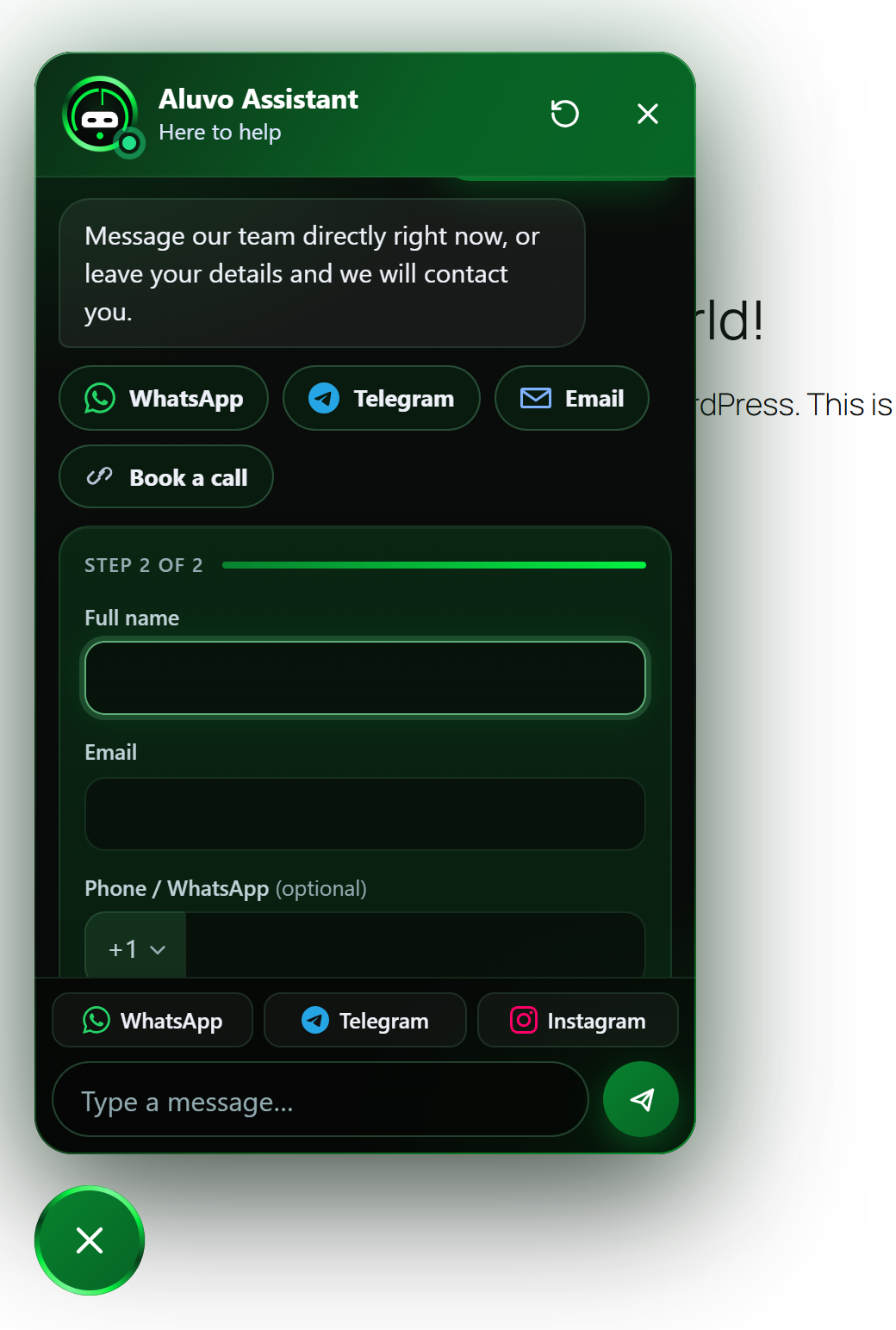
The chat on a website.
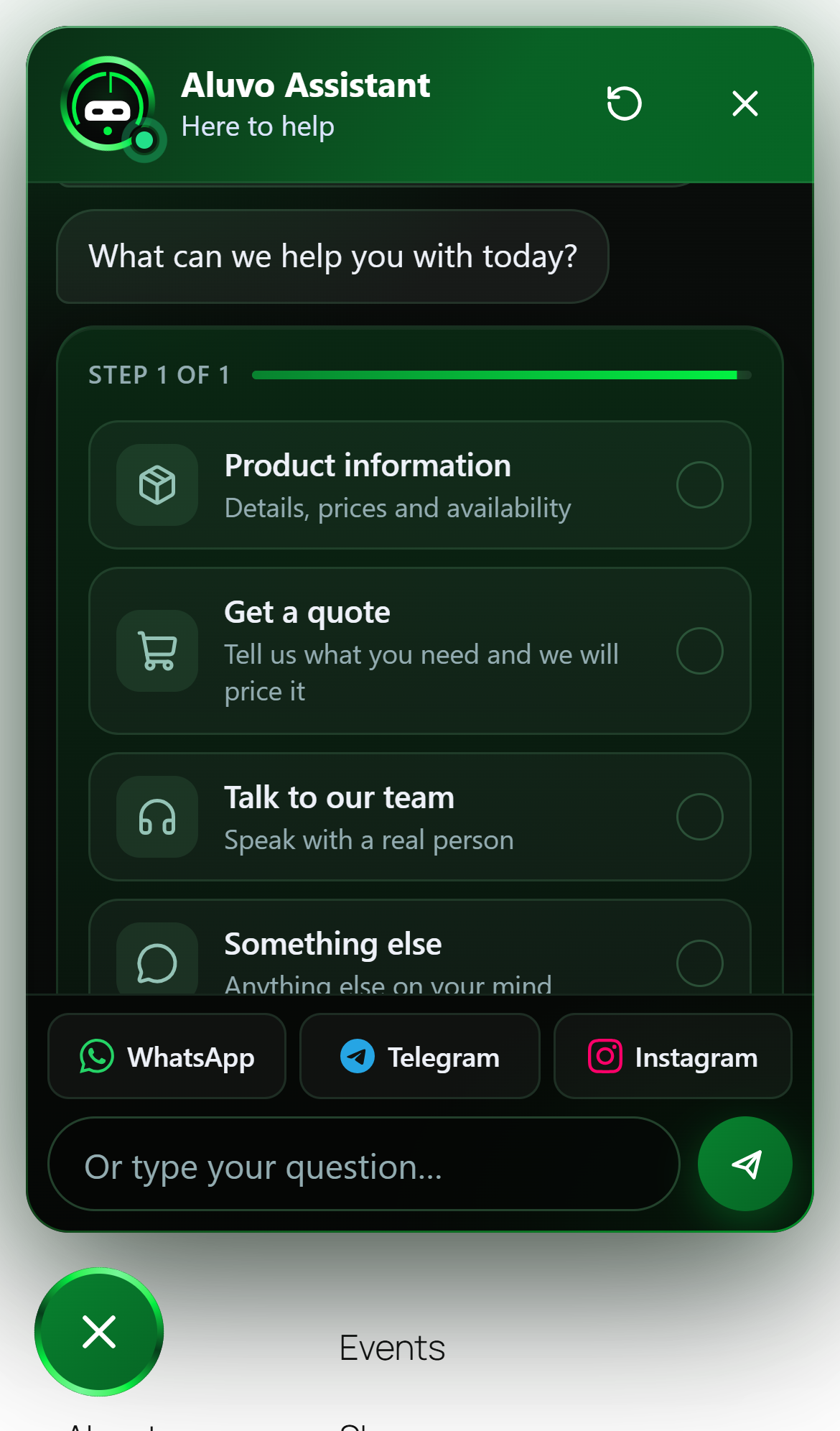
The chat on a phone.
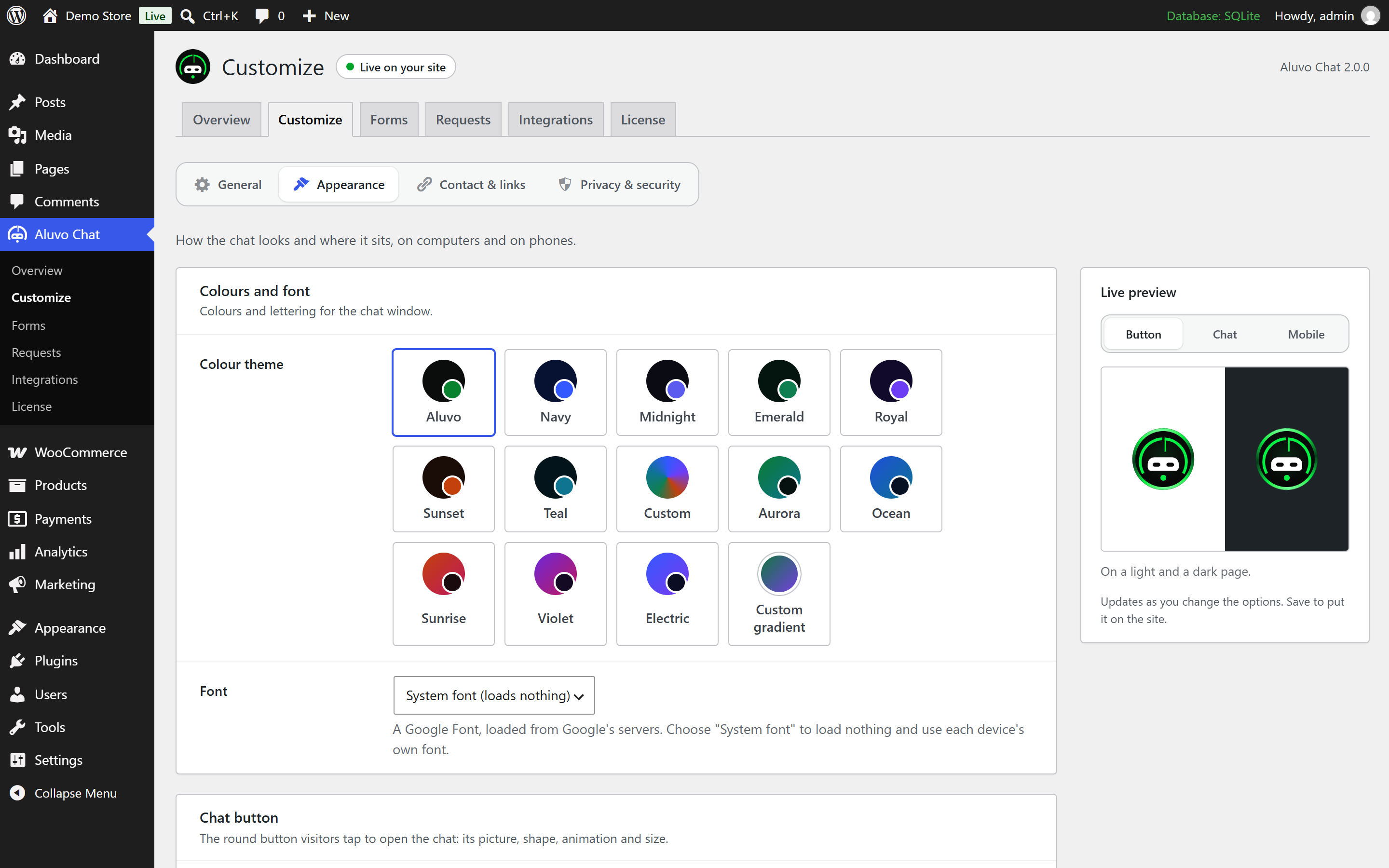
Appearance settings with a live preview.
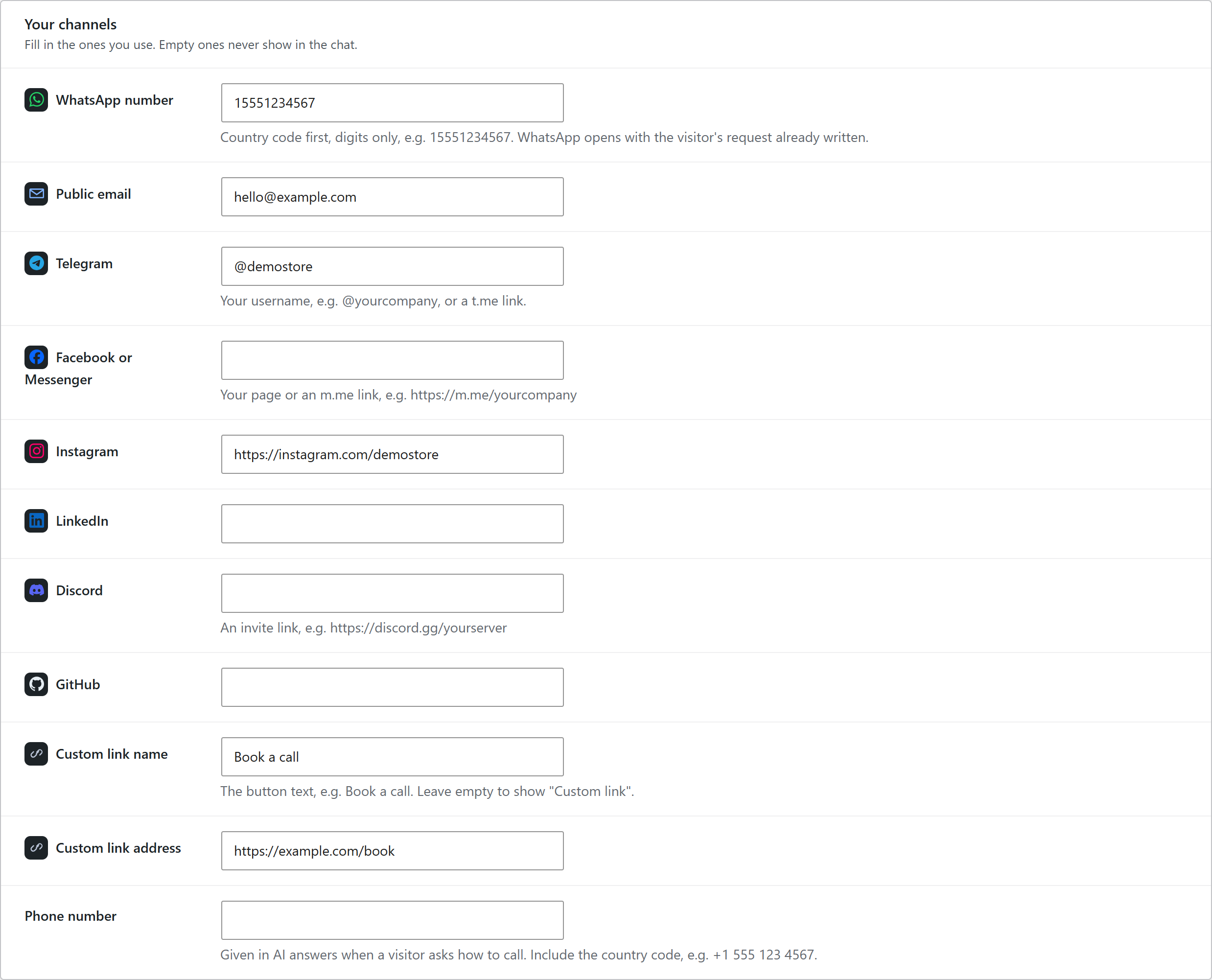
Contact channels with their icons.
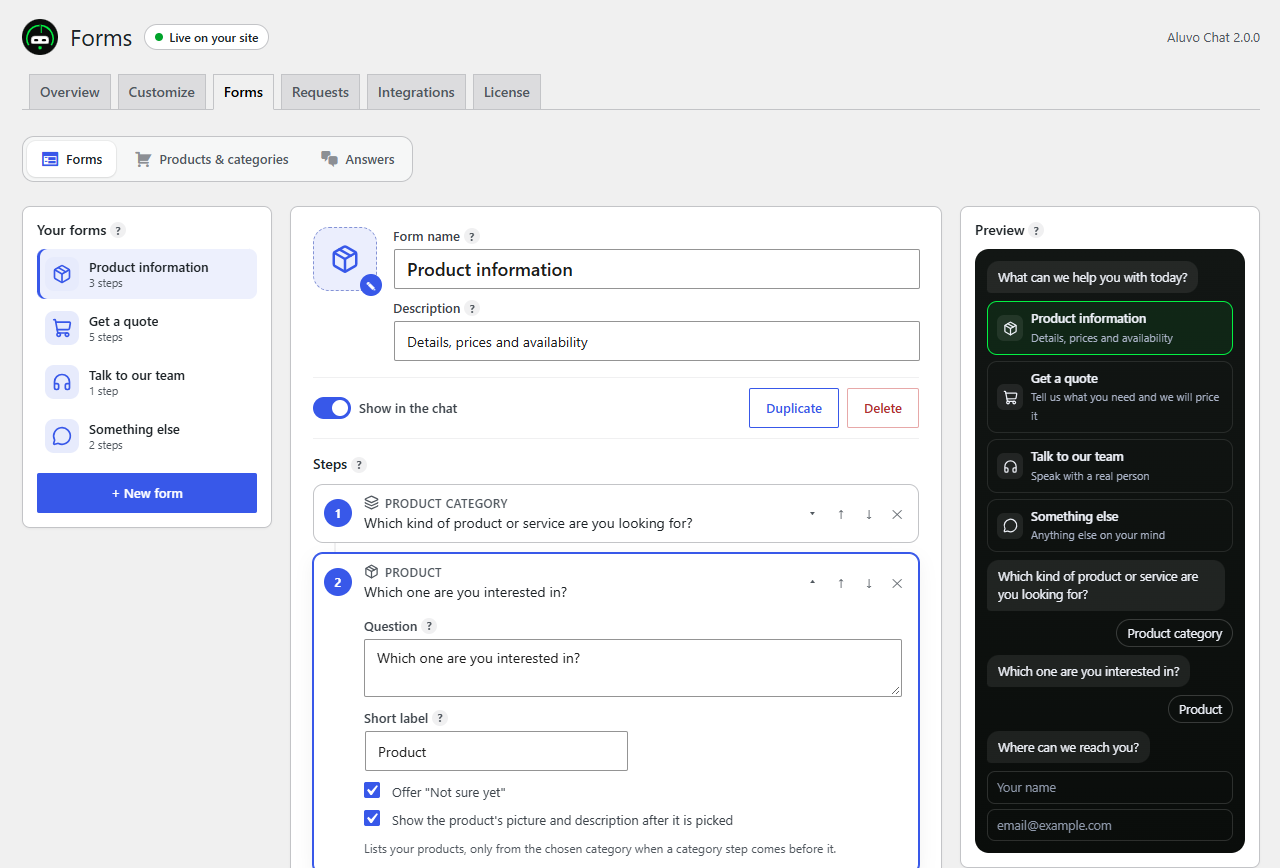
The form builder.
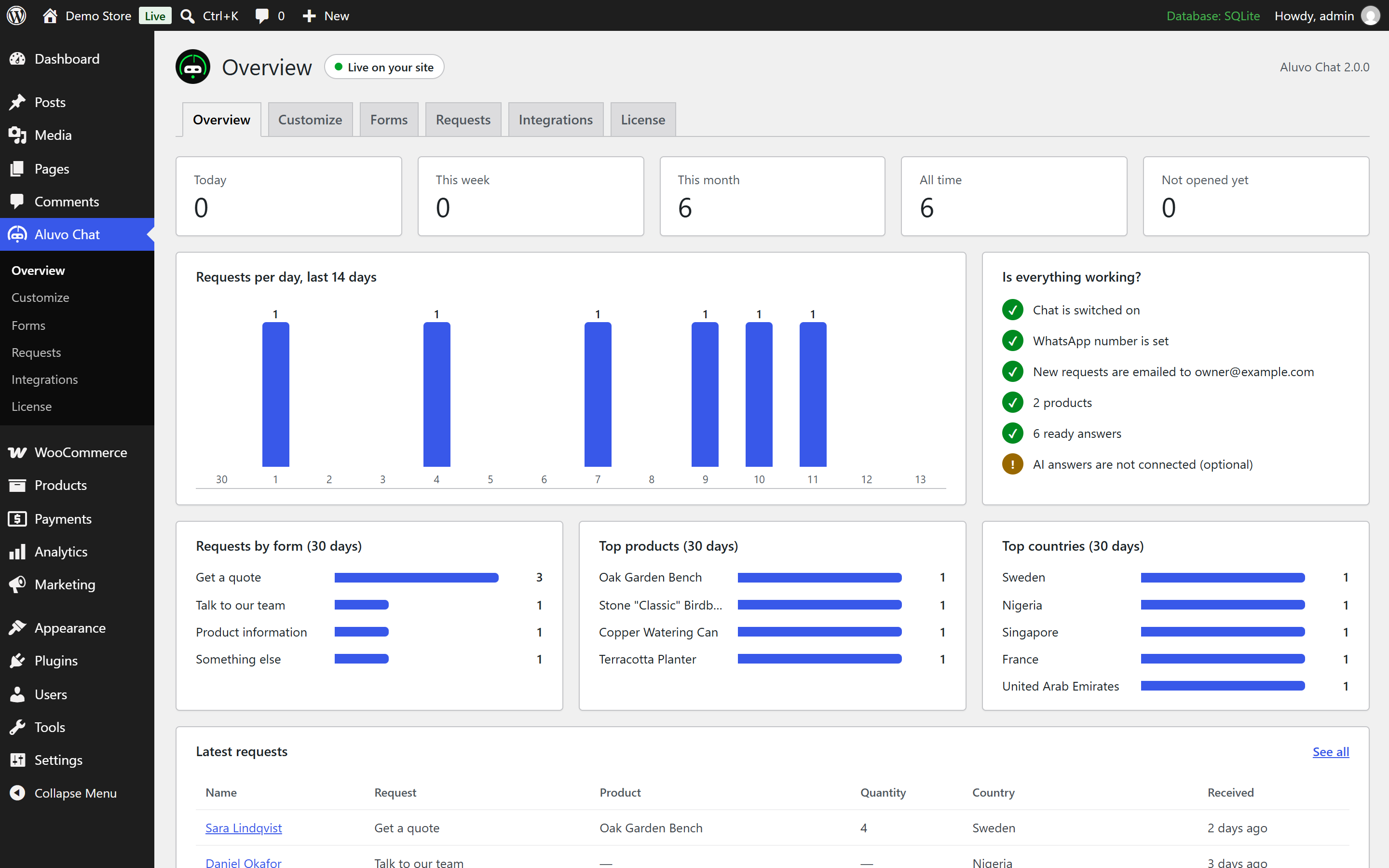
The overview.


