
Aneris Docsway Wordpress Plugin - Rating, Reviews, Demo & Download
Plugin Description
Most documentation plugins ask you to move your content into their own post type. Docsway works the other way round: put your existing pages into sections, and Docsway builds a complete docs site around them. Your pages, addresses and page builder layouts stay exactly as they are.
Set up takes about five minutes with the setup wizard.
A complete docs site in one click
- Docs layout: doc pages get a sidebar menu, an “On this page” contents column, breadcrumbs and previous and next links, inside your theme’s header and footer or with a clean docs bar of its own.
- Sidebar menu built from your sections, with sections inside sections, drag-and-drop ordering, the current page highlighted and a mobile menu.
- Search home for your docs start page: a large search box, up to six quick search buttons and topic cards with icons.
- Seven ready-made styles: Follow my theme, Modern, Minimalist, Classic, Light, Dark, and Auto light and dark with a switch for readers. Pick any accent colour.
- Page extras: last updated date, reading time, copy links on headings, copy buttons on code blocks and “Was this page helpful?” buttons.
Smart search that answers questions
Docsway search reads your docs section by section, so it can point readers to the exact part of a page that answers them.
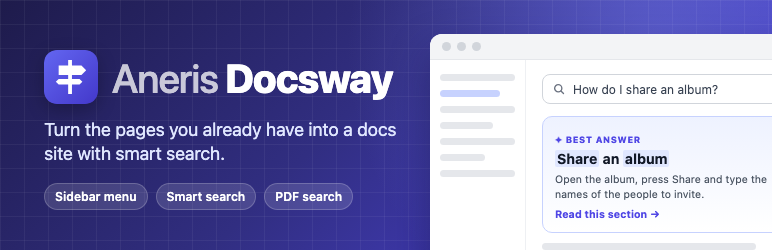
- Best answer: the section that answers the search is shown on top with a short summary and a link straight to it, followed by other pages that cover the same thing.
- Understands questions: “How do I share an album?” searches for share and album.
- Other forms of a word: “installing” finds “install” and “installation”.
- Fixes typing mistakes: “dokcer” finds “docker”, and says so.
- Instant results as readers type, from anywhere with Ctrl+K or Cmd+K.
- Highlights on arrival: the page a reader opens highlights their search words and the matching section.
- Only your docs are searched, never blog posts or shop pages.
- Runs entirely on your site: no index to build, no outside service, nothing to set up.
Learn what readers need
- Search insights: the most popular searches and, more usefully, the searches that found nothing.
- Page feedback: answers to “Was this page helpful?”, least helpful pages first.
Works with your site
- Classic themes, block themes and Divi.
- Blocks for the block editor, Divi modules and shortcodes for everything else.
- Use pages, posts or any custom post type, and Docsway’s own sections or a taxonomy you already have.
- Page builder content, including Divi 5, is read as text for search and the table of contents.
- Built-in tutorials on every screen.
Docsway Pro
Docsway Pro is a separate add-on for teams whose docs go beyond web pages. It keeps everything in the free plugin and adds:
- Search inside documents: put PDF, Word, PowerPoint, Excel, OpenDocument and text files from the Media Library into your doc sections. Docs search finds words inside them, and the menu lists them with a file type label.
- Synonyms: teach search your readers’ own words, for example “pic” for “photo”.
- Topic filters: readers narrow results to one section, with a count for each.
More is on the way: multiple docs sets, private docs for chosen roles, a fuller Search insights with exports, and native Divi 5 modules. Docsway Pro is coming soon.
Screenshots

Your pages become a documentation site: sidebar menu, table of contents, breadcrumbs, reading time and previous and next links.

A search home for your docs with quick searches and topic cards.

Smart search answers questions: the best section on top with a short summary and other pages that cover it. Topic filters above the results are part of Docsway Pro.

Instant results as you type, from anywhere with Ctrl+K or Cmd+K.

Readers land on the exact section, with their search words highlighted.

Docsway Pro: search inside PDF, Word, PowerPoint and Excel files. Documents sit in your sections with a file type label.

Seven ready-made styles, including Dark and Auto light and dark with a reader switch.

Classic, Minimalist, Light or your own theme’s look, with any accent colour.

Works on phones: the menu folds away and search stays one tap away.

A five-minute setup wizard picks your pages, sections, layout and style.

Drag and drop to order the menu. Sections can nest four levels deep.

Pick a ready-made style and accent colour in Settings.

Search insights show what readers look for and which searches found nothing.

Docsway Pro: add a PDF or Word file to the docs by ticking its sections in the Media Library.


