
Appinio Chat Wordpress Plugin - Rating, Reviews, Demo & Download

Plugin Description
Appinio Chat adds a customizable AI assistant widget (<app-in-chat> web component) to every page of your WordPress site. The widget answers visitor questions, recommends products, and can be fully themed to match your brand.
The plugin is a thin integration layer: all AI, indexing, and chat logic runs on the Appinio cloud service. You need an Appinio account and a Web Channel ID to use it.
Features
- Floating chat widget — light or dark theme, bottom-left or bottom-right position.
- Full visual customization — title, subtitle, logo, accent color, and 8 CSS color variables + body/heading fonts.
- Multilingual — auto-detects language via Polylang, WPML, or the WordPress locale.
- Translatable strings (title, subtitle, price prefix) via Polylang String Translation or WPML.
- Loads as a deferred ES module from the Appinio CDN — zero performance impact on your site.
Requirements
- WordPress 6.3+
- PHP 8.1+
- An active Appinio account — sign up at app-in.io.
External services
This plugin relies on the Appinio cloud service to provide the AI chat functionality. It is not self-hosted.
What is sent and when:
- On every front-end page load, the plugin outputs a
<script>tag that loads the Appinio chat widget JavaScript fromhttps://cdn.app-in.io/v1/chat.js. The visitor’s browser fetches this file directly from Appinio’s CDN. Appinio receives standard HTTP request metadata (IP address, user agent, referrer). - When a visitor opens the chat and sends a message, the widget sends the message text, the configured Web Channel ID (Site ID), and the session identifier to Appinio’s API (
https://api.app-in.io). Appinio processes the message with an LLM and returns a response. - No data is sent to Appinio from the WordPress admin — configuration is stored locally in the site’s options table.
Terms and privacy:
- Terms of Service: https://app-in.io/terms
- Privacy Policy: https://app-in.io/privacy
Using this plugin means the chat widget script runs in visitors’ browsers and end-user chat messages are transmitted to Appinio. Please update your own site’s privacy notice accordingly.
Support
- Bug reports and feature requests: github.com/app-in-io/appin-chat/issues
Screenshots
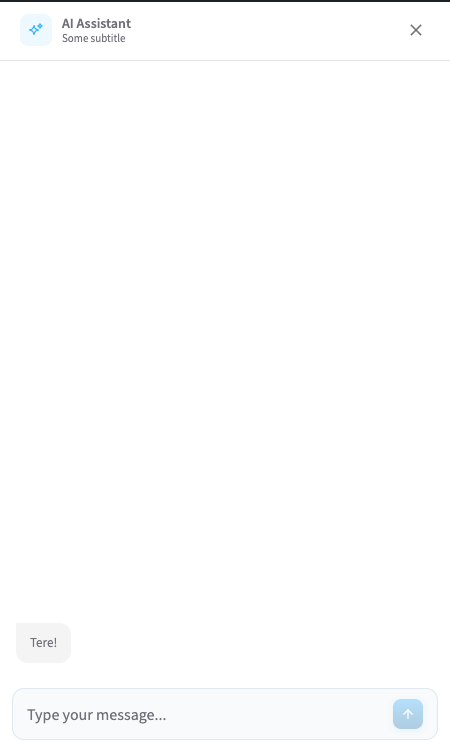
Chat widget open on the front end — header with logo, title, subtitle, and message input.
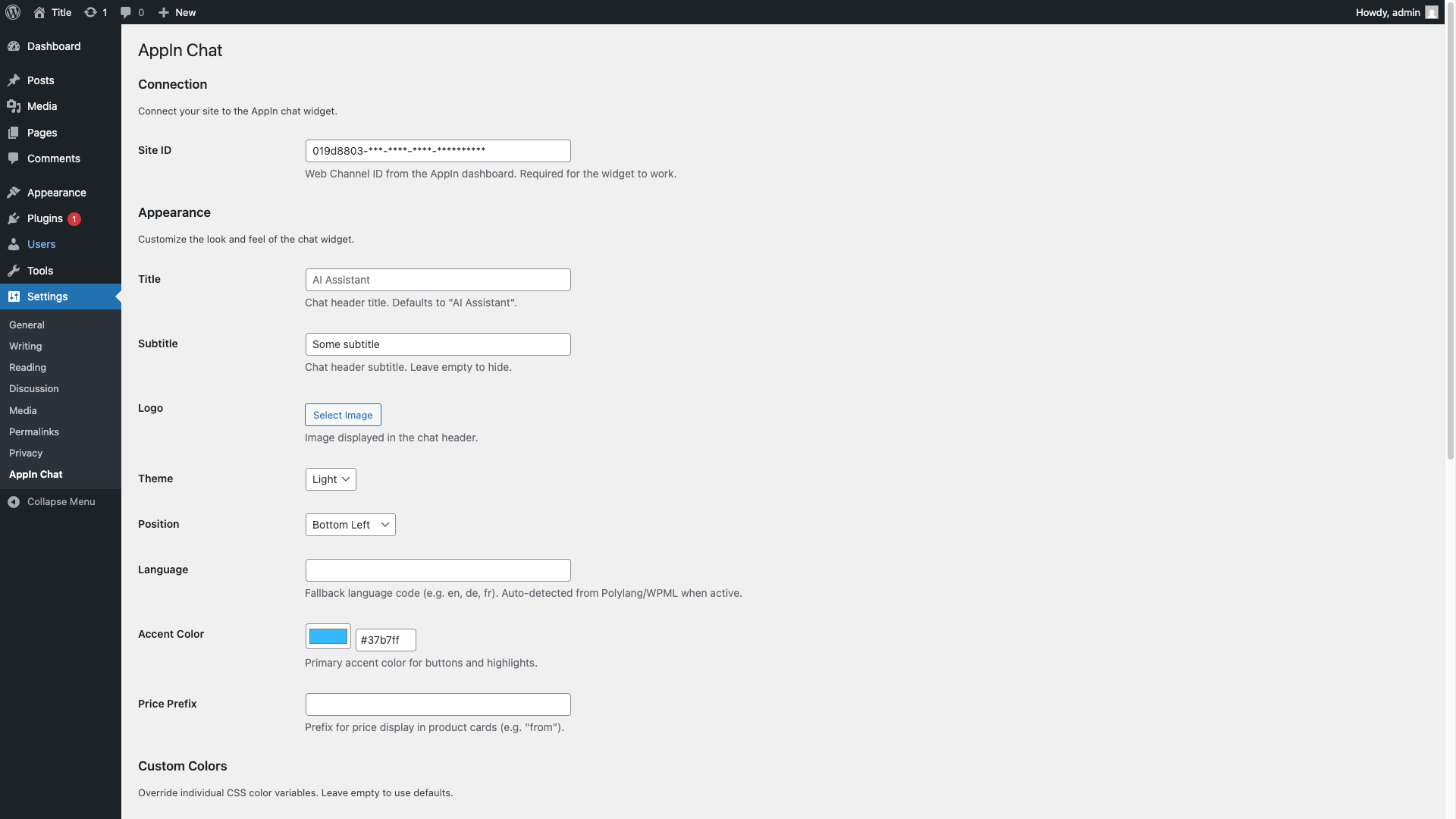
WordPress admin settings page — Site ID, appearance options (title, subtitle, logo, theme, position, language, accent color, price prefix).


