Asklet – Reader Feedback Surveys Wordpress Plugin - Rating, Reviews, Demo & Download

Plugin Description
Asklet adds a short survey to your posts, such as “Was this article helpful?”, a rating or a quick question, and shows you the results for each post.
You build the surveys in Asklet and decide which paths get which survey (for example /blog/** or /docs/getting-started/). The plugin adds the same widget to every post, and Asklet shows each reader the survey that matches the page they are on. To change the questions, you edit them in Asklet. Nothing changes in WordPress.
What the plugin does
- Shows the survey the way you choose, site-wide:
- Inline, after or before the content of your posts, pages or any public post type.
- Side panel: a Feedback tab on the right edge of the screen slides a panel in. You choose the tab’s label and colour.
- Slide-in: a card slides into the corner once the reader reaches the end of the post, never before.
- Lets each post or page choose its own display, or hide the survey, from the Asklet box in its sidebar.
- Gives you an Asklet survey block and an
[asklet]shortcode to place it by hand. - Fits the survey to its questions, so there is no empty box. Prefer a fixed size? Set a fixed height and a maximum width site-wide, or for one block or shortcode.
- Works for Authors and Contributors too. WordPress removes iframes they paste into posts, but the plugin outputs the widget itself.
- Works with block themes and classic themes, the block editor and the classic editor, and multisite.
- Suggests a paragraph for your privacy policy (Settings Privacy) and adds a Site Health check that tells you when the site key is missing.
Privacy
The widget sets no cookies, stores nothing on the reader’s device and uses no tracking identifiers or fingerprinting. Answers are anonymous and stored in Asklet, not in your WordPress database. The plugin adds no database tables. On pages that show the survey it adds one small script (no jQuery) that sizes the survey to its questions, so there is no empty box; the side panel and slide-in also add a small stylesheet, and load the widget only when the reader opens or reaches it.
You need an Asklet account. The Free plan is enough to start. The Asklet service shows a small “Powered by Asklet” credit inside the widget, under the survey; the Pro plan removes it. The plugin itself adds no links or credits to your site.
For developers
asklet_widget_htmlfilter: change the inline widget’s markup (an iframe; adivorspanwrapper is allowed). It also gets the widget’s size (fit,height,max_width,align).asklet_embed_base_urlfilter, or theASKLET_EMBED_BASE_URLconstant inwp-config.php: load the widget from another address, for example a staging app.- The per-post choice is the
_asklet_displaypost meta (after,before,panel,slideinorhidden), registered for the REST API.
External services
This plugin embeds the Asklet widget, a service run by Asklet (https://asklet.io). Without it the plugin shows nothing.
When a reader scrolls near the inline widget, opens the side panel or reaches the slide-in, their browser loads it in an iframe from https://asklet.io/embed/s/<your site key>?fit=1. That request sends the address of the post they are reading (so Asklet can pick the matching survey) and, as with any web request, their IP address and browser user agent. Asklet does not store the IP address or user agent, and does not link them to answers; it keeps only a short-lived, hourly-rotated hash of the network for rate limiting. When the reader answers, their answers are sent to Asklet. The widget tells your page only its own height, so the plugin can size the box; nothing else passes between the widget and your page.
The plugin itself sends nothing from your WordPress admin.
- Terms of service: https://asklet.io/terms/
- Privacy policy: https://asklet.io/privacy/
Screenshots
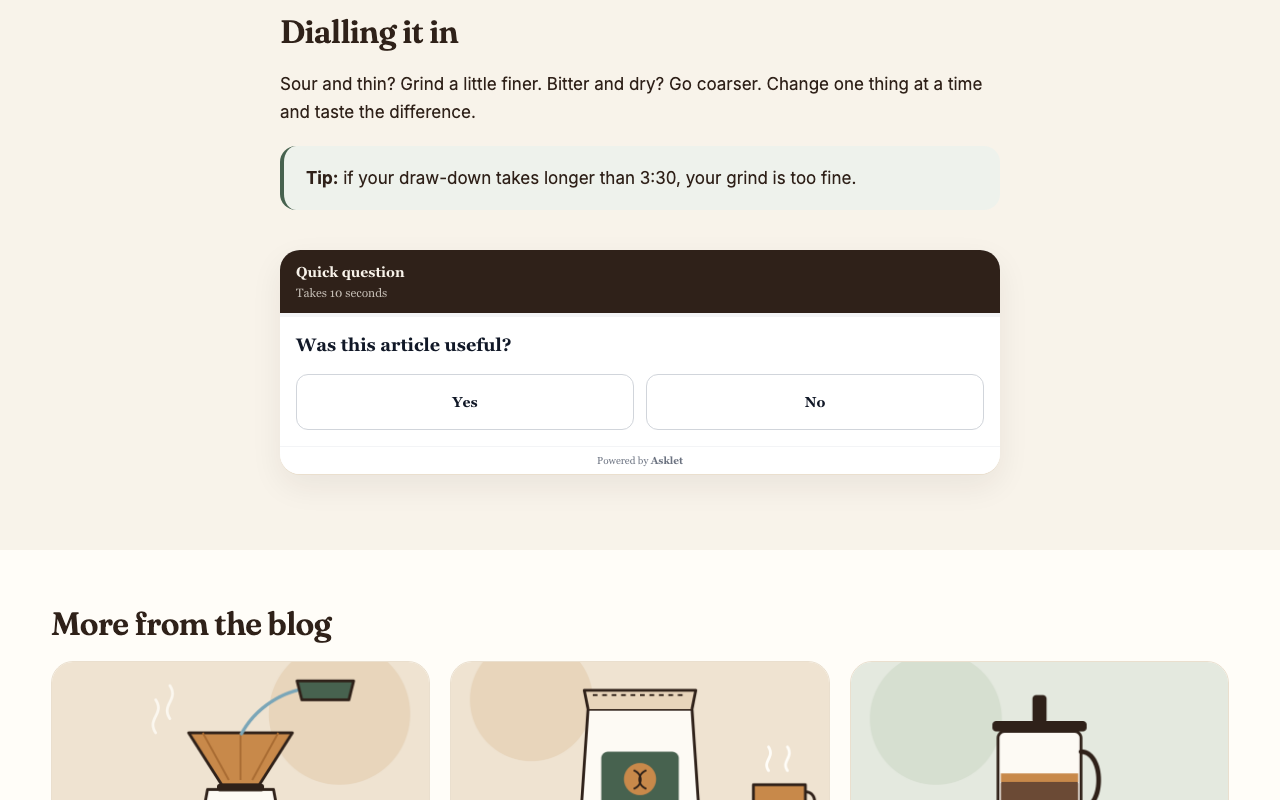
The survey after a blog post.
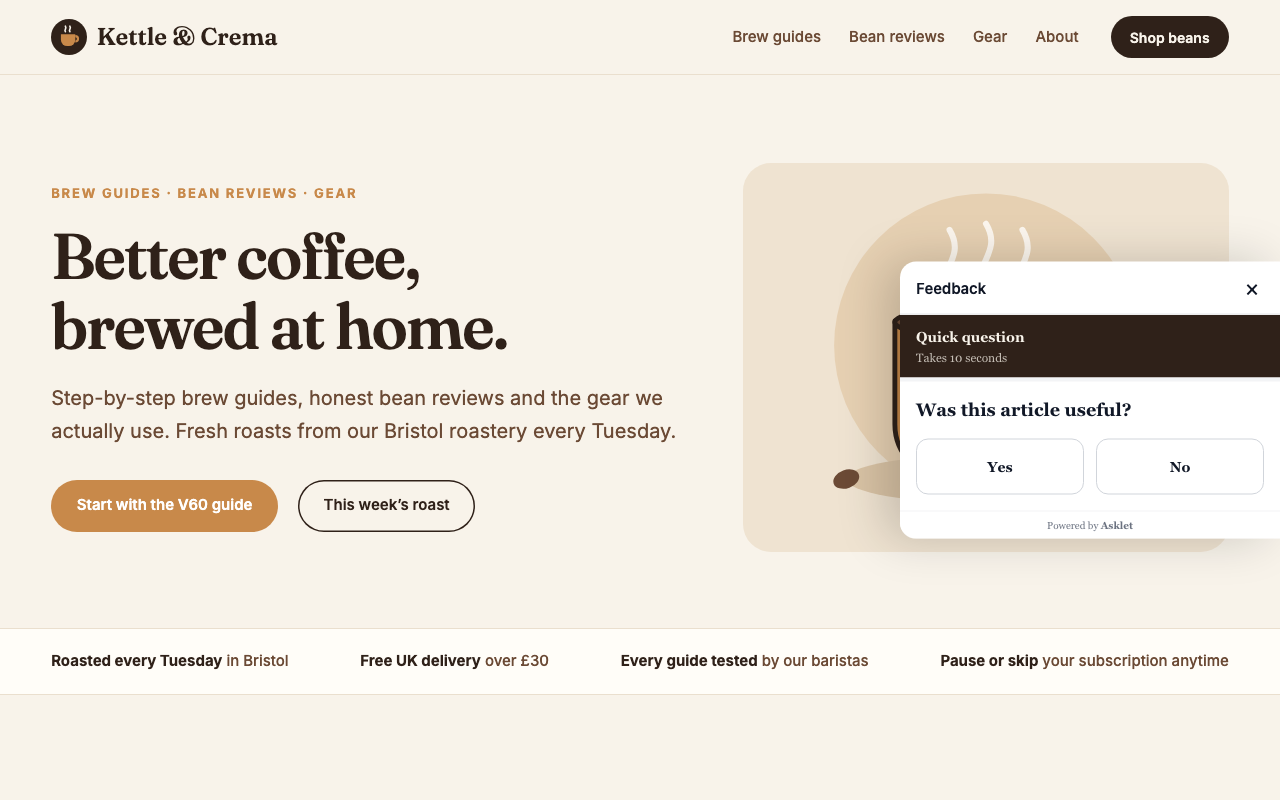
The side panel, opened from the Feedback tab.
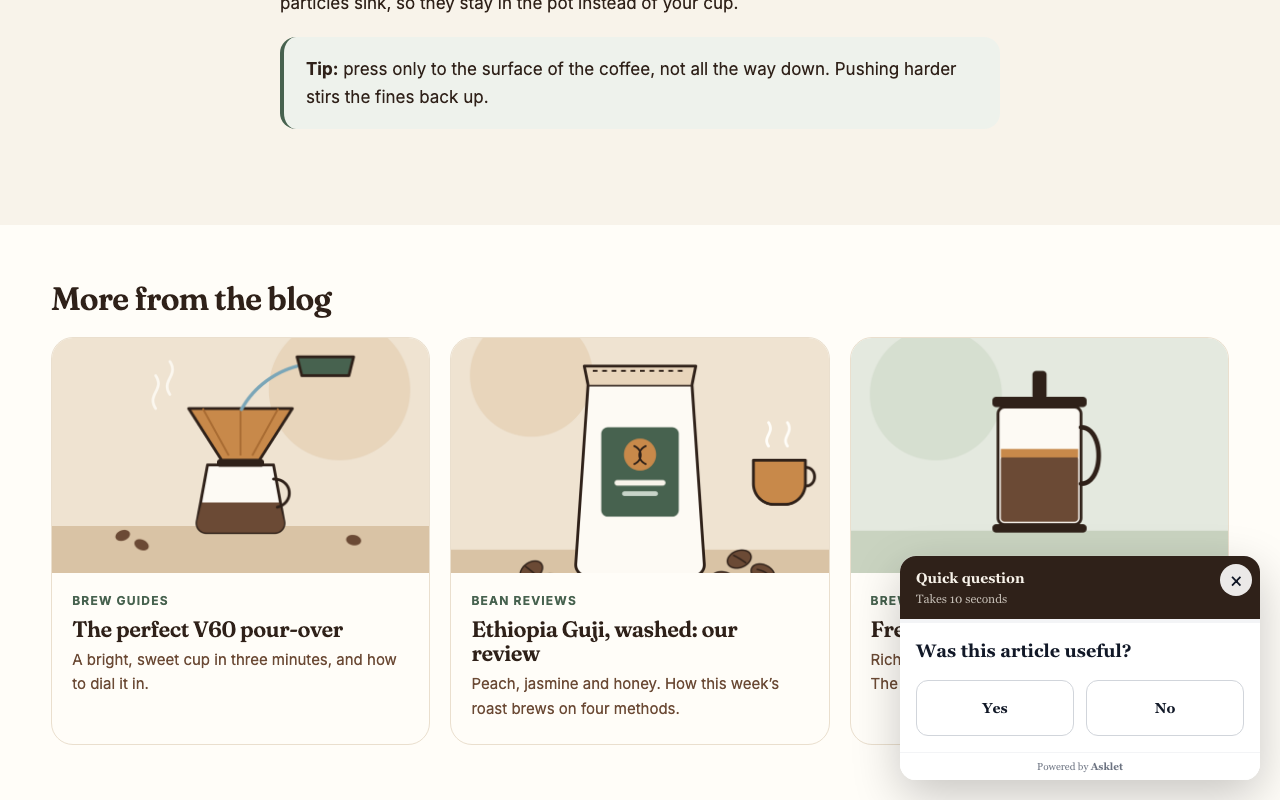
The slide-in card at the end of a post.
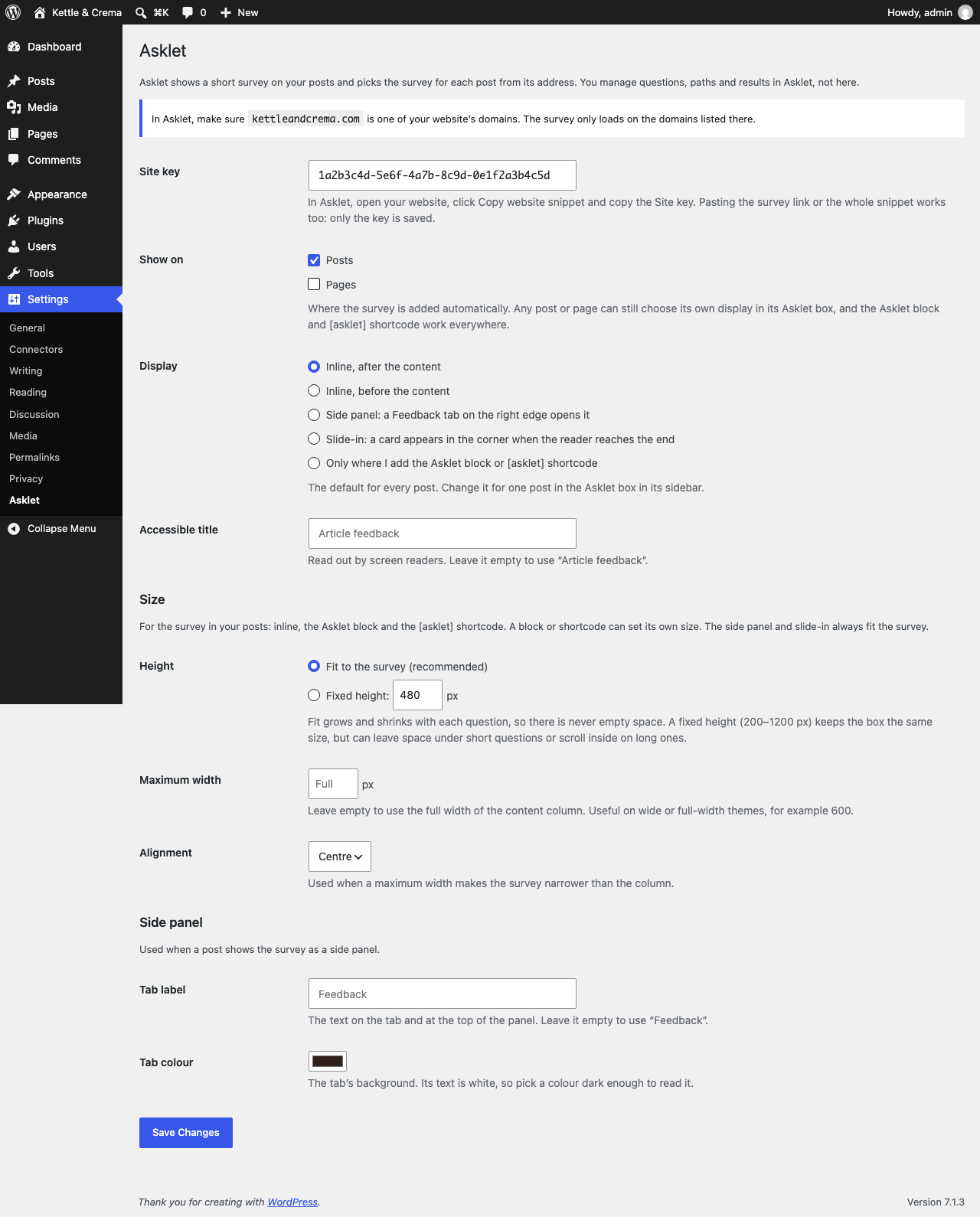
Settings → Asklet.

Choosing a display for one post.