
AskMyPages – AI Search & Chat Wordpress Plugin - Rating, Reviews, Demo & Download

Plugin Description
AskMyPages makes your WordPress site easier to search and lets visitors ask questions in plain language. Answers come only from your own published content, with links to the pages and PDF pages they came from.
Search that understands what people mean
Your theme’s existing search box and results page stay exactly as they are. AskMyPages decides which results show and in what order, matching meaning as well as exact words, so “help paying for a course” finds your education fund page. If the service is ever unavailable, WordPress search takes over automatically.
Answers from your content, with sources
A chat button appears on every page (on by default; turn it off any time). Visitors ask a question and get a short answer from your pages and PDFs, with numbered links to the sources. Follow-up questions work. If your content doesn’t cover something, the assistant says so instead of guessing. On the search results page, an answer card above the results turns the search into a short answer in one click, and follow-up questions continue in the chat.
PDFs included
Text PDFs in your Media Library become searchable too: agreements, handbooks, policies, menus. Answers link to the right page of the PDF.
Made for site owners, not developers
- No API keys to copy and no AI account to set up: click Connect, sign in with your email, done.
- A short Getting started checklist and a “Try it” box to test answers before visitors see them.
- The chat takes your theme’s colours, font and button shape, or a colour you choose.
- Change what the chat says: the button, the question box and its messages.
- Choose what goes into search: content types, categories to leave out, and a “Leave this out” box on each post, page and PDF.
- Choose who sees the chat: everyone, logged-in users, or chosen roles.
- Change what the chat says, give the assistant a name, greeting and suggested questions, and place the chat inside a page with a shortcode.
- A connection check, also in Tools Site Health, that spots hosting problems and explains the fix.
No surprise bills
Every plan has a monthly allowance of searches and AI answers, a limit on questions per visitor per day, and a spending cap. When the month’s answers are used, the chat pauses and search keeps working; you get an email at 80% and 100%.
Plans
Everything in the plugin works on every plan. The AskMyPages service’s Free plan covers one site with 500 items (posts, pages and up to 150 PDF pages), 1,000 searches and 100 AI answers a month. Paid plans of the service add more sites, items, searches and answers, indexing of custom post types such as WooCommerce products, a choice of answer tone, and answering only from chosen categories. See hookandplug.com/askmypages.
Your content is never used to train AI models.
External services
This plugin connects to the AskMyPages service operated by Hook & Plug (Shipalu LLC) at https://api.hookandplug.com and https://app.hookandplug.com. Terms of use: https://hookandplug.com/terms. Privacy policy: https://hookandplug.com/privacy.
- When you click Connect, your browser opens app.hookandplug.com with your site’s address, name and the site’s public key, so you can sign in and approve the connection.
- After connecting, the plugin sends the published, public posts and pages you choose (title, address, text, category names) to api.hookandplug.com in signed requests, and checks daily that the service has the latest version. Each request includes the plugin’s version number.
- If PDFs are included (AskMyPages Content), the plugin uploads each PDF from your Media Library. The service reads its text and does not keep the file.
- The service uses OpenAI to understand searches, write answers and check questions and answers for harmful content. Your content and visitors’ questions are sent to OpenAI for those purposes only; they are not used to train AI models.
- If you turn on chat, visitors’ browsers send the questions they type in the chat to api.hookandplug.com, using your site’s public key. On the search results page, the visitor’s search is sent the same way when they click the answer card’s button (or straight away, if you turn on answering question-like searches on a paid plan). Nothing is sent until a visitor asks. A conversation is kept for 30 minutes so follow-up questions work, then deleted. To apply the daily question limit, the service keeps a one-way hash of the visitor’s network address for one day; the address itself is not stored. The plugin sets no cookies; the chat remembers the conversation in the browser tab (session storage).
- When a visitor uses your site’s search box, their search terms are sent to api.hookandplug.com to fetch results. No visitor names, accounts or cookies are sent by the plugin; the service sees the request coming from your web server. You can turn the search upgrade off in AskMyPages Search.
- The connection check (AskMyPages Connection and Tools Site Health) contacts api.hookandplug.com to confirm it can be reached.
- Nothing is sent before you click Connect, and nothing is sent after you disconnect.
Screenshots
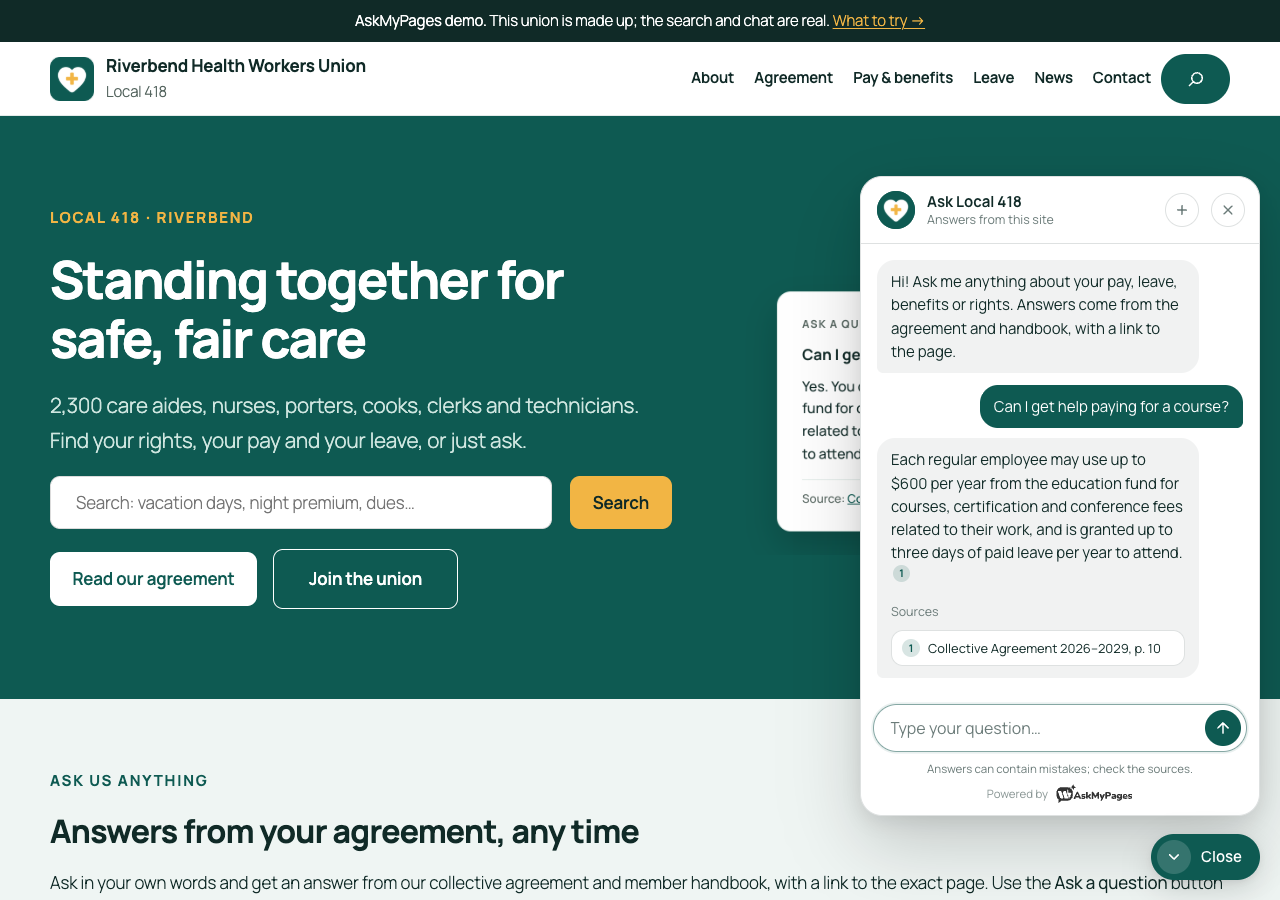
Visitors ask a question and get a short answer from your content, with links to the sources.
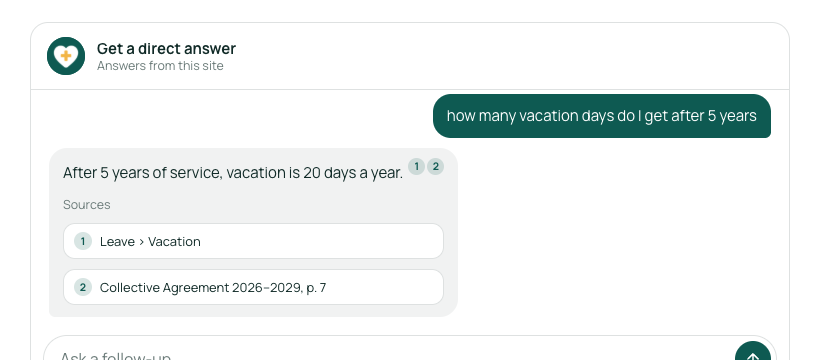
The answer card on the search results page turns a search into an answer.
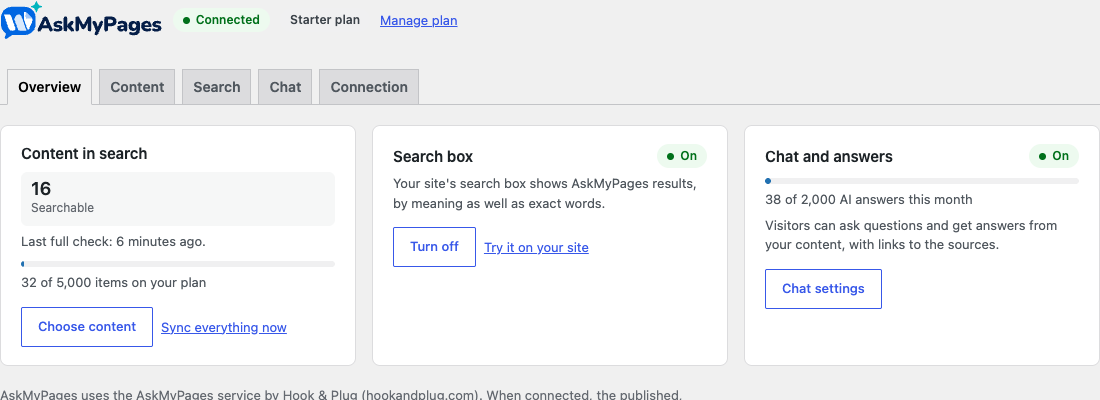
The Overview: content, search and chat at a glance (a Getting started checklist shows until setup is done).
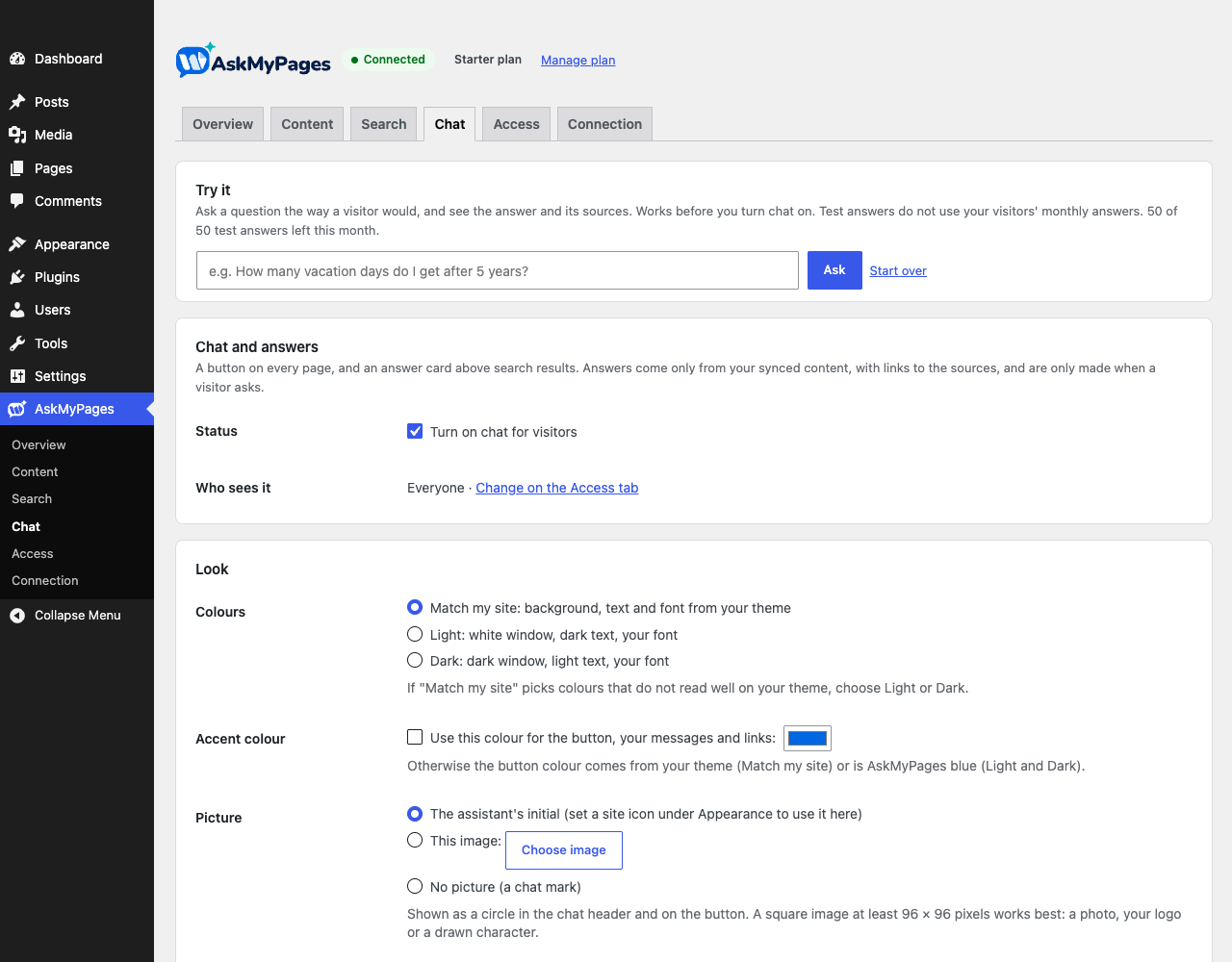
Chat settings: who sees it, colours, and “Try it” for test questions.
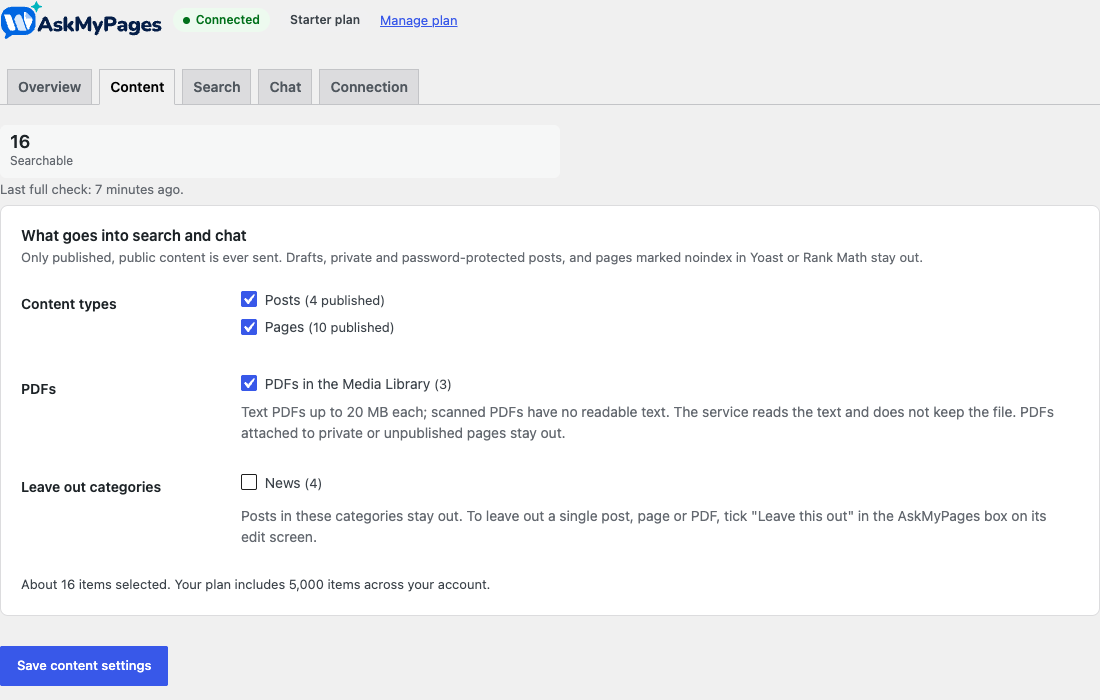
Choose what goes into search: content types, PDFs and categories.
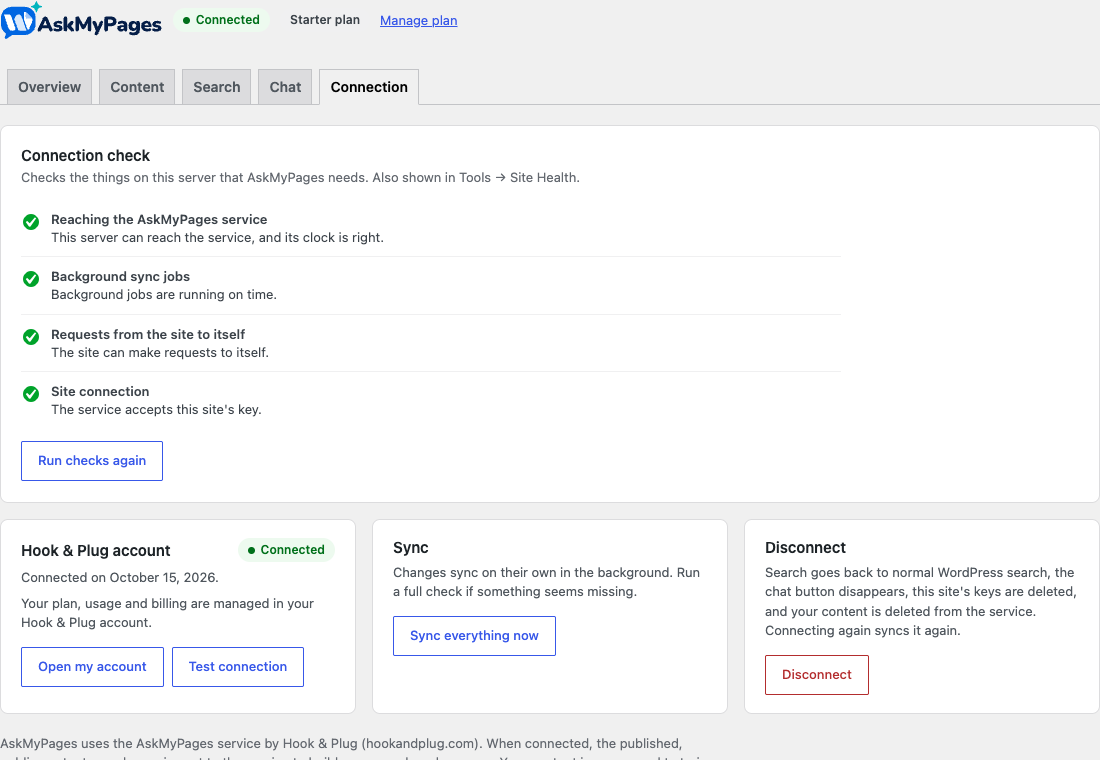
The connection check explains hosting problems in plain words.


