
Askshelf Wordpress Plugin - Rating, Reviews, Demo & Download
Plugin Description
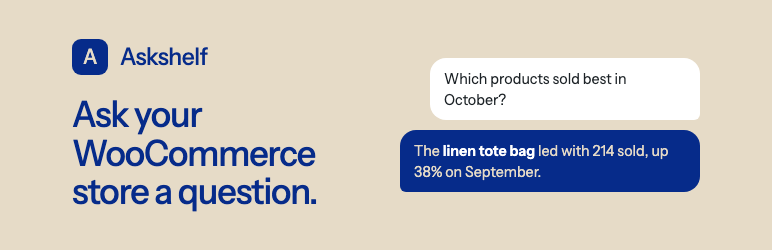
Askshelf adds an Askshelf menu to your WordPress admin (below WooCommerce) where you type a question, such as “Which products sold best in October, compared with September?”, and get a short answer with the numbers behind it.
- Answers come from WooCommerce Analytics, so they count the same order statuses, take refunds out and use your store’s time zone.
- Each answer shows which lookups it made and a chart where one helps.
- Askshelf only reads. It has no way to change your store.
- Customer names, emails, phone numbers and addresses are never read or sent (sales by country read only the country). Askshelf declines questions about individual people.
- Your questions and answers are saved in your store’s own database, per user.
- Works with HPOS (order tables) and the older posts storage.
- Free to use, with 10 questions a month on the free plan. Paid plans with more questions are available on askshelf.in.
What it can look up:
- Sales totals and trends for any date range, with comparisons
- Best-selling products
- Profit and margin, in total and per product, from WooCommerce’s Cost of Goods Sold feature
- Sales by category, country, weekday, hour of day or payment method
- Products about to run out, from stock and recent sales
- Stock that isn’t selling, and what all your stock is worth
- Orders by channel, from WooCommerce order attribution
- New and returning customers, repeat purchase rate and lifetime spend (counts only)
- Customers who stopped buying (counts only)
- Coupon results
- Today’s orders, read live
Free, with no questions used and no AI:
- A store snapshot at the top of the Askshelf page and on the WordPress Dashboard: net sales, orders and average order for the last 7 days against the 7 before, today so far, gross profit when product costs are on, what runs out in the next 14 days, stock with no sales in 60 days, and what your stock is worth. It works before you connect an Askshelf account.
- An optional weekly email of the snapshot every Monday morning, sent by your own site.
External services
Askshelf uses the Askshelf service, run by the plugin’s author, to answer questions with an AI model. The store snapshot, the Dashboard widget and the weekly email are worked out on your server and never contact the service. The service is hosted on Supabase at https://uxyidbkbijinwziqwcjt.supabase.co, and accounts are managed on https://askshelf.in. The plugin does not contact the service until a store manager clicks “Start free” or “Use my askshelf.in account”.
When you click Start free, the store sends the service its home URL, the WordPress, WooCommerce and Askshelf version numbers, and a one-time challenge. To confirm the request came from your site, the service then makes one request back to your store’s REST API (askshelf/v1/connect-proof), which answers only for that challenge, once, within ten minutes. The service returns a site ID and a secret, which are stored in your database and never shown in the browser. No account or email address is needed.
If you click “Use my askshelf.in account” instead, you are taken to askshelf.in to sign in to your account and approve the connection, then brought back, and the store sends the same facts. The account then holds your email address and plan.
Plans: Plans in the Askshelf top bar opens a checkout run by Dodo Payments (https://dodopayments.com), the merchant of record, which asks for your email address and payment details on its own page and returns you to your admin. “Invoices, card and cancelling” opens Dodo’s customer portal. The plugin never sees payment details. Dodo Payments terms: https://dodopayments.com/legal/terms-of-use, privacy policy: https://dodopayments.com/legal/privacy-policy
Disconnecting or deleting the plugin tells the service, so the store’s secret stops working. It does not cancel a paid plan; cancel it from “Invoices, card and cancelling” first. Reinstalling and clicking Start free on the same address restores the plan and this month’s count.
When you ask a question, your browser sends the service:
- your question, and the earlier questions and answers in the same conversation;
- the results of the read-only lookups the AI asked for (for example totals, product names and order numbers, never customer names or contact details);
- your store’s date, time zone, currency and locale;
- a short-lived token signed by your store.
The service forwards these to an AI model through OpenRouter (https://openrouter.ai), restricted to providers that do not store or train on the data, and streams the answer back. The service does not store questions, answers or store data. For each connected store it keeps the site ID, home URL and version numbers. For a store or account on a paid plan it keeps the billing customer and subscription IDs, and an account also keeps its email address. It also keeps how many questions were asked each month and how many AI tokens they used.
Questions that contain an email address or phone number are refused in your browser and never sent.
The service counts questions per store to apply your plan’s monthly limit. It also keeps a salted hash of the connecting server’s IP address for two days, to limit how many free stores one server can connect.
- Askshelf service terms of use: https://askshelf.in/terms/
- Askshelf service privacy policy: https://askshelf.in/privacy/
- OpenRouter terms of service: https://openrouter.ai/terms
- OpenRouter privacy policy: https://openrouter.ai/privacy
Privacy
Askshelf adds no cookies and no tracking. See “External services” above for what is sent when you ask a question. Uninstalling the plugin tells the service the store is disconnecting, then deletes its settings, the connection, the weekly email schedule and all saved conversations.
Custom queries (off by default, in Askshelf settings) let the AI write a read-only database query for questions no built-in lookup answers. You see each query and choose whether to run it. It can only read sales, product, stock, coupon and category tables, never customer names, emails, phones or addresses, and runs in a read-only transaction with a five-second limit.
Screenshots

A question answered on the Askshelf page.

The chart and the lookups behind an answer.

What Askshelf may read.


