Astricode Ads Manager Wordpress Plugin - Rating, Reviews, Demo & Download

Plugin Description
Astricode Ads Manager helps WordPress publishers and website owners manage their own banner advertising campaigns without leaving the WordPress dashboard.
Create campaigns, organize advertising placements, track performance and generate PDF reports for advertisers.
Advertising campaign management
- Create and manage banner advertising campaigns.
- Schedule campaigns with start and end dates.
- Upload separate desktop and mobile creatives.
- Assign campaigns to advertising placements.
- Rotate eligible campaigns using configurable weights.
- Configure placement widths for responsive banners.
Ad placement and automatic insertion
- Create advertising placements for different areas of a website.
- Display banners using the
[astradma_banner]shortcode. - Add banners to Elementor templates using a Shortcode widget.
- Optionally insert up to three ad slots into individual posts.
- Choose insertion positions by paragraph number.
- Keep automatic ad insertion disabled until you enable it.
Advertising statistics and PDF reports
- Track visible banner impressions and advertising clicks.
- Review aggregated daily statistics and performance metrics.
- Generate PDF campaign reports.
- Customize reports with the publisher’s own branding.
Who is Astricode Ads Manager for?
The plugin is designed for WordPress website owners and publishers who sell and manage advertising space directly, including digital publications and content websites.
It brings campaign management, banner placement, performance tracking and advertiser reporting into one WordPress plugin.
Privacy
The plugin stores campaign information in the WordPress database. This may include advertiser names, email addresses and internal notes entered by administrators.
Impression and click statistics are stored as aggregated daily totals.
The plugin does not create its own tracking cookies or intentionally store visitor IP addresses in its campaign statistics tables.
Banner selection and impression recording use requests to the website’s own WordPress endpoints. When a visitor clicks an advertising banner, the plugin records a click and redirects the visitor to the destination configured by the website administrator.
Impression tokens are stored as hashes to prevent duplicate counting. Expired token records are subject to scheduled cleanup.
WordPress and hosting infrastructure may process request metadata, including IP addresses, in server or security logs. Other plugins and services may process additional data independently.
Website administrators are responsible for describing their advertising practices and applicable data processing in their own privacy notices.
Screenshots
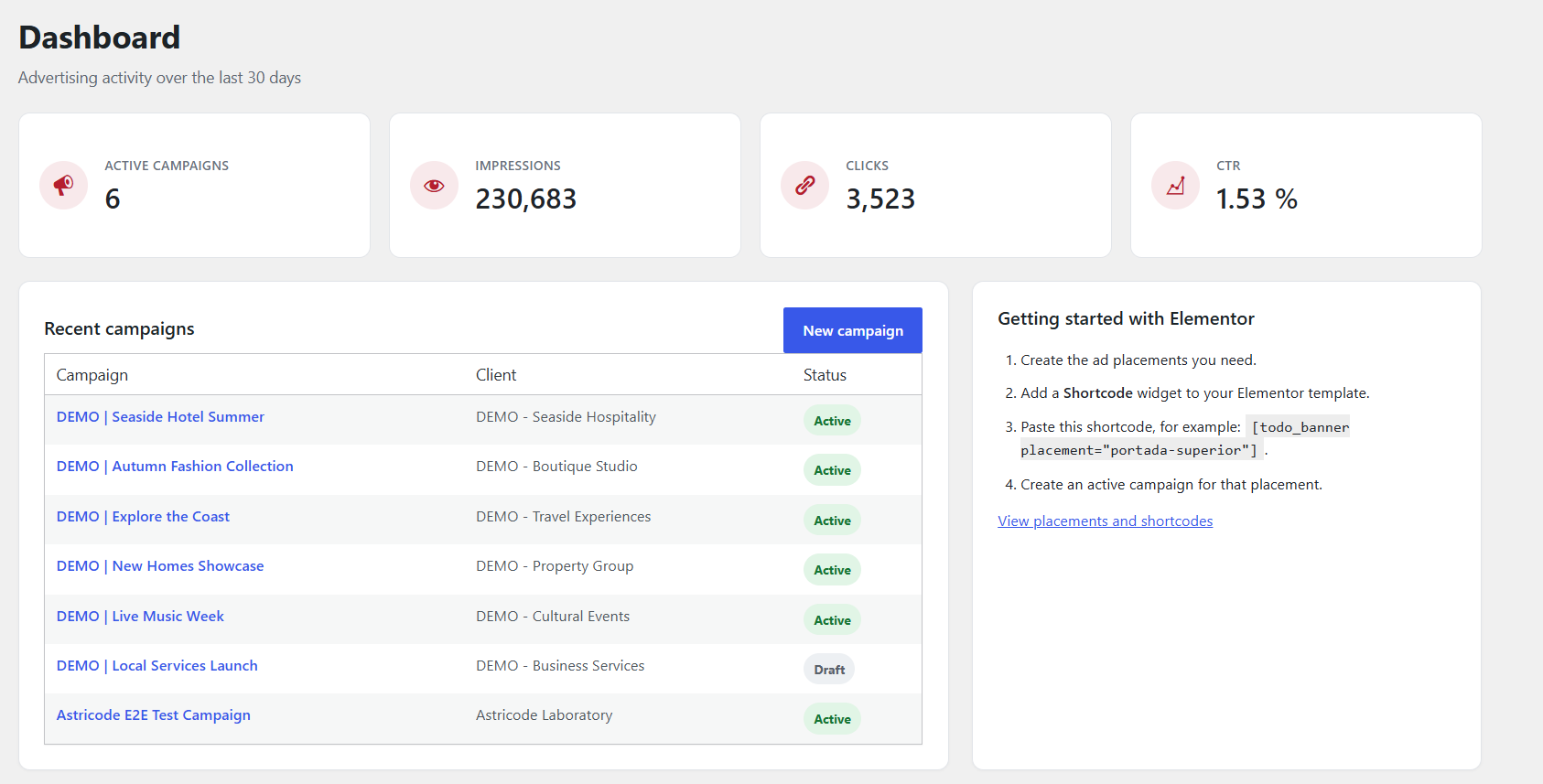
Dashboard with an overview of active campaigns, impressions, clicks and click-through rate. Demonstration data.

Campaign reports with performance metrics, delivery goals, charts and PDF export. Demonstration data.

Campaign management with advertising placements, campaign status and advertiser details. Demonstration data.

Optional automatic ad insertion with configurable placements and paragraph positions.

Advertising placement management with shortcode examples and responsive width settings.

Publisher branding settings for customized advertising reports.