
Auditra Wordpress Plugin - Rating, Reviews, Demo & Download

Plugin Description
Auditra turns a WordPress site into a read-only MCP server. Enable the endpoint, generate a token, paste the URL into your client’s connector settings, and you have nine tools against the live site.
The tools
list_plugins— inventory with versions, update status, and health flags (has_vulnerability,closed_on_wporg,not_updated_2y/4y,untested_current_wp,no_wporg_record,single_file,mu_plugin,dropin). Paginated, compact rows by default.check_vulnerabilities— published CVEs matched against the versions actually installed, with CVSS as published, affected ranges, and fixed-in versions. Version matches only; a slug appearing in an advisory database is not a finding.get_site_overview— WordPress, PHP, and database versions with support status, plus object cache, debug state, memory limits, cron state, and plugin counts.analyze_autoload— autoloaded option weight attributed per plugin, largest options, and an explicit unattributed bucket.analyze_cron— scheduled events per plugin plus orphaned hooks with no registered callback.analyze_database— non-core tables with sizes and owners, orphaned tables listed separately.analyze_usage— registered shortcodes, blocks, post types, and taxonomies with real occurrence counts in content.get_plugin_details— everything above for up to five named plugins, composed in one call.get_capabilities— machine-readable description of what the server answers, every flag’s exact threshold, and what it refuses to measure.
Design constraints worth knowing before you wire it up
Facts, never verdicts. No scores, no grades, no recommendation strings — judgment belongs to the model reading the output, which means analysis improves without a plugin update.
Honest degradation. Every response carries _meta with sources_unavailable, and partial results carry a coverage object naming the slugs that went unchecked. A check that did not run returns null with a stated reason, never 0. Enrichment failures back off progressively (15 min 24 h) rather than hammering free community APIs.
Attribution confidence is always reported: high (curated slug-to-prefix map), medium (prefix derived from the slug), or visibly unattributed. Heuristics are never presented as facts.
Response size is bounded. Compact rows by default, detail: true capped at 10 rows, get_plugin_details capped at 5 slugs, free text truncated at 200 characters — a full estate stays inside a usable context window.
Not measured, and it says so instead of inventing numbers: per-plugin runtime cost, front-end asset weight. And it performs no write operation of any kind.
Enrichment comes from api.wordpress.org and wpvulnerability.net; both keyless, both cached, both optional. Support lifecycle dates for PHP, MySQL and MariaDB ship with the plugin, compiled from each vendor’s published policy, so no third service is contacted for them. A firewalled site still gets a complete inventory with the enrichment fields absent and the missing sources named.
The endpoint, stated plainly
Auditra exposes information about your site over an authenticated HTTP endpoint. You should understand exactly what that means before enabling it:
- On install, the endpoint is disabled and inert. It answers 404 to everything until an administrator explicitly enables it and generates an access token. A fresh install exposes nothing.
- When enabled, anyone holding the token URL can read: your plugin list with names, versions, and health flags; WordPress, PHP, and database versions; vulnerability findings matched to your installed versions; autoloaded option names and sizes; cron hook names and schedules; database table names, sizes, and approximate row counts; and shortcode/block usage counts. Treat the connection URL like a password.
- It never exposes: post content, user accounts or emails, comments, credentials, salts, or option values — only option names and byte sizes.
- It is structurally read-only. The codebase contains no plugin-management, database-write, or file-write calls, and our continuous integration fails the build if any is ever introduced. The endpoint cannot change anything on your site, and neither can an AI connected through it.
- Revocation is one click. Regenerating the token on the settings page invalidates every existing connection immediately. Disabling the toggle returns the endpoint to 404.
- The endpoint is rate-limited (60 requests per minute per IP by default) and failed authentication attempts are logged for your review on the settings page.
External services
To enrich its answers, Auditra contacts two public services. In every case the only data transmitted is plugin slugs and version strings. No site content, no URLs (beyond the API hosts), no user data, and no personal data ever leave your site. Both degrade silently: if a service is unreachable, the affected fields are absent and the response says which source was unavailable.
Support lifecycle dates for PHP, MySQL and MariaDB are not fetched from anywhere. They ship inside the plugin, compiled from each vendor’s own published policy, so no external service is involved in reporting them.
1. WordPress.org Plugin API (https://api.wordpress.org/)
What it is: the official plugin directory API, run by WordPress.org, which serves the public listing data for plugins hosted there.
What is sent: plugin slugs, one request per installed plugin. Separately, a request carrying no parameters at all fetches the public list of WordPress releases. Nothing else — no site URL, no version of your site, no identifiers.
When it is sent: only while answering a list_plugins, get_site_overview, or get_plugin_details call from your MCP client. Never on a page load, never on a schedule. Cached 24 hours, so repeat questions send nothing.
What comes back: last-updated dates, tested-up-to versions, active install counts, ratings, support activity, and the security status WordPress.org publishes for each release (latest, outdated, or insecure).
Terms of service: https://central.wordpress.org/tos/
Privacy policy: https://wordpress.org/about/privacy/
2. WPVulnerability (https://www.wpvulnerability.net/)
What it is: a free, volunteer-run database of published WordPress security advisories, operated from Spain by the maintainer of robotstxt.es.
What is sent: plugin slugs, one request per installed plugin, plus your WordPress core version string on the core lookup. Nothing else.
When it is sent: only while answering a check_vulnerabilities, list_plugins, or get_plugin_details call from your MCP client. Never on a page load, never on a schedule. Cached 12 hours, and up to 72 hours when the service is unreachable.
What comes back: published vulnerability records with CVE identifiers, CVSS scores, affected version ranges, and supply-chain audit verdicts.
Terms and legal notice: https://www.robotstxt.es/legal/
Privacy policy: https://www.wpvulnerability.com/privacy/
Supporting the data sources
WPVulnerability is a free, volunteer-run service that this plugin (and the whole WordPress security ecosystem) depends on. If Auditra is useful to you, consider supporting them: https://www.wpvulnerability.com/sponsorship/
Screenshots
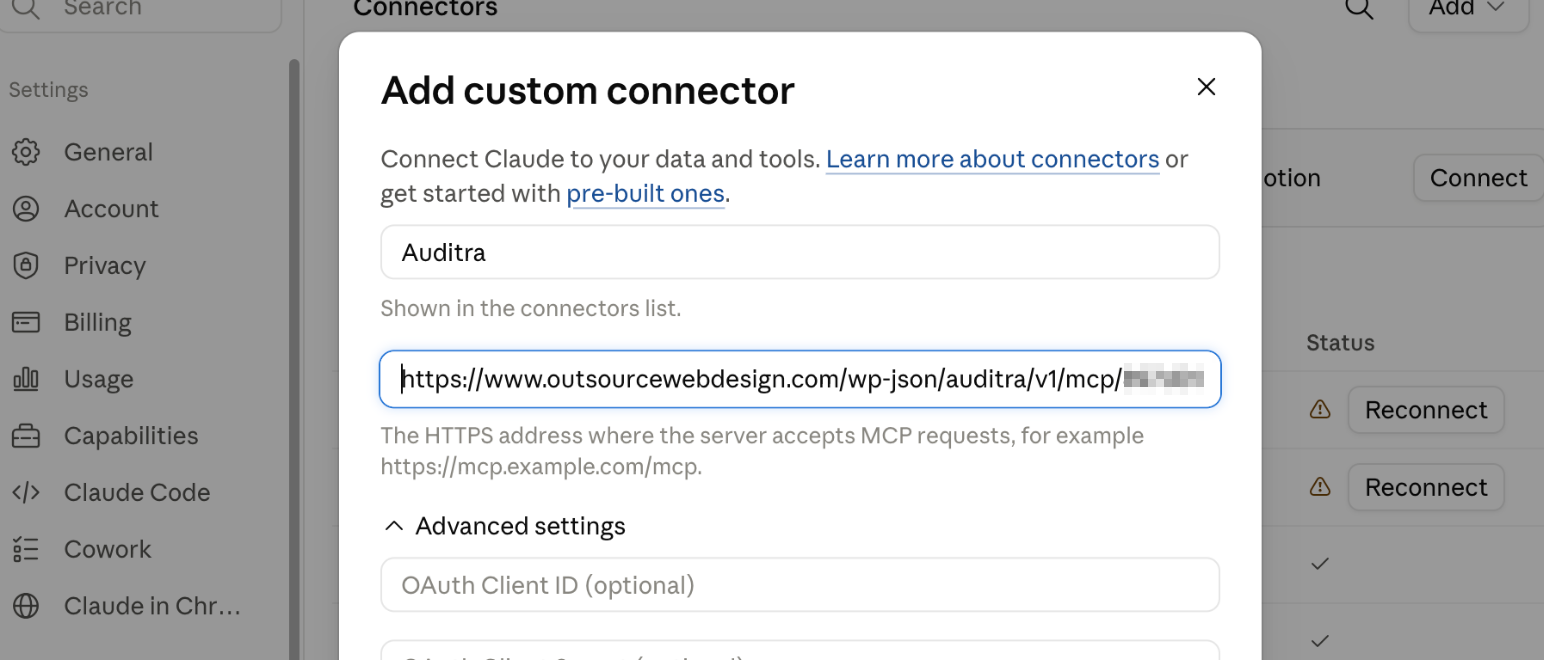
Adding Auditra to an AI client: paste the connection URL into a custom connector. No OAuth and no API key — the token in the URL is the credential.
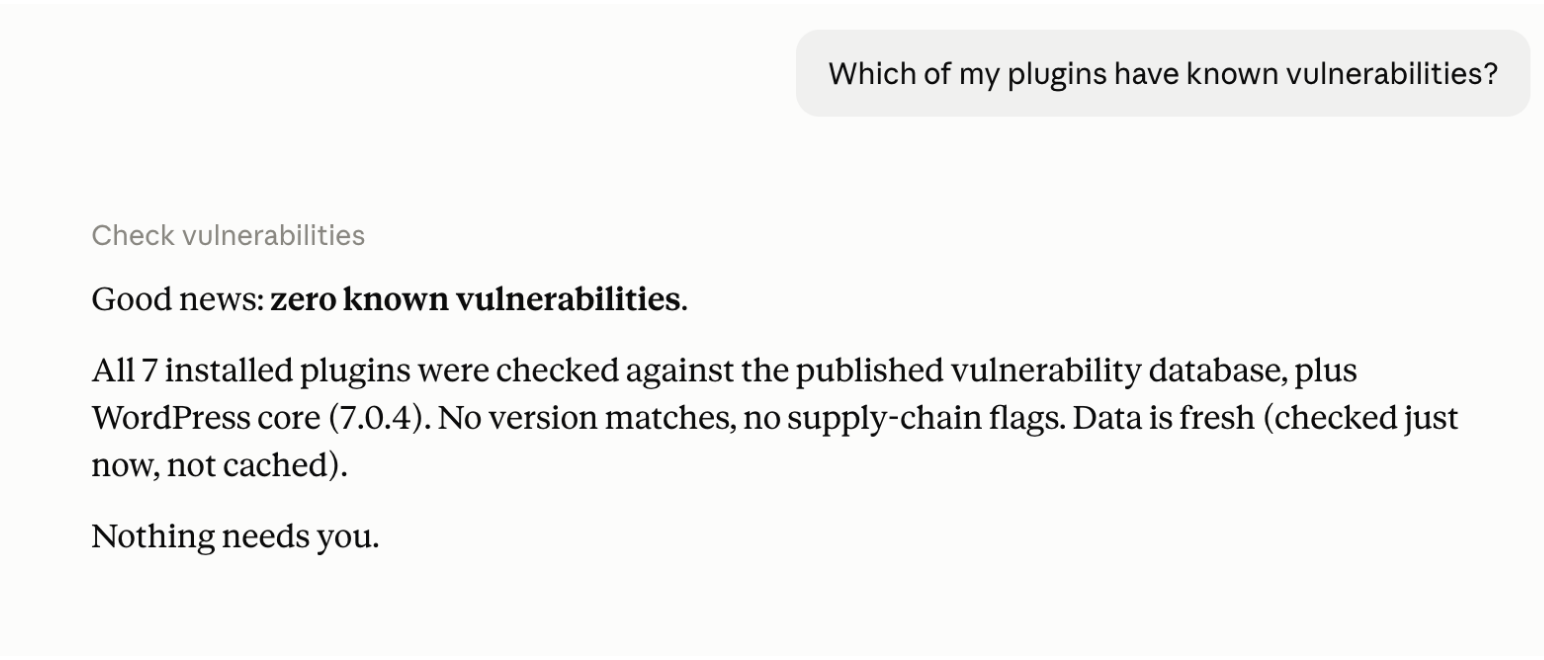
Asking about vulnerabilities. Every installed plugin is checked against published advisories, and the answer states its own coverage — a clean result explains how it was reached rather than just reporting nothing found.
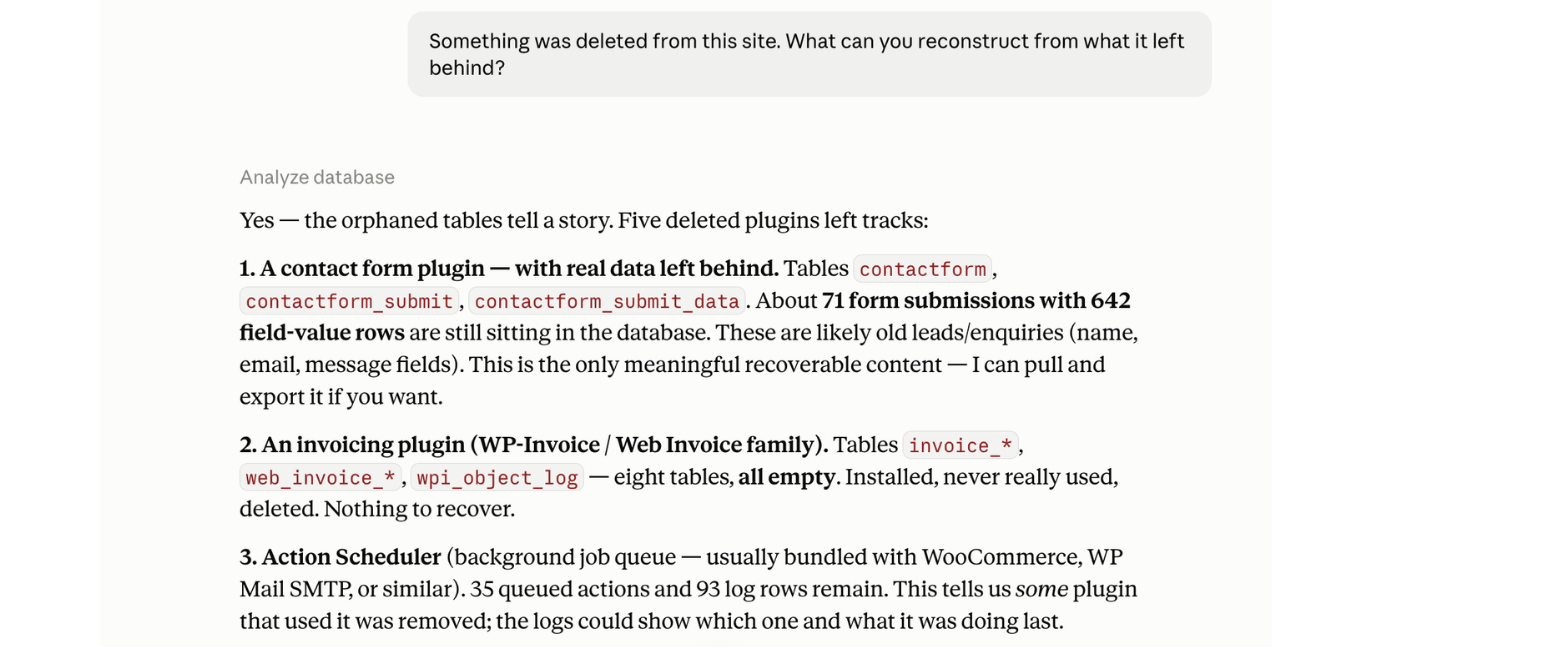
Reconstructing what was deleted from a site: orphaned tables, stranded rows, and leftover scheduled jobs, attributed to the plugins that left them behind.


