
Automura For Gravity Forms – Webhooks & REST API For Automation Wordpress Plugin - Rating, Reviews, Demo & Download

Plugin Description
Automura for Gravity Forms adds webhooks and a REST API to Gravity Forms, so every form submission can trigger an automation in n8n, Make, Zapier, or any other platform that accepts an HTTP request. It is built for WordPress developers and agencies who need a reliable, self-hosted way to move Gravity Forms data out of WordPress without paying for a third-party connector or relying on a separate paid add-on.
Why use a webhook plugin for Gravity Forms
Gravity Forms does not include a free, built-in way to send form data to an outside app the moment it is submitted. Without it, you are stuck copying entries by hand, paying for a connector service, or writing custom code. Automura for Gravity Forms gives every WordPress site a direct, configurable webhook and REST API layer for Gravity Forms, at no cost.
Key features
- Unlimited webhooks: set up one webhook for a single form, or one webhook that covers multiple forms
- Trigger on new submission, entry updated, entry deleted, entry trashed, entry marked as spam, entry restored, payment status change, or a note added to an entry
- Choose how each webhook authenticates: no authentication, a custom header (covers bearer tokens), Basic Auth with a username and password, or an HMAC signature the receiving app can verify
- Send instantly or in the background, so a slow automation endpoint never slows down a visitor’s form submission
- Automatic retries with a delivery log, so a failed delivery is retried and never silently lost
- Delivery log shows a plain-language reason for every failure, with resend, clone, and a payload preview before you save
- A secure REST API to list forms, read fields, read or search entries, submit a new entry, update an entry, or delete an entry
- API keys with scopes, optional expiry, usage tracking, and a built-in “how to connect” guide with ready-made n8n, Make, Zapier, cURL, PHP and Node examples for every key
- Choose exactly which REST endpoints are turned on, per site
- Works with n8n, Make, Zapier, Pabbly, or any platform or custom endpoint that accepts a webhook
- A guided setup wizard walks you through your first webhook in under five minutes, no code required
- 100% free and open source under the GPLv2 license, with no tracking and no data sent anywhere except the destinations you configure
How it works
- Create a webhook for a Gravity Forms form from the setup wizard or the Webhooks screen.
- Choose which event should trigger it, and paste the webhook URL from n8n, Make, Zapier, or your own endpoint.
- Send a test submission and check the Delivery Logs screen to confirm it arrived.
- From there, your automation platform takes over: update a CRM, post to Slack, add a row to a spreadsheet, or anything else it can do.
Who this plugin is for
Automura for Gravity Forms is built for WordPress developers and agencies managing client automations, marketers running workflows in n8n, Make, or Zapier, and anyone who wants Gravity Forms entries flowing into a CRM, spreadsheet, email tool, or chat app without paying for a middleman connector service.
External services
This plugin sends form data only to the webhook URLs and API clients that you, the site owner, configure. It does not send data to the plugin author or to any third party. The REST API only responds to requests you authorize with an API key you create. Outgoing webhook requests are sent at the moment a Gravity Forms event occurs, carrying only the entry and form data you choose to include in that webhook’s payload settings.
Disclaimer
Automura for Gravity Forms is an independent plugin and is not affiliated with, endorsed by, or sponsored by Gravity Forms / Rocketgenius, n8n, Make, or Zapier. Gravity Forms is a separate, commercial plugin and is not included — you need an active Gravity Forms installation for this plugin to do anything.
Screenshots
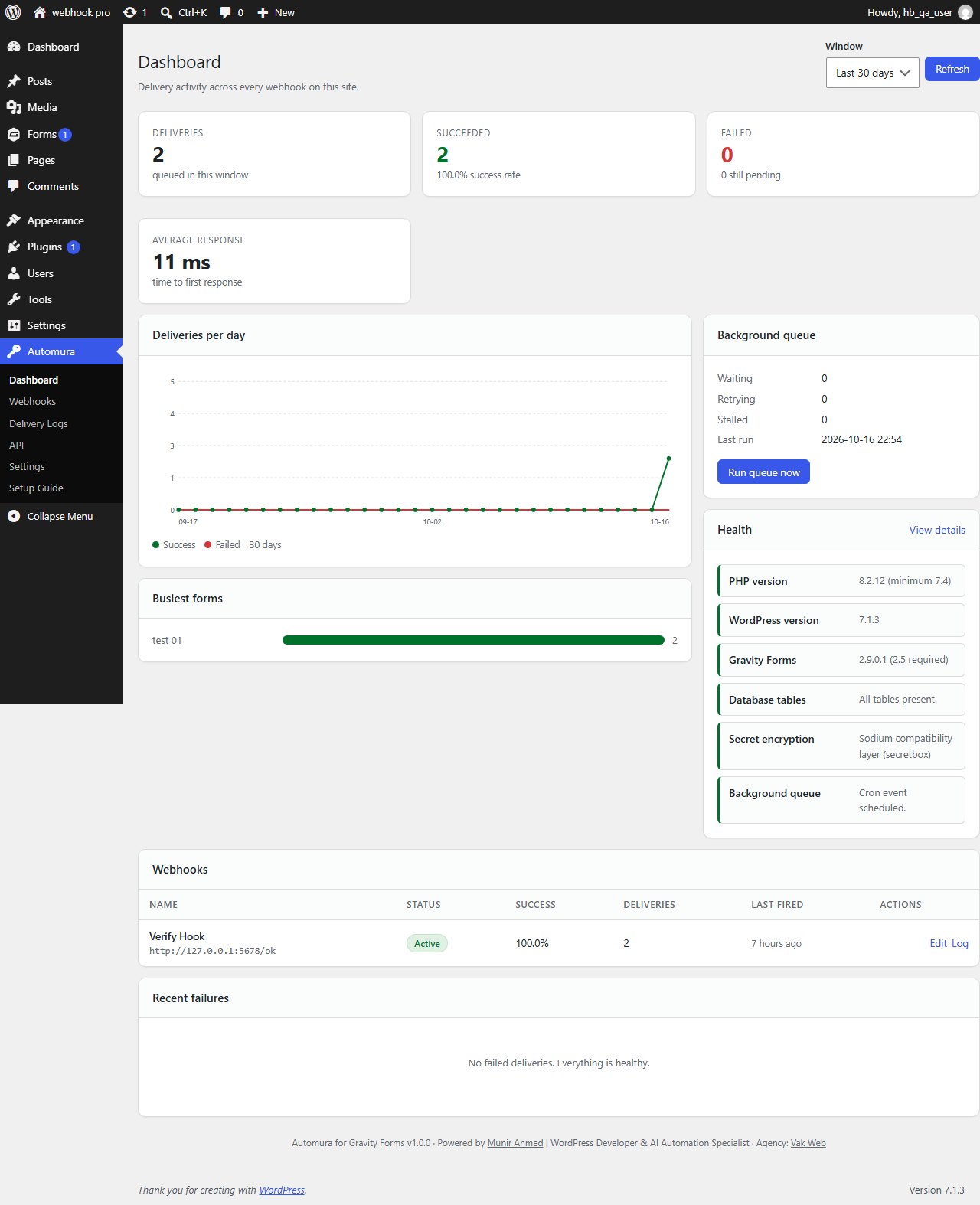
Dashboard — track webhook delivery success and failure, with charts by day and by form.
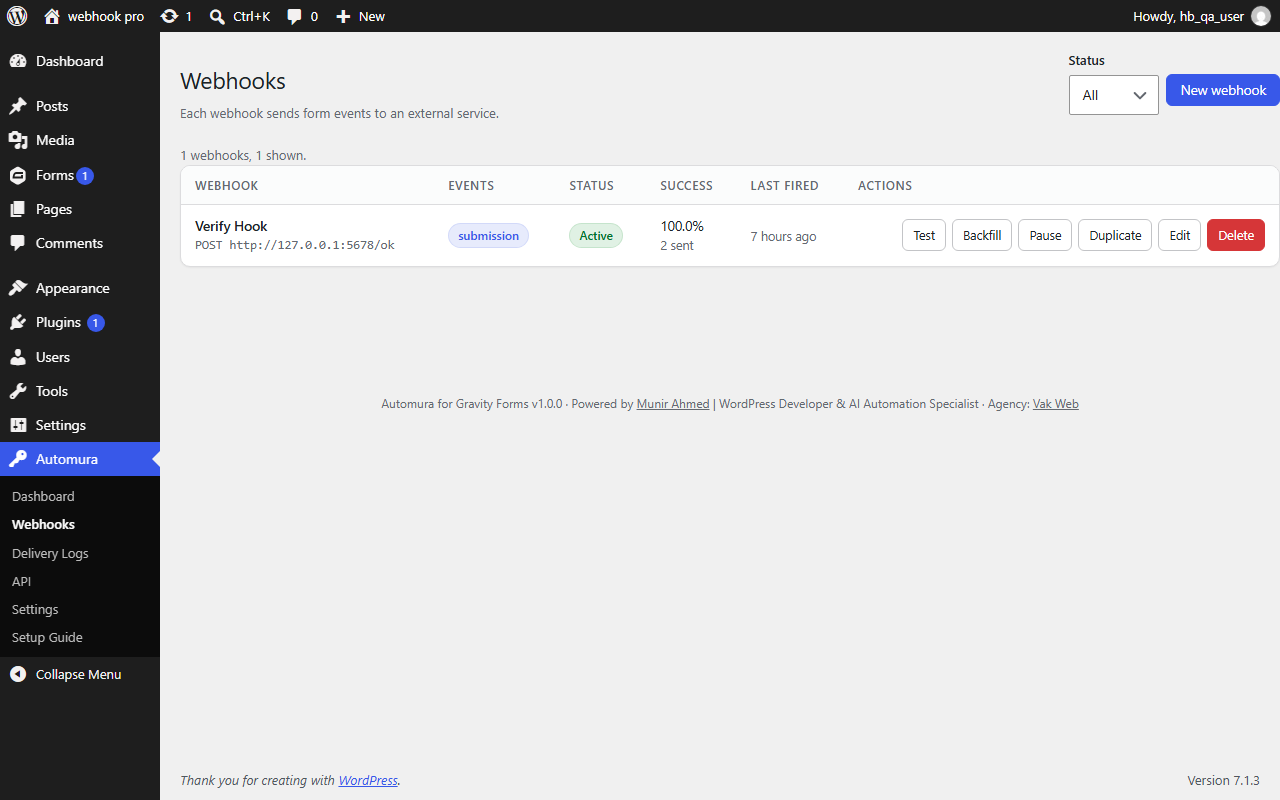
Webhooks list — see every webhook for your Gravity Forms forms, with status and success rate at a glance.
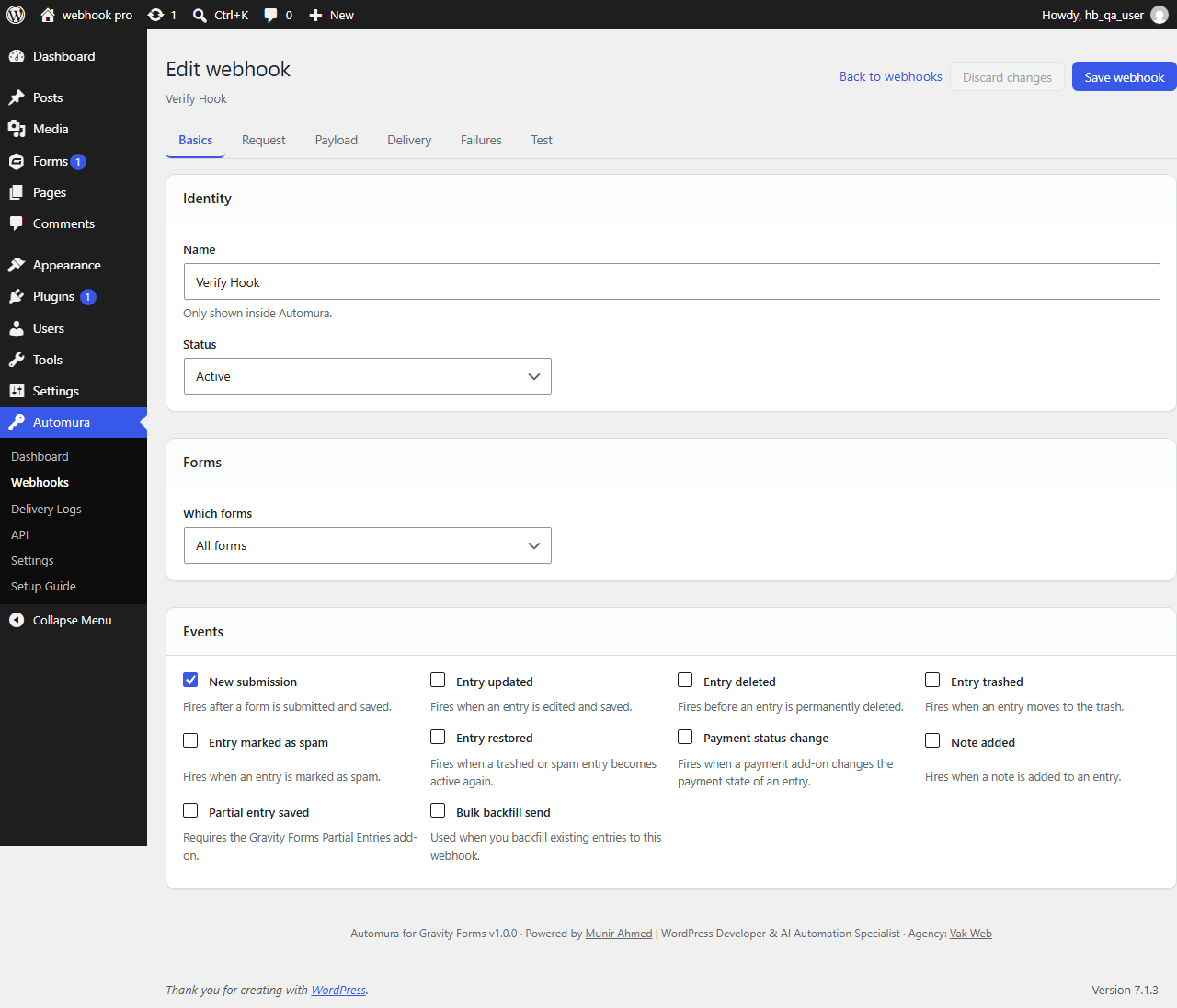
Webhook editor — configure the trigger event, authentication method, and payload options for a webhook.

Delivery logs — review every webhook delivery with a plain-language reason for any failure.

API keys — create a scoped API key and see exactly how to connect it to n8n, Make, Zapier, or your own code.

API docs and examples — ready-made cURL, n8n, Make, Zapier, PHP, and Node snippets built from your own site’s REST API.
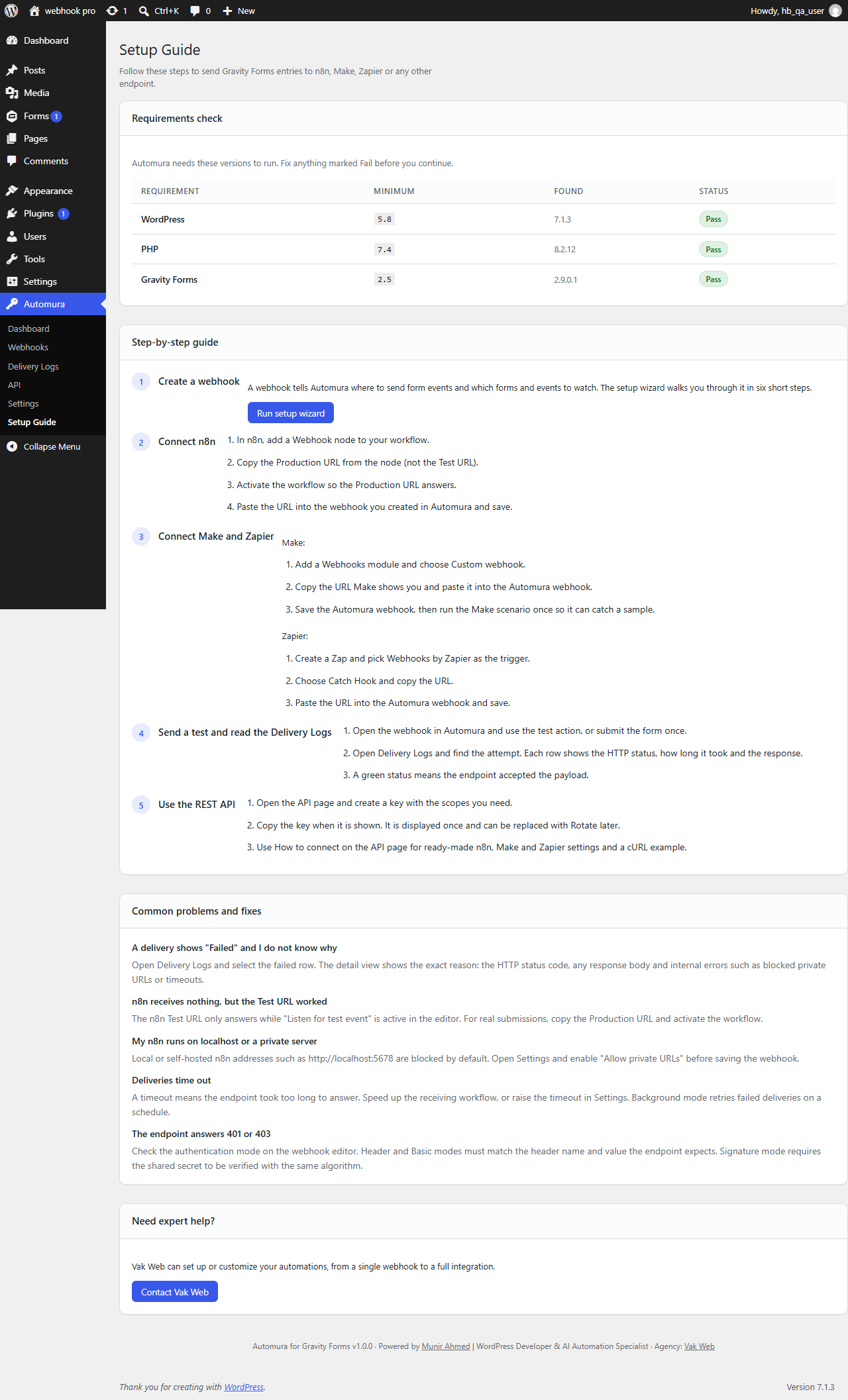
Setup guide — a step-by-step guide to connecting your first webhook and using the REST API.


