
AutoPhotos For WooCommerce Wordpress Plugin - Rating, Reviews, Demo & Download

Plugin Description
AutoPhotos for WooCommerce is a lightweight bridge between your WooCommerce
store and your AutoPhotos.ai account.
Normally, connecting a store to AutoPhotos means going to WooCommerce ->
Settings -> Advanced -> REST API, generating a key by hand, and pasting it
into the AutoPhotos panel. This plugin does that step for you: generate a
one-time pairing code on your AutoPhotos account, paste it into this
plugin’s settings page, and your store is connected — no manual key
creation.
All photo processing still happens in your AutoPhotos panel at
autophotos.ai/integrations/woocommerce/,
billed against your normal AutoPhotos credit balance. This plugin does not
process any images itself and does not add anything to your storefront —
it only manages the connection.
What this plugin does
- Generates a WooCommerce REST API key (read/write) for your store.
- Sends that key, together with your pairing code, to AutoPhotos.ai so your
account and your store are linked. - Lets you disconnect at any time from the plugin’s settings page, which
revokes the key it created.
What this plugin does NOT do
- It does not upload, store, or process any product images itself.
- It does not modify your products, theme, or storefront.
- It does not communicate with AutoPhotos.ai except during the one-time
connect/disconnect action.
External services
This plugin connects to AutoPhotos.ai, the service that performs the actual
product photo processing (background removal, drop shadow, color
correction, and more) and that this plugin acts as a connection bridge for.
It sends data to AutoPhotos.ai only once, when you click “Connect” on the
plugin’s settings page: your store’s URL and the WooCommerce REST API key
(consumer key and secret) the plugin just generated for your store,
together with the one-time pairing code you pasted in. This links your
store to your AutoPhotos.ai account so the AutoPhotos panel can read your
product photos and write processed results back to your product gallery.
No data is sent automatically or on a schedule — only when you initiate the
connect action.
This service is provided by AutoPhotos.ai: Terms of Service, Privacy Policy.
Screenshots
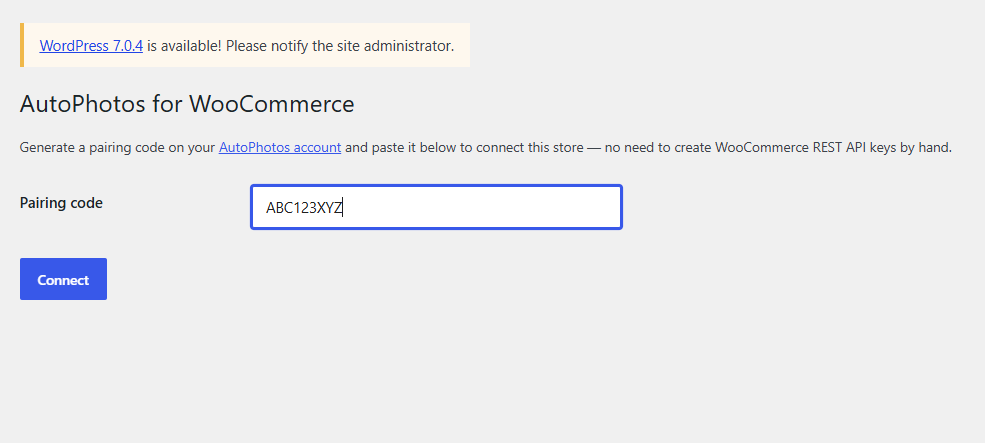
Paste the pairing code you generated on your AutoPhotos account.
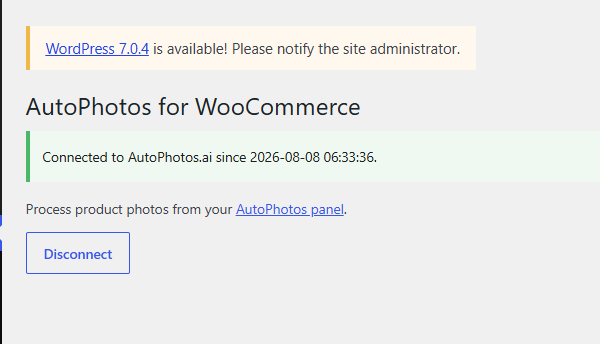
Once connected, process product photos from your AutoPhotos panel — or disconnect any time.


