Auvrenth COD Profit & Return Tracker For WooCommerce Wordpress Plugin - Rating, Reviews, Demo & Download
Plugin Description
Revenue is not profit. A cash on delivery (COD) order that is returned costs you the courier charge both ways, and often the packaging too. This plugin shows what each order really earned, and what each return really cost.
It is built for COD sellers in Bangladesh and the rest of South Asia, but nothing is tied to one country. Courier zones, payment method fees, return reasons and currency are all your own settings.
What you get
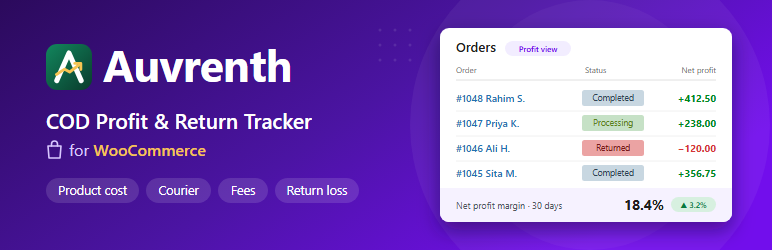
- Net profit on every order. Revenue minus product cost, courier charge, packaging, COD charge and gateway fee. Shown in a small box on the order page.
- Return loss. Mark an order as “Returned” (single order or bulk action) and Auvrenth counts the courier charge you pay for the trip out and back, plus the fee. Revenue and product cost drop to zero, and the stock goes back.
- Dashboard. Revenue, net profit, margin, return rate and return loss with comparison to the previous period. A profit trend chart, your most profitable and loss-making products, and returns by area and by reason.
- Product cost. Uses the WooCommerce cost of goods field when your store has it, otherwise a “Cost price” field on simple and variable products. Orders with a missing cost are flagged so you do not trust an overstated profit.
- Your own courier zones. Name a zone, pick the states or countries it covers, and set the delivery charge and the return charge percentage. Everything else falls into “Everywhere else”. You can also override the courier charge on a single order.
- Return reasons you control. Customer refused, wrong address, phone off, or your own list. Renaming a reason also renames it on old orders.
- Old orders included. “Recalculate” works through your existing orders in the background, in small batches.
- Simple checkout module (optional, off by default). Make last name, company, address line 2, city and postcode required, optional or hidden, in both the Checkout block and the classic checkout. Check phone numbers against your own pattern, for example
01#########. Bangla and Hindi digits, spaces and dashes are cleaned up.
Works with
- WooCommerce 9.0 or newer, including High-Performance Order Storage (HPOS).
- The Cart and Checkout blocks, and the classic checkout.
- Right-to-left languages.
Privacy
This plugin does not send any data anywhere and does not load anything from outside your site. Profit figures are stored in two tables in your own database. If you turn on “Delete all Auvrenth data when the plugin is deleted” in the settings, deleting the plugin removes those tables and its settings. Your orders and products are not changed, apart from stock levels going back up when an order is marked “Returned”.
Source code
The dashboard is built from the readable source in assets/src (included in this plugin) and at https://github.com/rlorakib/auvrenth-cprt. Run npm install then npm run build to regenerate assets/build. Charts use Recharts (MIT, https://github.com/recharts/recharts).
Screenshots

The profit dashboard: revenue, net profit, margin, return rate and return loss, with a daily revenue and profit chart.

Most profitable products, and returns by reason and by area.

The profit box on an order: product cost, courier charge, COD charge, packaging and net profit.

Courier zones and payment method fees in Auvrenth CPRT Settings.

The cost price field on a product.