
Availo Wordpress Plugin - Rating, Reviews, Demo & Download
Plugin Description
Availo lets visitors book meetings with you directly on your WordPress site.
- Event types — define meetings like “30-min Intro Call” with duration, location, buffers, minimum notice, rolling booking window, and a daily cap.
- Availability schedules — weekly working hours per host with date-specific overrides, all timezone- and DST-aware.
- Booking flow — a fast, responsive three-pane widget: pick a day, pick a time (shown in the invitee’s own time zone), enter details, done.
- Custom questions — collect extra information from invitees at booking time.
- Email notifications — confirmation, cancellation, and reschedule emails with calendar (.ics) attachments for both invitee and host.
- Self-service changes — invitees cancel or reschedule via a secure tokenized link. No account needed.
- Embed anywhere — Gutenberg block,
[availo]shortcode (inline or popup button), or auto-generated booking pages at/schedule/{host}/{event}/. - Bookings dashboard — filterable admin list of all bookings with one-click cancellation.
Availo stores all data in your own WordPress database. No external services, no accounts, no tracking.
Screenshots
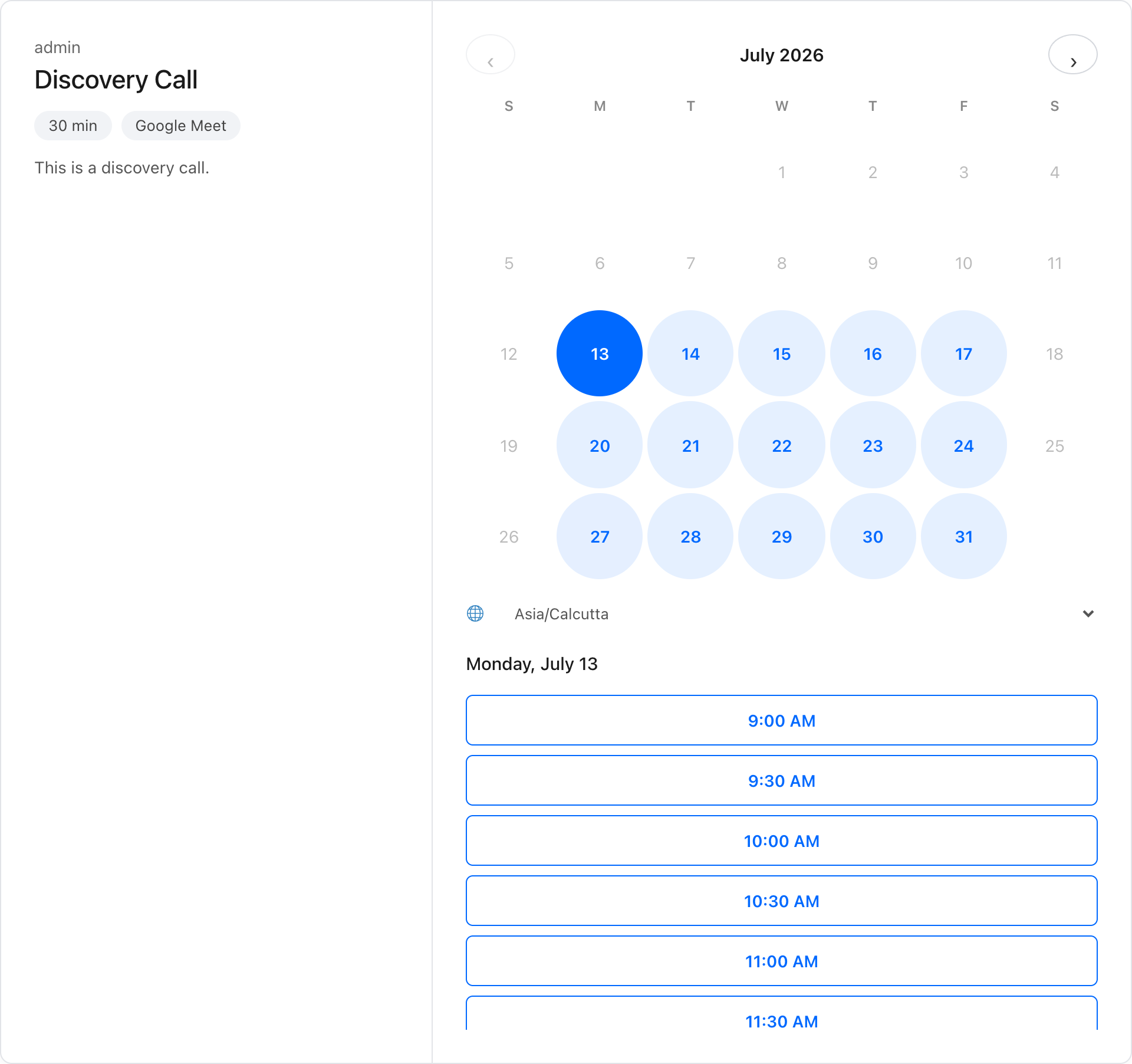
Booking widget — invitees pick a day and time in their own time zone
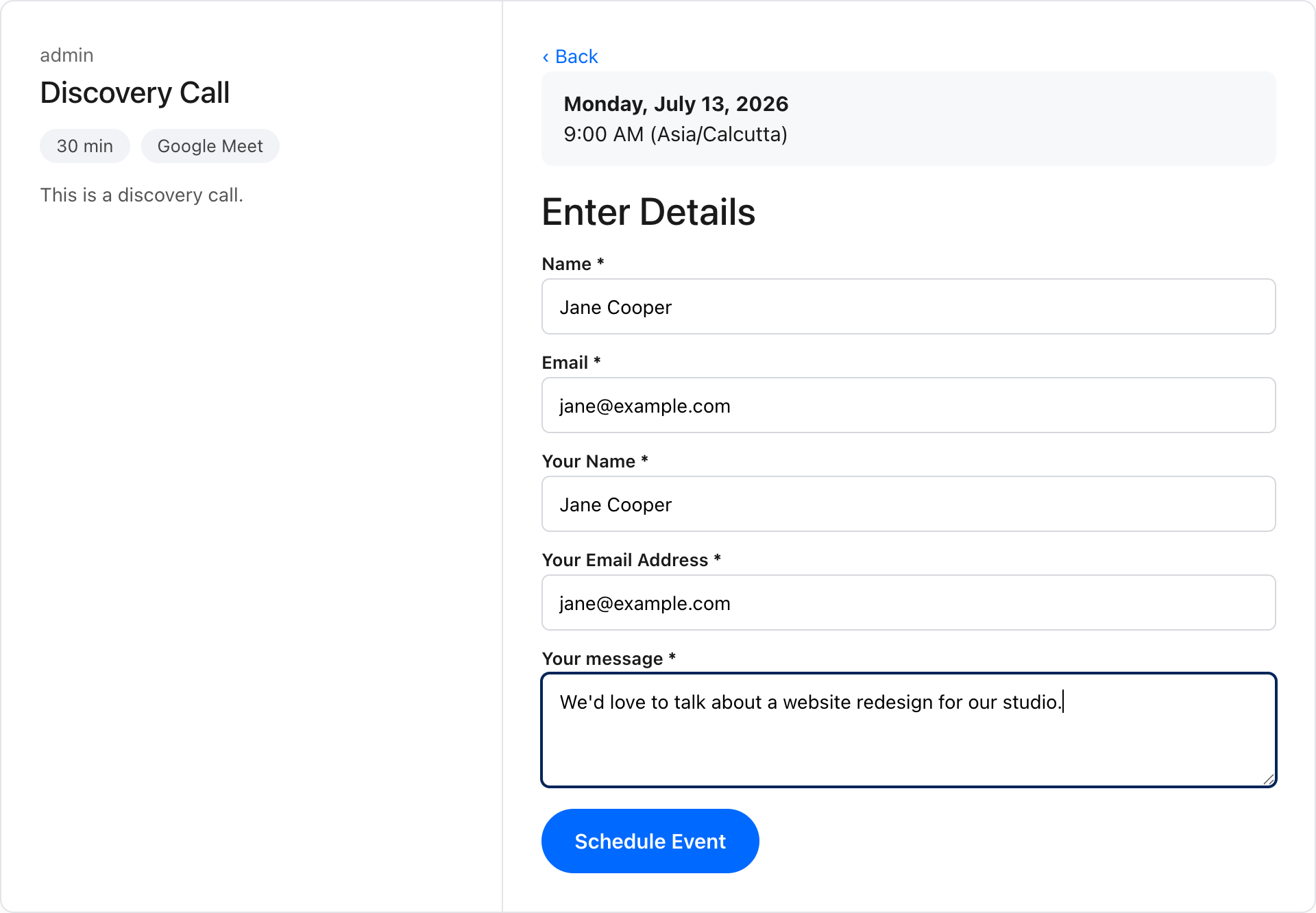
Booking form with your custom questions

Thank-you screen — per event, show a custom message or redirect to any page
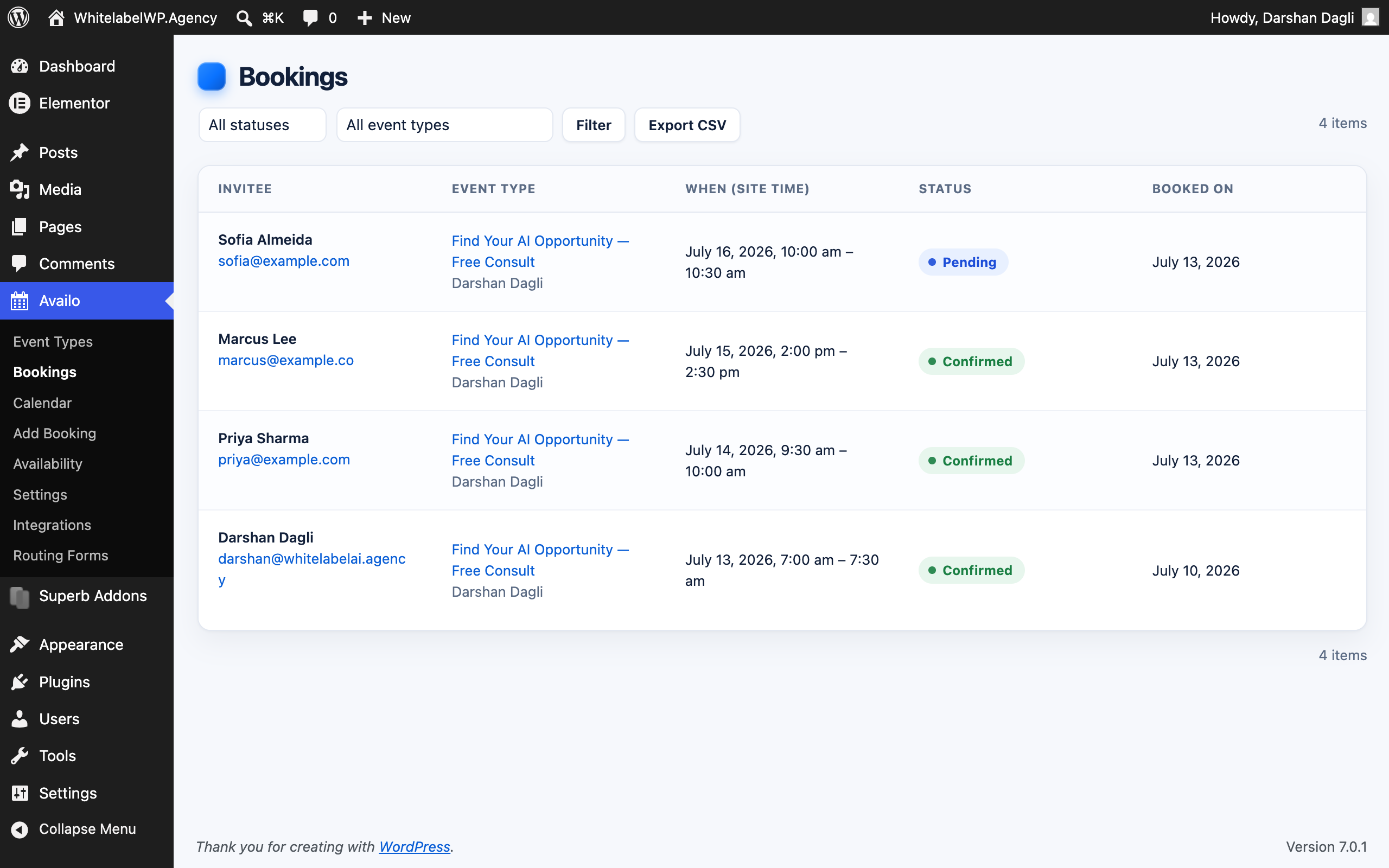
Bookings dashboard with status and event filters
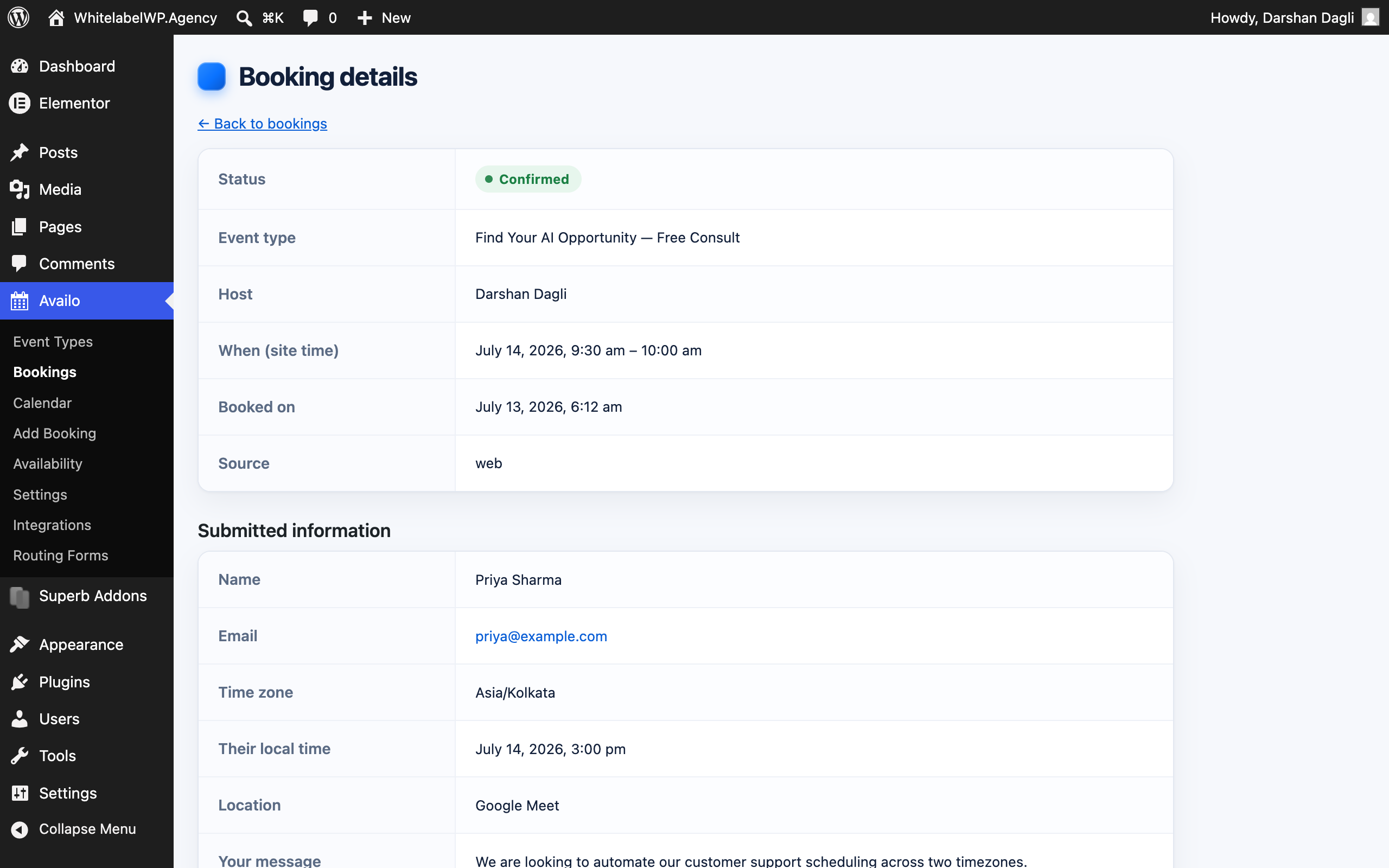
Booking detail — everything the invitee submitted, in one place
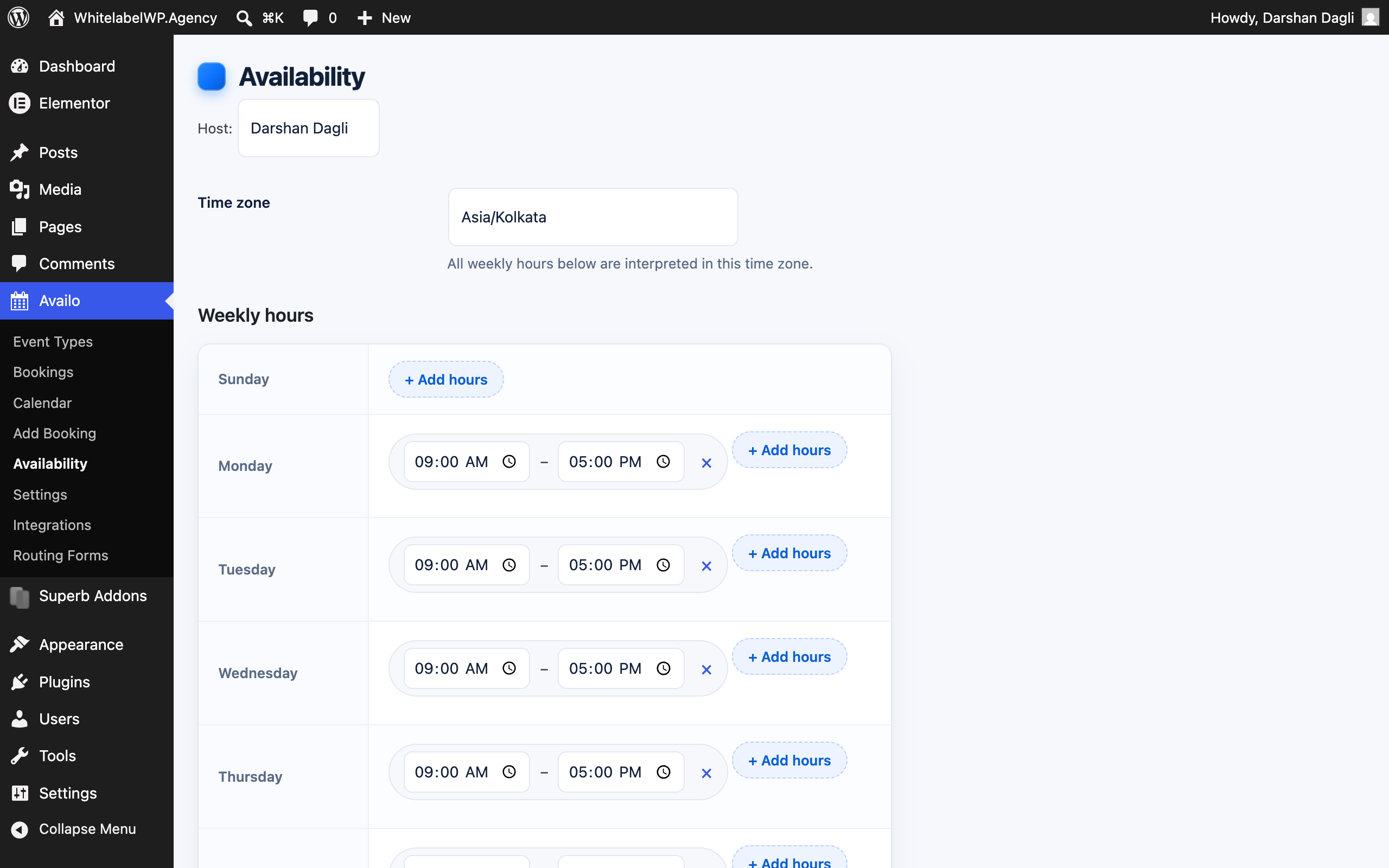
Availability editor — weekly hours and date overrides per host
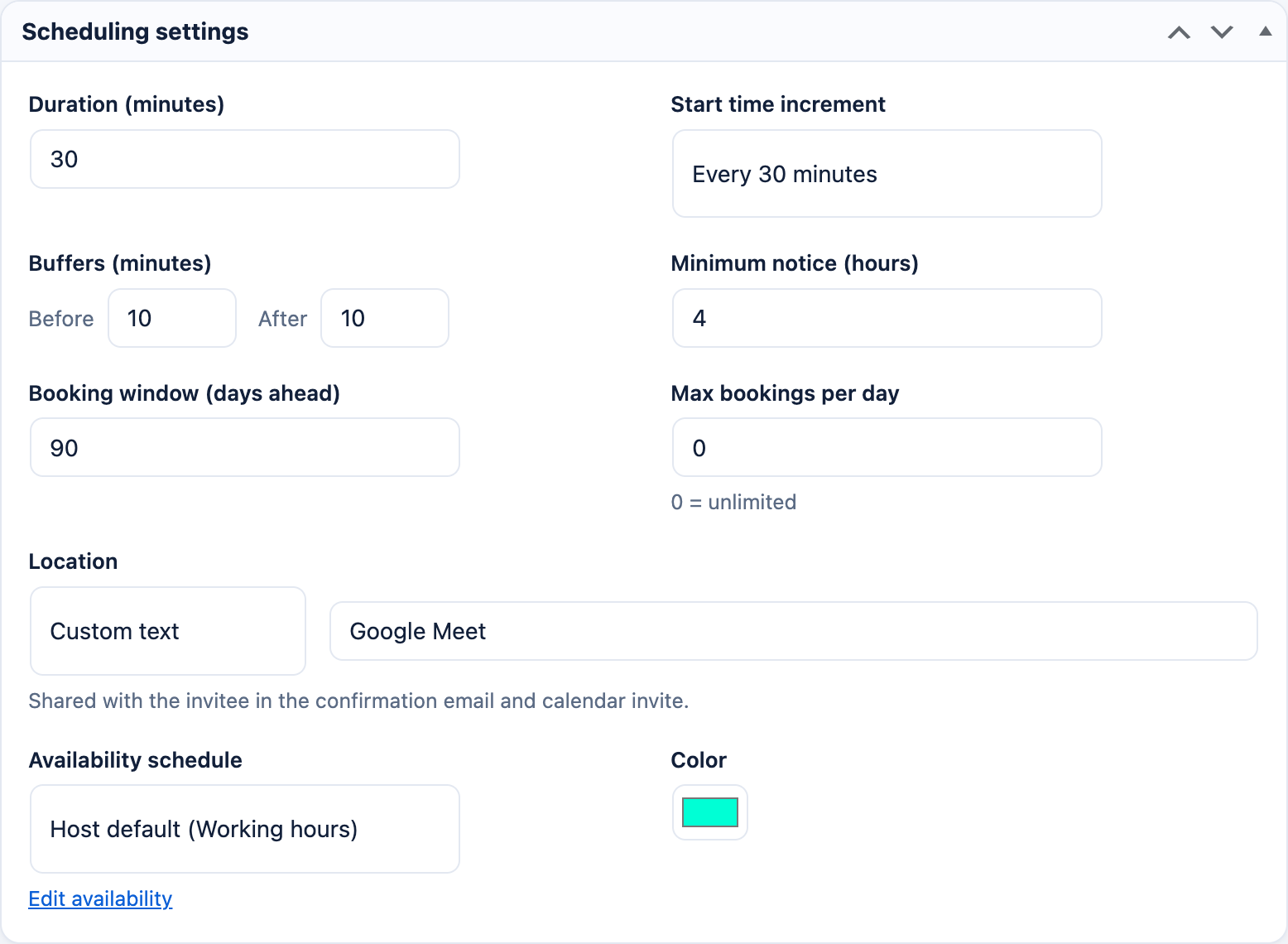
Event type scheduling settings — duration, buffers, notice, booking window
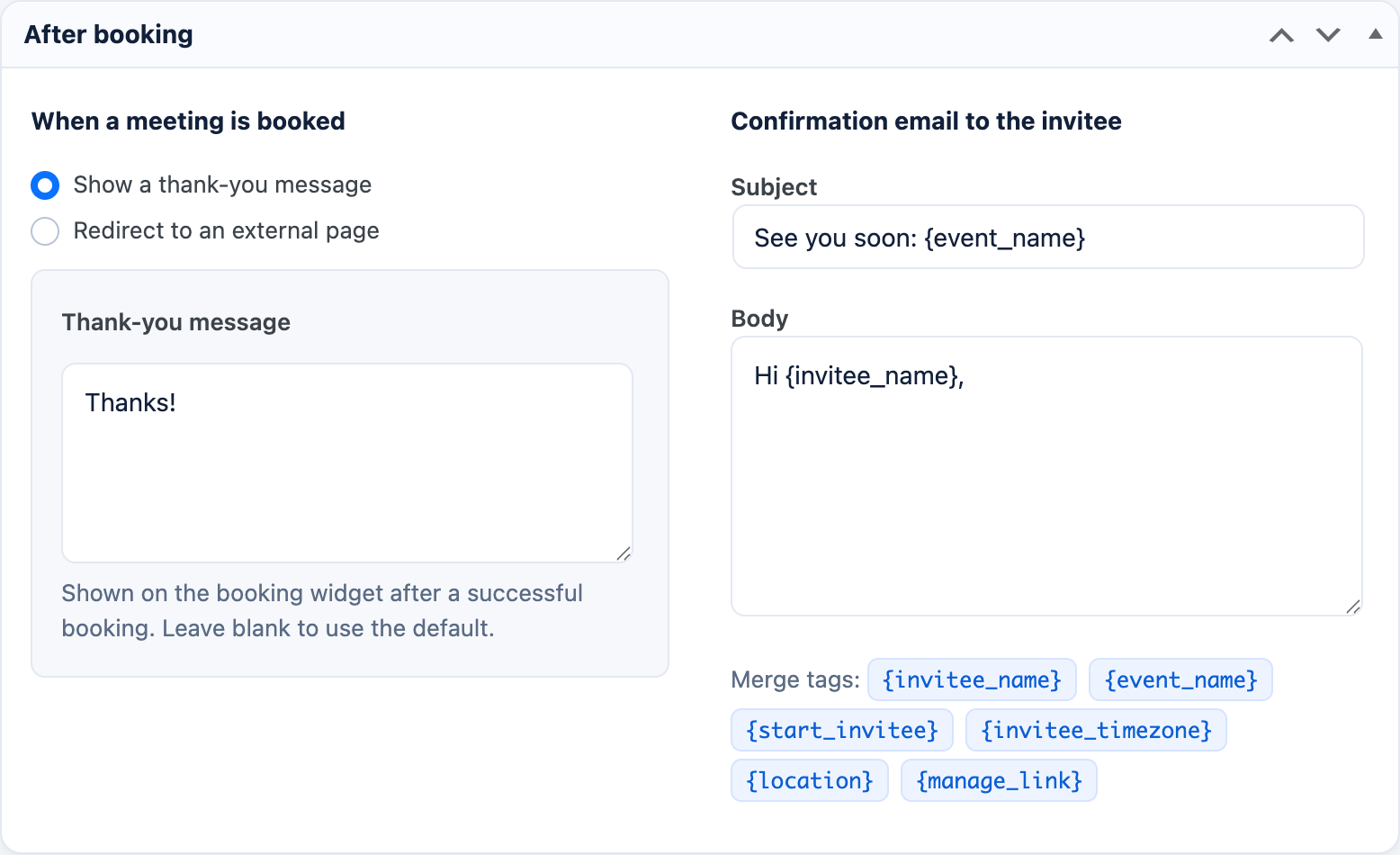
After-booking options — thank-you message, redirect, and confirmation email editor


