Axle Page Template Usage Wordpress Plugin - Rating, Reviews, Demo & Download
Plugin Description
WordPress lets you pick a template for each page, but the Pages screen never shows which one. To answer “which pages use the Full Width template?” you have to open every page.
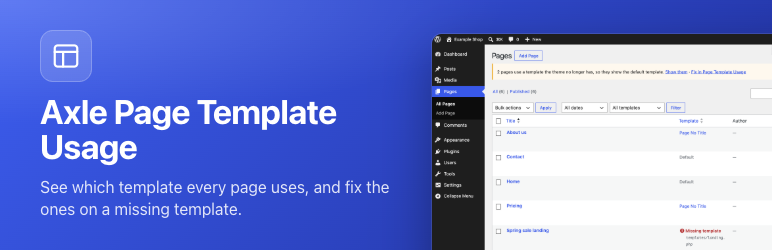
Axle Page Template Usage adds a Template column to the Pages list and a template filter above it.
- The column shows the template name. Click it to see every page that uses the same template.
- The filter lists every template the theme offers, with the number of pages using each one. A count of 0 means the template is unused.
- Click the column heading to sort pages by template.
- Missing templates are shown in red. If you switch themes or delete a template file, pages that used it fall back to the default template without any warning. This plugin lists them so you can fix them.
Appearance > Axle Page Template Usage shows every template on one screen: how many pages use it, which templates are unused, and which pages point at templates that no longer exist. Move every page off a template in one click, for example from a missing template to the default one, or from an old template you want to delete.
Check a theme before switching. Pick an installed theme that is not active, and the plugin lists every page and post that would lose its template under it, grouped by template with counts. For each missing template, choose what to use instead (the default template is preselected) and save the plan. When you activate that theme, the pages move by themselves, in batches, and a notice shows the result with an Undo button. Appearance > Themes links to the check from each theme’s details.
Template history. Every change of a page template is recorded: which page, the old and new template, who made the change, when, and where it came from (the editor, Quick Edit, the Move button, a theme switch, WP-CLI or an ability). The History tab filters by page, source, user, template and date, and a “Template history” link sits in the row actions on the Pages list. Undo a single change while the page still has the template that change set, or undo a whole batch (one Move click or one theme switch) after a confirm step.
Works with:
- Classic themes (PHP page templates, including
Template Post Typefor posts and custom post types). - Block themes (custom templates from
theme.jsonand templates created in the Site Editor). - Any post type that has templates.
Free and open source under the GPL. No pro version, no upsells, no ads in wp-admin, no tracking. And it stays that way.
WP-CLI
wp axle-page-template-usage list(add--status=missingto see only problems)wp axle-page-template-usage reassign missing defaultmoves every page on a missing template to the default one.wp axle-page-template-usage check-theme <theme>lists what would lose its template under an installed theme.wp axle-page-template-usage set-mapping <theme> <from> <to>saves what to use instead, andapply-mappingruns the saved plan for the active theme.wp axle-page-template-usage historylists recorded changes,undo <id>andundo-batch <batch>undo them.
Privacy
The history stores the ID of the user who changed a template, with the page, the templates and the time. It keeps the latest 10,000 changes and deletes entries older than a year (both can be changed with filters). It is shown only to users who can edit pages, and each of them only sees the changes of the post types they can edit. The plugin adds this to the privacy policy guide, to the personal data exporter, and to the eraser, which keeps each change but removes the link to the person. Uninstalling the plugin deletes the history table and saved plans.
Besides that, nothing is sent anywhere. Free and open source under the GPL, no tracking.
Try it before you install. try.axlewp.com/axle-page-template-usage opens a private WordPress in your browser with this plugin and some demo content.
Part of Axle by AryanX, a family of free plugins for running WordPress sites safely.
Screenshots

The Template column and filter on the Pages screen.

A page whose template no longer exists.

Appearance > Axle Page Template Usage.