
B2Brouter For WooCommerce Wordpress Plugin - Rating, Reviews, Demo & Download
Plugin Description
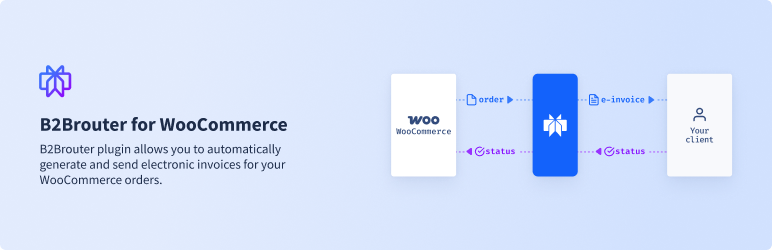
B2Brouter for WooCommerce connects your WooCommerce store with the B2Brouter platform to generate and send electronic invoices automatically — including the country-specific tax authority reporting required in Spain, France and Poland.
Built-in regulatory compliance
The plugin includes explicit support for the following e-invoicing regimes:
- Spain — Verifactu: automatic AEAT reporting with QR verification on every issued invoice.
- France — DGFiP: routing through the official PPF / Chorus Pro infrastructure.
- Poland — KSeF: automatic submission of invoices to the national KSeF system.
Beyond these explicit regimes, the plugin generates compliant electronic invoices in standard formats (UBL, Facturae, Peppol) for the rest of the EU, the UK, and other jurisdictions supported by B2Brouter.
Important: Authority-specific configuration (Verifactu certificates, KSeF tokens, Chorus Pro identifiers, etc.) is managed in the B2Brouter dashboard, not in the WordPress plugin UI. The plugin only needs your B2Brouter API key.
Key features
- Automatic or manual invoice generation — issue invoices on order completion or on demand from the order screen.
- Bulk invoice generation — process multiple completed orders at once via WooCommerce bulk actions.
- Standard and simplified invoices — IssuedInvoice (B2B with TIN) or IssuedSimplifiedInvoice (B2C without TIN), selected automatically.
- Credit notes for refunds — generated on demand when a WooCommerce refund is created against an invoiced order.
- PDF generation, caching and email attachment — store PDFs locally and attach them to order/customer/refund emails.
- Real-time invoice status via webhooks (HMAC-SHA256 signed) with optional 6-hour fallback polling.
- TIN / VAT field at checkout — works on both classic and block-based checkout (WooCommerce 8.6+); intra-EU reverse charge auto-detected.
- HPOS compatibility — native support for High-Performance Order Storage (Custom Order Tables).
- Peppol tax categories — automatic mapping (S, E, Z, NS, AE) from WooCommerce tax configuration.
Requirements
- WordPress 5.8 or higher
- WooCommerce 5.0 or higher
- PHP 7.4 or higher
- Active B2Brouter eDocExchange subscription
External Services
This plugin connects your WooCommerce store to B2Brouter, a third-party e-invoicing SaaS operated by B2Brouter SL. Using the plugin requires an active B2Brouter account and API key.
Service endpoint: https://api.b2brouter.net (overridable via the B2BROUTER_API_BASE constant for staging or self-hosted instances).
Data sent to B2Brouter when an invoice or credit note is created:
- Order data — order number, date, currency, totals, and line items (product name, SKU, quantity, unit price, tax rate, Peppol tax category).
- Customer billing data — name, company name, billing address, country, email, and TIN/VAT number when provided at checkout.
- Refund data when a credit note is generated against a previously invoiced order.
Data received from B2Brouter: invoice status updates and PDF documents, either via webhook callbacks to /wp-json/b2brouter/v1/webhook or via SDK polling.
When data is transmitted: whenever an invoice or credit note is created (automatically on order completion, or on demand from the order screen, the WooCommerce bulk action, or the customer’s My Account page) and whenever invoice status is polled or pushed back via webhook.
Provider and legal documents:
- Provider: B2Brouter
- Terms and Conditions
- Privacy Policy
Screenshots

Settings page with API key validation and account information.

Order edit screen showing the B2Brouter Invoice meta box with status and PDF download.

WooCommerce orders list with the invoice status column.

List of Invoices admin page with bulk PDF download.

Webhook configuration section.

Customer “My Account” view with Download Invoice / Generate Invoice buttons.


