
BaqFlo BeforeAfter Wordpress Plugin - Rating, Reviews, Demo & Download
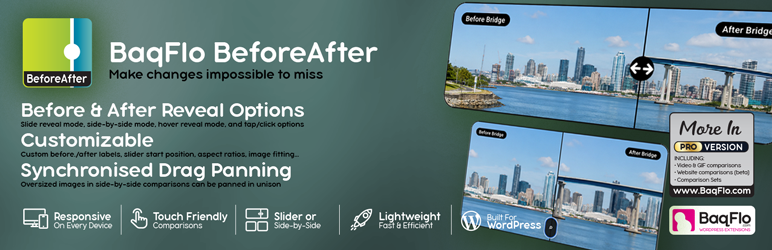
Plugin Description
Show Every Transformation Clearly
BaqFlo BeforeAfter helps you present two images in a clear, interactive comparison.
Create a comparison, choose the before and after images, select a display style, customise the presentation and place it anywhere using the generated shortcode.
Whether you are showcasing renovations, photography edits, beauty treatments, landscaping, restorations, design revisions or product development, BeforeAfter gives visitors an immediate and engaging way to see what changed.
Designed to be lightweight, responsive and easy to use, BeforeAfter works beautifully on desktop, tablet and mobile devices.
Why Choose BeforeAfter?
Three Flexible Comparison Styles
Choose a draggable comparison slider, a side-by-side layout, or a hover and press reveal effect to match the way you want visitors to explore your images.
Responsive and Touch Friendly
Every comparison adapts to desktop, tablet and mobile screens. Slider, reveal and panning interactions work with mouse, touch and keyboard input.
Landscape and Portrait Ready
Use common aspect ratios, enter a custom ratio, or calculate the display ratio from the selected images. BeforeAfter is designed to handle wide panoramas, tall screenshots and mobile portrait images gracefully.
Flexible Image Presentation
Choose cover or contain fitting, control horizontal and vertical alignment, and adjust the starting slider position for each comparison.
Intelligent Drag Panning
Side-by-side comparisons can use individual, tandem or scale-aware drag panning. Visitors can explore clipped areas of tall or wide images without visible scrollbars.
Lightweight by Design
Frontend assets load only when a BeforeAfter comparison is displayed on the page, helping keep the rest of your website efficient.
Core Features
- Draggable before-and-after image slider
- Side-by-side image comparison
- Hover or press-to-reveal comparison
- Responsive and touch-friendly interactions
- Custom before and after labels
- Common, custom and image-calculated aspect ratios
- Cover and contain image fitting
- Horizontal and vertical image alignment
- Individual, tandem and scale-aware drag panning
- Adjustable starting slider position
- Media Library image selection
- Animated GIF image comparisons
- Direct image URL support
- Shortcode placement
- Multiple comparisons on the same page
- Lightweight conditional asset loading
Perfect For
BeforeAfter is ideal for:
- Hair and beauty transformations
- Surgery and dental treatment results
- Website redesigns
- Home renovations
- Landscaping projects
- Photography retouching
- AI image generation comparisons
- Graphic design revisions
- Product development
- Restoration and repair work
- Before-and-after marketing campaigns
Built for Real-World Images
Before and after images are not always perfectly matched or conveniently shaped.
BeforeAfter includes flexible alignment, fitting, aspect-ratio and panning controls so you can present panoramas, portrait images, screenshots and differently sized source images without rebuilding the originals first.
Ready for More? Upgrade to BeforeAfter Pro
BeforeAfter Pro is a separate plugin available from BaqFlo. It expands the same familiar workflow with new media types, multi-image Comparison Sets and advanced inspection and playback tools.
Unlock Pro features including:
- Video comparisons
- Live webpage iframe comparisons
- Two-to-four image Comparison Sets with automatic pair generation
- Pair selector styles and advanced set layouts
- Zoom with synchronised panning
- All-image grids with synced drag
- Progression playback controls
- Future premium enhancements
Learn more about BeforeAfter Pro:
https://baqflo.com/beforeafter/
Built by BaqFlo
BeforeAfter is part of the growing BaqFlo family of WordPress plugins.
Our goal is simple: build professional WordPress plugins that are fast, thoughtfully designed and genuinely enjoyable to use.
Screenshots

Interactive draggable slider (left) and Side-by-side comparing two images.

Drag panning for larger images. Left example are two extra-tall images that can be vertically panned, and the right example are a before and after image that are extra-wide, horizontally panning. Panning can be set to no panning, tandem panning, individual panning, scale-aware panning.

Large images have zoom toggle option. As seen in the left example, toggle zoom shows the full image.

BeforeAfter edit page. Note, this screenshot shows PRO Features not available in the Free Core edition.

BeforeAfter admin – home showing the list of BeforeAfters with handy live preview button and quick copy shortcodes

PRO: Compare video sources using the familiar BeforeAfter interface. Slider, side-by-side, overlay available. Comparison sets also allow usage of videos.

PRO: Compare live webpages using iframe sources. Website comparisons can block interactions, allow full interactions, or scroll-only with the scroll-safe area. Please note not all websites allow iframe rendering.

PRO: Build two-to-four image Comparison Sets with automatic pair generation (Side-by-side).

PRO: Build two-to-four image Comparison Sets with automatic pair generation (Grid view).

PRO: Comparison Set edit interface.


