
Bikronix Sales Engine For WooCommerce Wordpress Plugin - Rating, Reviews, Demo & Download
Plugin Description
Bikronix Sales Engine for WooCommerce helps you increase average order value by surfacing targeted offers across the buying journey. The current release ships with a powerful Order Bumps module, and future updates will add upsells, cross-sells, pre-purchase, and post-purchase offers.
Key Features
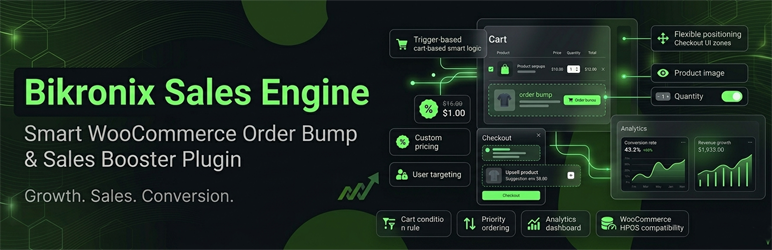
- Trigger-based display – show a bump only when a specific product is in the cart
- Custom pricing – override price, apply a fixed discount, or percentage discount
- Flexible positioning – place bumps above the payment section or below the order review table
- Product image toggle – show or hide the bump product image
- Quantity selector – allow customers to choose a quantity, or force qty = 1
- User targeting – restrict bumps to logged-in customers only
- Cart conditions – minimum cart subtotal requirement
- Priority ordering – control which bump appears first when multiple qualify
- Analytics dashboard – track impressions, conversions, conversion rate, and revenue per bump
- WooCommerce HPOS compatible – fully compatible with High-Performance Order Storage
How It Works
- Go to Bikronix Sales Engine for WooCommerce -> Order Bumps and click Add New.
- Set a trigger product, a bump product, optional pricing, and a display message.
- Save and activate the bump.
- On checkout, when a customer has the trigger product in their cart, the bump box appears automatically.
- Checking the box instantly adds the bump product to the cart (AJAX – no page reload).
Screenshots

Order Bumps list table in the admin.

Add / Edit order bump form.

Analytics dashboard.
Similar Plugins:
 Rating Widget: Post Rating, 5 Star Rating, Reviews, Thumbs Up & Down, Reaction
 WordPress To PDF, Download As PDF Document Of Any WordPress Post Types, Download Post As PDF, PDF Viewer, PDF Block, View PDF On WordPress – Document Engine
 Live Sales Notifications – WooCommerce & Easy Digital Download Sales Notification