
Birim Private Files Wordpress Plugin - Rating, Reviews, Demo & Download
Plugin Description
WordPress stores uploads in /wp-content/uploads/, and every file there is a public URL. Making a page private, or putting your site behind a login, does not protect the files on it: anyone with the link can open them.
Birim Private Files routes every request for an uploaded file through WordPress and only serves it to people who are allowed to see it.
- Three ways to decide who opens files: any logged-in user, only the roles you choose, or only the people each file is shared with (the uploader, people you add in the file’s “Shared with” field, editors and administrators).
- Private pages too: a “Who can view” box in the page editor (block editor and classic editor) sets each page or post to Everyone, Logged-in users or chosen roles. Restricted pages send logged-out visitors to the login page, and their text is hidden in search results, archives, feeds and the REST API, and left out of the sitemap.
- Files follow their page: in per-file mode, files uploaded to a restricted page open for whoever can view that page.
- A “My files” list: put
[birim_my_files]on a page and each person sees the files they uploaded or that were shared with them. - Direct links are protected, not just pages. Logged-out visitors who open a file link are sent to the login page and come back to the file after logging in.
- It checks that protection really works. After you turn it on, the plugin requests a test file from your site as a logged-out visitor and tells you the result: Protected, Not protected, or Could not check. Until protection is confirmed, administrators see a warning. Many file protection setups fail silently on nginx servers; this one tells you.
- Apache: rules are added to
wp-content/uploads/.htaccessautomatically, and removed when you deactivate the plugin. - nginx: the settings page shows the exact two-line rule to add for your site.
- Public exceptions: keep chosen files public, such as a logo, with simple patterns like
public/*. - Files are served with private caching headers (so CDNs and shared caches do not store them), conditional requests and byte ranges, so video seeking works.
- Script files are never served from uploads, and paths outside the uploads folder are refused.
- Lightweight: one file, no tracking, no external requests, no ads.
What you can do with it
- Staff intranet: share HR policies, handbooks, rotas and internal reports on WordPress. Only staff who log in can open them, even if a link is forwarded outside the company.
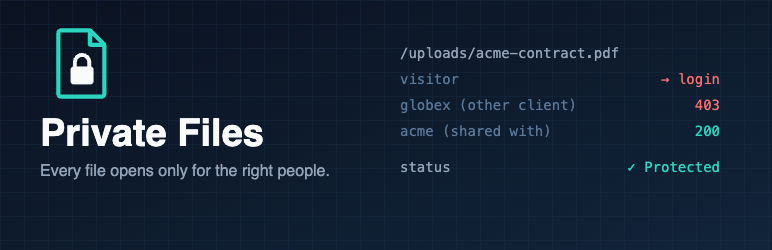
- Client portal: agencies, freelancers, accountants and lawyers share each contract, design or report with one client, who sees it in their “My files” page. Other clients cannot open it, even with the link.
- Members-only content: sell or share course PDFs, e-books, worksheets and videos without the download link being passed around. Video seeking still works.
- Schools, clubs and charities: keep photos of children, member lists and meeting minutes visible to parents and members only.
- Forms that collect documents: CVs, ID scans and signed forms uploaded through form plugins usually land in the public uploads folder. Keep them away from anyone who guesses or finds the link.
- Staging and pre-launch sites: stop unreleased product images and documents from leaking or showing up in Google Images.
What it does not do
- Titles of restricted pages can still appear in menus and archive lists; only their text is hidden.
- WordPress’s public REST API lists media items (titles and links) to anyone. The files themselves stay protected, but to hide the list as well, use a REST API lockdown plugin such as Birim REST Lock.
- It does not encrypt files on the server or make your site compliant with any regulation on its own. It controls who can open them.
For developers
birim_private_files_can_accessfilter:( bool $allowed, string $relative_path )to make your own access decisions, for example per file or per user.birim_private_files_servedaction:( string $relative_path, string $absolute_path ), fired just before an allowed file is sent, for example to log downloads.birim_private_files_serve( $path, array( 'download' => true ) )sends a file as a download (attachment) instead of inline.
Screenshots

Settings > Private Files: the status check confirms files are protected on this server. Here files open only for the people each one is shared with.

Share a file with a client from the media library: type their username or email in “Shared with”.

The “Who can view” box in the page editor: this page is visible only to editors and authors.

What a client sees: their “My files” page lists only the files shared with them.

