
Biscotto – Cookie Consent Wordpress Plugin - Rating, Reviews, Demo & Download

Plugin Description
Biscotto is an open-source cookie consent manager with no artificial limits (no caps on pageviews, pages or Custom Post Types).
Features:
- Compliant consent banner: close (X) button, equal Accept/Reject buttons, link to the privacy notice, granular preferences.
- Prior blocking of scripts (
type="text/plain"+data-biscotto-category) until consent is given. - Google Consent Mode v2 (default denied before GTM, update on consent).
- Google Tag Manager via dataLayer.
- LinkedIn Insight Tag loaded only with marketing consent.
- Compliant banner re-prompt (minimum 6 months) and re-consent when the cookie policy changes.
- Optional pseudonymized consent log for GDPR audits.
- Runtime cookie scanner: loads your pages in a hidden iframe (admin only) and detects the cookies and third-party domains actually loaded, then suggests registry entries to review and save.
- Cookie database enrichment: fills in missing service, category, retention period and privacy-policy link using a bundled copy of Open Cookie Database (Apache-2.0), with an optional manual check for dataset updates.
- One-click “copy code” box for building your cookie policy page from the plugin’s shortcode.
The core is a dependency-free JavaScript engine, reusable on non-WordPress sites too.
Cookies are managed through a pre-filled registry of the most common services, editable by hand from the admin and extendable with the built-in scanner.
Roadmap (in progress):
- Automatic blocking of iframes and embeds (Google Maps, YouTube) and Google Fonts with a “click to load” placeholder.
External services
This plugin can connect to the third-party services listed below. They are all optional and disabled by default: the plugin does not contact them unless you enable the related feature or, for the update check, explicitly click the button.
Google Tag Manager
If you enable the “Google Tag Manager” integration and enter a container ID (Settings → Biscotto → Integrations), the plugin loads the GTM library from https://www.googletagmanager.com/gtm.js. GTM then runs the tags you configured in your own Google Tag Manager account. Thanks to Google Consent Mode v2 the storage is set to “denied” by default, so visitor data (such as IP address and cookies) is sent to Google only after the visitor consents. Service provided by Google LLC.
Terms of service: https://marketingplatform.google.com/about/analytics/tag-manager/use-policy/
Privacy policy: https://policies.google.com/privacy
LinkedIn Insight Tag
If you enable the “LinkedIn” integration and enter a Partner ID (Settings → Biscotto → Integrations), the plugin loads the LinkedIn Insight Tag from https://snap.licdn.com/li.lms-analytics/insight.min.js and sends analytics/conversion data to LinkedIn — but only after the visitor grants “marketing” consent. Service provided by LinkedIn Corporation (Microsoft).
Terms of service: https://www.linkedin.com/legal/l/service-terms
Privacy policy: https://www.linkedin.com/legal/privacy-policy
GitHub API (cookie-database update check)
Only when an administrator clicks “Check for database updates” (Settings → Biscotto → Scan), the plugin makes a single GET request to the public GitHub API at https://api.github.com/ to read the date of the latest commit that changed the bundled Open Cookie Database file. No personal data and no site data are sent — only the request for a public commit date — and the result is cached for 24 hours. There are no automatic or background calls. Service provided by GitHub, Inc. (Microsoft).
Terms of service: https://docs.github.com/site-policy/github-terms/github-terms-of-service
Privacy policy: https://docs.github.com/site-policy/privacy-policies/github-general-privacy-statement
Screenshots
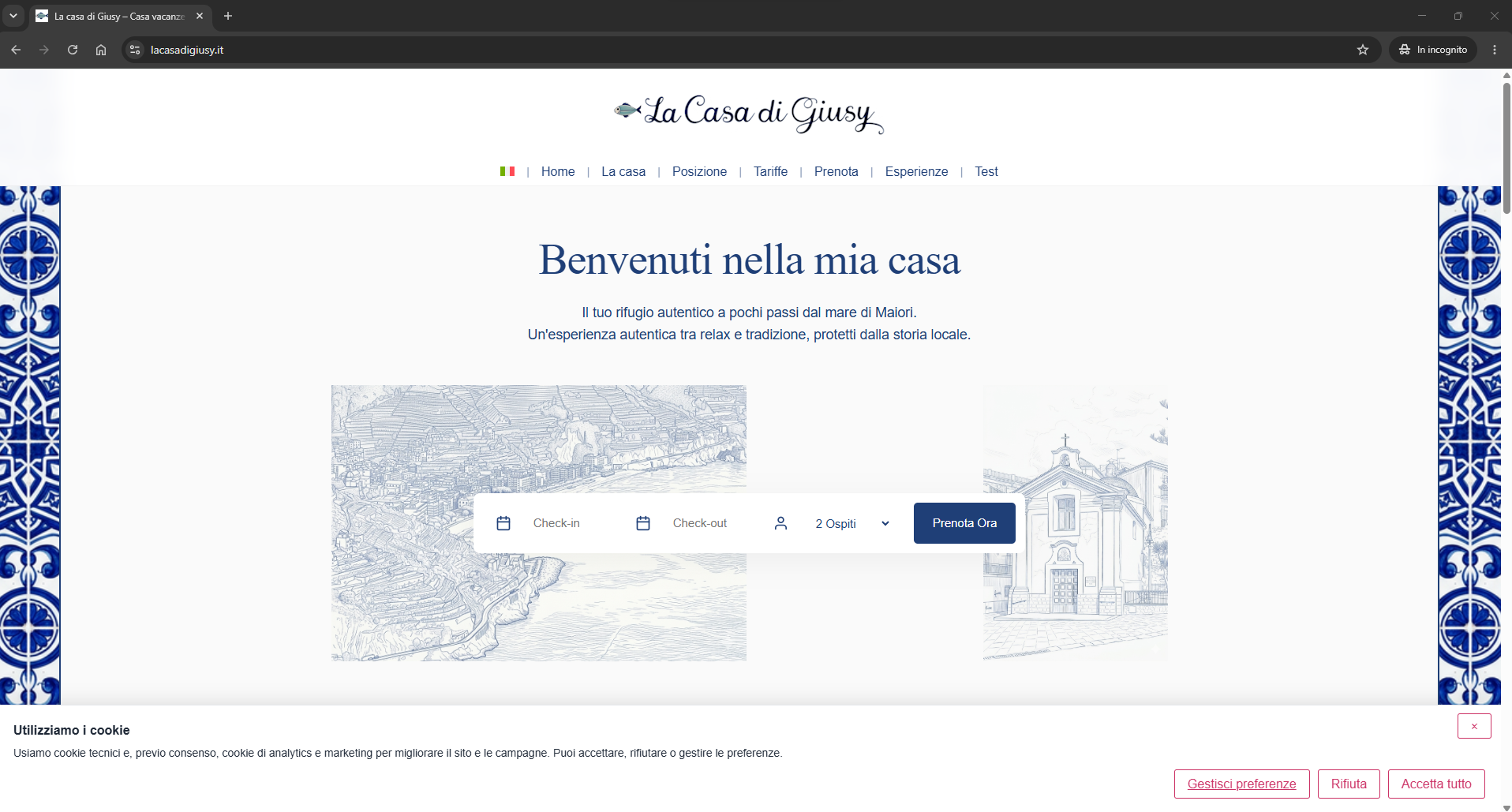
Compliant consent banner (bottom bar).
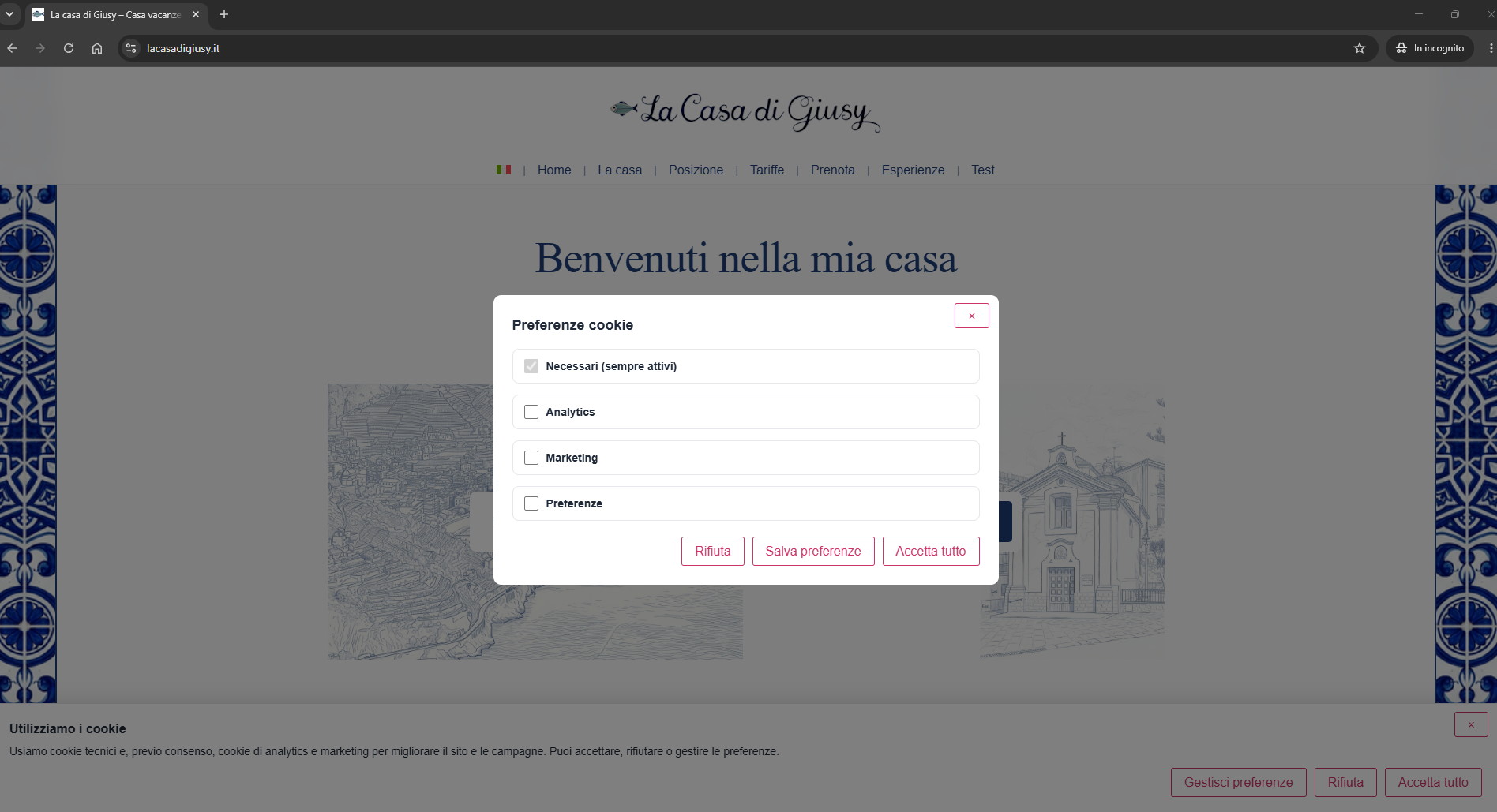
Granular per-category preferences panel.
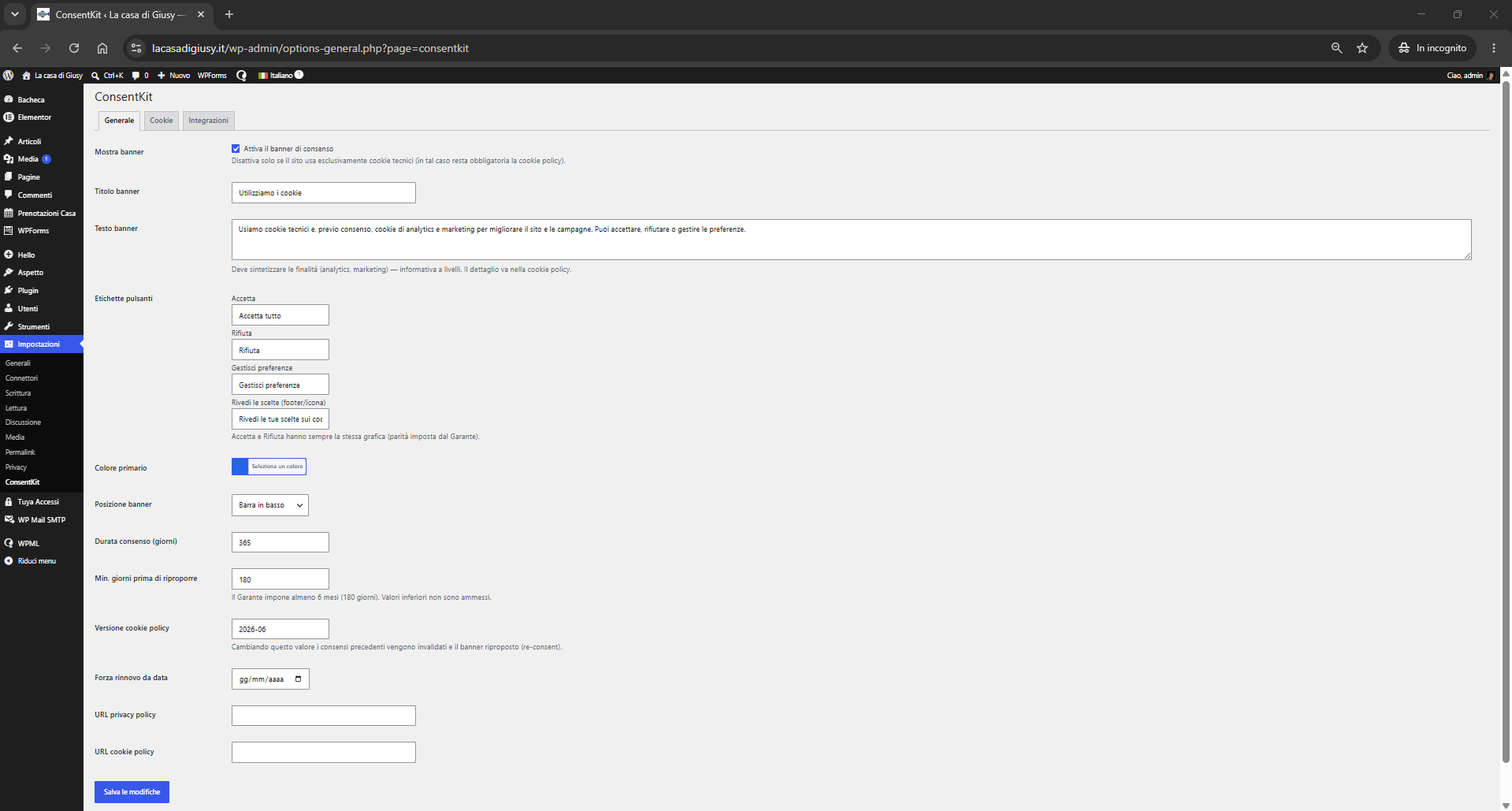
Settings → General: texts, color, re-prompt.
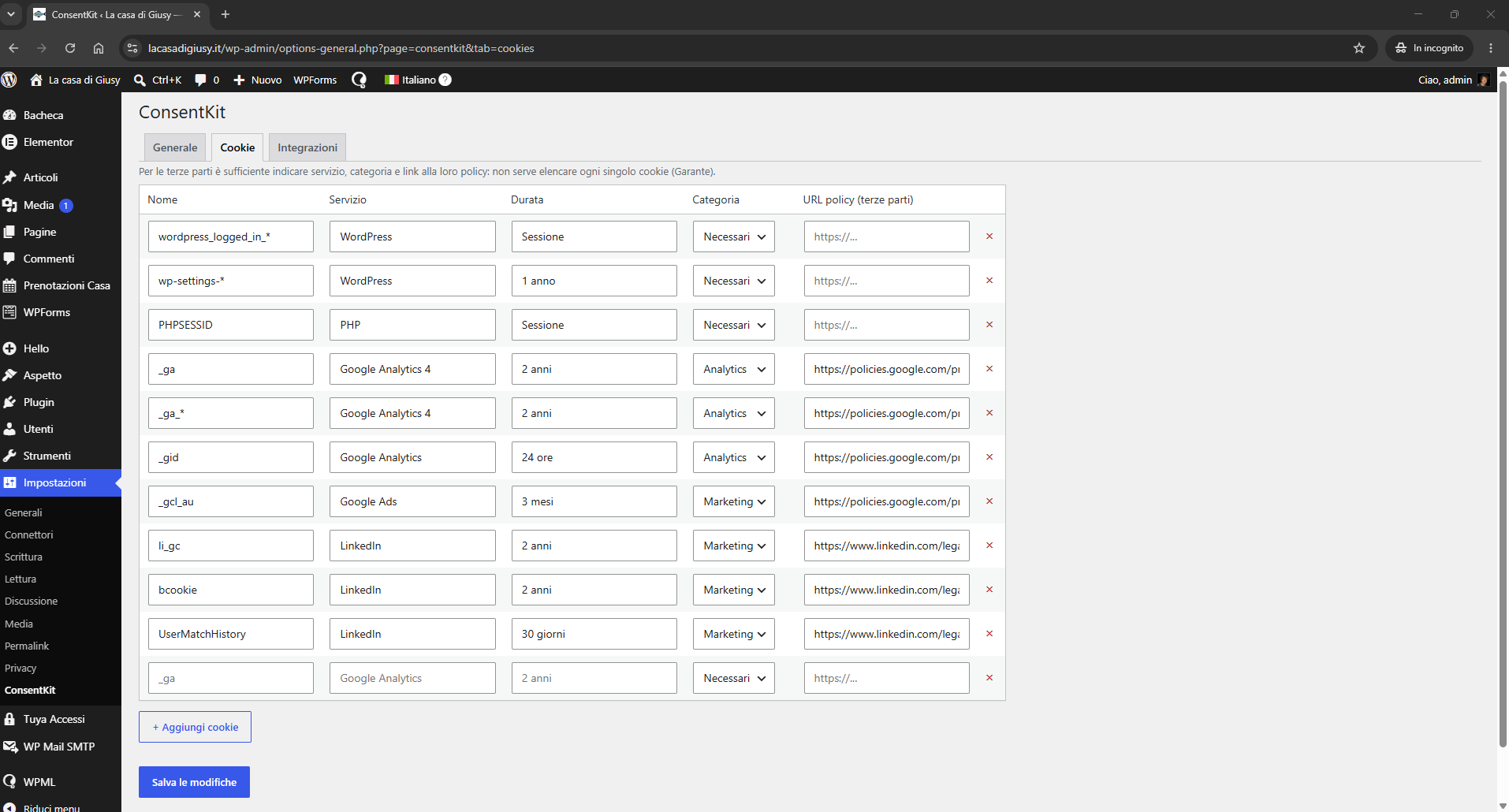
Settings → Cookies: cookie registry.
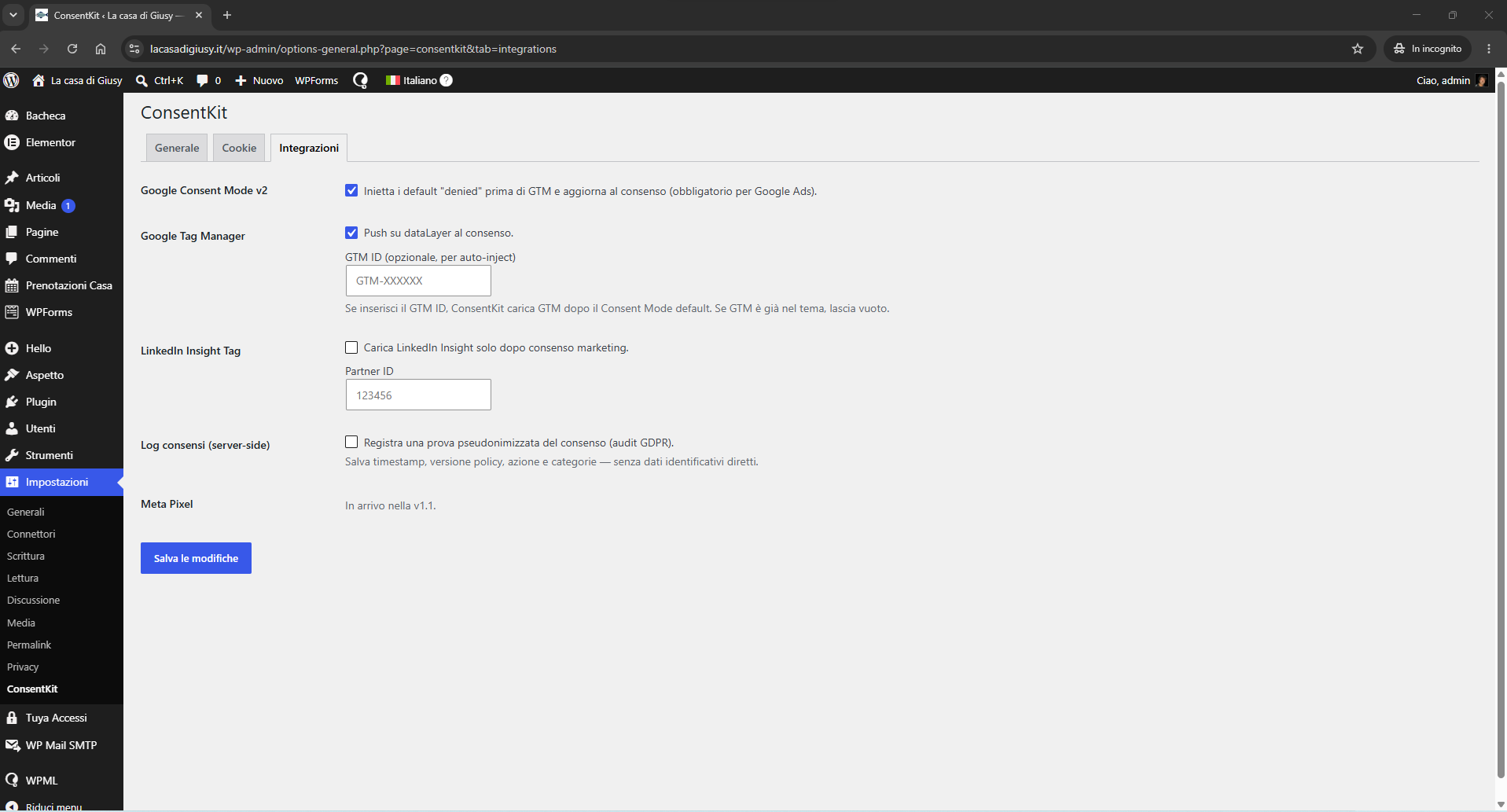
Settings → Integrations: Consent Mode v2, GTM, LinkedIn.
Similar Plugins:
 Cookie Consent, Consent Log, Cookie Scanner, Script Blocker (for GDPR, CCPA & EPrivacy) : WP Cookie Consent
 AdSimple Cookie Consent Manager (DSGVO/GDPR), Cookie Banner, Cookie Consent, Cookie Notice
 Consentmanager Cookie Banner For Cookie Consent (Google Consent Mode And GDPR Compliant Cookie Notice)