
BizCore Wordpress Plugin - Rating, Reviews, Demo & Download
Plugin Description
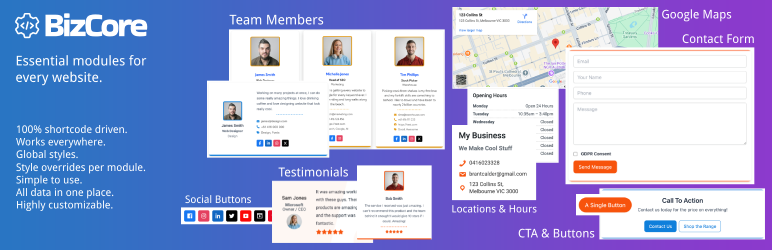
BizCore gives you a suite of lightweight, shortcode-powered modules for your WordPress site. You can set global styles & colors plus styles can be overridden with individual styles on a per-shortcode basis. There are also extra attributes with each shortcode that make them highly customizable to fit in with the design of your theme.
Everything is configured in one central Settings BizCore page, you then simply drop in any of the following shortcodes wherever you need them:
- Opening Hours
[bizcore_hours] - Business Locations
[bizcore_location] - Google Maps
[bizcore_location_map] - Contact Form
[bizcore_contact_form] - Testimonials & Reviews
[bizcore_testimonials] - Team Members
[bizcore_team] - Business Notices
[bizcore_notices] - Call To Action Blocks
[bizcore_cta] - Call To Action Buttons
[bizcore_buttons] - Social Links
[bizcore_social]
Each module supports flexible attributes for IDs, layouts, styling variants, image sizes and shapes, custom classes, before/after wrappers, and more.
Fully theme-agnostic and lightweight, BizCore styling adds less than ~30kb of CSS to your site.
Included Modules
- Business Locations — add your address, phone, email, map
- Google Maps — automatically display maps based on your business locations
- Opening Hours — show weekly hours with optional headings and wrappers
- Contact Form — field ordering, custom messages, honeypot spam protection
- Testimonials & Reviews — star ratings, images, flexible layouts & styling
- Team Members — image, name, role, department, contact & social links, flexible layouts & styling
- Business Notices — time-sensitive announcements with start/end schedules
- CTA Blocks & Buttons — styled call-to-action sections and standalone buttons
- Social Links — Facebook, Twitter, Instagram, LinkedIn, YouTube, TikTok and more
Requirements
- WordPress 5.9 or higher
- PHP 7.0 or higher
Usage
- Configure global settings (colors, typography, style variants) under Settings BizCore Styles.
- Enable and reorder fields for each module under Settings BizCore tabs.
- Insert shortcodes into your content.
Screenshots
No screenshots provided


