
BLAQ Alerts For WooCommerce Wordpress Plugin - Rating, Reviews, Demo & Download

Plugin Description
BLAQ Alerts is a thin connector that links your WooCommerce store to
BLAQ (blaqreports). After you opt in and connect, BLAQ can surface chargeback
alerts and order insight for your store.
The plugin itself stores no card data and ships no bundled third-party
libraries. Access tokens are stored server-side in your site’s options and are
never exposed to the browser.
Key points:
- Opt-in: nothing is shared with BLAQ until you check the consent box and connect.
- Secure handoff: connection uses a PKCE (S256) authorization flow; the plugin
never places secrets in a URL. - All admin actions are protected by WordPress nonces and capability checks.
External Services
This plugin connects to BLAQ (blaqreports), a third-party SaaS operated by
BLAQ, to provide chargeback alerts and order insight for your WooCommerce store.
What data is sent and when:
- At connect time — your store URL and the WooCommerce REST API credentials
you explicitly authorize during the connection handoff. This happens only
after you check the opt-in consent box and start the connection. - On an ongoing basis, after you connect — order, customer, and payment
information from your store is ingested by BLAQ so it can generate chargeback
alerts and order insight. This continues until you disconnect.
No data is transmitted to BLAQ before you connect. Disconnecting from the plugin
revokes the access token and deactivates the integration.
Service: BLAQ (blaqreports)
Base URL: https://app.blaqreports.com
Terms of Service: https://www.blaqreports.com/terms
Privacy Policy: https://www.blaqreports.com/privacy
Screenshots
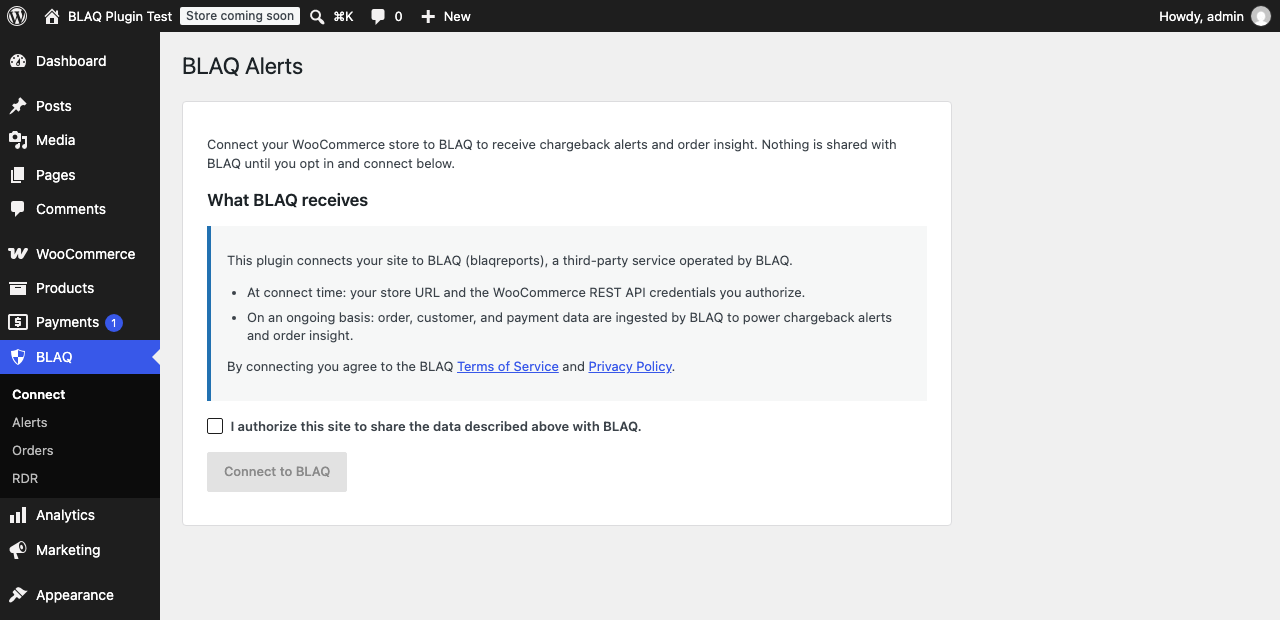
The Connect screen. Review exactly what BLAQ receives, tick the consent box, and connect. Nothing is shared with BLAQ until you do.


